Introduction
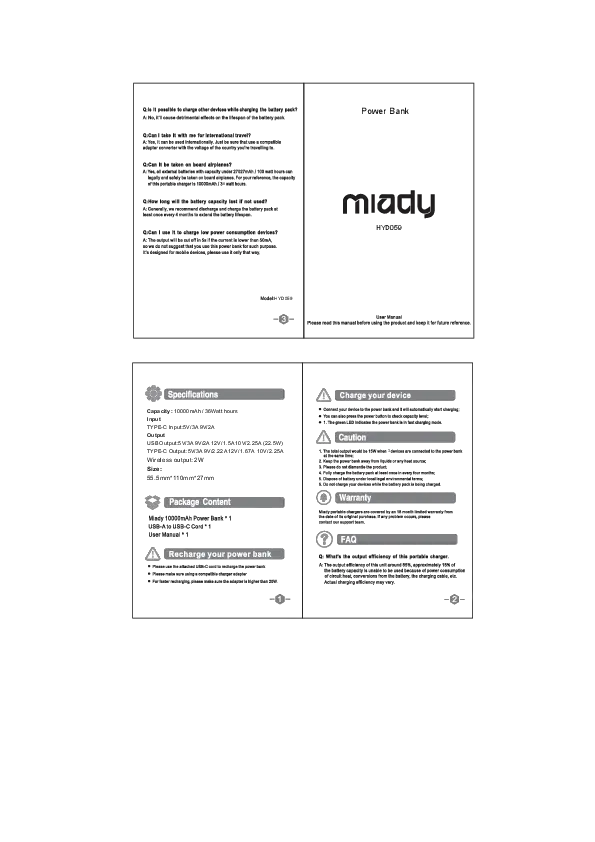
Thank you for choosing the Miady PD 30W 10000mAh Portable Charger, Model YJ-691B. This compact and versatile power bank is designed to provide convenient charging for your mobile devices on the go. It features a built-in foldable wall plug, an integrated USB-C cable, and a clear LED display for battery status. Please read this manual carefully to ensure proper use and optimal performance of your device.

Image: The Miady portable charger is designed for travel and is flight approved, as shown with a person holding it at an airport.
Package Contents
Please check the package contents upon opening to ensure all items are present:
- Miady 10000mAh Portable Charger with built-in foldable AC plug (Purple) x 1
- USB-C to USB-C Cable x 1
- User Manual x 1
Product Overview
Familiarize yourself with the components of your Miady portable charger:
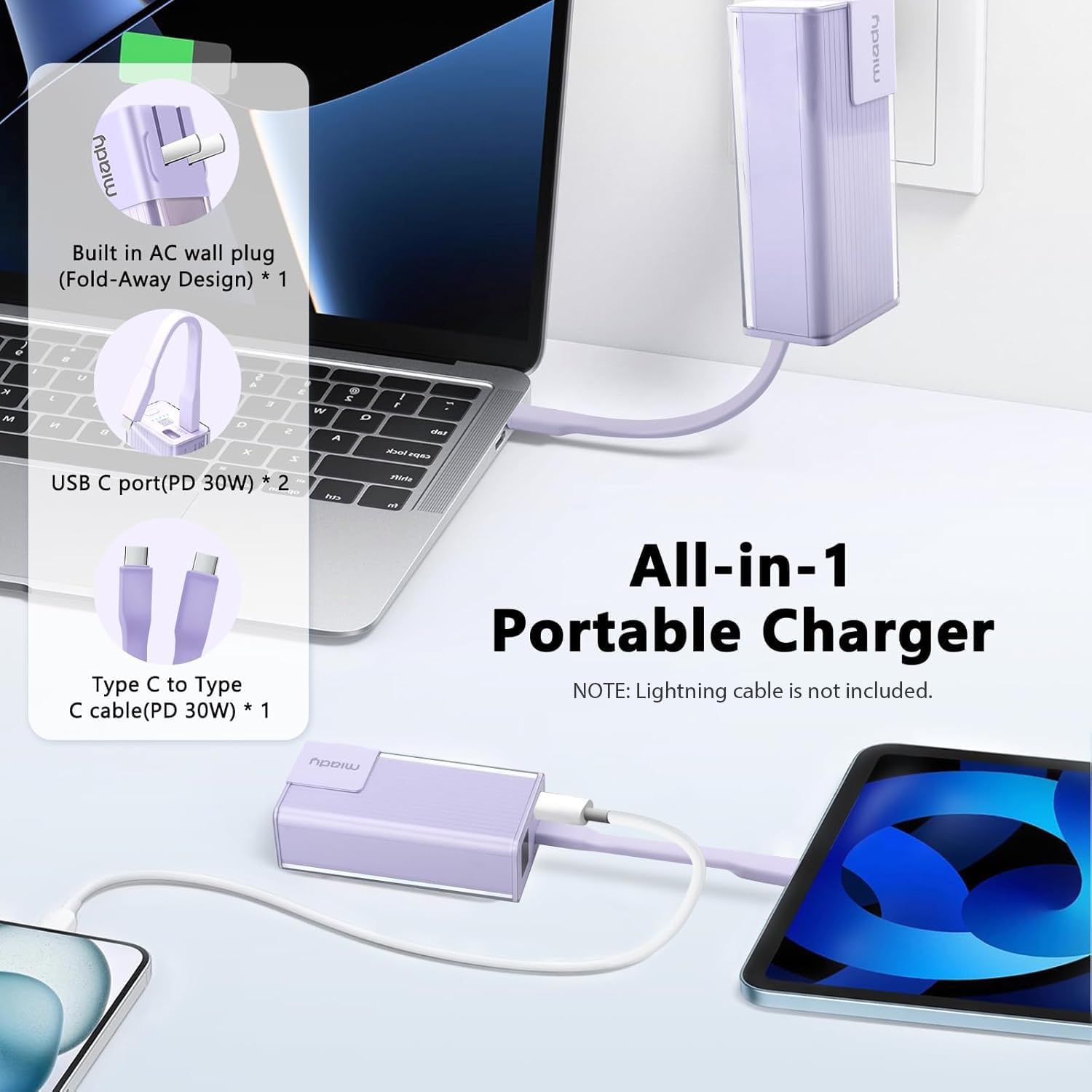
Image: A diagram illustrating the key features of the Miady portable charger, including the built-in AC wall plug, two USB-C ports (PD 30W), and the integrated Type-C to Type-C cable (PD 30W).
- Foldable AC Wall Plug: For direct wall charging of the power bank.
- Integrated USB-C Cable: For convenient charging of compatible devices.
- USB-C Ports (x2): For charging devices or recharging the power bank.
- LED Digital Display: Shows the remaining battery percentage.
- Power Button: Activates the LED display and initiates charging.
Setup
Initial Charging of the Power Bank
Before first use, it is recommended to fully charge your Miady portable charger. There are two methods to recharge the power bank:
- Using the Foldable Wall Plug:
Fold out the AC prongs and plug the power bank directly into a wall outlet. The LED display will show the charging progress. A full charge using this method typically takes 4-6 hours.
- Using a USB-C Charger:
Connect the power bank to a USB-C wall adapter (not included, 30W recommended) using the provided USB-C to USB-C cable or another compatible USB-C cable. A full charge using a 30W USB-C adapter takes approximately 1.5 hours.
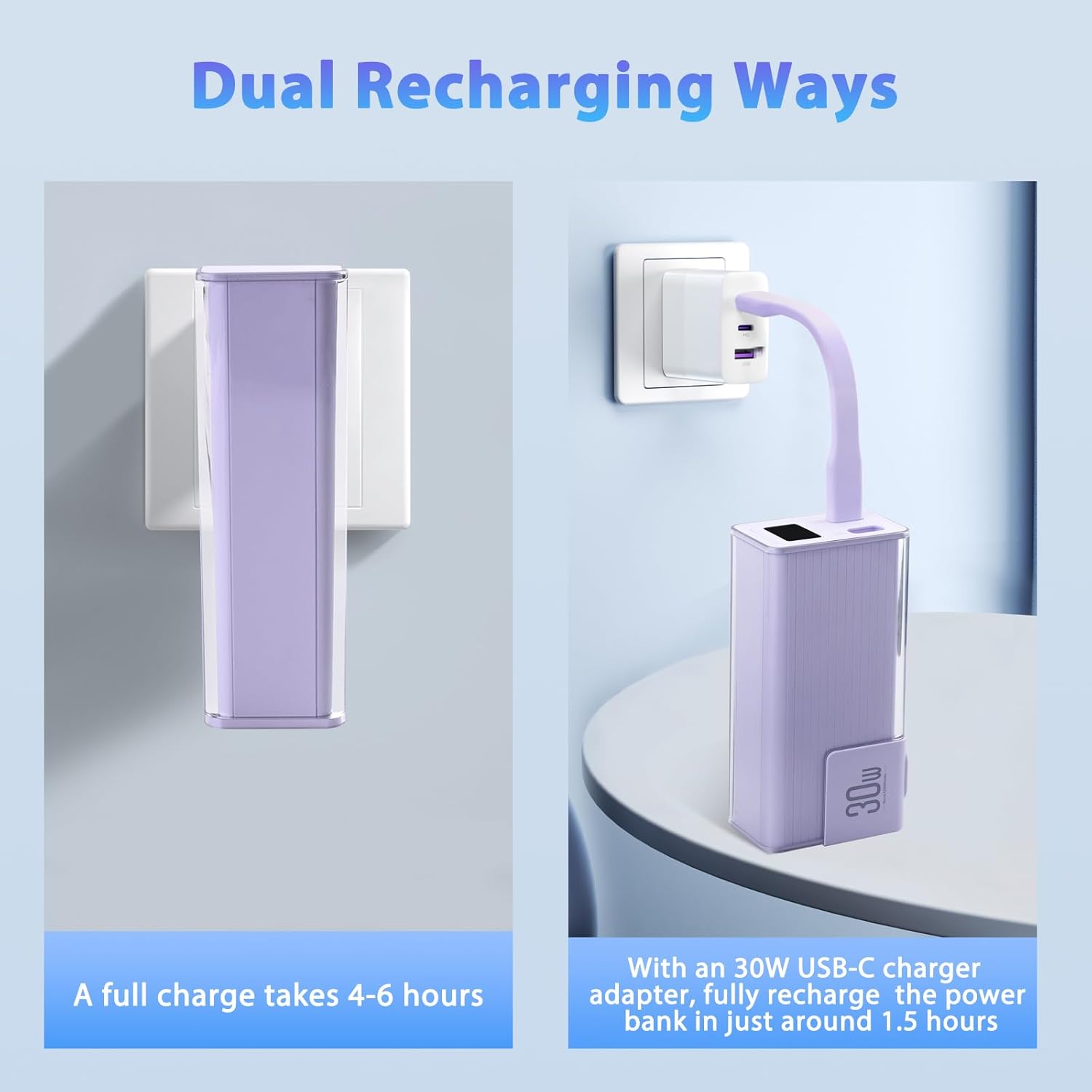
Image: Illustration of the two ways to recharge the power bank: directly into a wall outlet (4-6 hours) or using a USB-C charger (approx. 1.5 hours with 30W adapter).
Operating Instructions
Charging Your Devices
The Miady portable charger offers multiple ways to charge your devices:
- Using the Integrated USB-C Cable:
Pull out the integrated USB-C cable and connect it directly to your USB-C compatible device. The power bank will automatically begin charging.
- Using the USB-C Ports:
Connect your device's charging cable (USB-C to USB-C, or USB-C to Lightning for iPhones) to one of the two USB-C output ports on the power bank. The power bank will detect the connection and start charging.
You can charge up to two devices simultaneously using the available USB-C ports/cable. The power bank supports PD 30W two-way fast charging, allowing it to charge compatible devices rapidly.
Video: A short demonstration of the Miady Portable Charger with Built-in Foldable Wall Plug, highlighting its features and ease of use.
LED Display Guide
The Miady portable charger features a digital LED display that shows the exact remaining battery percentage. To check the battery level, simply press the power button located on the side of the device. The display will illuminate, showing a number from 0 to 100, indicating the percentage of charge left.

Image: A close-up view of the digital LED display on the Miady portable charger, showing a full 100% battery charge indicator.
Compatibility
This portable charger is widely compatible with a variety of devices, including but not limited to:
- iPhones: iPhone 16/15/14/13/12/11 Series, XR, XS Max, X, 8, 7, 6, 5, 4 Series (requires USB-C to Lightning cable, not included).
- Android Smartphones: Samsung Galaxy S24, S22, S21, S20, A52, A32, Z Fold series, Z Flip series; Google Pixel series; and other Android phones.
- Tablets: iPad, other tablets with USB-C charging.
- Other Devices: Bluetooth headsets, Nintendo Switch, etc.

Image: An illustration demonstrating the wide compatibility of the Miady portable charger with various devices including iPads, iPhones, Samsung phones, Bluetooth headsets, Nintendo Switch, and AirPods Pro.
Safety Information
To ensure safe operation and prolong the lifespan of your power bank, please observe the following safety precautions:
- Do not expose the power bank to extreme temperatures (hot or cold), direct sunlight, or high humidity.
- Avoid dropping, hitting, or disassembling the device.
- Keep away from water and flammable liquids.
- Do not use if the device is damaged or swollen.
- Use only compatible charging cables and adapters.
- Keep out of reach of children.
- This power bank incorporates multiple intelligent protection systems, including overcharge, overdischarge, short circuit, and temperature control, to ensure safe charging.

Image: An illustration depicting the Miady portable charger encased in a protective shield, symbolizing its multiple safety features such as over-current, over-temperature, over-voltage, and over-charging protection.
Maintenance
Proper care and maintenance will help extend the life of your portable charger:
- Clean the device with a soft, dry cloth. Do not use harsh chemicals or abrasive materials.
- Store the power bank in a cool, dry place when not in use.
- If storing for an extended period, charge the power bank to approximately 50-75% every three months to maintain battery health.
Troubleshooting
| Problem | Possible Cause | Solution |
|---|---|---|
| Power bank not charging |
|
|
| Device not charging from power bank |
|
|
| LED display not working |
|
|
Specifications
| Feature | Detail |
|---|---|
| Model Name | YJ-691B |
| Battery Capacity | 10000 Milliamp Hours (mAh) |
| Connector Type | USB Type C |
| Special Features | Built-in Cable, Built-in Foldable Wall Plug, Digital Display, Fast Charging, Pocket Size |
| Voltage | 7.6 Volts |
| Number of Ports | 2 (USB-C) |
| Battery Charge Time (Wall Plug) | 4-6 Hours |
| Battery Charge Time (30W USB-C) | Approx. 1.5 Hours |
| Item Weight | 7.05 Ounces |
| Item Dimensions (L x W x T) | 4.13" x 2.08" x 1.38" |
| Battery Cell Type | Lithium Polymer |

Image: The Miady portable charger displayed alongside a smartphone, emphasizing its compact dimensions (4.13 * 2.08 * 1.38 inches) and light weight (7.05 oz).
Warranty and Support
Miady provides an 18-month limited warranty for this product from the date of purchase. This warranty covers manufacturing defects. It does not cover damage caused by misuse, accident, unauthorized modification, or normal wear and tear.
For any questions, concerns, or warranty claims, please contact Miady customer service. Our team is available 24/7 to provide support and ensure your satisfaction.
Contact Information:
- Please refer to the contact details provided on the Miady official website or your purchase platform for the most up-to-date support information.
- You can also visit the Miady Store on Amazon for more information and support.