Introduction
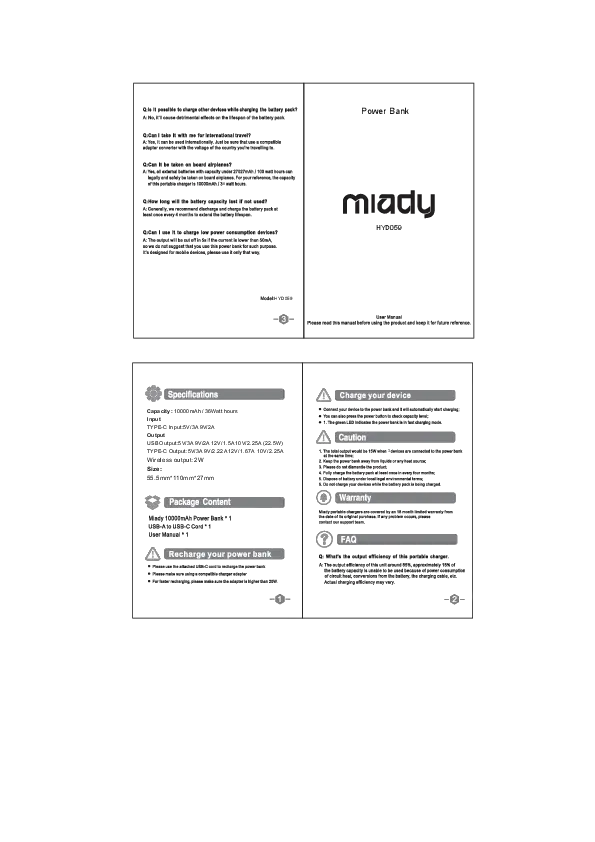
The Miady PD 30W 10000mAh Portable Charger (Model YJ-691B) is a compact and versatile power bank designed for convenient charging on the go. It features a built-in foldable wall plug, an integrated USB-C cable, and an LED display for battery status. This device supports PD 30W two-way fast charging and is compatible with a wide range of smartphones, tablets, and other USB-C powered devices.
Its 3-in-1 design eliminates the need for multiple accessories, making it an ideal travel essential. The power bank is constructed from durable, recyclable ABS material and incorporates multiple intelligent protection systems to ensure safe and reliable charging.
Package Contents
- 10000mAh Portable Charger with built-in foldable AC plug (Cream Blue) x 1
- USB-C Cable x 1 (Lightning cable is not included)
- User Manual x 1
Setup
Initial Charging of the Power Bank
Before first use, fully charge the Miady portable charger. There are two methods for recharging the power bank:
- Using the Built-in Foldable Wall Plug: Extend the foldable AC plug and insert the power bank directly into a wall outlet. A full charge typically takes 4-6 hours.
- Using a USB-C Adapter: Connect a 30W USB-C power adapter (not included) to one of the USB-C ports on the power bank using the provided USB-C cable. This method can fully recharge the power bank in approximately 1.5 hours.

Image: Dual Recharging Ways. The power bank can be recharged by plugging it directly into a wall outlet (takes 4-6 hours) or by using a 30W USB-C adapter (takes approximately 1.5 hours).
Checking Battery Level
Press the power button on the device to activate the LED display, which shows the exact percentage of charge remaining in the power bank.
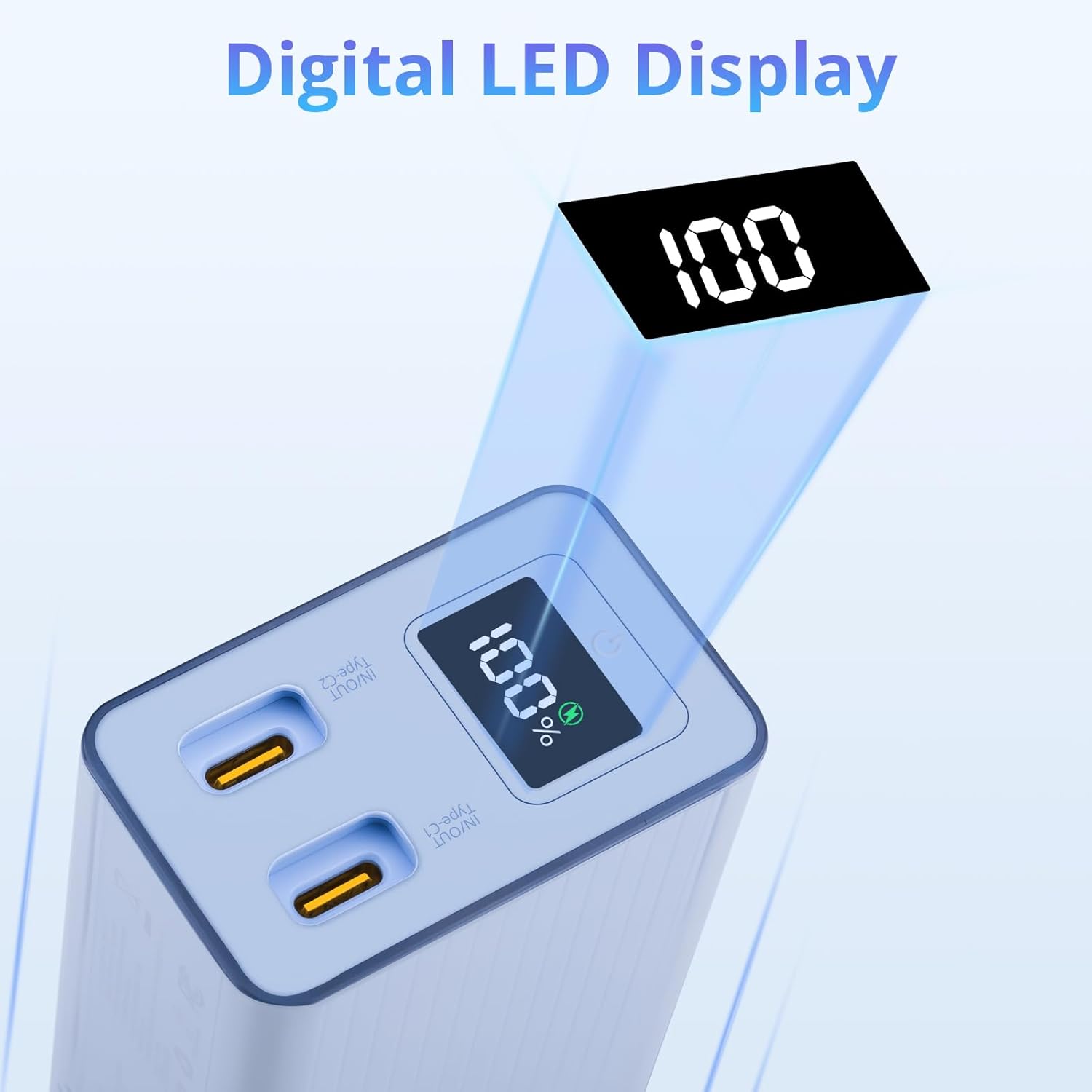
Image: Digital LED Display. The display shows the remaining battery percentage, allowing users to monitor the power bank's charge level.
Operating Instructions
Charging Your Devices
The Miady portable charger offers multiple ways to charge your electronic devices:
- Using the Integrated USB-C Cable: Pull out the built-in USB-C cable and connect it directly to your compatible device's USB-C port.
- Using the USB-C Ports: The power bank features two USB-C ports. Connect your device using a separate USB-C to USB-C cable (or other compatible USB-C cable for your device) to one of these ports. Both ports support PD 30W two-way fast charging.
You can charge up to two devices simultaneously using the USB-C ports. The PD 30W fast charging technology can charge an iPhone 15 Pro from 0% to 50% in approximately 25 minutes.
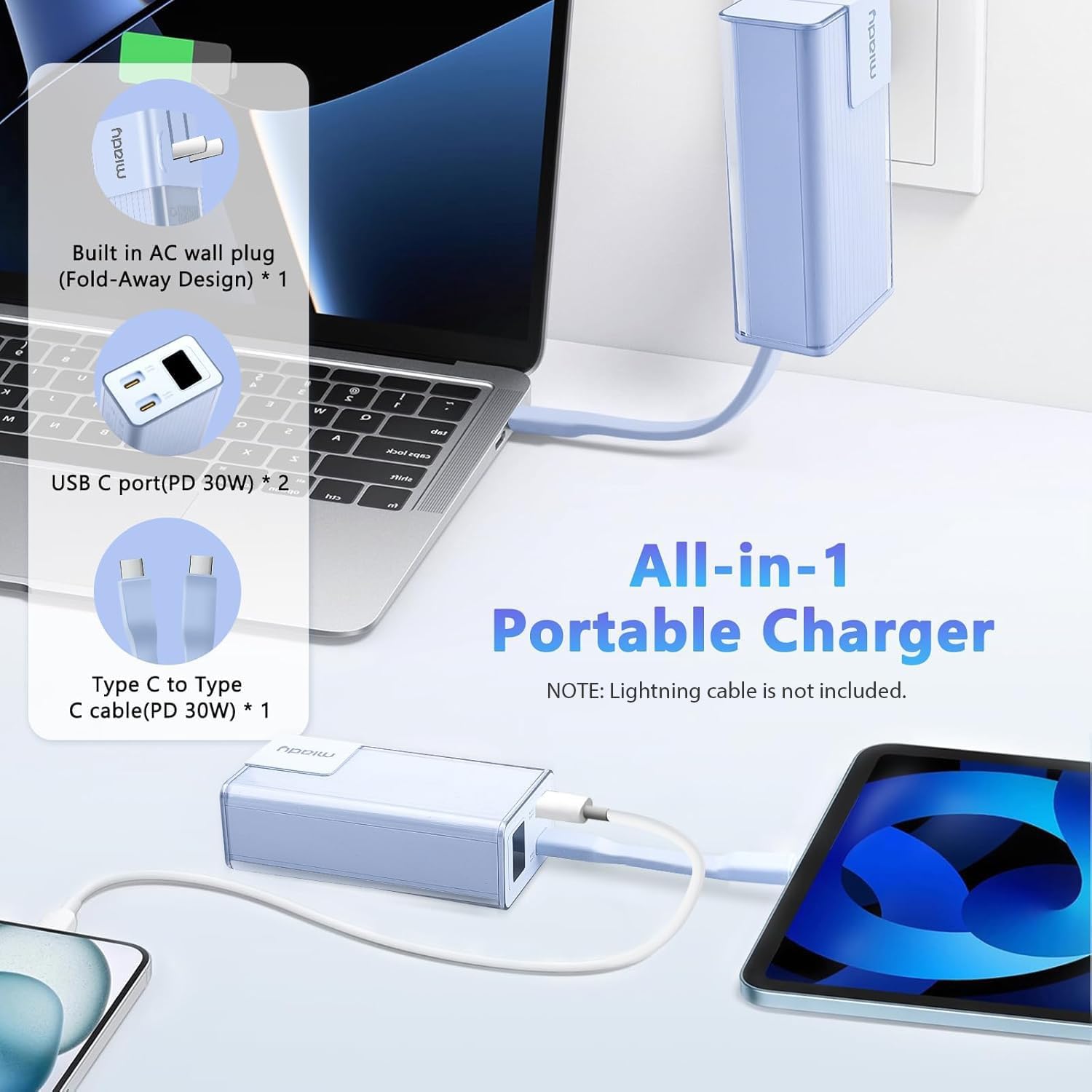
Image: All-in-1 Portable Charger. This image illustrates the power bank's versatility, showing it charging a laptop and a tablet using its various output options.
Compatibility
This portable charger is widely compatible with devices such as:
- iPhone 16/15/14/13/12/11 Series, XR, XS Max
- Samsung Galaxy S24, S22, S21, S20, A52, A32, Z Fold series, Z Flip series
- Google Pixel series
- Other Android phones, iPads, tablets, and devices with USB-C charging ports.

Image: Wide Compatibility. The power bank is shown with a variety of compatible devices, highlighting its broad utility.
Video Demonstration
Video: Miady Portable Charger Built-in Foldable Wall Plug. This short video demonstrates the key features of the Miady portable charger, including its built-in foldable wall plug and compact design.
Maintenance
General Care
- Keep the power bank away from extreme temperatures (hot or cold), direct sunlight, and humid environments.
- Avoid dropping or subjecting the device to strong impacts.
- Do not disassemble, modify, or attempt to repair the power bank yourself. This may void the warranty and pose safety risks.
- Clean the exterior with a soft, dry cloth. Do not use harsh chemicals or abrasive materials.
Safety Features
The Miady portable charger is equipped with multiple intelligent protection systems to ensure safe charging:
- Over-current protection
- Over-temperature protection
- Over-voltage protection
- Over-charging protection

Image: Multiple Protection. This graphic highlights the various safety mechanisms built into the power bank to protect both the device and connected electronics.
Troubleshooting
Common Issues and Solutions
- Device not charging: Ensure the power bank is sufficiently charged. Check that the charging cable is securely connected to both the power bank and your device. Verify that your device is compatible with USB-C charging.
- Slow charging: Confirm that your device supports fast charging and that the cable used is capable of transmitting fast charging speeds. Ensure the power bank itself is fully charged.
- Power bank not recharging: Check that the wall plug is fully extended and securely inserted into a working outlet, or that the USB-C charging cable and adapter are functioning correctly.
- LED display not working: Press the power button firmly. If the issue persists, ensure the power bank has some charge.
If you encounter any issues not covered here or require further assistance, please contact Miady customer support.
Specifications
| Feature | Detail |
|---|---|
| Model Number | YJ-691B |
| Battery Capacity | 10000 Milliamp Hours |
| Product Dimensions | 4.13 x 2.08 x 1.38 inches |
| Item Weight | 7.1 ounces |
| Connector Type | USB Type C |
| Special Features | Built-in Cable, Built-in Foldable Wall Plug, Digital Display, Fast Charging, Pocket Size |
| Color | Cream Blue |
| Manufacturer | Dongguan Opaqi Electronics Technology Co., Ltd |
| Date First Available | May 7, 2024 |
Warranty and Support
Warranty Information
Miady provides a 180-day after-sales service for this product. Please retain your proof of purchase for warranty claims.
Customer Support
For any questions, concerns, or technical assistance, please contact Miady's customer service. Our team is available 24/7 to provide support and ensure your satisfaction.
You can typically find contact information through the Miady store on the platform where you purchased the product.