
1. Introduction
The iWALK 4,500mAh Portable Charger is a compact and efficient power bank designed for on-the-go charging. Featuring a built-in USB-C connector, it eliminates the need for extra cables, providing a convenient power solution for a wide range of USB-C enabled devices.
Key Features:
- 4,500mAh Capacity: Provides approximately 1.1 charges for an iPhone 15 Pro and 1 full charge for an iPhone 15.
- Built-in USB-C Connector: Cordless design compatible with iPhone 15 series, Samsung Galaxy S23/S24 series, Moto, Google Pixel, and other Android Type-C smartphones.
- Pass-Through Charging: Allows simultaneous charging of your phone and the power bank using a single USB-C to USB-C cable. Supports 15W recharging.
- Low Heat Performance: Engineered for stable charging speeds with minimal heat generation.
What's in the Box:
- 1x iWALK 4,500mAh Power Bank
- 1x USB-C to USB-C Cable
- 1x Welcome Guide

This image shows the compact iWALK portable charger directly plugged into the USB-C port of a smartphone, illustrating its direct connection design.
2. Setup
Initial Charging of the Power Bank:
- Connect the provided USB-C to USB-C cable to the USB-C input port on the iWALK power bank.
- Plug the other end of the cable into a compatible USB-C wall adapter (not included).
- The LED indicator lights on the power bank will illuminate to show the charging status. A full charge is indicated when all LEDs are solid.
Connecting to a Device:
- Ensure your device has a USB-C charging port.
- Carefully align the built-in USB-C connector of the iWALK power bank with your device's charging port.
- Gently insert the connector until it is securely seated. The power bank should automatically begin charging your device.

This visual guide highlights the broad compatibility of the iWALK portable charger with a range of USB-C enabled smartphones, including the latest iPhone series, Samsung Galaxy, Google Pixel, and Motorola devices.
3. Operating Instructions
Charging Your Device:
Once the iWALK portable charger is securely connected to your USB-C device, it will automatically detect the device and begin charging. The LED indicators on the power bank will show the remaining battery level of the power bank.
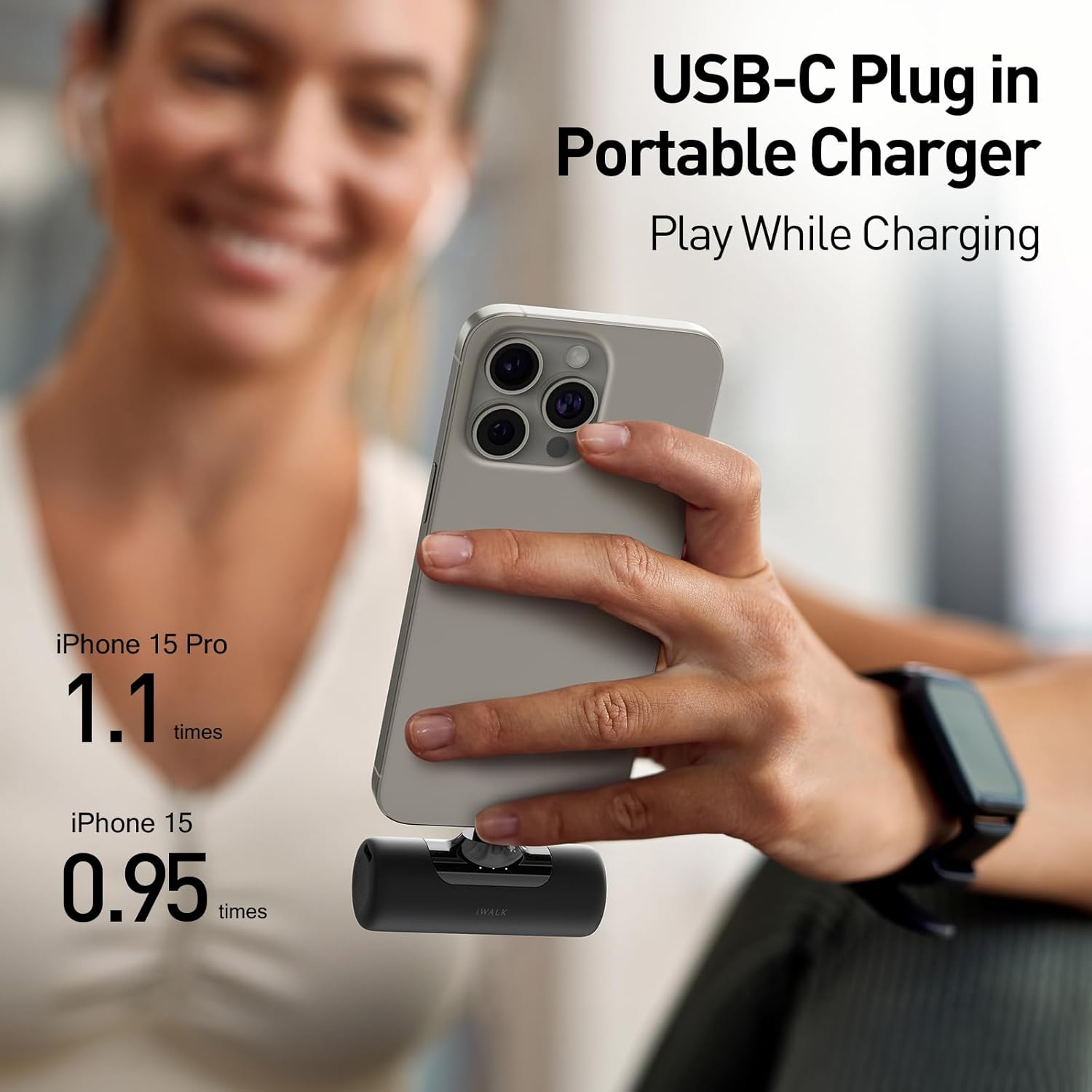
This image demonstrates the charging capability of the iWALK portable charger, showing it can provide approximately 1.1 full charges for an iPhone 15 Pro and 0.95 full charges for an iPhone 15.
Pass-Through Charging:
The iWALK portable charger supports pass-through charging. This feature allows you to charge both your connected device and the power bank simultaneously. To use this function:
- Connect the iWALK power bank to your smartphone or other USB-C device.
- Connect the iWALK power bank to a wall charger using the provided USB-C to USB-C cable.
- Your device will charge first, followed by the power bank.
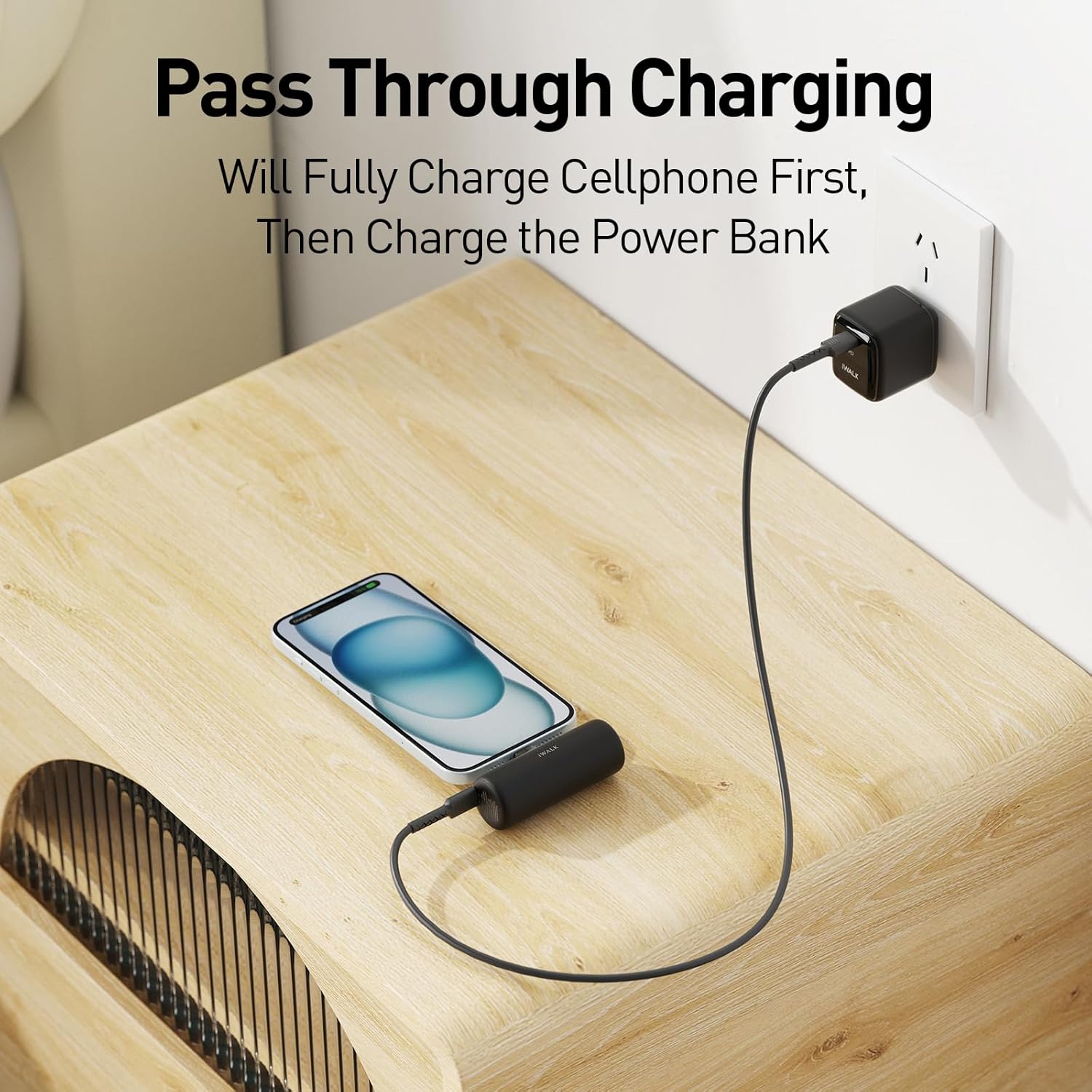
This image depicts the pass-through charging feature, where the portable charger is simultaneously recharging itself and providing power to a connected smartphone from a single wall outlet.
LED Indicators:
The power bank features LED indicator lights to display its battery status. Refer to the 'Welcome Guide' for specific patterns indicating charge levels and charging status.
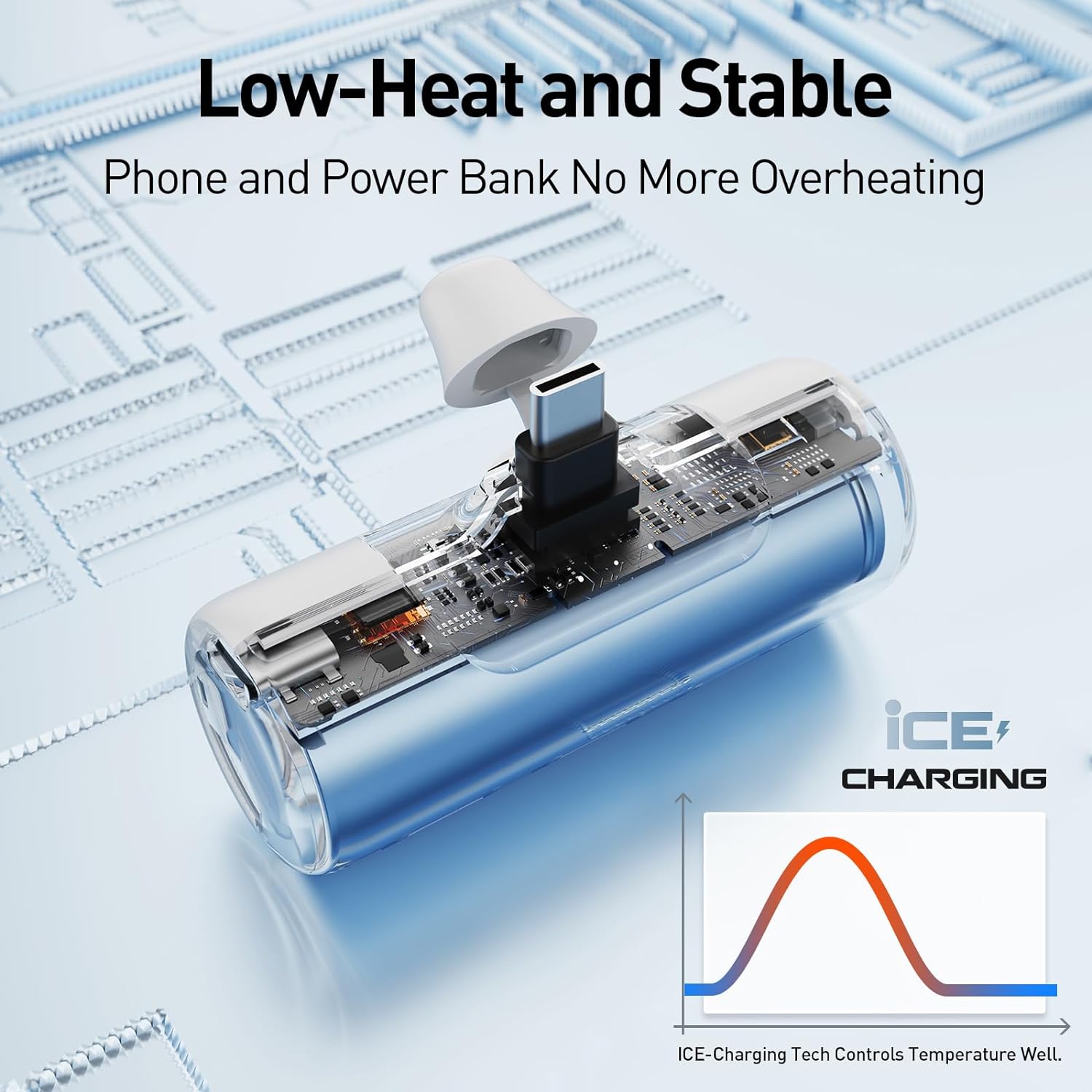
An illustration of the internal components of the iWALK portable charger, emphasizing its 'ICE Charging Tech' which ensures stable temperature control and low heat generation during operation.
4. Maintenance
General Care:
- Avoid dropping or subjecting the power bank to strong impacts.
- Keep the device away from extreme temperatures (hot or cold) and direct sunlight.
- Do not expose the power bank to water or excessive moisture.
Cleaning:
Wipe the exterior of the power bank with a soft, dry cloth. Do not use harsh chemicals or abrasive cleaners.
Battery Longevity:
To maximize the lifespan of the lithium polymer battery, fully charge the power bank at least once every three months if not in regular use.
5. Troubleshooting
Power Bank Not Charging:
- Ensure the USB-C cable is securely connected to both the power bank and the wall adapter.
- Verify that the wall adapter is functioning correctly and the power outlet is active.
- Try using a different USB-C cable or wall adapter.
Device Not Charging from Power Bank:
- Check if the power bank has sufficient charge.
- Ensure the built-in USB-C connector is fully and correctly inserted into your device's port.
- Confirm that your device is compatible with USB-C charging.
- If your device has a protective case, ensure it does not obstruct the connection.
Slow Charging:
- Ensure both the power bank and your device are not operating in extreme temperatures.
- Verify that the charging cable and wall adapter (if used for pass-through charging) are capable of delivering adequate power.
6. Specifications
| Model Number | LPB4500C |
| Battery Capacity | 4500 Milliamp Hours (mAh) |
| Connector Type | USB Type C (Built-in) |
| Product Dimensions | 1.9 x 2.9 x 1.25 inches |
| Item Weight | 2.65 ounces |
| Special Features | Built-in Cable, LED Indicator Lights, Lightweight, Pocket Size |
| Manufacturer | U2O GLOBAL CO.,LTD. |

This image illustrates the compact size of the iWALK 4,500mAh portable charger, designed for portability, with approximate dimensions of 3 inches in length and 1.2 inches in width.
7. Safety Information
Please read and follow these safety guidelines to ensure safe operation and prolong the life of your iWALK portable charger:
- Do not disassemble, open, or shred the battery pack.
- Do not expose the power bank to heat or fire. Avoid storage in direct sunlight.
- Do not short-circuit the battery pack. Do not store battery packs haphazardly in a box or drawer where they may short-circuit each other or be short-circuited by conductive materials.
- Do not subject the battery pack to mechanical shock.
- In the event of a battery leak, do not allow the liquid to come into contact with the skin or eyes. If contact has been made, wash the affected area with copious amounts of water and seek medical advice.
- Keep the power bank out of reach of children.
- Do not use any charger other than that specifically provided for use with the equipment.
- Dispose of the power bank properly according to local regulations.
8. Warranty and Support
Warranty Information:
iWALK products typically come with a standard manufacturer's warranty. Please refer to the 'Welcome Guide' included in your package or visit the official iWALK website for detailed warranty terms and conditions.
Customer Support:
For technical assistance, troubleshooting beyond this manual, or warranty claims, please contact iWALK customer support through their official website or the contact information provided in your product's documentation.


