
1. Product Overview
The AQQA LED Aquarium Light is designed to provide optimal lighting for your fish tank, supporting both plant growth and enhancing the visual appeal of your aquatic environment. This light features a durable aluminum alloy housing, IP68 waterproof rating, and extendable brackets for versatile installation.
- High Quality Construction: Built with a widened and thickened aluminum gloss shell for durability and efficient heat dissipation. Features premium 5050 and 2835 LEDs for bright illumination.
- DIY Mode: Offers customizable lighting with 9 color options, 10 brightness levels, and 3 timer settings (6H/10H/12H).
- 24/7 Default Mode: Simulates a natural 24-hour sunrise and sunset cycle, promoting plant growth with gradual changes from warm orange to full-spectrum bright light, then to starry blue light. Automatically turns on at 6 AM and off at 11 PM, with adjustable start/end times.
- IP68 Waterproof: Designed to be directly submerged in water for use, offering high flexibility and protection.
- Extendable Bracket: Equipped with an 8-inch extendable bracket to fit various aquarium sizes.
2. Setup and Installation
Follow these steps to properly set up your AQQA LED Aquarium Light.
2.1 Unboxing and Component Check
Carefully unpack all components and ensure the following items are present:
- AQQA LED Aquarium Light Bar
- Extendable Brackets (2 pieces)
- Power Adapter with Controller
- User Manual
2.2 Attaching the Extendable Brackets
- Locate the slots on each end of the light bar.
- Slide one extendable bracket into each slot until securely fitted.
- Adjust the brackets to match the width of your aquarium. The brackets are designed to extend up to 8 inches.

Image: AQQA LED Aquarium Light with extendable brackets. This image shows the light bar with its adjustable brackets, highlighting the design for fitting various tank sizes.
2.3 Mounting the Light on the Aquarium
- Place the light bar with attached brackets onto the rim of your aquarium.
- Ensure the light is centered and stable. The light can be placed on top of the tank or submerged due to its IP68 rating.
- Connect the power adapter to the light bar and then plug it into a suitable power outlet.
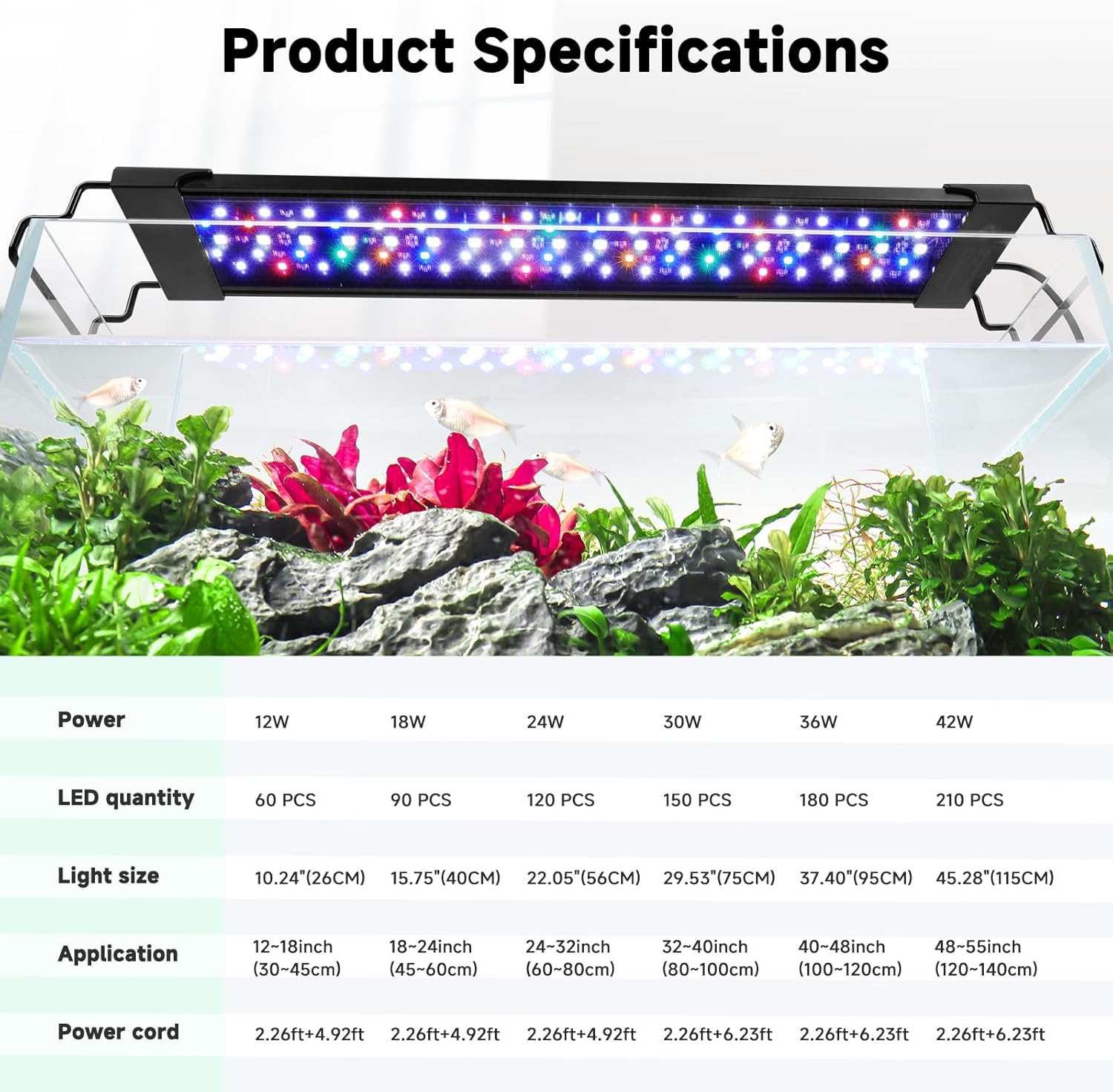
Image: AQQA LED Aquarium Light with adjustable extendable brackets. This image illustrates the adjustable nature of the brackets, allowing the light to fit different aquarium dimensions.
2.4 Installation Video Guide
Video: Installation Guide for Clip-On Aquarium Light. This video demonstrates the physical installation process of a similar clip-on aquarium light, including attaching brackets and mounting it on the tank.
3. Operating Instructions
The AQQA LED Aquarium Light offers various modes and settings controlled via the inline controller.
3.1 Controller Overview
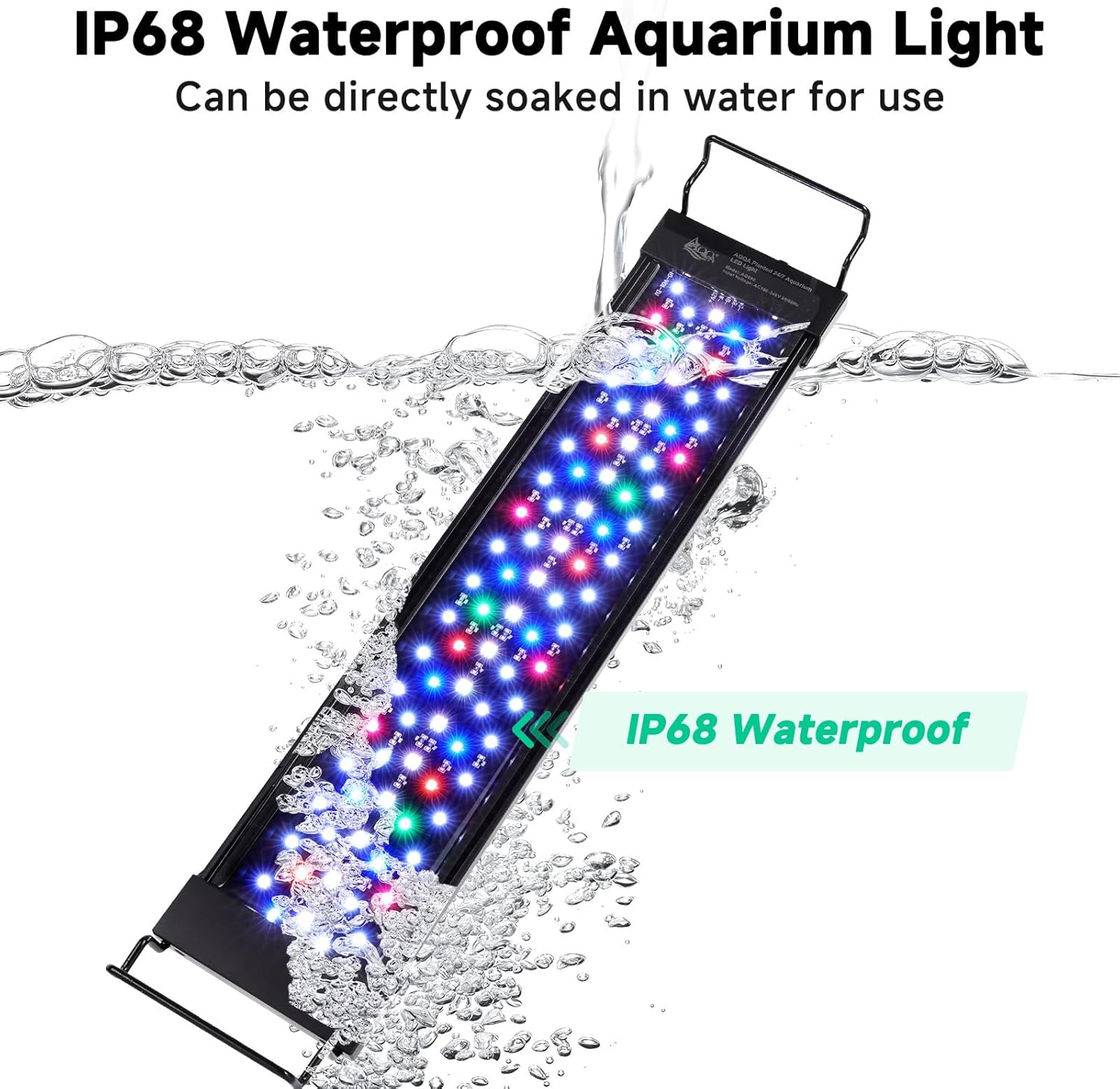
Image: AQQA LED Aquarium Light Controller with DIY Mode settings. This image displays the inline controller, detailing buttons for ON/OFF, lighting options, brightness, and timer settings.
The controller features:
- ON/OFF & Lighting Options Button: Press and hold for 3 seconds to turn off the light. Short press to cycle through 9 light colors (red, green, blue, orange, cyan, yellow, purple, color gradient, full spectrum light).
- Brightness Options Button: Adjusts brightness across 10 levels (10% to 100%).
- Timer Button: Sets lighting duration to 6H, 10H, or 12H.
- 24/7 Mode Button: Activates the automatic 24/7 sunrise/sunset cycle.
3.2 DIY Mode Operation
In DIY Mode, you have full control over color, brightness, and timer settings.
- Turn On/Off: Press and hold the ON/OFF & Lighting Options Button for 3 seconds.
- Select Color: Short press the ON/OFF & Lighting Options Button to cycle through the 9 available colors or full spectrum.
- Adjust Brightness: Use the Brightness Options Button to select one of the 10 brightness levels.
- Set Timer: Press the Timer Button to choose a 6H, 10H, or 12H lighting duration. The light will automatically turn on and off daily at the set interval.
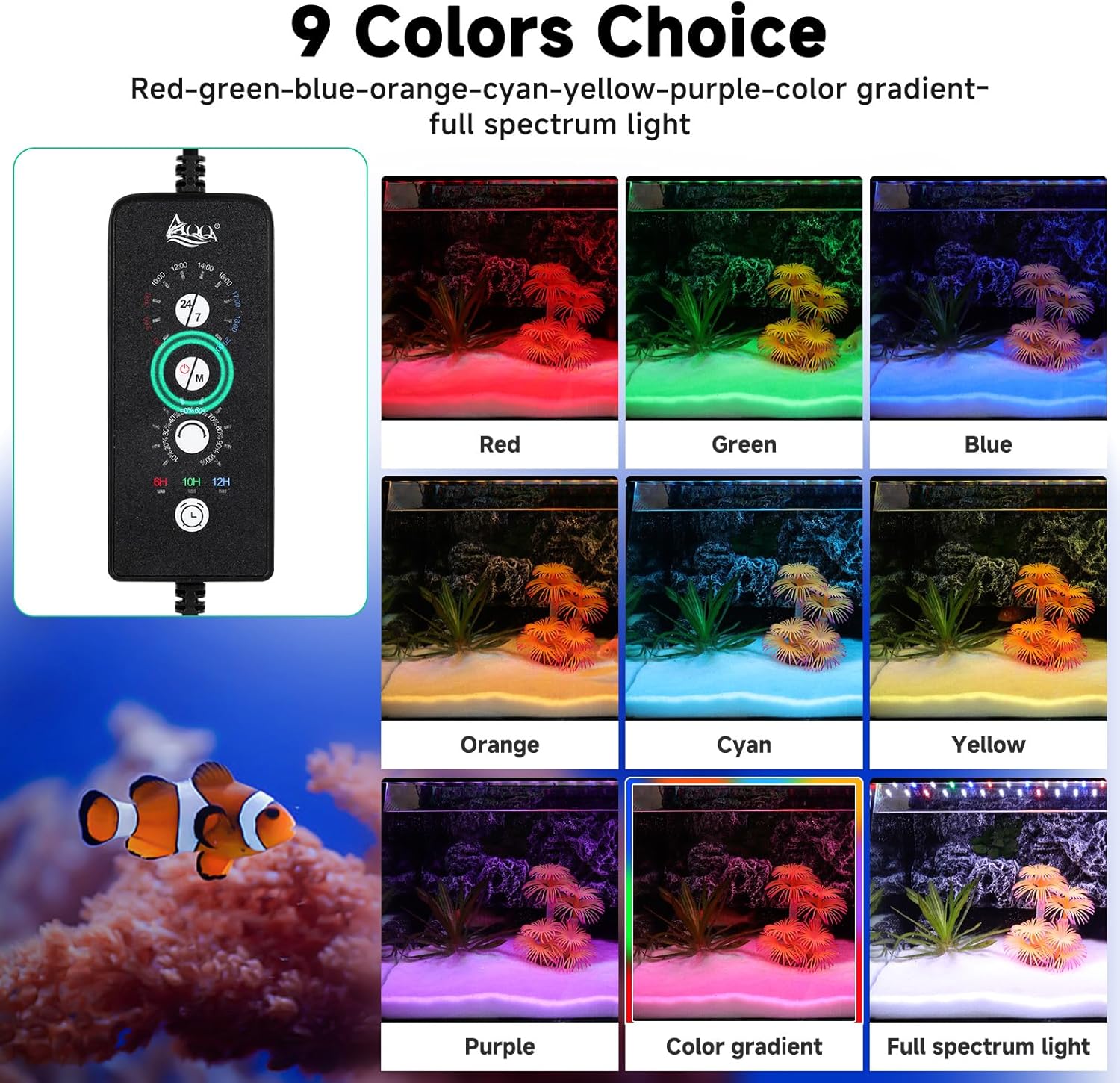
Image: AQQA LED Aquarium Light 9 Colors Choice. This image illustrates the various color options available through the controller, showing different hues in an aquarium setting.

Image: AQQA LED Aquarium Light 10 Levels of Brightness. This image demonstrates the different brightness levels from 10% to 100% that can be set for the aquarium light.
3.3 24/7 Default Mode Operation
The 24/7 mode simulates a natural day-night cycle for your aquarium.
- Activate 24/7 Mode: Press the 24/7 Mode Button on the controller.
- The light will automatically follow a pre-programmed cycle: warm orange at sunrise, 100% bright full-spectrum at noon, and starry blue at night.
- The default cycle starts at 6 AM and ends at 11 PM. You can adjust the overall start/end time of this default period. Note: Brightness cannot be adjusted in 24/7 mode.

Image: AQQA LED Aquarium Light 24/7 Mode Cycle. This image visually explains the 24-hour light cycle, showing transitions from morning to night with corresponding light colors and intensities.
3.4 Controller Usage Video Guide
Video: How to Use C10 Plant LED Controller. This video provides a detailed guide on how to operate the LED controller, including setting time, timers, and adjusting light modes.
Video: SEAOURA 24/7 Lighting Cycle Submersible Aquarium Light. This video demonstrates the 24/7 lighting cycle feature, showing how the light changes throughout the day to simulate natural conditions.
4. Maintenance
Proper maintenance ensures the longevity and optimal performance of your aquarium light.
- Cleaning: Regularly wipe the light bar with a soft, damp cloth to remove algae, mineral deposits, or dust. Ensure the light is unplugged before cleaning.
- Waterproof Rating: The light bar itself is IP68 waterproof and can be submerged. However, the inline controller is NOT waterproof. Ensure the controller remains dry at all times.
- Cable Inspection: Periodically check the power cable and connections for any signs of damage, fraying, or wear. Discontinue use if any damage is found.
- Heat Dissipation: The aluminum housing is designed for fast heat dissipation. Ensure the light is not covered by anything that could impede airflow if used above water.
Image: AQQA LED Aquarium Light IP68 Waterproof. This image shows the light bar submerged in water, demonstrating its IP68 waterproof capability.
5. Troubleshooting
If you encounter issues with your AQQA LED Aquarium Light, refer to the following common problems and solutions:
- Light Not Turning On:
- Check if the power adapter is securely plugged into both the light and the wall outlet.
- Ensure the wall outlet is functional by testing it with another device.
- Verify that the light is not in an 'OFF' state from the controller (press and hold the ON/OFF button for 3 seconds to toggle).
- Light Flickering or Dimming Unexpectedly:
- Check for loose connections between the light bar and the power adapter.
- Ensure the power supply is stable and not experiencing fluctuations.
- If in 24/7 mode, note that brightness changes are part of the natural cycle.
- Controller Not Responding:
- Unplug the power adapter from the wall, wait 30 seconds, and plug it back in to reset the controller.
- Ensure the controller is dry and free from water damage.
- Missing Parts or Damaged Components:
- If any parts are missing or damaged upon arrival, contact customer support immediately for assistance.
6. Specifications
| Feature | Detail |
|---|---|
| Brand | AQQA |
| Model Number | AQ090-12W |
| Power | 30 Watts |
| Applicable Fish Tank Size | 32-40 inches |
| Waterproof Rating | IP68 (Light Bar), Controller is NOT waterproof |
| Material | Aluminum Alloy |
| Light Source Type | LED (Premium 5050 and 2835 LEDs) |
| Product Dimensions | 5.08 x 5.08 x 5.08 cm; 907 g |
| Extendable Bracket Length | Up to 8 inches |
Image: AQQA LED Aquarium Light Product Specifications. This image provides a visual table of different light sizes, power, LED quantity, and application ranges for various tank sizes.
7. Warranty and Support
The AQQA LED Aquarium Light typically comes with a 1-year warranty. For warranty claims, technical support, or any product-related inquiries, please contact the seller or manufacturer directly. Refer to your purchase documentation for specific contact details.
Manufacturer: AQQA


