1. Introduction
This manual provides essential instructions for the safe and effective use of your Vanguard Vesta GO 234CB Carbon Fiber Travel Tripod. Please read this manual thoroughly before operating the product to ensure proper setup, functionality, and longevity.
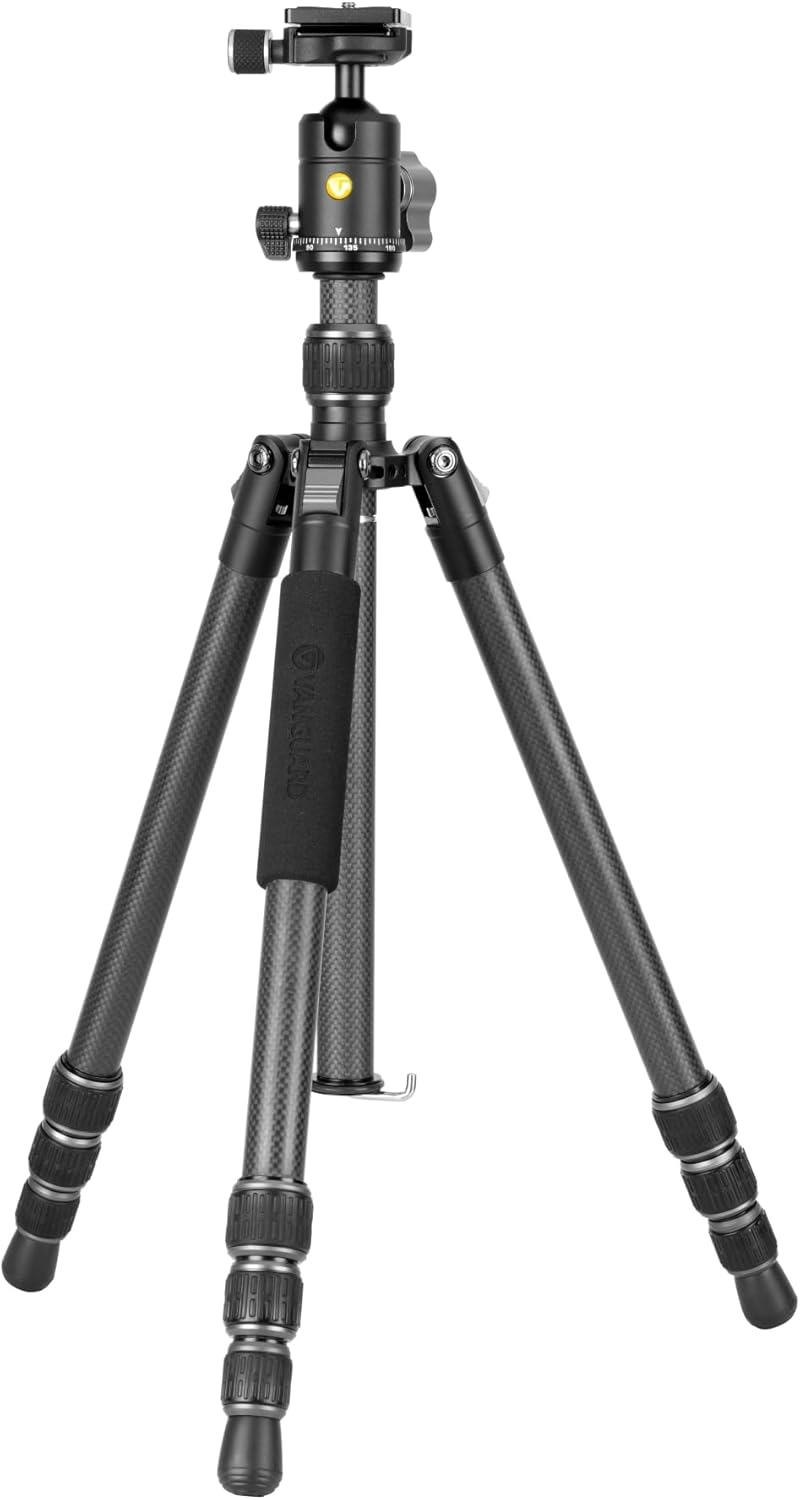
Image 1.1: The Vanguard Vesta GO 234CB Carbon Fiber Travel Tripod with VEO BH-50 Ball Head in its fully extended position.
2. Package Contents
Verify that all items listed below are included in your package:
- Vanguard Vesta GO 234CB Carbon Fiber Travel Tripod with VEO BH-50 Ball Head
- Smart Photo Holder (Smartphone Adapter)
- Deluxe Soft Carrying Bag
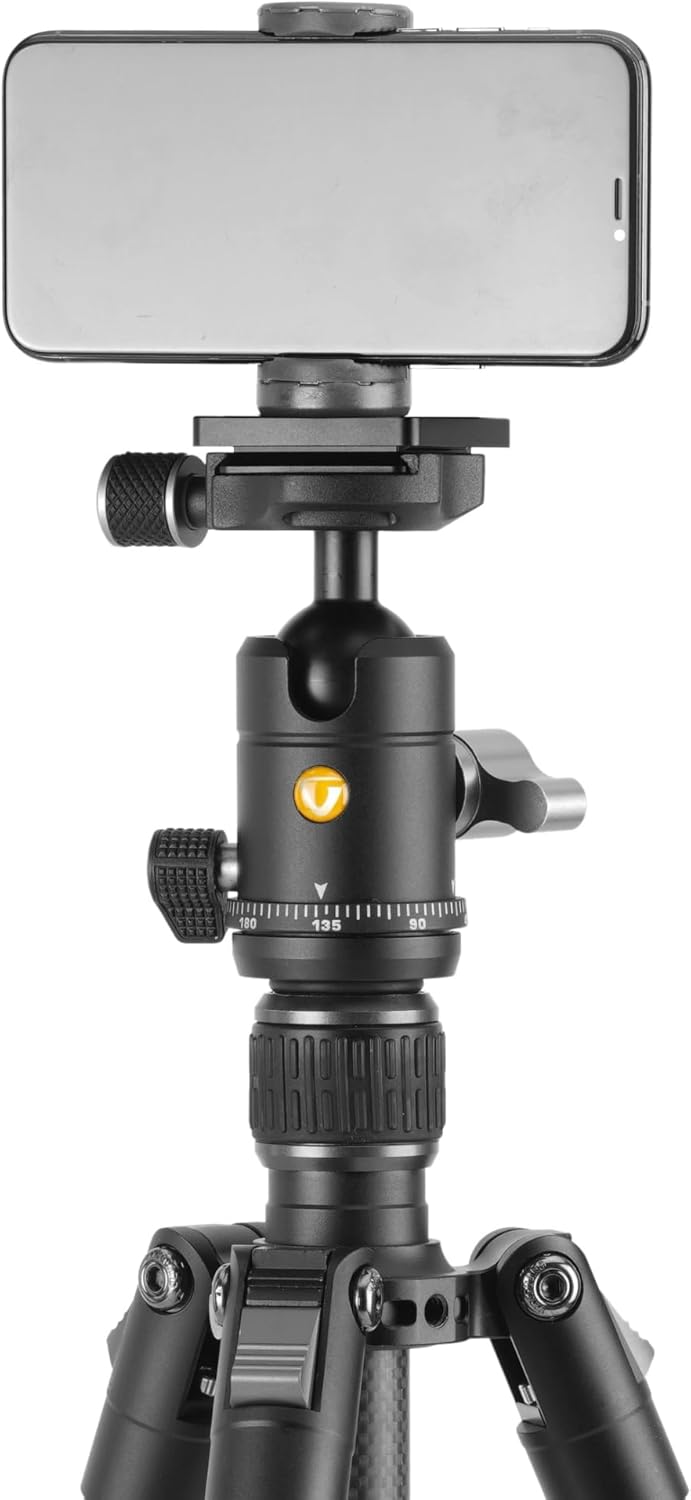
Image 2.1: The included smartphone holder, designed for mounting mobile devices to the tripod.

Image 2.2: The deluxe soft carrying bag provided for convenient transport and protection of the tripod.
3. Product Features
- Compact and Lightweight Design: Weighs 2.5 pounds and folds to 15.9 inches for easy portability.
- High Load Capacity: Supports up to 9.9 pounds, suitable for various cameras, smartphones, and spotting scopes.
- 23mm Diameter Carbon Fiber Legs: Provides excellent stability and durability.
- Three Leg Angles: Adjustable to 20, 50, and 80 degrees for versatile shooting positions (prone, sitting, standing).
- Silent, Easy-Clean Twist Leg Locks: Ensures quick and secure leg adjustments.
- VEO BH-50 Ball Head: Features Arca-compatible QS-74 quick release plate and two locking knobs for friction control and panning.
- Center Column with Built-in Short Column: Allows for low-angle shooting.
- Spring-Loaded Hook: Located at the bottom of the center column for adding weight to enhance stability.
4. Setup Instructions
4.1 Unfolding the Tripod
- Remove the tripod from its carrying bag.
- Gently extend the legs outwards from the folded position.

Image 4.1: The tripod in its compact, folded configuration for transport.
4.2 Adjusting Leg Angles
The tripod legs can be set to three different angles for various shooting scenarios:
- Locate the leg angle adjustment locks at the top of each leg, near the center column.
- Press the lock and move the leg to the desired angle (20, 50, or 80 degrees). Ensure the lock clicks into place.

Image 4.2: Illustration of the tripod leg angle adjustment, showing the three available positions.
4.3 Extending Tripod Legs
- Twist the leg locks counter-clockwise to loosen each section of the tripod legs.
- Extend the leg sections to the desired height.
- Twist the leg locks clockwise to secure each section firmly.
4.4 Extending the Center Column
- Loosen the center column locking knob located on the tripod's main body.
- Raise the center column to the desired height.
- Tighten the center column locking knob to secure it.
4.5 Low-Angle Shooting
For extremely low-angle shots, the center column can be inverted or removed and replaced with the built-in short column:
- Fully extend the legs and set them to the widest angle (80 degrees).
- Loosen the center column locking knob and remove the center column.
- The tripod is now ready for low-angle use.

Image 4.3: The tripod configured for low-angle photography, demonstrating its versatility.
5. Operating Instructions
5.1 Attaching Your Device to the Ball Head
The VEO BH-50 ball head uses an Arca-compatible QS-74 quick release plate.
- Ensure the quick release plate is securely attached to the bottom of your camera or smartphone holder.
- Loosen the quick release clamp knob on the ball head.
- Slide the quick release plate with your device into the clamp.
- Tighten the quick release clamp knob firmly to secure your device.
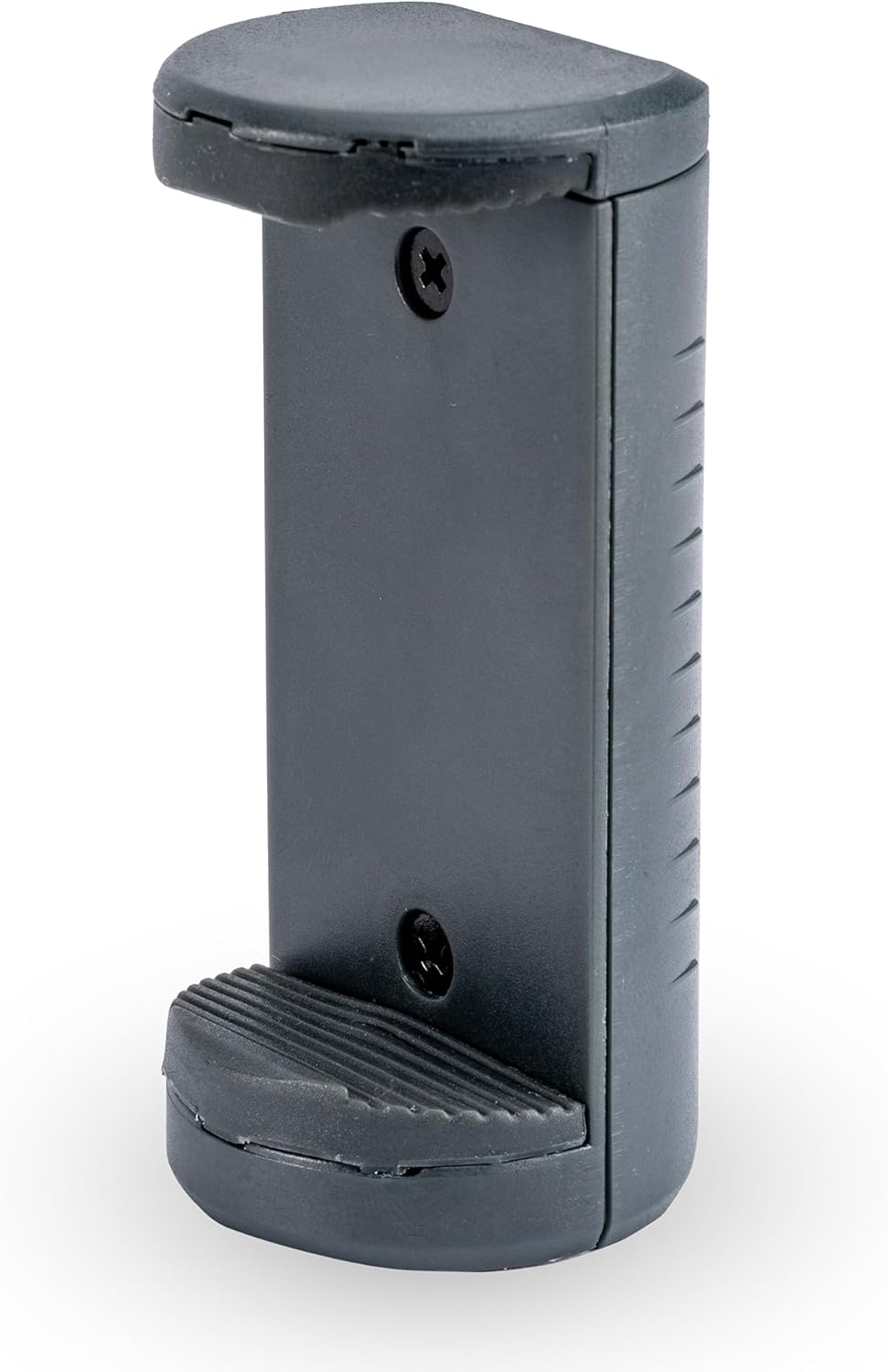
Image 5.1: Close-up view of the VEO BH-50 ball head, highlighting the quick release plate and control knobs.
5.2 Adjusting the Ball Head
The VEO BH-50 ball head features two main control knobs:
- Main Locking Knob: Controls the movement of the ball. Loosen to adjust the camera angle, tighten to lock it in place.
- Panning Lock Knob: Controls the rotation of the base for panoramic shots. Loosen to pan horizontally, tighten to lock.

Image 5.2: A smartphone securely mounted on the tripod using the smartphone holder and ball head.
5.3 Using the Spring-Loaded Hook
A spring-loaded hook is located at the bottom of the center column. This can be used to hang additional weight (e.g., a camera bag) to increase the tripod's stability, especially in windy conditions or when using heavy equipment.

Image 5.3: The spring-loaded hook at the base of the center column, shown with a bag attached to enhance stability.
6. Maintenance
- Cleaning: Wipe down the tripod with a soft, damp cloth after each use, especially if used in dusty, sandy, or wet environments. Avoid harsh chemicals.
- Leg Locks: Periodically check leg locks for smooth operation. If they become stiff, clean any debris and ensure they are not overtightened.
- Storage: Store the tripod in its carrying bag in a dry, cool place away from direct sunlight.
- Lubrication: Do not apply lubricants to the leg sections or ball head unless specifically instructed by Vanguard support, as this can attract dirt and impair function.
7. Troubleshooting
- Tripod feels unstable:
- Ensure all leg locks are fully tightened.
- Verify that leg angle selectors are securely clicked into position.
- Consider adding weight to the spring-loaded hook for increased stability.
- Center column is difficult to adjust:
- Ensure the center column locking knob is fully loosened.
- Check for any debris or obstructions within the center column mechanism.
- Quick release plate is not secure:
- Ensure the quick release clamp knob is tightened firmly.
- Verify that the quick release plate is correctly seated in the clamp.
8. Specifications
| Model Name | Vesta GO 234CB |
| Material | Carbon Fiber |
| Item Weight | 2.5 pounds |
| Weight Limit (Max Load) | 9.9 pounds |
| Folded Length | 15.9 inches |
| Extended Height (Maximum) | 58.8 inches |
| Low Angle Height | 9.4 inches |
| Tripod Head Type | Ball Head (VEO BH-50) |
| Compatible Devices | Camera, Smartphone, Spotting Scope |
9. Warranty and Support
For warranty information, product registration, or technical support, please visit the official Vanguard website or contact their customer service directly. You can find more information and support resources at the Vanguard Store on Amazon.


