Product Overview
The Belkin BoostCharge Portable USB-C Apple Watch Charger is an MFi-certified device designed for convenient charging of all Apple Watch models. It features a compact, travel-friendly design and offers fast charging capabilities for compatible Apple Watch Series.
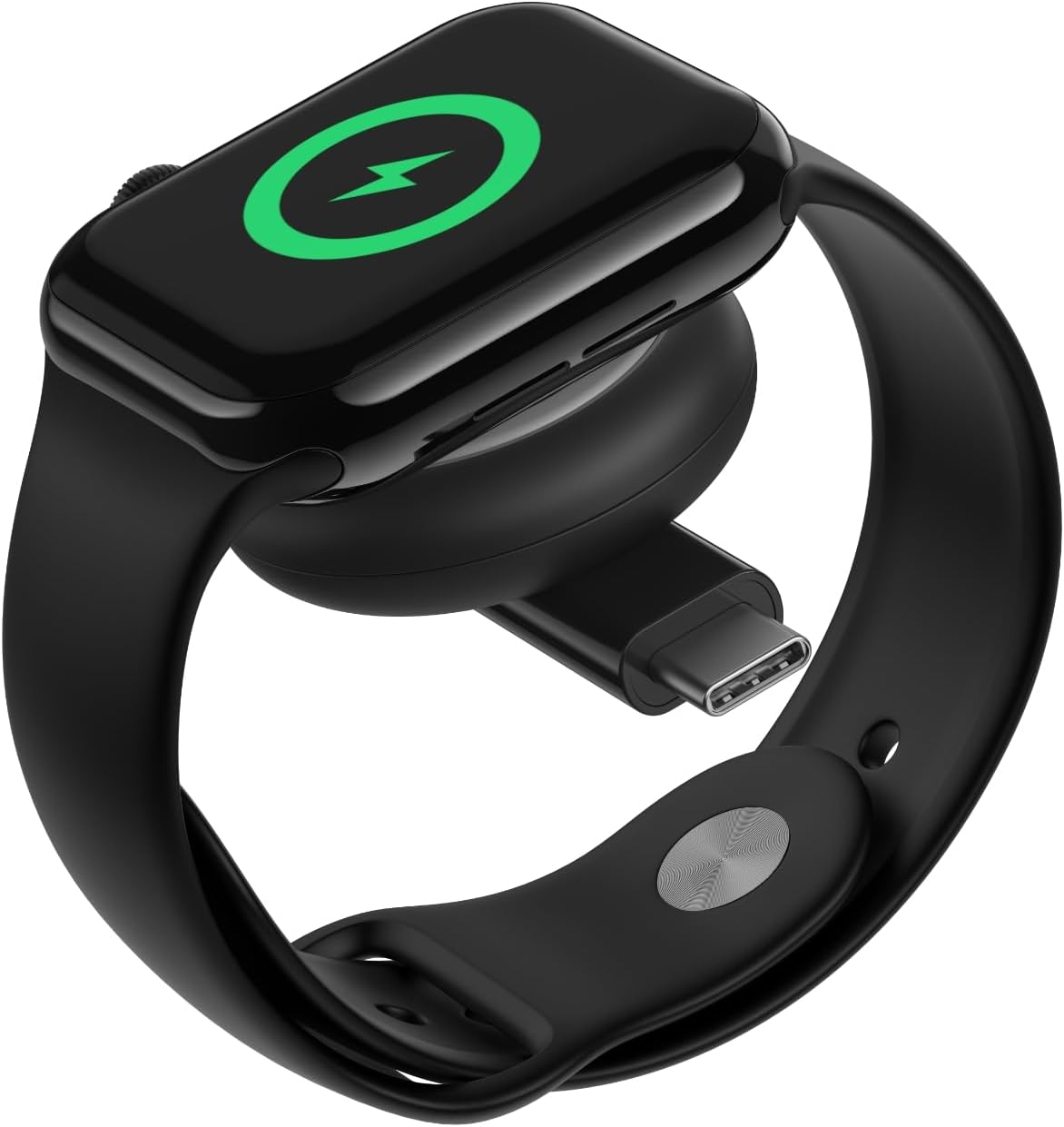
Image: The Belkin BoostCharge Portable USB-C Apple Watch Charger, a compact black and white puck-shaped device with a USB-C connector.
Key Features:
- Fast Charging: Supports fast charging for Apple Watch Series 7 and later (0-80% in approximately 45 minutes) and Apple Watch Ultra 1 and 2 (up to 5W).
- MFi-Certified: Ensures compatibility and safe operation with all Apple Watch models.
- USB-C Compatibility: Connects to MacBook, iPhone 16 Series, power banks, and wall chargers with a USB-C port.
- Compact and Portable: Lightweight design for easy travel and storage.
- Sustainable Materials: Made with 75% post-consumer recycled materials and 100% plastic-free packaging.
Video: A brief overview of the Belkin BoostCharge Portable USB-C Apple Watch Charger, highlighting its compact design, fast charging, and USB-C compatibility.
Setup
Follow these steps to set up your Belkin BoostCharge Portable USB-C Apple Watch Charger:
- Unpack the Charger: Remove the BoostCharge Portable USB-C Apple Watch Charger from its packaging.
- Connect to a Power Source: Insert the USB-C connector of the charger into a compatible USB-C port on a device such as a MacBook, iPhone 16 Series, power bank, or a USB-C wall charger.
- Place Your Apple Watch: Position your Apple Watch onto the magnetic charging puck. Ensure the watch is centered and securely attached to initiate charging.
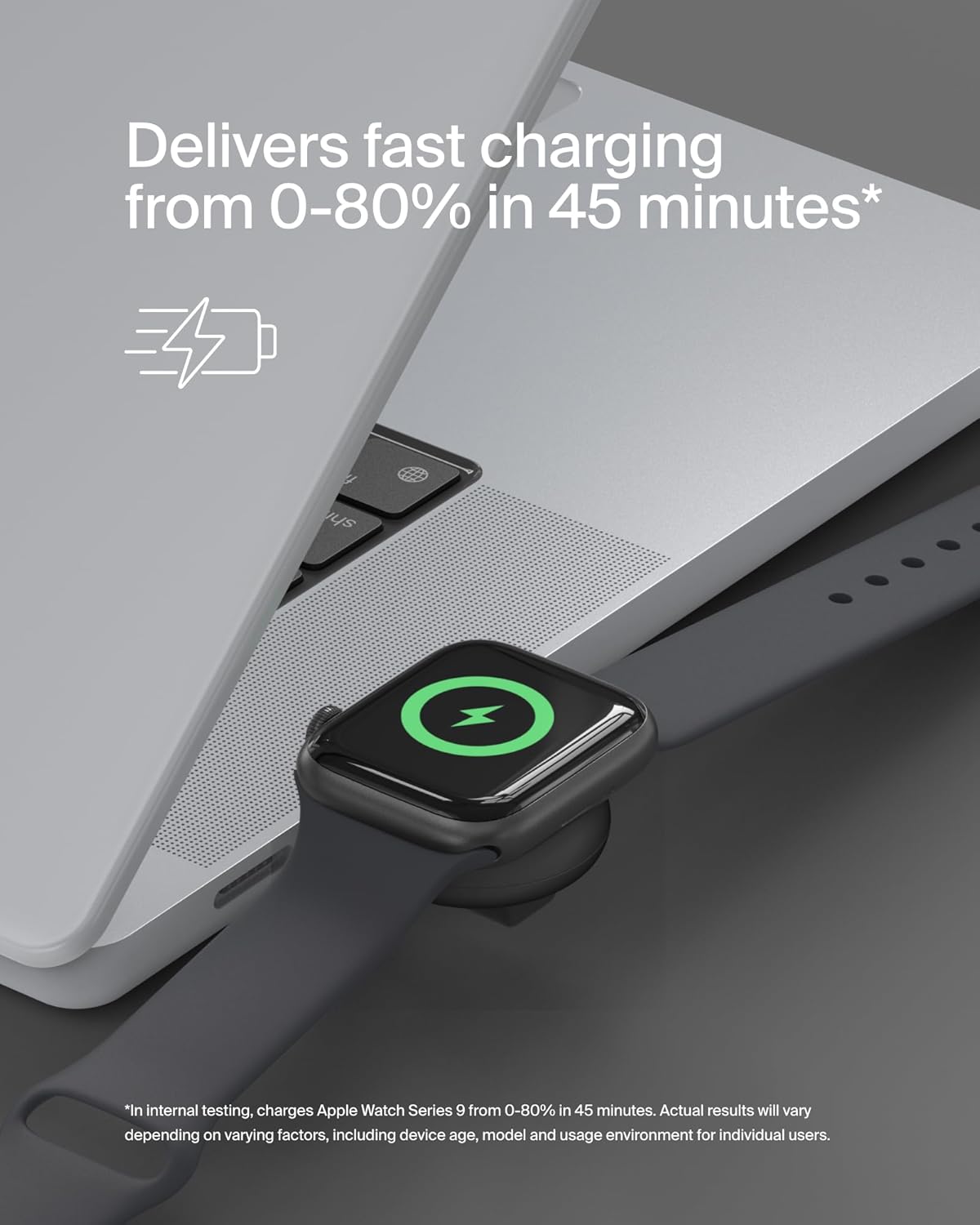
Image: An Apple Watch charging on the Belkin USB-C charger, which is plugged into the side of a MacBook, demonstrating a typical setup.
Operating Instructions
The Belkin BoostCharge Portable USB-C Apple Watch Charger is designed for simple and efficient operation.
- Automatic Charging: Once connected to a power source and your Apple Watch is placed on the puck, charging will begin automatically. The Apple Watch display will indicate charging status.
- Fast Charging Indication: For Apple Watch Series 7 and later, and Apple Watch Ultra models, the charger will deliver fast charging. The watch display will show a green lightning bolt icon to confirm fast charging is active.
- Portability: The compact design allows for easy use on the go. Simply plug it into any available USB-C port for charging your Apple Watch.

Image: A hand holding the compact Belkin Apple Watch charger, demonstrating its small size and portability.
Maintenance
To ensure the longevity and optimal performance of your Belkin BoostCharge Portable USB-C Apple Watch Charger, follow these maintenance guidelines:
- Cleaning: Use a soft, dry cloth to clean the surface of the charger. Avoid using harsh chemicals or abrasive materials.
- Storage: When not in use, store the charger in a cool, dry place away from direct sunlight and extreme temperatures.
- Handling: Avoid dropping the charger or subjecting it to strong impacts, as this may damage internal components.
- Cable Care: If using an external USB-C cable (not included with the charger itself, but a 5ft/1.5M cable is included in the box for power delivery), ensure it is not bent sharply or tangled, which can cause damage.
Troubleshooting
If you encounter issues with your Belkin BoostCharge Portable USB-C Apple Watch Charger, refer to the following common troubleshooting steps:
- Watch Not Charging:
- Ensure the USB-C connector is fully inserted into a working power source.
- Verify that the Apple Watch is correctly positioned on the magnetic charging puck.
- Try a different USB-C port or power source to rule out an issue with the power supply.
- Check if the Apple Watch is experiencing a software issue by restarting it.
- Slow Charging:
- Ensure your power source provides sufficient power output (e.g., a wall adapter designed for fast charging).
- Confirm your Apple Watch model supports fast charging (Series 7 and later, Ultra 1 and 2).
- Charger Overheating:
- It is normal for the charger to become slightly warm during use. If it becomes excessively hot, disconnect it immediately and contact support.
- Ensure the charger is not covered or placed in an area with poor ventilation during use.
Specifications
| Product Dimensions | 1.3 x 7.75 x 0.42 inches |
| Item Weight | 1.76 ounces |
| Model Number | WIZ022glBK-B1 |
| Connectivity Technology | USB |
| Connector Type | USB Type C |
| Input Voltage | 5 Volts |
| Amperage | 1 Amps |
| Compatible Devices | Apple Watch Series 1-9, Apple Watch SE, Apple Watch Ultra, Apple Watch Ultra 2, iPhone 16 Series, MacBook, Power Banks, Wall Chargers |
| Included Components | 1 x BoostCharge Portable USB-C Apple Watch Charger, 1 x 5ft/1.5M cable |
Warranty & Support
Your Belkin BoostCharge Portable USB-C Apple Watch Charger is backed by comprehensive support and warranty.
- 2-Year Limited Warranty: The product comes with a 2-year limited warranty from the date of purchase.
- Connected Equipment Warranty (CEW): Protected by a $2,500 Belkin Connected Equipment Warranty. If your device is damaged by an electrical charge while properly connected to the charger, Belkin will repair or replace it up to the specified value.
- Customer Support: For further assistance, product registration, or to view the full warranty details, please visit the official Belkin website or refer to the contact information provided in your product packaging.
Video: A brand video from Belkin Inc., showcasing their commitment to quality and innovation in technology solutions.


