
Baseus PPKPC-0520S
Baseus Picogo Power Bank User Manual
Model: PPKPC-0520S
1. Introduction
This manual provides instructions for the safe and efficient operation of your Baseus Picogo Power Bank. Please read this manual thoroughly before use and retain it for future reference.
Product Features:
- Ultra-Mini and Portable Design: Smaller than a credit card, lightweight, and easy to carry.
- Qi2 Certified 15W Wireless Charging: Provides fast and efficient wireless power.
- 20W Max USB-C Output: Supports wired fast charging.
- Integrated Kickstand: Allows for hands-free viewing while charging.
- Strong Magnetic Connection: Ensures secure attachment to MagSafe-compatible devices.
- Advanced Safety Protections: Features NTC temperature control and 9-layer safety.
2. Package Contents
- 1x Baseus PicoGo 5000mAh Ultra-Mini Magnetic Power Bank
- 1x 60W Nylon Braided USB-C Cable
- 1x User Manual
- 1x 24-Month Warranty + Lifetime Support Card
3. Setup and Charging the Power Bank
Before first use, fully charge your Baseus Picogo Power Bank.
- Connect the included USB-C cable to the USB-C port on the power bank.
- Connect the other end of the USB-C cable to a compatible USB power adapter (not included).
- The LED indicators on the power bank will illuminate to show the charging status. All four LEDs will be solid when fully charged.

Image: The Baseus Picogo Power Bank attached to a smartphone, demonstrating its compact size and magnetic connection.
LED Indicator Status:
- One LED: 0-25% charge
- Two LEDs: 25-50% charge
- Three LEDs: 50-75% charge
- Four LEDs: 75-100% charge
- Flashing LEDs: Indicates charging in progress.
4. Operating Instructions
Wireless Charging (MagSafe Compatible):
- Ensure your device is MagSafe compatible (iPhone 12 series and newer) or has a MagSafe-compatible case.
- Align the Baseus Picogo Power Bank with the magnetic area on the back of your iPhone. The magnets will securely snap it into place.
- Wireless charging will begin automatically. The LED indicators on the power bank will show charging activity.
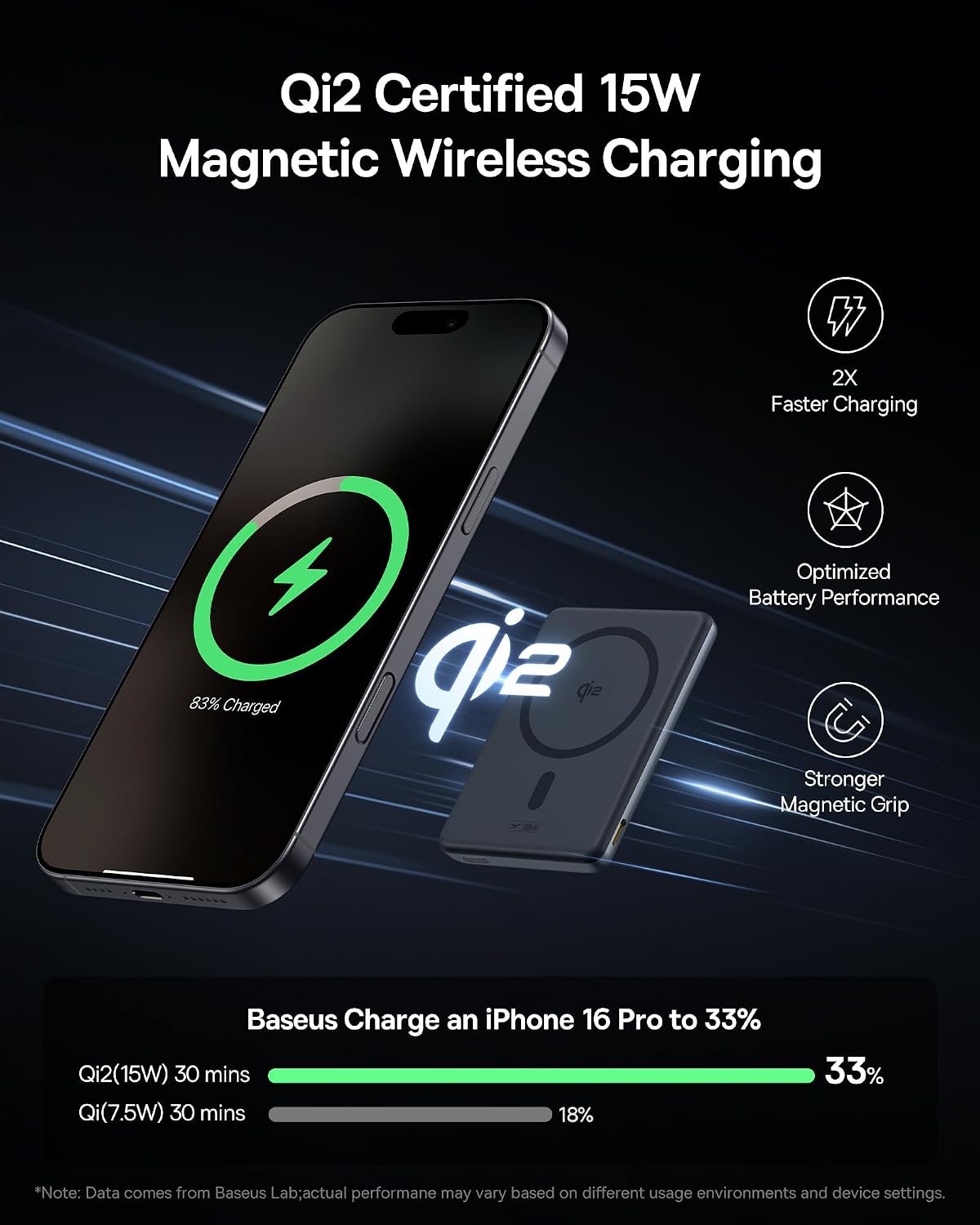
Image: The power bank magnetically attached to an iPhone, illustrating wireless charging.
Wired Charging (USB-C):
- Connect one end of the USB-C cable to the USB-C port on the power bank.
- Connect the other end of the USB-C cable to your device's charging port.
- Wired charging will begin automatically. The power bank supports up to 20W output via USB-C.

Image: The power bank connected to an iPhone via a USB-C cable for wired charging.
Using the Integrated Kickstand:
The power bank features a built-in aluminum kickstand for hands-free viewing.
- Gently pull out the kickstand from the bottom of the power bank.
- Position your iPhone (with the power bank attached) on a flat surface. The kickstand allows for both horizontal and vertical viewing angles.

Image: The power bank's kickstand supporting an iPhone for hands-free viewing.
Charging Multiple Devices:
The power bank can charge two devices simultaneously (one wirelessly, one via USB-C). The total output is 20W max when charging two devices simultaneously.
5. Maintenance and Care
- Keep the power bank away from water, fire, and high temperatures.
- Avoid dropping or subjecting the device to strong impacts.
- Clean the surface with a soft, dry cloth. Do not use harsh chemicals or abrasive materials.
- Store in a cool, dry place when not in use for extended periods.
6. Troubleshooting
| Problem | Possible Cause | Solution |
|---|---|---|
| Power bank not charging device wirelessly. | Device not MagSafe compatible or misaligned. Power bank battery is low. Thick phone case interfering. | Ensure proper alignment. Recharge the power bank. Remove non-MagSafe compatible cases. |
| Slow charging or charging stops at 80%. | Device's thermal management (e.g., iOS 17) slowing charging due to heat. | Move the device and power bank to a cooler area. Charging will resume once the device cools down. |
| Power bank not charging itself. | Faulty cable or power adapter. Power bank is damaged. | Try a different USB-C cable and power adapter. Contact customer support if problem persists. |
| Magnetic connection is weak. | Non-MagSafe case or foreign objects between power bank and phone. | Ensure your case is MagSafe compatible. Remove any debris. |
7. Specifications
| Feature | Detail |
|---|---|
| Model Number | PPKPC-0520S |
| Battery Capacity | 5000mAh |
| Material | Silicone, Aluminum alloy |
| Color | Space Grey |
| USB-C Input | 5V=3A; 9V=2.22A |
| USB-C Output | 5V=2.4A; 9V=2.22A; 12V=1.5A (Max 20W) |
| Wireless Output | 5W / 7.5W / 15W (Qi2 Certified) |
| Total Output | 5V=2.4A (when charging two devices simultaneously) |
| Product Dimensions | 4.01 x 2.5 x 0.5 inches |
| Item Weight | 5.9 ounces |
8. Warranty and Support
Baseus provides a 24-month warranty for this product, along with lifelong 24/7 professional support. For any issues or inquiries, please refer to the contact information provided on the warranty card included in your package or visit the official Baseus website.
Free returns or replacements are available as per warranty terms.
Related documentsPPKPC-0520S


Ask a question about this manual
Ask about setup, troubleshooting, compatibility, parts, safety, or missing instructions. Manuals+ will review the question and use this page’s manual context to help answer it.