
1. Safety Information
Please read all safety instructions carefully before using the Salange K2 Portable Projector. Keep this manual for future reference.
- Do not look directly into the projector lens when the lamp is on, as the strong light can cause eye damage.
- Do not block the ventilation openings. Proper ventilation is essential to prevent overheating.
- Avoid placing the projector in direct sunlight, near heat sources, or in environments with high humidity or dust.
- Use only the power adapter provided with the projector.
- Do not attempt to disassemble or repair the projector yourself. Refer all servicing to qualified personnel.
- Keep the projector away from water or other liquids.
2. Package Contents
Ensure all items are present in the package:
- Salange K2 Projector
- Power Cable
- Remote Control
- User Manual (this document)
3. Product Overview
The Salange K2 is a compact and versatile portable projector designed for various entertainment and presentation needs. It features a unique rotatable design, allowing for flexible projection angles.

Figure 3.1: Salange K2 Portable Projector. This image shows the compact, white projector with its unique rotatable stand and integrated speaker base, featuring an ambient light ring at the bottom.
3.1. Ports and Controls
Familiarize yourself with the various ports and controls on your Salange K2 projector:

Figure 3.2: Projector Ports and Controls. This diagram illustrates the various input/output ports and control buttons on the Salange K2 projector, including the camera sensor, IR receiver, DC power input, HDMI port, USB port, 3.5mm audio jack, power touch button, volume controls, and ambient light.
- Camera Sensor: Used for auto-focus and auto keystone correction.
- IR Receiver: For remote control signals.
- DC Power Input: Connect the power adapter here.
- HDMI Port: Connect external devices like laptops, game consoles, or TV sticks.
- USB Port: For connecting USB drives to play media or for firmware updates.
- 3.5mm Audio Jack: Connect external headphones or speakers.
- Power Touch Button: Press and hold for 3 seconds to power on/off.
- Volume Buttons (+/-): Adjust the audio volume.
- Ambient Light: Integrated LED light at the base.
3.2. Portability and Design
The K2 projector is designed for ultimate portability and flexible usage scenarios.

Figure 3.3: Portable Design and Dimensions. This image shows the compact size of the Salange K2 projector compared to a smartphone and how easily it fits into a bag, highlighting its portability.
Its compact dimensions (11 x 10.5 x 22 cm) and lightweight design (1.2 kg) make it easy to carry. The 270° rotatable stand allows you to project onto walls, ceilings, or any flat surface with ease.
4. Setup
4.1. Initial Power On
- Connect the power cable to the DC input port on the projector and plug the other end into a power outlet.
- Press and hold the power touch button on the projector for approximately 3 seconds until the device powers on.
- Alternatively, use the power button on the remote control.
4.2. Image Adjustment (Auto Focus & Keystone)
The Salange K2 features intelligent screen adaptation technology for quick and easy setup.

Figure 4.1: Automatic Setup in 3 Seconds. This image demonstrates the projector's ability to automatically adjust focus and correct keystone distortion within 3 seconds, simplifying the setup process.
- Auto Focus: The projector will automatically adjust the image focus within 3 seconds to ensure a clear picture.
- Auto Keystone Correction: The projector automatically corrects horizontal keystone distortion (up to ±40 degrees) to ensure a rectangular image, even if the projector is not perfectly aligned with the screen.
- For manual adjustments, navigate to the settings menu using the remote control.
5. Operating Instructions
5.1. Navigating the Android TV 11.0 Interface
The Salange K2 runs on Android TV 11.0, providing access to a wide range of streaming applications and features.

Figure 5.1: Android 11.0 Interface. This image displays the home screen of the Android TV 11.0 operating system, showing various streaming applications like Prime Video, YouTube, Disney+, and HBO Max, indicating access to over 8,000 apps.
- Use the Bluetooth remote control to navigate the interface. The remote offers 360° control for flexible operation.
- Connect to Wi-Fi (see Section 6.1) to access online content.
- Download and install applications from the integrated app store, such as Prime Video, YouTube, Disney+, HBO Max, and more.
5.2. Adjusting Projection Size and Distance
The projector can create a large screen experience, from 100 inches up to 300 inches, depending on the projection distance.

Figure 5.2: High-Definition Large Screen. This image illustrates different projection sizes (100", 200", 300") and corresponding projection distances (1.2m, 3m, 4m), demonstrating the immersive visual experience.
- For a 100-inch screen, the recommended distance is approximately 1.2 meters.
- For a 300-inch screen, the recommended distance is approximately 4 meters.
- The auto-focus feature will ensure clarity regardless of the size.
5.3. Using the Built-in Battery
The Salange K2 features a built-in 5200mAh battery, offering portability without the need for a constant power source.

Figure 5.3: Portable Playtime. This image highlights the projector's battery life, offering approximately 2 hours of continuous movie playback or 4 hours of music playback on a single charge, enabling use anywhere.
- A full charge provides approximately 2 hours of continuous video playback or 4 hours of music playback.
- The battery indicator on the screen will show the remaining charge.
- Charge the projector using the provided power cable.
6. Connectivity
6.1. Wi-Fi 6 Connection
The projector supports advanced Wi-Fi 6 (802.11ax) for faster and more stable wireless connections, compatible with both 2.4GHz and 5GHz networks.

Figure 6.1: Advanced WiFi 6. This image illustrates the benefits of WiFi 6, including more stable and faster data transfer speeds, smooth video streaming without lag, and compatibility with both 5G and 2.4G networks, supporting iOS and Android mirroring.
- Go to Settings on the projector's home screen.
- Select Network & Internet.
- Turn on Wi-Fi and select your desired network from the list.
- Enter the Wi-Fi password if prompted.
6.2. Bluetooth 5.2 Connection
Connect external Bluetooth devices such as speakers, headphones, or game controllers for an enhanced audio or gaming experience.

Figure 6.2: Bluetooth 5.2. This image shows the projector in an outdoor setting with people enjoying content, emphasizing the ability to connect mobile devices for audio playback via Bluetooth 5.2.
- Go to Settings on the projector's home screen.
- Select Connected Devices or Bluetooth.
- Turn on Bluetooth and select Pair new device.
- Select your desired device from the list to pair.
6.3. HDMI and USB Connections
Use the HDMI and USB ports to connect various external devices:
- HDMI: Connect laptops, desktop computers, game consoles (PS4/PS5), TV boxes, or other HDMI-enabled devices. The projector supports up to 4K resolution input.
- USB: Plug in USB flash drives or external hard drives to play local media files (videos, photos, music).
7. Smart Features
7.1. Integrated 10W Speaker
The Salange K2 features a powerful 10W speaker system with dual 5W speakers and two bass reinforcements for immersive stereo sound.
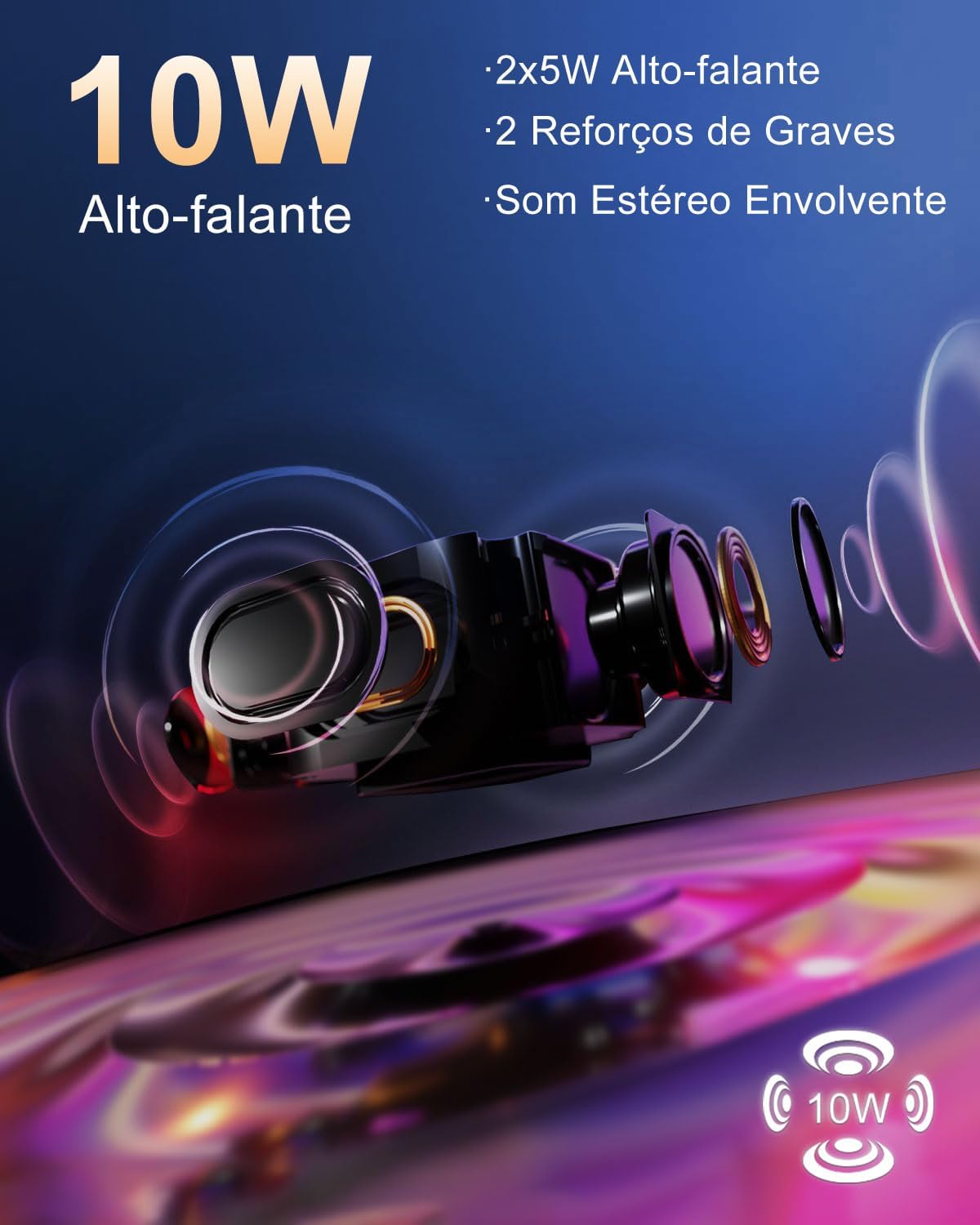
Figure 7.1: 10W Speaker. This image provides an exploded view of the projector's speaker components, highlighting the 2x5W speakers and two bass reinforcements that deliver immersive stereo sound.
7.2. Touch Control Interface
The projector incorporates a responsive touch panel for intuitive control.
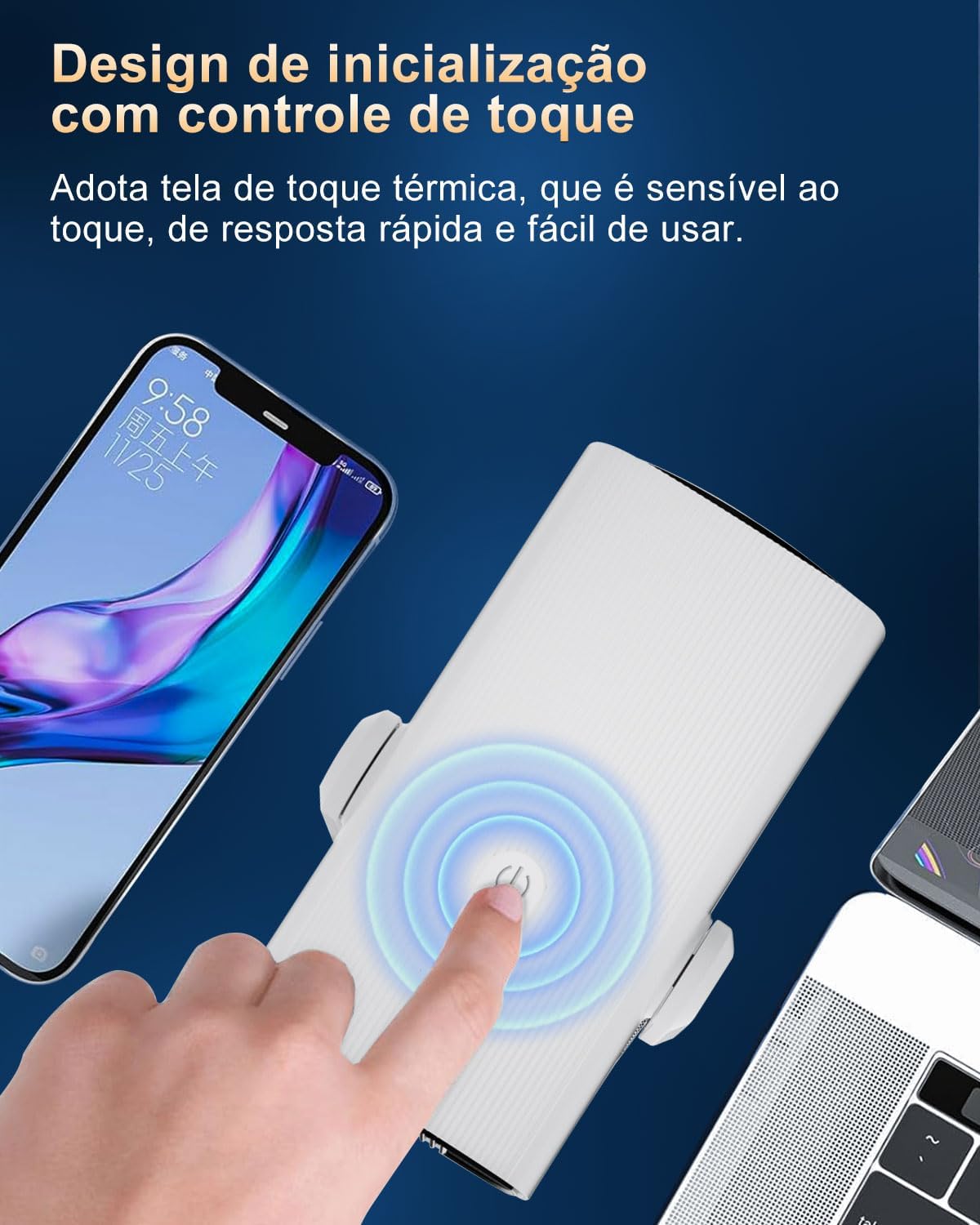
Figure 7.2: Touch Control Design. This image shows a finger interacting with the projector's touch-sensitive power button, emphasizing its quick response and ease of use.
- The thermal touch screen is highly sensitive and responsive.
- Use the touch controls for basic functions like power on/off and volume adjustment.
7.3. Ambient Light Feature
The base of the projector features a colorful ambient light, adding to the atmosphere of your viewing experience.
8. Maintenance
8.1. Cleaning the Lens
To maintain optimal image quality, regularly clean the projector lens.
- Use a soft, lint-free cloth specifically designed for optical lenses.
- Gently wipe the lens in a circular motion.
- Do not use abrasive cleaners, solvents, or excessive pressure, as this can damage the lens coating.
8.2. Cleaning the Projector Body
Wipe the exterior of the projector with a soft, dry cloth. For stubborn marks, a slightly damp cloth can be used, followed by a dry one.
8.3. Ventilation
Ensure the projector's ventilation openings are clear of dust and obstructions to prevent overheating. The projector has an integrated cooling system designed for efficient heat dissipation.
9. Troubleshooting
If you encounter issues with your Salange K2 projector, refer to the following common problems and solutions:
| Problem | Possible Cause | Solution |
|---|---|---|
| No image or blurry image | Power issue, lens cap on, out of focus, keystone distortion, dirty lens. | Ensure power is connected. Remove lens cap. Allow auto-focus to adjust. Check for obstructions. Clean the lens. |
| No sound or low sound | Volume too low, external audio device not connected, incorrect audio output setting. | Increase projector volume. Check external speaker/headphone connection. Verify audio output settings in Android TV. |
| Wi-Fi connection issues | Incorrect password, out of range, router issue. | Double-check Wi-Fi password. Move projector closer to router. Restart router and projector. |
| Bluetooth device won't pair | Device not in pairing mode, too far, interference. | Ensure Bluetooth device is in pairing mode. Move devices closer. Try pairing again. |
| Spot or defect on projected image | Dust on lens or internal components, manufacturing defect. | Clean the lens thoroughly. If the issue persists, contact customer support for assistance. |
| Battery life shorter than expected | High brightness setting, continuous heavy usage, battery degradation over time. | Reduce brightness setting. Ensure battery is fully charged before use. Battery performance may vary with usage and age. |
If the problem persists after trying these solutions, please contact Salange customer support.
10. Specifications
Key technical specifications for the Salange K2 Portable Projector:
| Feature | Specification |
|---|---|
| Brand | Salange |
| Model | K2EU |
| Display Technology | LCD |
| Brightness | 12000 Lumens |
| Native Resolution | 1280 x 720 Pixels |
| Supported Resolution | Up to 3840 x 2160 Pixels (4K) |
| Aspect Ratio | 16:9 |
| Refresh Rate | 60 Hz |
| Noise Level | 20 dB |
| Operating System | Android TV 11.0 |
| RAM | 1 GB |
| ROM | 8 GB |
| Wi-Fi | Wi-Fi 6 (2.4GHz/5GHz) |
| Bluetooth | Bluetooth 5.2 |
| Interfaces | HDMI, USB, 3.5mm Audio Jack |
| Special Features | Automatic Screen Alignment, Auto Focus, Integrated Media Player, Integrated Cooling System, Built-in Wi-Fi |
| Speaker | 10W (2x5W with bass reinforcement) |
| Battery | 5200 mAh (approx. 2 hours video playback) |
| Dimensions (L x W x H) | 11 x 10.5 x 22 cm |
| Weight | 1.2 kg |
11. Warranty and Support
Salange is committed to providing excellent customer service and product support for your K2 Portable Projector.
- 30-Day Worry-Free Quality Refund: If you experience any quality issues, Salange offers a full refund within 30 days of purchase.
- 60-Day Unconditional Returns: For any quality problem, unconditional returns are accepted within 60 days.
- 90-Day Free Replacement: A free replacement is provided within 90 days for quality-related issues.
- 360-Day Free Warranty: Enjoy a free warranty for 360 days from the purchase date.
- 720-Day Free Accessory Support: Free support for accessories is available for 720 days.
- 2-Year Maintenance: The product includes 2 years of maintenance support.
- Lifetime Technical Support: Salange provides lifetime technical support for the product.
For any questions, concerns, or technical assistance, please do not hesitate to contact Salange customer support through the platform where you purchased the product or via the official Salange website.


