
1. Introduction
The LAUNCH CRP123X Elite V2.0 is an advanced automotive diagnostic scan tool designed to provide comprehensive system diagnostics and essential maintenance reset functions. This upgraded version offers faster performance, wider vehicle coverage, and an intuitive user interface, making it suitable for both professional technicians and DIY enthusiasts. It helps in quickly identifying vehicle issues, performing common service functions, and generating detailed diagnostic reports.

Figure 1.1: LAUNCH CRP123X Elite V2.0 OBD2 Scanner with its carrying case, highlighting key features like 7 service functions, lifetime free updates, FCA AutoAuth, multi-system support, 80+ brands, and Android 8.1 operating system.
2. What's in the Box
The LAUNCH CRP123X Elite V2.0 package includes:
- LAUNHC CRP123X Diagnostic Tool
3. Setup and Initial Use
Follow these steps for initial setup and operation of your CRP123X Elite V2.0 scanner:
- Power On: The device powers on automatically when connected to a vehicle's OBD2 port. Ensure the vehicle's ignition is in the ON position.
- Connect to Vehicle: Locate the OBD2 port in your vehicle (usually under the dashboard) and securely plug in the scanner's cable.
- Initial Configuration: Upon first use, the device may guide you through language selection and Wi-Fi setup. Connect to a stable Wi-Fi network for updates.
- Software Updates: It is highly recommended to perform a software update immediately after connecting to Wi-Fi. The device supports one-touch updates for continuous compatibility and new features.
- AutoVIN Identification: The scanner features AutoVIN technology, which automatically identifies your vehicle's make, model, and year upon connection, streamlining the diagnostic process.

Figure 3.1: The scanner's rapid updating process and hardware upgrades for 2025, including Android 8.1 OS, new chip for 5X faster diagnostics, 32GB ROM, 6100mAh battery, 5-inch touchscreen, and 4-core CPU.
4. Operating the Device
4.1 Multi-System Diagnostics
The CRP123X Elite V2.0 provides comprehensive diagnostics for four core vehicle systems:
- Engine System: Reads and clears engine fault codes, views live data related to engine performance.
- ABS (Anti-lock Braking System): Diagnoses ABS issues, reads and clears ABS codes, and views live data.
- SRS (Supplemental Restraint System/Airbag): Checks airbag system status, reads and clears SRS codes.
- Transmission System: Monitors transmission health, reads and clears transmission-related fault codes.

Figure 4.1: Overview of the 4-System All-round Diagnosis capability, including Auto VIN, Read Codes, View Live Data, Error Display, Clear Codes, and Turn off MIL Light.
4.2 7 Reset Functions
The device supports 7 commonly used maintenance reset functions. Please note that specific reset functions may vary by vehicle model and year.
- Oil Reset: Resets the engine oil life system after an oil change.
- SAS (Steering Angle Sensor) Reset: Calibrates the steering angle sensor.
- Brake Reset (EPB): Resets the electronic parking brake system after brake pad replacement.
- BMS (Battery Management System) Reset: Registers the new battery after replacement.
- DPF (Diesel Particulate Filter) Regeneration: Initiates the DPF regeneration process.
- ETC (Electronic Throttle Control) Reset: Clears the learned values and returns the throttle body to the default state.
- ABS Bleeding: Performs ABS brake bleeding to get a firm brake pad.

Figure 4.2: The 7 free reset functions available on the CRP123X Elite V2.0, including ABS Bleeding, BMS Reset, Brake Reset, DPF Regeneration, ETC Reset, Oil Reset, and SAS Reset.
4.3 Live Data Stream
Monitor real-time data parameters from various sensors in graphical or text format. This feature allows for detailed analysis of vehicle performance and helps in diagnosing intermittent issues.
- View multiple data streams simultaneously (4-in-1 graph).
- Record and playback live data for later review.
- Capture screenshots of data for documentation.
- Real-time battery voltage monitoring.

Figure 4.3: The Live Data Stream feature displaying parameters such as Engine Oil Temperature, Battery Voltage, Throttle Position, Vehicle Speed, Coolant Temperature, and Oxygen Sensor Readings, with options for 4-in-1 data graph, real-time data, accurate scanning, and record/playback.
4.4 Diagnostic Reports and DTC Lookup
The scanner can automatically generate detailed diagnostic reports, highlighting identified problems. These reports can be shared, downloaded, or uploaded to the cloud for easy access and comparison.
- Built-in DTC (Diagnostic Trouble Code) Lookup library provides definitions and repair advice for codes.
- Cloud Report functionality for convenient data management.
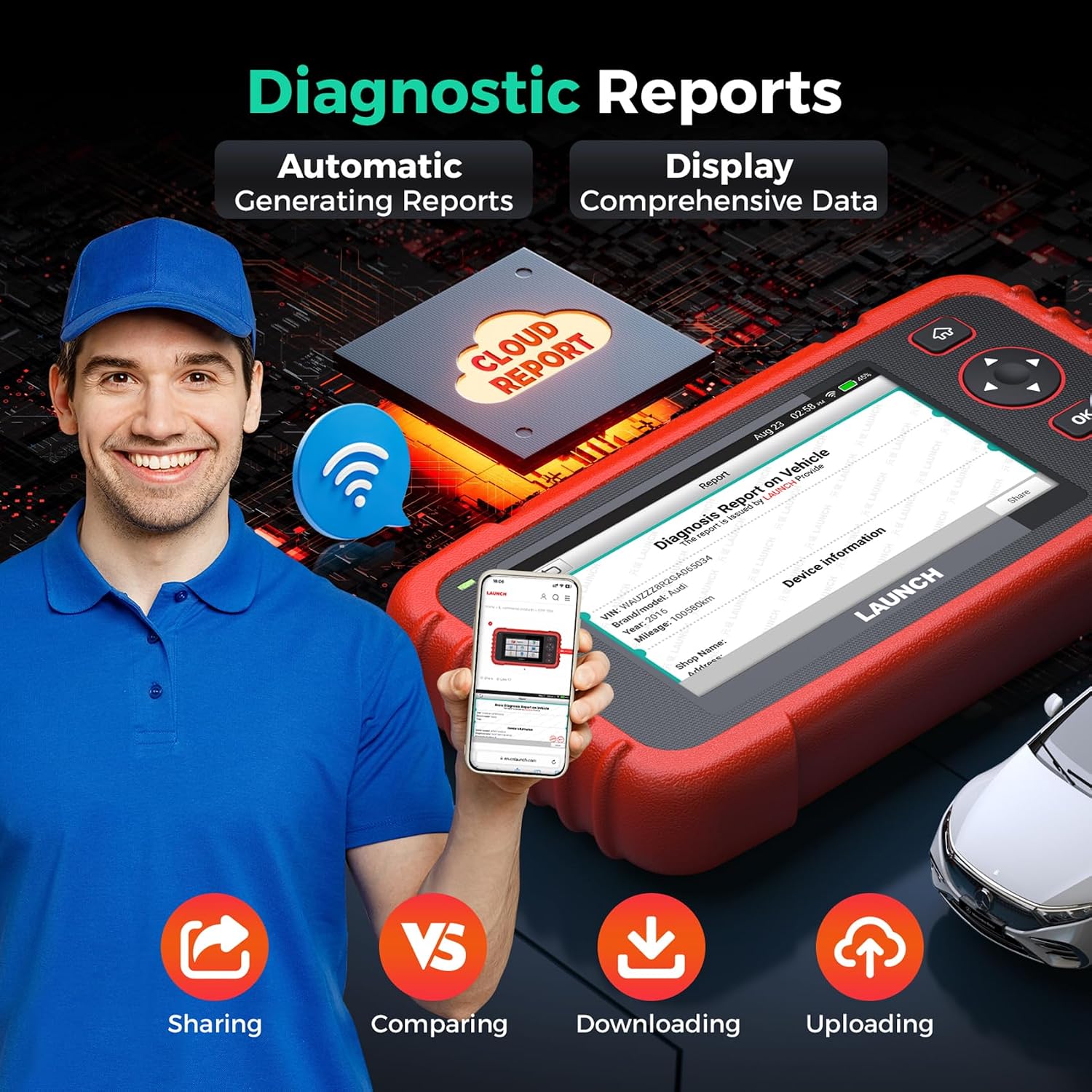
Figure 4.4: The Diagnostic Reports feature, illustrating automatic generation, comprehensive data display, cloud report integration, and options for sharing, comparing, downloading, and uploading reports.
4.5 FCA AutoAuth
The CRP123X Elite V2.0 supports FCA AutoAuth, allowing diagnosis of more FCA (Fiat Chrysler Automobiles) vehicles, including newer models.

Figure 4.5: The scanner's extensive vehicle coverage for over 80 brands, including support for Diesel (12V only), 12V Passenger Cars, Pickups, SUVs, Gasoline vehicles, and Minivans, with weekly updates and coverage from 1996-2025.
5. Maintenance
- Software Updates: Regularly update the device software via Wi-Fi to ensure optimal performance, access to new features, and compatibility with the latest vehicle models. Updates are free for life.
- Cleaning: Use a soft, dry cloth to clean the device. Avoid using abrasive cleaners or solvents.
- Storage: Store the scanner in its provided carrying case in a cool, dry place when not in use.
- Battery Care: The device has a 6100mAh battery. Charge it regularly to maintain battery health, especially if storing for extended periods. The device charges when connected to the OBD port.
6. Troubleshooting
If you encounter issues with your CRP123X Elite V2.0, consider the following:
- Device Not Powering On: Ensure the OBD2 cable is securely connected to both the vehicle's port and the scanner. Verify the vehicle's ignition is on. Check the vehicle's battery voltage.
- Communication Errors: Confirm the vehicle's ignition is on. Check for loose connections. Try connecting to a different vehicle to rule out a vehicle-specific issue. Ensure the software is up to date.
- Function Not Supported: Some advanced functions or resets may not be supported on all vehicle models or years. Refer to the device's vehicle coverage list or contact support with your VIN for specific compatibility.
- Slow Performance: Ensure the device has sufficient charge. Perform a software update to clear any potential bugs or errors.
For further assistance, utilize the built-in DTC Help and Repair Tips, or contact the post-sale support team.

Figure 6.1: Resources for full utilization and support, including DTC Help, Repair Cases & Video, Online Feedback, and access to a 24/7/365 Post-sale Team.
7. Specifications
| Feature | Detail |
|---|---|
| Brand | LAUNCH |
| Model | LAUNCH CRP123X ELITE V2.0 |
| Operating System | Android 8.1 |
| Display Resolution | 720p |
| Item Weight | 2.38 pounds |
| Package Dimensions | 9.96 x 7.4 x 3.31 inches |
| Batteries | 1 Lithium Ion batteries required (included) |
| Automotive Fit Type | Universal Fit |
| UPC | 850052860165 |
8. Warranty and Support
The LAUNCH CRP123X Elite V2.0 comes with a commitment to customer satisfaction:
- Lifetime Free Updates: Enjoy continuous software updates for the lifetime of the product, ensuring compatibility with new vehicle models and access to the latest features without additional fees.
- 5-Year Undertaking: The scan tool includes a 5-year undertaking, providing long-term reliability.
- 24/7/365 Post-Sale Team: A dedicated support team is available around the clock to assist with any issues or questions you may have.
- Online Feedback: Submit your technical problems directly through the device's online feedback function to receive prompt solutions from the LAUNCH team.


