
1. Introduction
Thank you for purchasing the plplaaoo Cordless Table Lamp. This manual provides essential information for the safe and efficient operation of your new lamp. Please read it thoroughly before use and retain it for future reference.
2. Safety Instructions
- Do not expose the lamp to water or excessive moisture.
- Avoid disassembling or modifying the lamp, as this may void the warranty and pose safety risks.
- Use only the provided USB Type-C cable for charging.
- Keep the lamp away from heat sources and direct sunlight to prevent battery damage.
- Ensure the lamp is placed on a stable, flat surface to prevent tipping.
- This lamp is designed for indoor use only.
3. Package Contents
Verify that all items are present in your package:
- 1 x Cordless Table Lamp
- 1 x USB Type-C Charging Cable

4. Product Overview
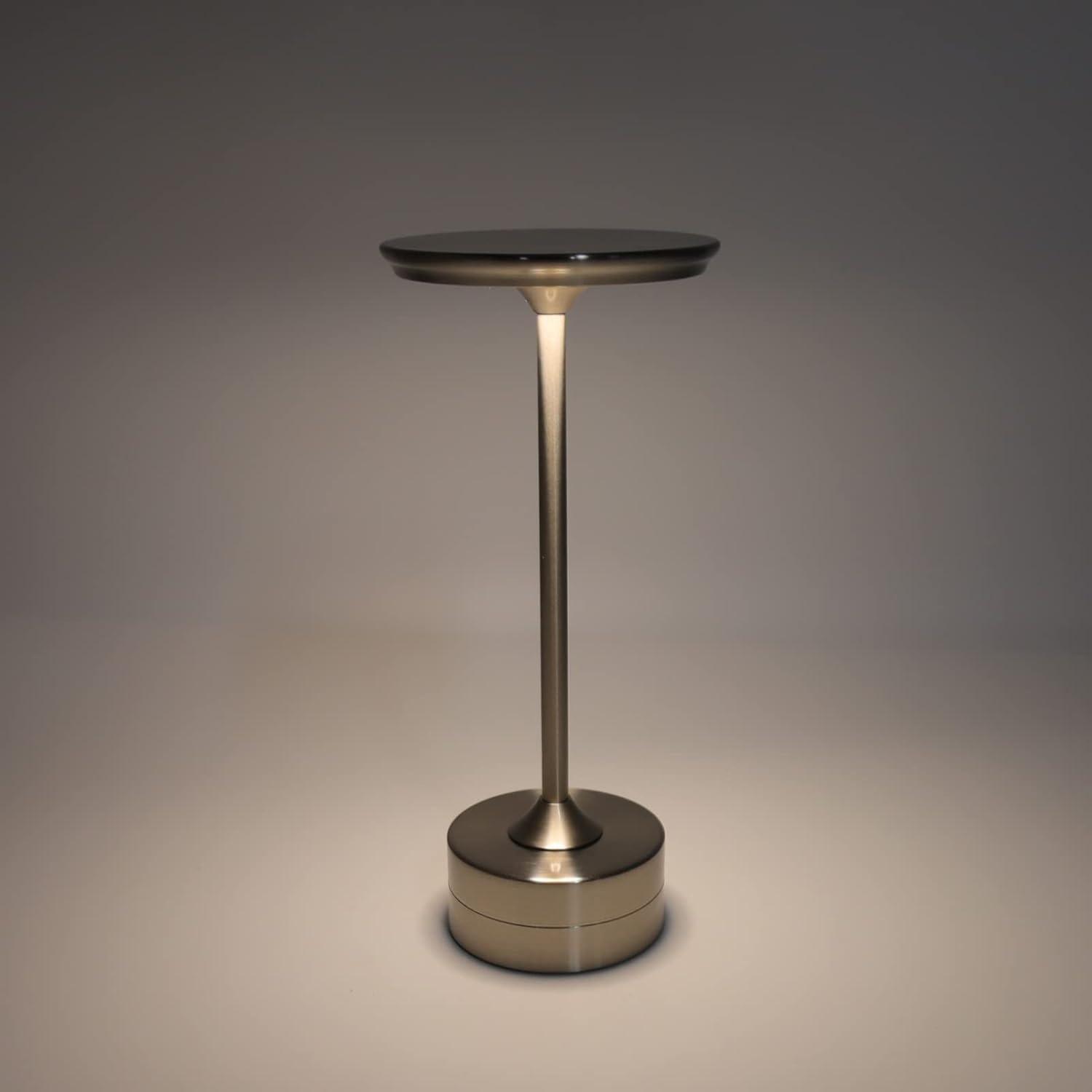
The plplaaoo Cordless Table Lamp features a sleek design with a durable iron, aluminum, and acrylic construction. It includes a built-in 2000mAh rechargeable lithium battery, offering 10-15 hours of working time on a full charge. The lamp provides three light sources: white light, warm light, and ordinary light, with adjustable brightness up to 150lm.


5. Setup
Initial Charging
Before first use, fully charge the lamp. Connect the provided USB Type-C cable to the charging port on the lamp's base and plug the other end into a compatible USB power adapter (not included).
- Locate the USB Type-C charging port on the base of the lamp.
- Insert the USB Type-C cable into the lamp's charging port.
- Connect the USB-A end of the cable to a standard USB power adapter (e.g., phone charger, computer USB port).
- The charging indicator (if present) will show the charging status. Allow several hours for a full charge.
6. Operating Instructions
Power On/Off and Brightness Adjustment
The lamp features both a bottom switch and a top touch control for operation.
- Bottom Switch: Flip the switch on the bottom of the lamp to the 'ON' position to enable the touch control function.
- Top Touch Control: Gently touch the top surface of the lamp to cycle through the three light modes: white light, warm light, and ordinary light. Continue touching to adjust brightness levels within each mode.
- To turn off the lamp, either cycle through all light modes until it turns off via touch control, or flip the bottom switch to the 'OFF' position.


7. Maintenance
- Cleaning: Wipe the lamp with a soft, dry cloth. Do not use abrasive cleaners or solvents.
- Storage: When not in use for extended periods, store the lamp in a cool, dry place. Ensure the battery is partially charged before storage to prolong its lifespan.
- Battery Care: To maintain battery health, avoid completely draining the battery frequently. Recharge the lamp when the light output becomes noticeably dim.
8. Troubleshooting
| Problem | Possible Cause | Solution |
|---|---|---|
| Lamp does not turn on. | Battery is depleted. Bottom switch is off. | Charge the lamp using the USB Type-C cable. Ensure the bottom switch is in the 'ON' position. |
| Light is dim or flickers. | Low battery. | Recharge the lamp. |
| Cannot change light mode/brightness. | Bottom switch is off. Touch control malfunction. | Ensure the bottom switch is 'ON'. Try restarting the lamp by turning the bottom switch off and on again. |
| Lamp does not charge. | Faulty cable or adapter. Charging port issue. | Try a different USB Type-C cable and power adapter. Ensure the cable is fully inserted. |
9. Specifications
| Feature | Detail |
|---|---|
| Model | B0D2LG61MQ |
| Material | Iron, Aluminum, Acrylic |
| Height | Approx. 28.5cm / 11.2in |
| Diameter | Approx. 13cm / 5.1in |
| Weight | Approx. 0.66 kg / 23.4 oz |
| Built-in Battery | Lithium 2000mAh |
| Light Source | White light, Warm light, Ordinary light (3 levels brightness) |
| Max Brightness | 150lm |
| Charging Method | USB Type-C |
| Control | Bottom switch, Top touch control |

10. Warranty and Support
This product is covered by a standard manufacturer's warranty. For specific warranty details, please refer to the product packaging or contact the retailer where you purchased the item. For technical support or inquiries, please visit the official plplaaoo store or contact customer service.