
KAMEP BELL J4
KAMEP Wireless Video Doorbell Camera with Chime
User Manual
Model: BELL J4
Product Overview
The KAMEP Wireless Video Doorbell Camera with Chime is designed to enhance your home security with advanced features. It provides crystal clear 1080P Full HD video, two-way audio communication, and smart motion detection capabilities. The system is battery-powered for easy installation and offers both local SD card storage and cloud storage options for recorded footage. Its IP65 waterproof rating ensures reliable performance in various weather conditions.

Image: KAMEP Wireless Video Doorbell Camera and accompanying Chime unit.
Package Contents
Please ensure all the following components are included in your package:
- Video Doorbell
- Indoor Chime
- Micro USB Cable
- Pack of Screws and Reset Needle
- Quick User Guide

Image: Visual representation of all items included in the product package.
Setup and Installation
The KAMEP Wireless Video Doorbell is designed for straightforward installation, typically taking around 5 minutes. It operates wirelessly, eliminating the need for complex wiring.
1. Physical Installation
- Install Mounting Bracket: Secure the mounting bracket to your desired location using the provided screws and wall anchors. Ensure the bracket is level and firmly attached.
- Install the Doorbell: Align the doorbell with the installed mounting bracket and slide it into place until it clicks securely.
- Tighten Security Screw: Use the small security screw at the bottom of the doorbell to further secure it to the bracket, preventing easy removal.

Image: Step-by-step visual guide for mounting the doorbell.
2. App Connection and Initial Setup
To utilize all smart features, connect your doorbell to the companion mobile application. The doorbell supports connection to your home's 2.4GHz Wi-Fi network.
- Download the official KAMEP app from your device's app store (compatible with iOS and Android).
- Follow the in-app instructions to add your new doorbell device. This typically involves scanning a QR code on the doorbell or following a pairing process.
- Ensure your smartphone is connected to a 2.4GHz Wi-Fi network during the initial setup process.

Image: A smartphone screen showing the doorbell's live view and control options within the application.
Operating Instructions
Video and Audio Features
The doorbell features a 1080P Full HD camera with a 166-degree wide-angle lens, providing a broad view of your doorstep. The integrated 2-way audio system allows for real-time conversations with visitors directly through the app.

Image: A visual comparison demonstrating the wider field of view provided by the KAMEP 1080P HD doorbell.
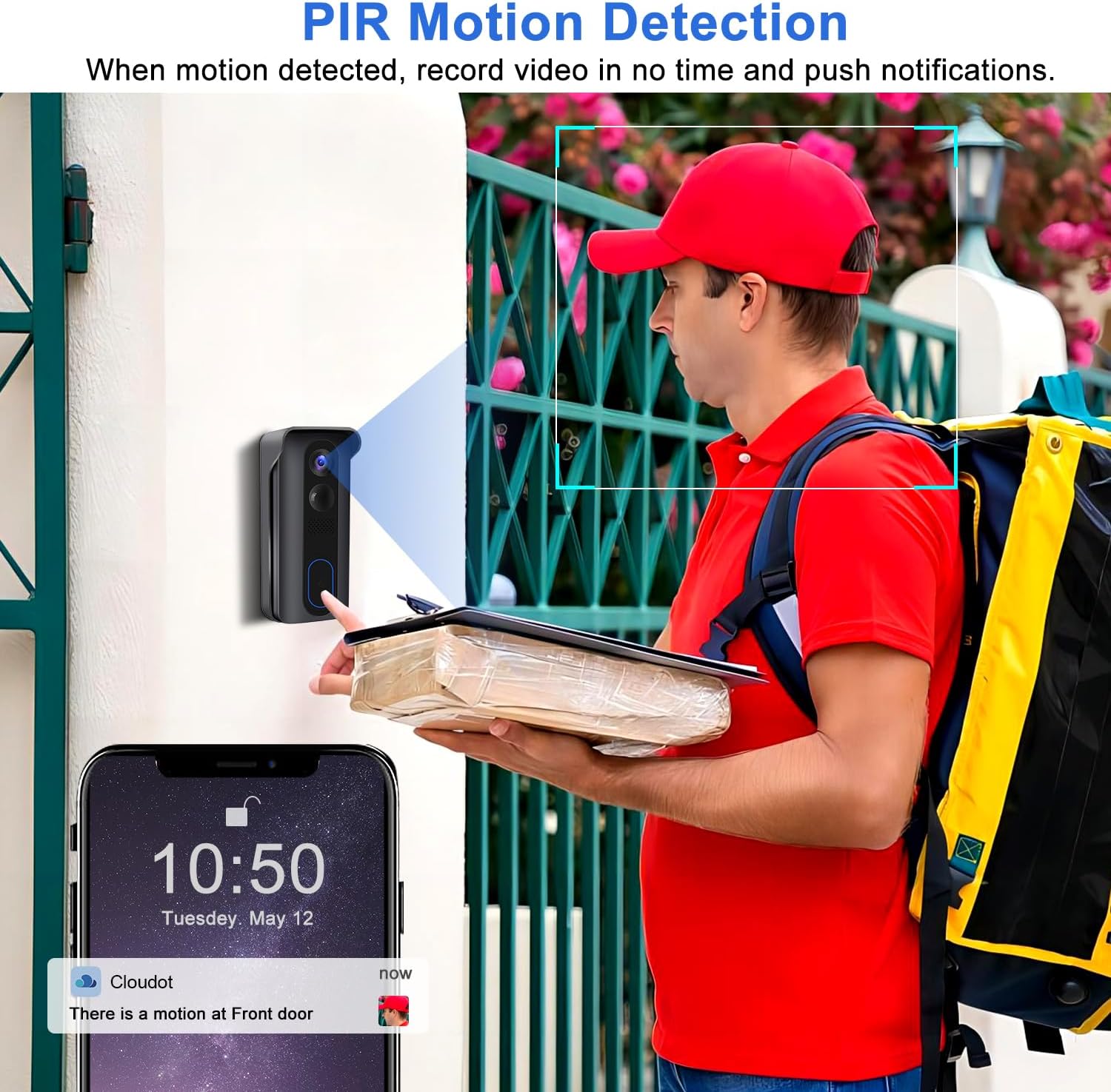
Image: Illustration of the two-way audio function, showing a user communicating with someone at the door via the app.
Smart Motion Detection
Equipped with a built-in PIR motion sensor, the doorbell detects movement within a 120-degree human detection range. You will receive instant push notifications on your mobile app when motion is detected, allowing you to monitor activities around your door.

Image: The doorbell's PIR motion detection feature in action, showing a detected person and a corresponding phone notification.
Night Vision
The doorbell provides clear visibility even in low-light conditions or complete darkness through its night vision capabilities.

Image: A split image demonstrating the doorbell's clear video quality during both day and night.
Storage Options
The doorbell supports both local storage via an SD card (up to 128 GB capacity) and encrypted cloud storage for remote playback access. Your privacy is prioritized with financial encryption for video files.

Image: A graphic emphasizing the product's commitment to privacy and secure data handling.

Image: An icon representing the two available storage methods: SD card and cloud storage.
Weather Resistance
The doorbell is rated IP65 waterproof, dustproof, and durable, designed to withstand temperatures from 14°F to 140°F (-10°C to 60°C), ensuring reliable operation in various outdoor conditions.
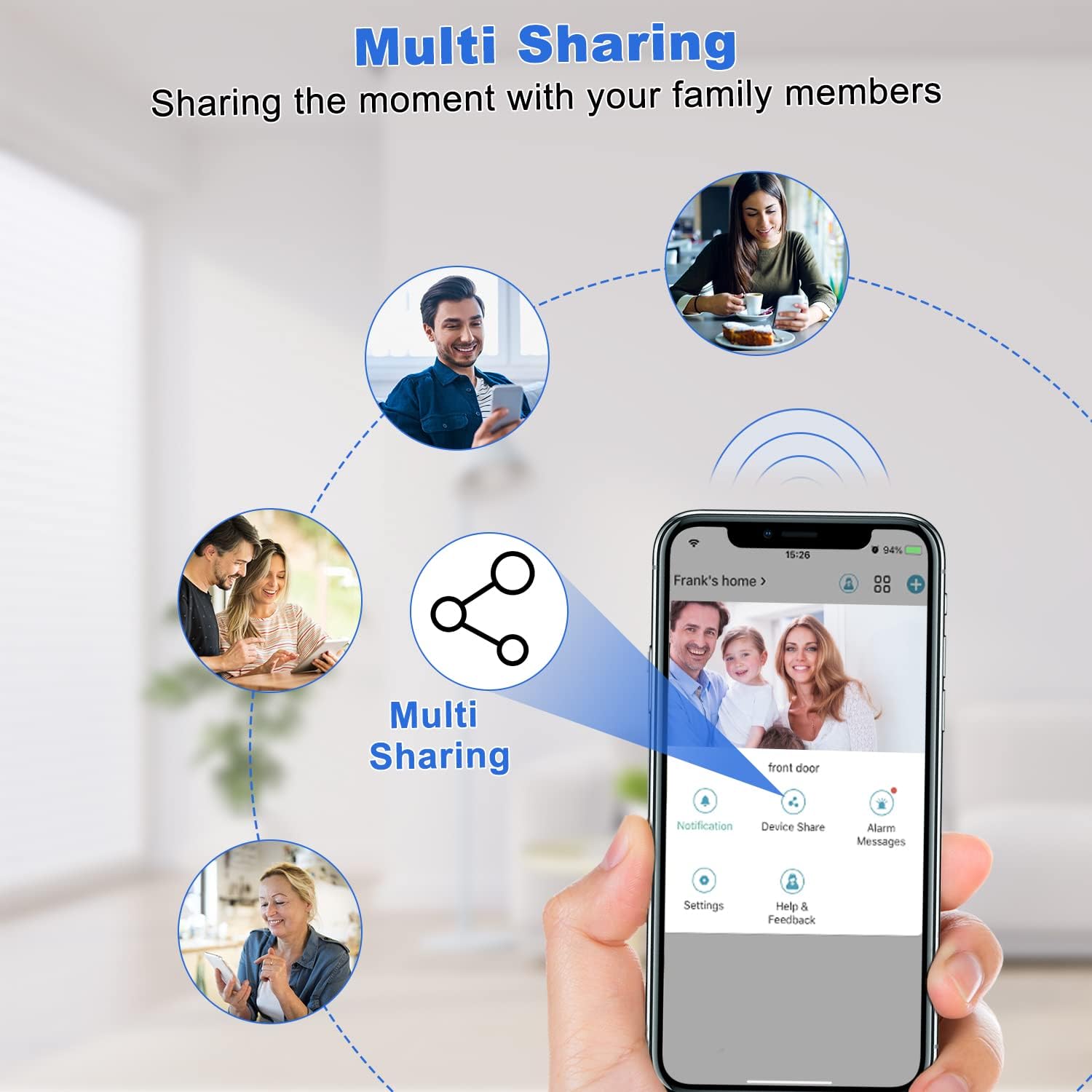
Image: The doorbell shown enduring various weather conditions like snow, rain, sunshine, and dust, highlighting its IP65 rating.
Multi-User Access and Sharing
The smart doorbell allows for multiple family members to access and control the device through the app, enabling convenient sharing of monitoring capabilities.

Image: A graphic illustrating how multiple users can share access to the doorbell's features via the mobile application.
Maintenance
Battery Charging
The doorbell features a built-in rechargeable battery with an estimated lifespan of 4-6 months per charge, depending on usage. When the battery level is low, you will receive a notification via the app. Use the provided Micro USB cable to charge the doorbell. Ensure the doorbell is fully charged before initial use and after prolonged periods of inactivity.
Cleaning
To maintain optimal performance, periodically clean the doorbell's lens and sensor area with a soft, dry cloth. Avoid using abrasive cleaners or solvents that could damage the device.
Troubleshooting
- Doorbell Chime Not Ringing:
- Ensure the indoor chime is properly plugged into a power outlet and within range of the doorbell.
- Check the chime's volume settings. Some users have reported issues with the chime; if problems persist, verify the connection in the app or contact support. - Connectivity Issues (Frequent Disconnections):
- Verify your Wi-Fi network is 2.4GHz. The doorbell does not support 5GHz Wi-Fi.
- Ensure the doorbell is within a reasonable range of your Wi-Fi router. Walls and other obstructions can weaken the signal.
- Restart your Wi-Fi router and the doorbell. - Short Battery Life:
- High frequency of motion detections or live view access can significantly reduce battery life. Adjust motion detection sensitivity in the app.
- Ensure the doorbell is fully charged. A full charge can take several hours. - Poor Video Quality:
- Check your Wi-Fi signal strength at the doorbell's location. A weak signal can affect video streaming quality.
- Clean the camera lens to remove any dirt or smudges. - Motion Detection Not Working:
- Ensure motion detection is enabled in the app settings.
- Adjust the motion detection sensitivity and detection zone to cover the desired area.
Specifications
| Feature | Detail |
|---|---|
| Model Name | Bell J4 |
| Mounting Type | Wall Mount |
| Video Capture Resolution | 1080p |
| Colour | Black |
| Number of Items | 1 |
| Number of Channels | 2 |
| Wireless Communication Technology | Wi-Fi (2.4GHz) |
| Installation Type | Screw In |
| Material | Metal |
| Item Dimensions (L x W x H) | 6.1 x 4.1 x 13.5 Centimetres |
| Product Weight | 490 g |
| Batteries | 2 Lithium Ion batteries (included) |
| Type of Bulb | Infrared |
| Special Features | 2 Way Audio, Night Vision, Motion Sensor |
| Recommended Uses | Indoor/Outdoor |
| Compatible Devices | Tablet, Smartphone |
| Power Source | Battery Powered |
| Connectivity Protocol | Wi-Fi |
| Controller Type | iOS, Android |
Warranty and Support
Warranty Information
This KAMEP Wireless Video Doorbell Camera comes with a 1-year manufacturer's warranty. Please retain your proof of purchase for warranty claims.
Customer Support
For technical assistance, troubleshooting, or any product-related inquiries, please refer to the contact information provided in your Quick User Guide or visit the official KAMEP support website. KAMEP is committed to providing reliable customer service, including lifetime technical support, 24-hour service support, and 30-day return support.

Image: Customer service representatives ready to assist with product inquiries and support.
Related Documents - BELL J4
 |
TMEZON Wireless Video Doorbell Camera User Guide - HD WiFi, Two-Way Audio, PIR Comprehensive user guide for the TMEZON Wireless Video Doorbell Camera. Learn about its 1080P HD video, two-way audio, motion detection, IP65 waterproofing, and easy setup. |
 |
Boifun Bell J1 Wireless Video Doorbell User Manual User manual for the Boifun Bell J1 Wireless Video Doorbell, covering features, setup, operation, and specifications. Includes information on battery charging, app download, Wi-Fi setup, live viewing, playback, leaving voice messages, sharing, chime connection, installation, and FAQs. |
 |
Marmitek Buzz LO Smart Wi-Fi Video Doorbell Installation and User Guide Comprehensive guide for installing and using the Marmitek Buzz LO Smart Wi-Fi Video Doorbell and Bell ME wireless chime. Includes setup instructions, technical specifications, and safety information. |
 |
Mubview Bell-J7 Smart Video Doorbell Quick Start Guide This guide provides instructions for setting up and using the Mubview Bell-J7 Smart Video Doorbell and its accompanying chime. It covers charging, power supply, app installation, pairing, mounting, tamper alert settings, and product specifications. |
 |
Boifun Bell J1 Wireless Video Doorbell User Manual User manual for the Boifun Bell J1 Wireless Video Doorbell, covering setup, features, and troubleshooting. |
 |
TeckNet HWD01806 Wireless Doorbell User Manual and Specifications Comprehensive guide for the TeckNet HWD01806 wireless doorbell, covering setup, usage, specifications, safety instructions, and warranty information. |
Ask a question about this manual
Ask about setup, troubleshooting, compatibility, parts, safety, or missing instructions. Manuals+ will review the question and use this page’s manual context to help answer it.