
Naztech 15352
Naztech Xpods PRO True Wireless Earbuds
Instruction Manual
Introduction
The Naztech Xpods PRO are true wireless earbuds designed for an immersive audio experience with advanced features for daily use and active lifestyles. These earbuds offer high-definition sound, noise isolation, and extended battery life, all within a compact and durable design.
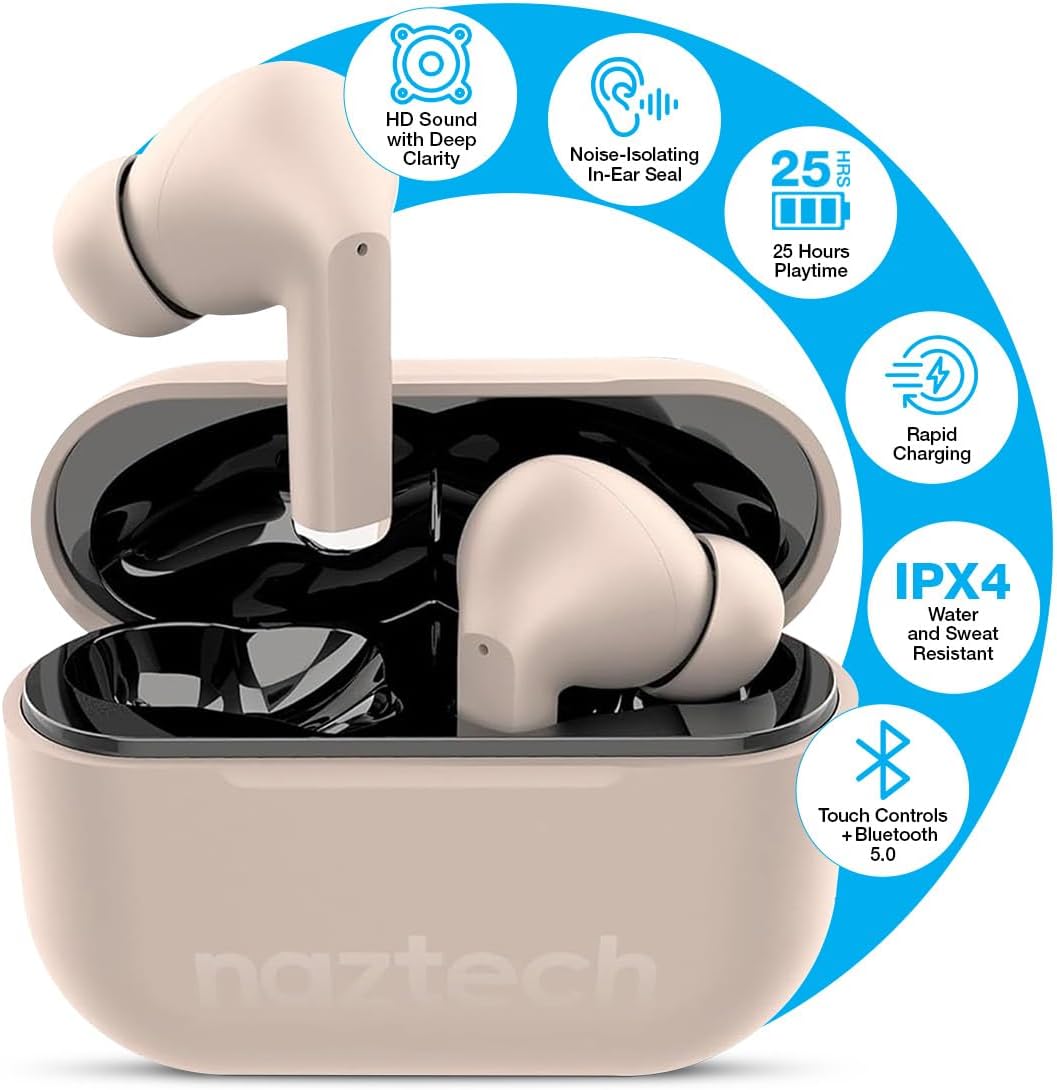
Image: Naztech Xpods PRO True Wireless Earbuds in Sandstone, resting in their open charging case.
What's in the Box
- Naztech Xpods PRO True Wireless Earbuds
- Wireless Charging Case
- USB-C Charging Cable
- Multiple Sizes of Silicone Ear Tips
- Instruction Manual
Setup
1. Charging the Earbuds and Case
Before first use, fully charge the Xpods PRO charging case and earbuds. The case can be charged via the included USB-C cable or a compatible Qi wireless charging pad (sold separately).
- USB-C Charging: Connect the USB-C cable to the charging port on the case and to a power source.
- Wireless Charging: Place the charging case on a Qi-compatible wireless charging pad.
- The LED indicator on the case will show charging status. A full charge provides up to 25 hours of total playtime (5 hours per charge from earbuds + 20 hours from case). A 10-minute quick charge can provide 1 hour of playback.

Image: Naztech Xpods PRO charging case on a wireless charging pad, illustrating 25 hours total playtime and quick charge feature.
2. Pairing with Your Device
The Xpods PRO utilize Bluetooth 5.0 for stable and universal compatibility with Android and iPhone devices.
- Ensure the earbuds are in the charging case and the case is charged.
- Open the charging case. The earbuds will automatically enter pairing mode.
- On your smartphone or Bluetooth-enabled device, go to the Bluetooth settings.
- Select "Naztech Xpods Pro" from the list of available devices.
- Once connected, you will hear an audible confirmation, and the earbuds will be ready for use.

Image: Naztech Xpods PRO earbuds and a smartphone screen showing successful Bluetooth pairing.
Operating Instructions
The Xpods PRO feature intuitive touch controls for easy management of audio playback and calls.
Touch Control Functions

Image: Visual guide to touch sensor controls on the Naztech Xpods PRO earbuds.
- Play/Pause: Single tap on either earbud.
- Next Track: Double tap on the right earbud.
- Previous Track: Double tap on the left earbud.
- Answer/End Call: Single tap on either earbud.
- Reject Call: Press and hold either earbud for 2 seconds.
- Activate Voice Assistant: Triple tap on either earbud.
Making and Receiving Calls
The Xpods PRO feature dual microphones with advanced voice capture technology to filter out wind and background noise, ensuring clear conversations.
- Use the touch controls as described above to manage calls.
- Audio will automatically switch to the earbuds when a call is initiated or received while connected.
Care and Maintenance
To ensure the longevity and optimal performance of your Naztech Xpods PRO, follow these care guidelines:
- Cleaning: Regularly clean the earbuds and charging case with a soft, dry, lint-free cloth. Avoid using harsh chemicals or abrasive materials.
- Ear Tips: Remove and clean the silicone ear tips periodically with water and mild soap. Ensure they are completely dry before reattaching.
- Water Resistance: The Xpods PRO are IPX4 water and sweat resistant, meaning they are protected against splashing water from any direction. They are suitable for workouts and light rain but should not be submerged in water.
- Storage: When not in use, store the earbuds in their charging case to protect them and keep them charged.
- Temperature: Avoid exposing the earbuds to extreme temperatures (hot or cold) or direct sunlight for extended periods.

Image: Naztech Xpods PRO earbuds designed for active lifestyles, featuring IPX4 water resistance.
Troubleshooting
If you encounter issues with your Xpods PRO, refer to the following common solutions:
- Earbuds Not Pairing:
- Ensure both earbuds are charged and in the case.
- Turn off and on your device's Bluetooth.
- Forget/delete "Naztech Xpods Pro" from your device's Bluetooth list and attempt to re-pair.
- Only One Earbud Working:
- Place both earbuds back into the charging case, close the lid, wait a few seconds, then open it again.
- Ensure both earbuds are charged.
- Charging Issues:
- Check the USB-C cable and power adapter for damage.
- Ensure the charging contacts on the earbuds and in the case are clean and free of debris.
- If using wireless charging, ensure the case is properly aligned on the charging pad.
- Low Sound Quality/Noise:
- Ensure the ear tips provide a secure seal in your ear. Try different sizes.
- Clean the earbud speakers and ear tips.
- Ensure your device's volume is adequately set.
Specifications
| Feature | Specification |
|---|---|
| Model Number | 15352 |
| Bluetooth Version | 5.0 |
| Bluetooth Range | 33 Feet |
| Battery Life (Total) | Up to 25 Hours (5 hours per charge + 20 hours with charging case) |
| Charging Time | 1 Hour (for case) |
| Control Method | Touch |
| Water Resistance Level | IPX4 (Water Resistant) |
| Item Weight | 4 ounces |
| Product Dimensions | 4.7 x 4.7 x 1.2 inches |
| Compatible Devices | Any device with Bluetooth capabilities |
| Audio Driver Type | Dynamic Driver |
| Noise Control | Active Noise Cancellation (Passive Noise Isolation from fit) |
Warranty and Support
For warranty information or technical support, please refer to the official Naztech website or contact their customer service department. Keep your proof of purchase for any warranty claims.
Related documents15352

Ask a question about this manual
Ask about setup, troubleshooting, compatibility, parts, safety, or missing instructions. Manuals+ will review the question and use this page’s manual context to help answer it.