
Introduction
This manual provides detailed instructions for the proper use and maintenance of your Baseus 8-in-1 USB C Hub Docking Station and 65W USB C Wall Charger. Please read this manual thoroughly before using the product to ensure optimal performance and safety.
The Baseus 8-in-1 USB C Hub is designed to expand the connectivity of your USB-C enabled devices, offering multiple ports for data transfer, display output, network connection, and power delivery. The accompanying 65W USB C Wall Charger provides fast and efficient charging for a wide range of compatible devices.
Product Components
The package includes the following components:
- Baseus 8-in-1 USB C Hub Docking Station
- Baseus 65W USB C Wall Charger
- User Manual (this document)

Image: Overview of the Baseus 8-in-1 USB C Hub and the 65W USB C Wall Charger, along with various cables and accessories.
Setup Guide
Setting up the USB C Hub
- Connect to Host Device: Plug the integrated USB-C cable of the 8-in-1 hub into an available USB-C port on your laptop, tablet, or smartphone.
- Power Delivery (Optional): If your host device requires charging, connect the 65W USB C Wall Charger to the USB-C PD input port on the hub. Then, plug the wall charger into a power outlet.
- Connect Peripherals:
- HDMI Display: Connect an HDMI cable from your monitor or TV to the 4K HDMI port on the hub.
- USB Devices: Plug your USB-A peripherals (e.g., mouse, keyboard, USB flash drives) into the three USB 3.0 ports.
- Ethernet Network: For a stable wired internet connection, connect an Ethernet cable from your router/modem to the 1000M Ethernet port on the hub.
- Memory Cards: Insert SD or TF (Micro SD) cards into their respective slots for data access.

Image: Diagram showing the various interfaces of the 8-in-1 hub and how they can be used simultaneously.
Setting up the 65W USB C Wall Charger
- Unfold Prongs: Gently unfold the AC power prongs from the charger body.
- Connect Charging Cable: Connect a compatible USB-C to USB-C cable (or other appropriate cable) to one of the charger's output ports.
- Plug into Outlet: Insert the charger into a standard wall power outlet.
- Connect to Device: Connect the other end of the charging cable to your device (e.g., laptop, smartphone, tablet).

Image: The compact and foldable design of the 65W USB C Wall Charger, highlighting its portability.
Operating Instructions
Using the USB C Hub
- Data Transfer: The three USB 3.0 ports support data transfer speeds up to 5 Gbps. Connect USB flash drives, external hard drives, or other USB devices for fast file transfers.
- Display Output: The 4K HDMI port supports resolutions up to 4K at 30Hz. Ensure your host device's USB-C port supports DisplayPort Alternate Mode (Alt Mode) for video output.
- Network Connection: The 1000Mbps RJ45 Ethernet port provides a stable and high-speed wired network connection, ideal for online gaming, streaming, or large file downloads.
- Card Reading: The SD and TF card slots allow simultaneous reading and writing of data from compatible memory cards.
- Power Delivery: The USB-C PD port can deliver up to 100W of power to your host device, ensuring it remains charged while using the hub's other functions.

Image: A laptop connected to an external 4K display via the hub's HDMI output, demonstrating video extension capabilities.

Image: Visual representation of the 5 Gbps data transfer speed supported by the USB 3.0 ports on the hub.

Image: The hub connected to a laptop, highlighting the Gigabit LAN port and its 1 Gbps speed capability.
Using the 65W USB C Wall Charger
- Fast Charging: The charger supports various fast-charging protocols, including PD (Power Delivery) and QC (Quick Charge), delivering up to 65W output.
- Multi-Device Charging: With multiple output ports, the charger can simultaneously charge up to three devices (e.g., laptop, smartphone, earbuds) depending on the model variant.
- Compatibility: Compatible with a wide range of USB-C laptops (MacBook Pro, Dell, HP, Lenovo, etc.), iPhones (14/Pro Max/15), Samsung Galaxy phones, and other USB-C powered devices.
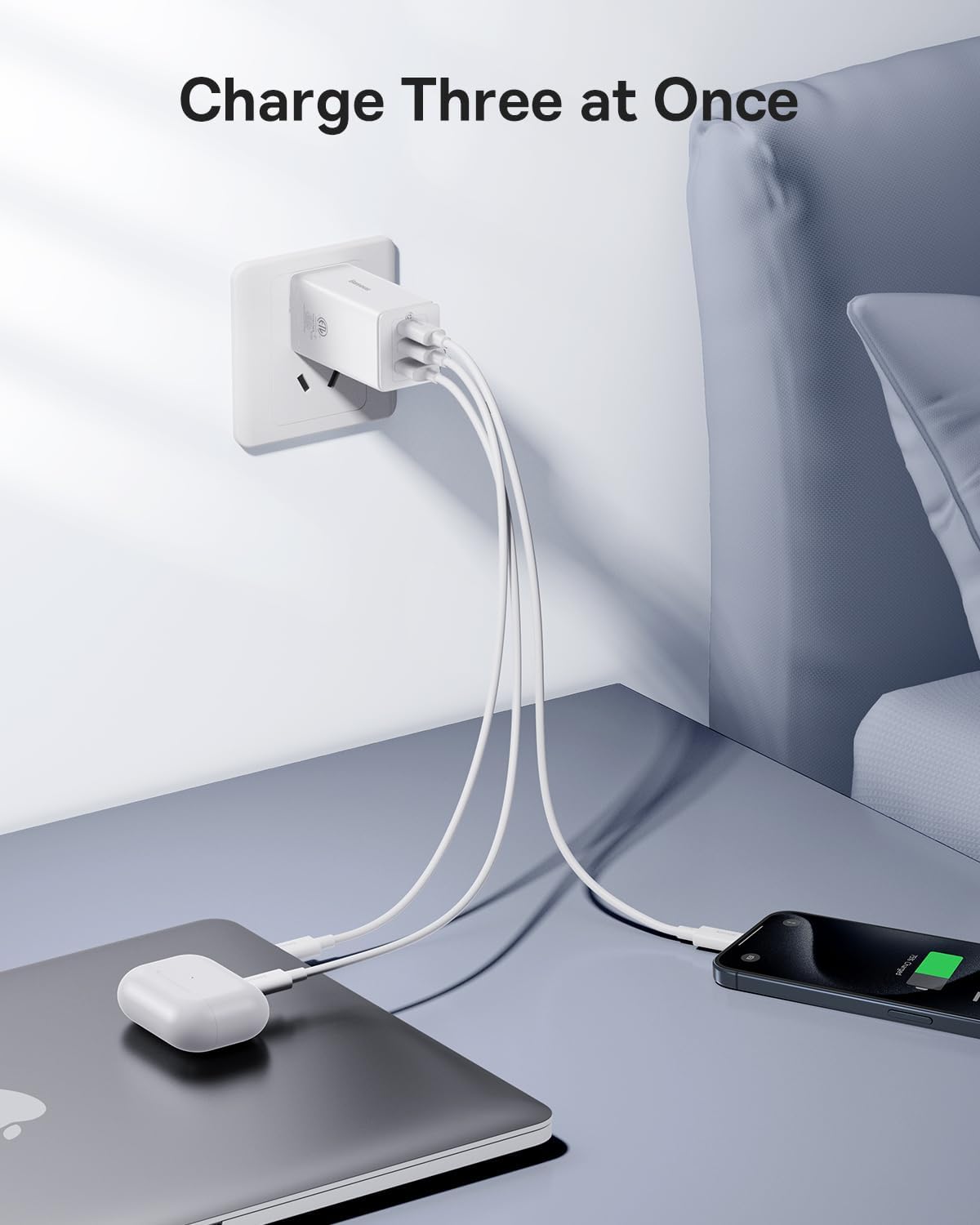
Image: The 65W USB C Wall Charger connected and charging a MacBook Pro 13-inch, indicating a 2-hour full charge time.

Image: The 65W USB C Wall Charger simultaneously charging a laptop, a smartphone, and wireless earbuds, demonstrating its multi-device charging capability.

Image: A chart illustrating the broad compatibility of the 65W USB C Wall Charger with various Apple and Samsung devices, as well as other brands.
Specifications
| Feature | Specification |
|---|---|
| Product Model | B0D264L8ZV |
| USB-C PD Input | Up to 100W Power Delivery |
| HDMI Output | 4K @ 30Hz |
| USB 3.0 Ports | 3 ports, up to 5 Gbps data transfer speed |
| Ethernet Port | RJ45, 10/100/1000 Mbps (Gigabit Ethernet) |
| Card Reader | SD and TF (Micro SD) slots, simultaneous read/write |
| Wall Charger Output | 65W Max (USB-C) |
| Material | Plastic |
| Special Feature | Fast Charging (for charger) |
Troubleshooting
- No Display Output:
- Ensure your host device's USB-C port supports DisplayPort Alt Mode.
- Check the HDMI cable connection at both ends.
- Try a different HDMI cable or monitor.
- Restart your host device.
- USB Devices Not Recognized:
- Ensure the hub is securely connected to your host device.
- Try connecting the USB device to a different port on the hub.
- If it's a high-power device, ensure the hub is connected to external power (PD port).
- Slow Data Transfer Speed:
- Ensure your USB device is USB 3.0 compatible.
- Avoid connecting too many power-hungry devices simultaneously without external power.
- Ethernet Connection Issues:
- Check the Ethernet cable connection.
- Verify your router/modem is functioning correctly.
- Ensure network drivers are up to date on your host device.
- Charger Not Charging:
- Ensure the charger is securely plugged into a working power outlet.
- Try a different charging cable.
- Verify your device is compatible with the charger's output.
Maintenance
- Cleaning: Use a soft, dry cloth to clean the surfaces of the hub and charger. Do not use liquid cleaners or aerosols.
- Storage: Store the product in a cool, dry place away from direct sunlight and extreme temperatures.
- Handling: Avoid dropping or subjecting the product to strong impacts. Do not disassemble the product.
- Ventilation: Ensure proper ventilation around the hub and charger during operation to prevent overheating.
Warranty and Support
Baseus products are designed and manufactured to the highest quality standards. For warranty information and technical support, please refer to the official Baseus website or contact their customer service directly.
Official Website: www.baseus.com
Please retain your proof of purchase for warranty claims.


