
Introduction
This manual provides essential information for the safe and effective use of your Klutch KLiQ 20 Volt, 2.0Ah Lithium-Ion Battery Pack. This battery delivers reliable cordless power for various jobsite tasks. It features advanced cell technology for consistent performance, a compact and lightweight design for easy handling, and a durable chemical-resistant housing. The built-in fuel gauge allows for quick power checks to minimize downtime. This battery is designed for full system compatibility with all Klutch KLiQ 20V tools.
Safety Information
Read and understand all safety warnings and instructions before using this battery pack. Failure to follow the warnings and instructions may result in electric shock, fire, and/or serious injury.
- Do not disassemble the battery pack. Improper reassembly may result in a risk of electric shock or fire.
- Do not short-circuit the battery terminals. This can cause severe burns or fire.
- Do not expose the battery pack to rain or wet conditions. Water entering a battery pack will increase the risk of electric shock or fire.
- Do not expose the battery pack to fire or excessive heat. Exposure to fire or temperatures above 100°C (212°F) may cause an explosion.
- Charge only with the specified charger. Use of any other charger may create a risk of injury and fire. The Klutch KLiQ 20V Rapid Charger (Item# 5797426) is recommended.
- Do not store the battery pack in locations where the temperature may reach or exceed 50°C (122°F).
- Keep the battery pack out of the reach of children.
- Dispose of used battery packs properly. Follow local regulations for battery recycling.
Package Contents
- 1 x Klutch KLiQ 20 Volt 2.0Ah Lithium-Ion Battery Pack
Note: The Klutch KLiQ 20V Rapid Charger is sold separately.
Setup
Initial Charging
Before first use, fully charge the battery pack. The battery recharges in 3 hours or less with the Klutch KLiQ 20V Rapid Charger (Item# 5797426, sold separately).
- Insert the battery pack into the compatible Klutch KLiQ 20V Rapid Charger.
- Connect the charger to a power outlet.
- Allow the battery to charge until the charger indicates a full charge. Refer to your charger's manual for specific charging indicators.
Installing the Battery Pack
To install the battery pack into a compatible Klutch KLiQ 20V tool:
- Align the battery pack with the battery port on the tool.
- Slide the battery pack into the port until it clicks securely into place. Ensure it is fully seated to prevent accidental dislodgement during operation.

Image: A hand is shown detaching the Klutch KLiQ 20V 2.0Ah Lithium-Ion Battery Pack from a power tool, illustrating the removal or installation process.
Operating
Checking Battery Charge Level
The Klutch KLiQ 20V 2.0Ah Lithium-Ion Battery Pack features a built-in fuel gauge to quickly check the remaining power.
- Locate the fuel gauge button on the side of the battery pack.
- Press the button to activate the LED indicators.
- The number of illuminated LEDs indicates the approximate charge level. Typically, four LEDs indicate a full charge, while one LED indicates a low charge.

Image: A close-up view of the battery's fuel gauge, showing four illuminated bars, indicating a full or near-full charge.
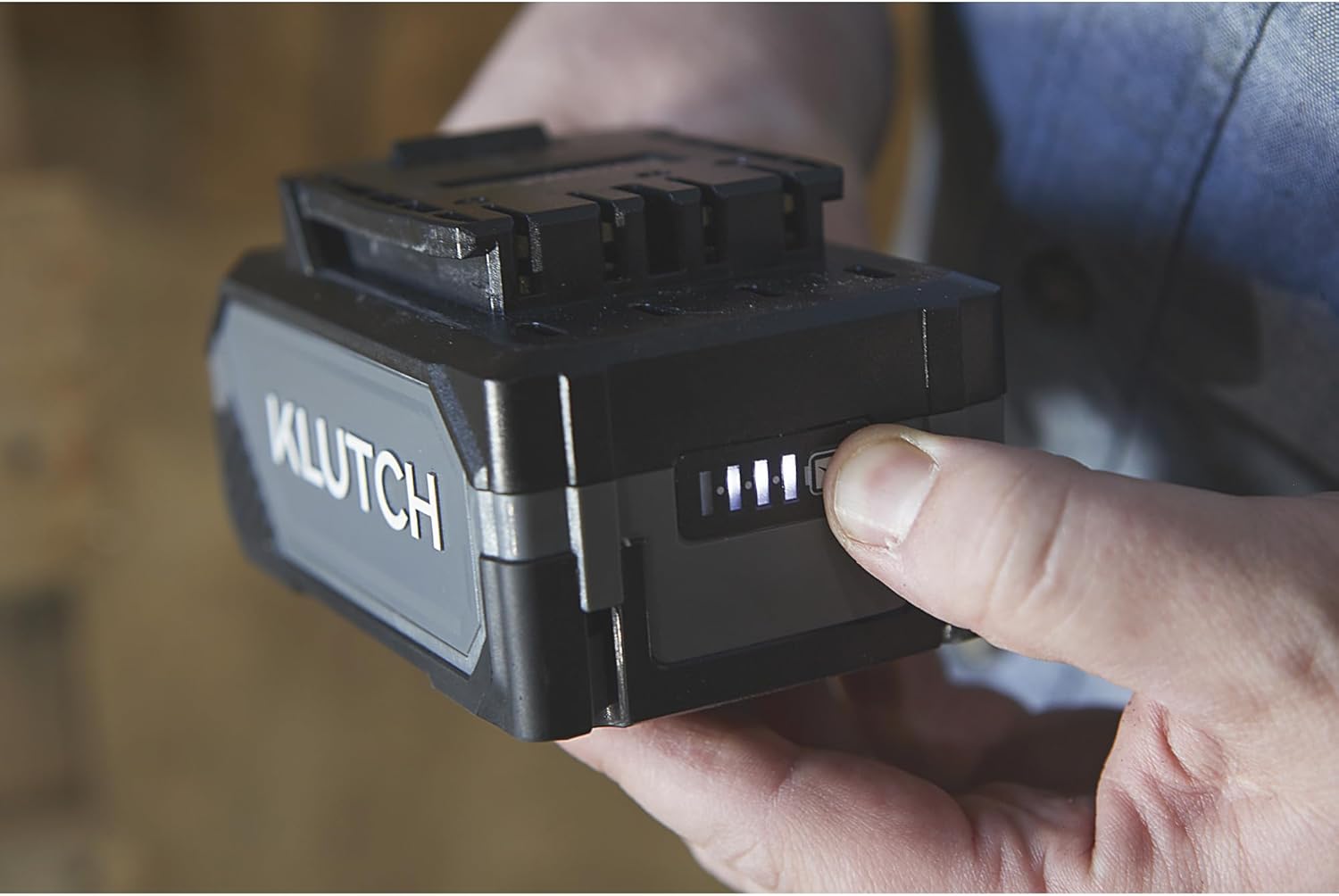
Image: A hand is shown pressing the fuel gauge button on the side of the Klutch KLiQ 20V 2.0Ah Lithium-Ion Battery Pack, with the LED indicators visible.
Using with Klutch KLiQ 20V Tools
Once installed, the battery pack powers all compatible Klutch KLiQ 20V tools. Operate the tool according to its specific instruction manual. When the battery charge is low, the tool's performance may decrease, and the fuel gauge will show fewer illuminated LEDs. Recharge the battery promptly when it indicates a low charge.

Image: The Klutch KLiQ 20V 2.0Ah Lithium-Ion Battery Pack is shown attached to a circular saw, which is actively cutting a piece of wood, demonstrating its use in a power tool.
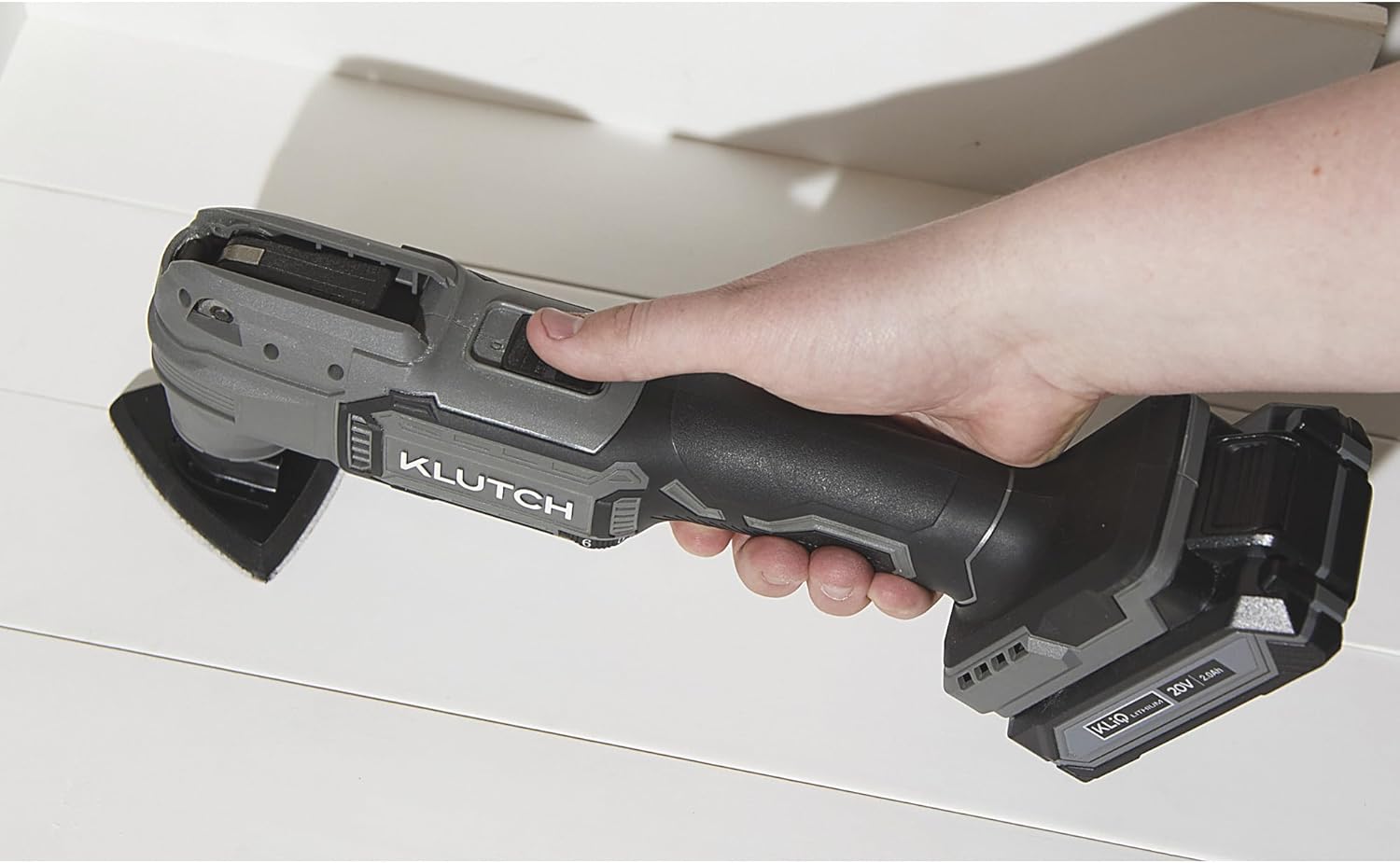
Image: The Klutch KLiQ 20V 2.0Ah Lithium-Ion Battery Pack is attached to an oscillating multi-tool, held by a hand, illustrating its use with another type of power tool.
Maintenance
Cleaning
Keep the battery pack's terminals and housing clean. Use a dry cloth to wipe away dust and debris. Do not use solvents or harsh chemicals.
Storage
When not in use for extended periods, store the battery pack in a cool, dry place, away from direct sunlight and extreme temperatures. For optimal battery life, store partially charged (around 50%).
Chemical Resistance
The battery features a durable chemical-resistant housing designed to withstand exposure to oil and grease. While resistant, it is still recommended to clean off any spills promptly to maintain its condition.
Troubleshooting
- Battery not charging: Ensure the battery is properly seated in the charger and the charger is connected to a working power outlet. Check if the battery or charger is too hot or too cold, as extreme temperatures can prevent charging.
- Battery not powering tool: Verify the battery is fully charged and securely inserted into the tool. Check the tool's own instruction manual for troubleshooting steps related to power supply.
- Reduced run time: This may indicate the battery is nearing the end of its lifespan or has not been fully charged. Ensure proper charging cycles and consider replacing the battery if performance significantly degrades.
Specifications
| Brand | Klutch |
| Model | KLiQ 20 Volt 2.0Ah |
| Battery Cell Composition | Lithium Ion |
| Battery Capacity | 2 Amp Hours |
| Amperage | 2 Amps |
| Voltage | 20 Volt |
| Reusability | Rechargeable |
| Recommended Uses | Power Tool |
| Unit Count | 1.0 Count |
| Item Weight | 12.8 ounces |
| UPC | 840321756589 |
| ASIN | B0D25YCJYN |
Warranty
This Klutch KLiQ 20 Volt 2.0Ah Lithium-Ion Battery Pack is covered by a 1-year limited warranty from the date of purchase. This warranty covers defects in materials and workmanship under normal use. It does not cover damage resulting from misuse, abuse, neglect, accident, alteration, or unauthorized repair. For warranty claims, please retain your proof of purchase and contact Klutch customer support.
Support
For technical assistance, troubleshooting, or to inquire about replacement parts, please contact Klutch customer support. Refer to the official Klutch website or product packaging for the most current contact information.
Online Resources: Visit the Klutch Store on Amazon for additional product information and support.


