
TOPTRO TR27
TOPTRO TR27 Mini Projector User Manual
Model: TR27
1. Introduction
This user manual provides detailed instructions for the operation and maintenance of your TOPTRO TR27 Mini Projector. Please read this manual thoroughly before using the product to ensure proper function and longevity.
The TOPTRO TR27 Mini Projector is designed to deliver a high-quality viewing experience with its native 1080P resolution, 4K decoding support, and versatile connectivity options. Its compact design and 270° adjustable stand make it suitable for various indoor and outdoor projection scenarios.
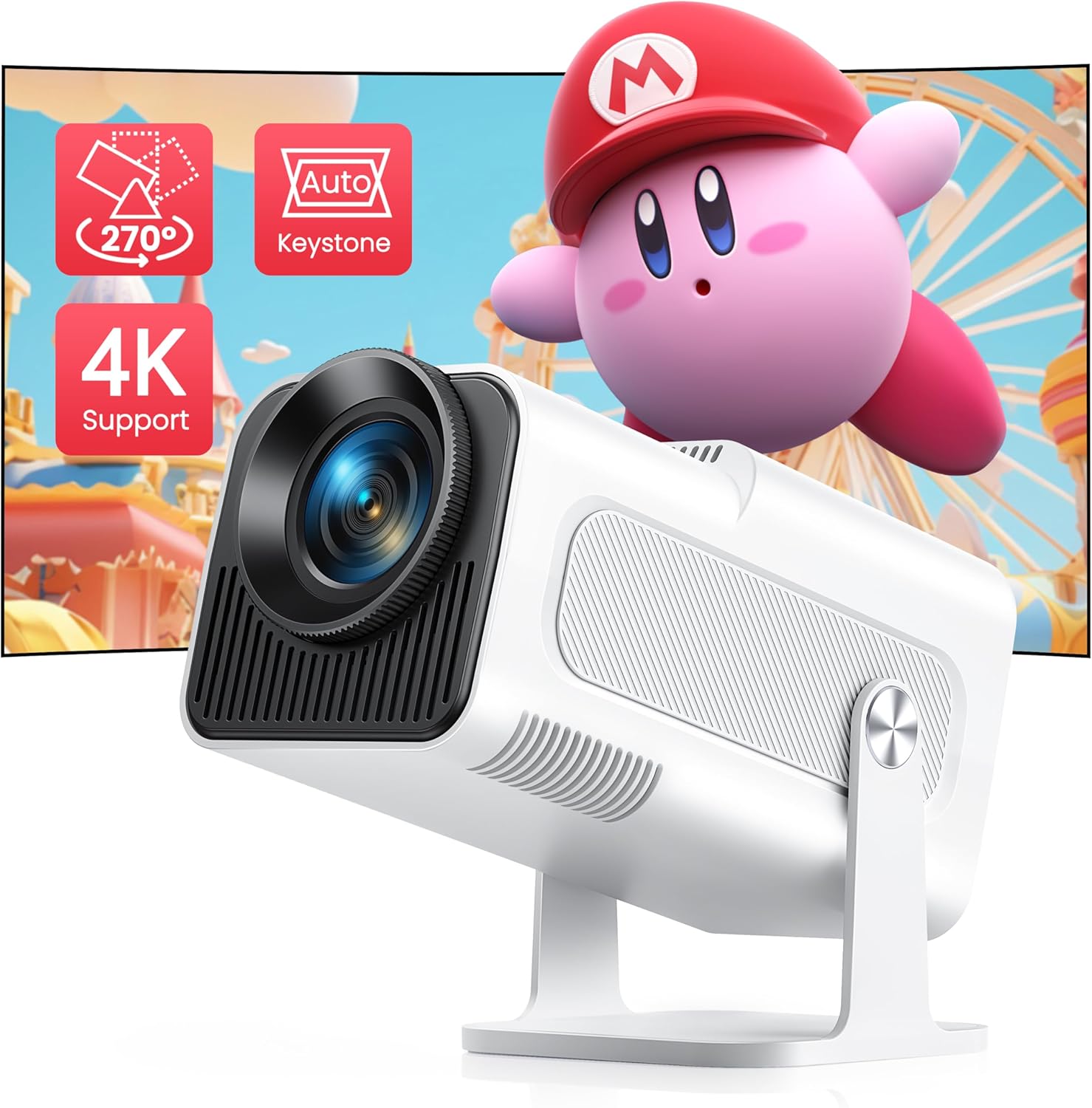
Image: TOPTRO TR27 Mini Projector, showcasing its compact design and projection capabilities.
2. What's in the Box
Upon opening the package, please verify that all the following items are included:
- Projector
- HDMI Cable
- Power Cord
- Cleaning Kit
- User Manual
3. Product Features
3.1 Enhanced Display Quality
The TR27 Mini Projector features a 3.5-inch 1080P screen, providing a native resolution of 1920x1080. It also supports 4K decoding and playback, delivering significantly enhanced image quality compared to standard 720P projectors.
3.2 270° Adjustable Stand
Equipped with a built-in stand that allows for 270° rotation, this portable projector offers flexible projection angles, including ceiling projection. This feature enables versatile placement for home entertainment, camping, or backyard events.

Image: The projector demonstrating its 270° rotatable stand, allowing for flexible projection angles.
3.3 Automatic Keystone Correction & 4P Correction
The projector includes auto vertical keystone correction and 4P correction, ensuring perfectly aligned images and precise control over the viewing angle, even when the projector is not perfectly centered.

Image: Illustrates the automatic vertical keystone correction feature, showing a perfectly rectangular projection from an angled position.
3.4 Optimal Projection Ratio & Zoom Function
With a 1.13:1 projection ratio, the TR27 can project a 120-inch screen from a distance of 8.2 feet, which is more efficient than many other projectors. The 50% zoom function allows for screen size adjustment from 40 to 300 inches without moving the projector (optimal projection distance: 2.95-14.76 ft).

Image: Demonstrates the short throw ratio, showing different screen sizes achievable at various distances.
3.5 WiFi 6 and Bluetooth 5.2 Connectivity
The projector integrates the latest WiFi 6 technology for stable and smooth wireless screen mirroring from iOS, Android, and iPad devices, minimizing lag. Enhanced Bluetooth 5.2 allows for stable connection to headphones, speakers, and AirPods for immersive audio.

Image: Highlights the WiFi 6 technology, showing seamless wireless screen mirroring from various devices.

Image: Illustrates the Bluetooth 5.2 feature, showing connectivity to external audio devices like headphones and smart speakers.
3.6 Wide Compatibility
Multiple interfaces (HDMI, USB) allow easy connection to various devices such as TV sticks, Chrome Books, DVD players, PS5, TV BOX, and PCs.

Image: Shows the various input ports (HDMI, USB, Audio) and compatible devices for the projector.
3.7 Durable LED Bulb & Eye Protection
The advanced LED light source bulb has a service life of up to 300,000 hours. It minimizes the impact of blue light and direct light, offering smart eye protection, especially beneficial for children.
4. Setup
- Unpacking: Carefully remove all components from the packaging. Refer to the "What's in the Box" section to ensure all items are present.
- Placement: Position the projector on a stable, flat surface. Utilize the 270° adjustable stand to direct the projection onto your desired surface (wall, screen, ceiling). Ensure adequate ventilation around the projector.
- Power Connection: Connect the power cord to the projector's power input and then to a suitable electrical outlet.
- Initial Power On: Press the power button on the projector or remote control to turn it on.
- Focus Adjustment: Adjust the focus ring on the lens until the projected image is clear and sharp.
- Keystone Correction: The projector features auto vertical keystone correction. For further adjustments or 4P correction, navigate to the settings menu to manually fine-tune the image shape for a perfect rectangle.
5. Operating Instructions
- Input Source Selection: Use the remote control or the projector's interface to select the desired input source (HDMI, USB, Screen Mirroring).
- Wireless Connectivity (WiFi 6):
- Go to the projector's network settings.
- Select your WiFi 6 network and enter the password.
- For screen mirroring (iOS/Android/iPad), select the corresponding option in the projector's menu and follow the on-screen instructions to connect your device.
- Bluetooth Connectivity (Bluetooth 5.2):
- Navigate to the Bluetooth settings on the projector.
- Enable Bluetooth and search for available devices.
- Select your Bluetooth headphones or speakers from the list to pair.
- Zoom Function: To adjust the screen size without moving the projector, use the 50% zoom function available in the projector's display settings.
- Audio Output: The projector has built-in speakers. For enhanced audio, connect external speakers via Bluetooth or the audio output port.
5.1 Official Product Video: TR27 Unboxing
Watch this official unboxing video to see what's included with your TOPTRO TR27 Mini Projector and get a first look at its design and features.
Video: An unboxing video of the TOPTRO TR27 Mini Projector, demonstrating its contents and initial appearance.
6. Maintenance
- Lens Cleaning: Use the provided cleaning kit or a soft, lint-free cloth to gently wipe the projector lens. Avoid abrasive materials that could scratch the lens.
- Dust Removal: Regularly clean the projector's vents to prevent dust buildup, which can affect performance and lead to overheating. Use a soft brush or compressed air.
- Storage: When not in use for extended periods, store the projector in a cool, dry place, away from direct sunlight and extreme temperatures.
- Power Off Properly: Always power off the projector using the designated power button and allow it to cool down before unplugging or moving.
7. Troubleshooting
| Problem | Possible Cause | Solution |
|---|---|---|
| No image projected | Power cable loose; incorrect input source; device not connected. | Check power connection; select correct input source (HDMI, USB); ensure source device is on and connected properly. |
| Blurred image | Out of focus; incorrect keystone correction. | Adjust the focus ring; use auto vertical keystone or manual 4P correction in settings. |
| No sound | Volume too low; external audio device not connected; source device audio settings. | Increase projector volume; ensure Bluetooth speaker/headphones are paired; check audio output settings on source device. |
| Wireless screen mirroring issues | Weak WiFi signal; incorrect mirroring steps; device compatibility. | Ensure strong WiFi 6 signal; re-follow screen mirroring instructions; update device software if necessary. |
| USB port not working (as reported in a review) | Faulty port; incompatible USB device. | Try a different USB device; ensure the USB device is formatted correctly; if issue persists, contact customer support. |
8. Specifications
| Feature | Detail |
|---|---|
| Model Number | TR27 |
| Display Resolution | Native 1920 x 1080P (Supports 4K Decoding) |
| Projection Ratio | 1.13:1 (Short Throw) |
| Projection Size | 40-300 inches (Optimal: 2.95-14.76 ft distance) |
| Zoom Function | 50% |
| Connectivity Technology | WiFi 6, Bluetooth 5.2, USB, HDMI |
| Keystone Correction | Auto Vertical Keystone, 4P Correction |
| Light Source Life | Up to 300,000 hours |
| Product Dimensions | 4.17 x 4.21 x 8.69 inches |
| Item Weight | 2.86 pounds |
| Recommended Use | Indoor/Outdoor |
9. Warranty and Support
TOPTRO provides a 3-year warranty for this product. This warranty covers manufacturing defects and ensures the quality of your projector.
If you encounter any problems or require assistance, please contact TOPTRO customer service. Contact information can typically be found in the quick guide included with your product or on the official TOPTRO website. Please have your model number (TR27) and purchase details ready when contacting support for the fastest resolution.
For more information, visit the official TOPTRO Store on Amazon.
Related documentsTR27


Ask a question about this manual
Ask about setup, troubleshooting, compatibility, parts, safety, or missing instructions. Manuals+ will review the question and use this page’s manual context to help answer it.