
1. Product Overview
The URIZONS JM18 Earhook TWS Wireless Earbuds are designed for comfort and performance, featuring a secure earhook design suitable for active use. They offer low-latency audio, high-definition calls with noise cancellation, and immersive sound quality.
Key Features:
- High-Definition Calls: Equipped with noise cancellation and high sensitivity for clear communication.
- Immersive Sound: Dual speakers deliver high-fidelity audio with crystal clear highs and deep bass.
- Low-Latency Gaming: Enhanced bass stereo sound powered by a 12mm audio driver provides an immersive gaming experience with precise positional 3D sound.
- Rotatable Ear Hook: Unique 180-degree rotatable ear hooks ensure a comfortable and secure fit.
- Digital Power Display: The charging case features a digital display to monitor battery levels.
- Touch Control: Intuitive touch controls for managing audio and calls.
- Water Resistant: Designed to withstand splashes and sweat.
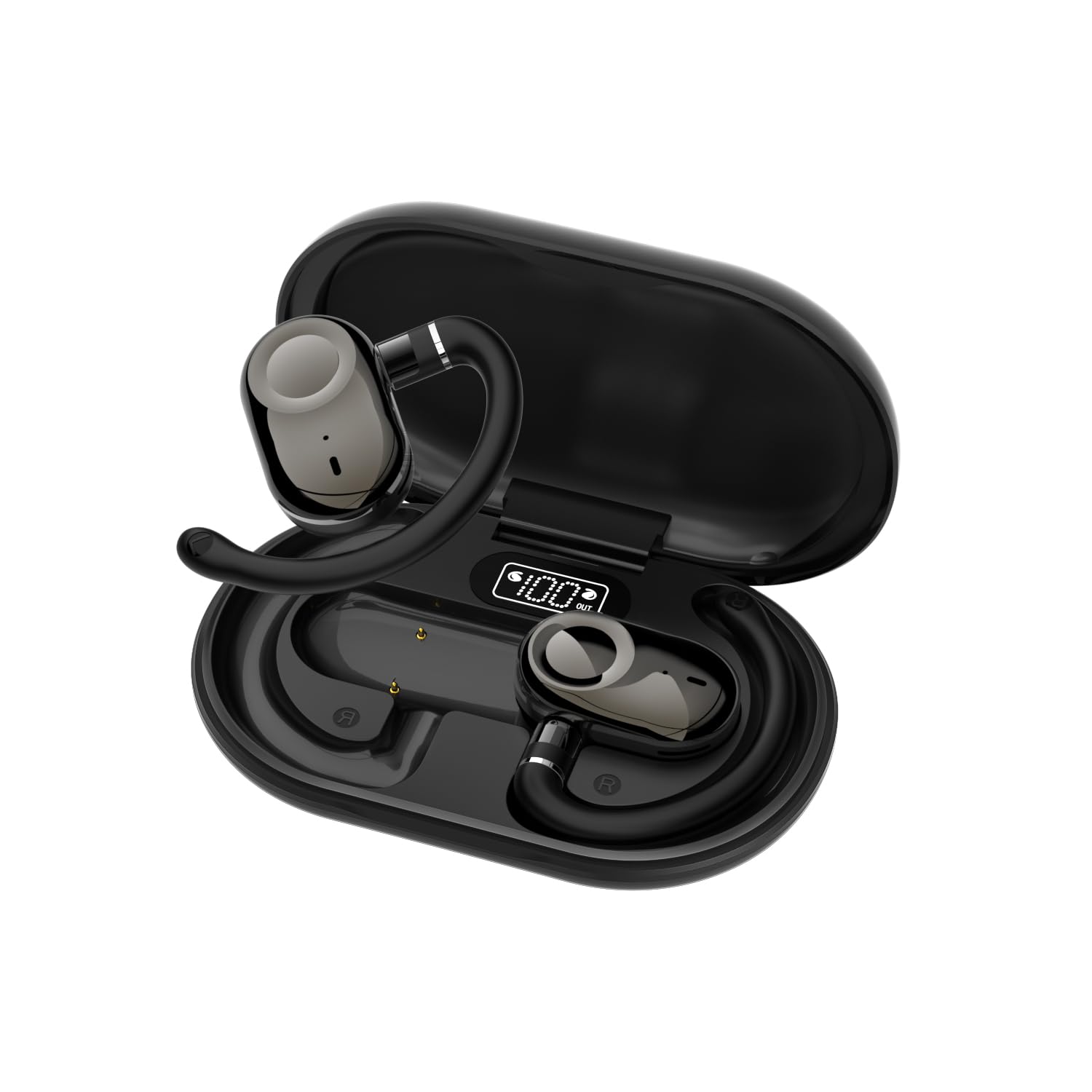
Image: A single URIZONS JM18 earbud with its rotatable earhook design, highlighting its ergonomic shape.
2. What's in the Box
Please check the package contents upon unboxing:
- URIZONS JM18 Earhook TWS Wireless Earbuds (Left and Right)
- Charging Case
- USB Charging Cable
- User Manual
3. Setup
3.1 Charging the Earbuds and Case
Before first use, fully charge the earbuds and the charging case. The charging case features a digital display to indicate the battery percentage.
- Place the earbuds into the charging case. Ensure they are correctly seated.
- Connect the USB charging cable to the charging port on the case and to a power source.
- The digital display on the case will show the charging status. A full charge for the case and earbuds typically takes approximately 1.5 hours.
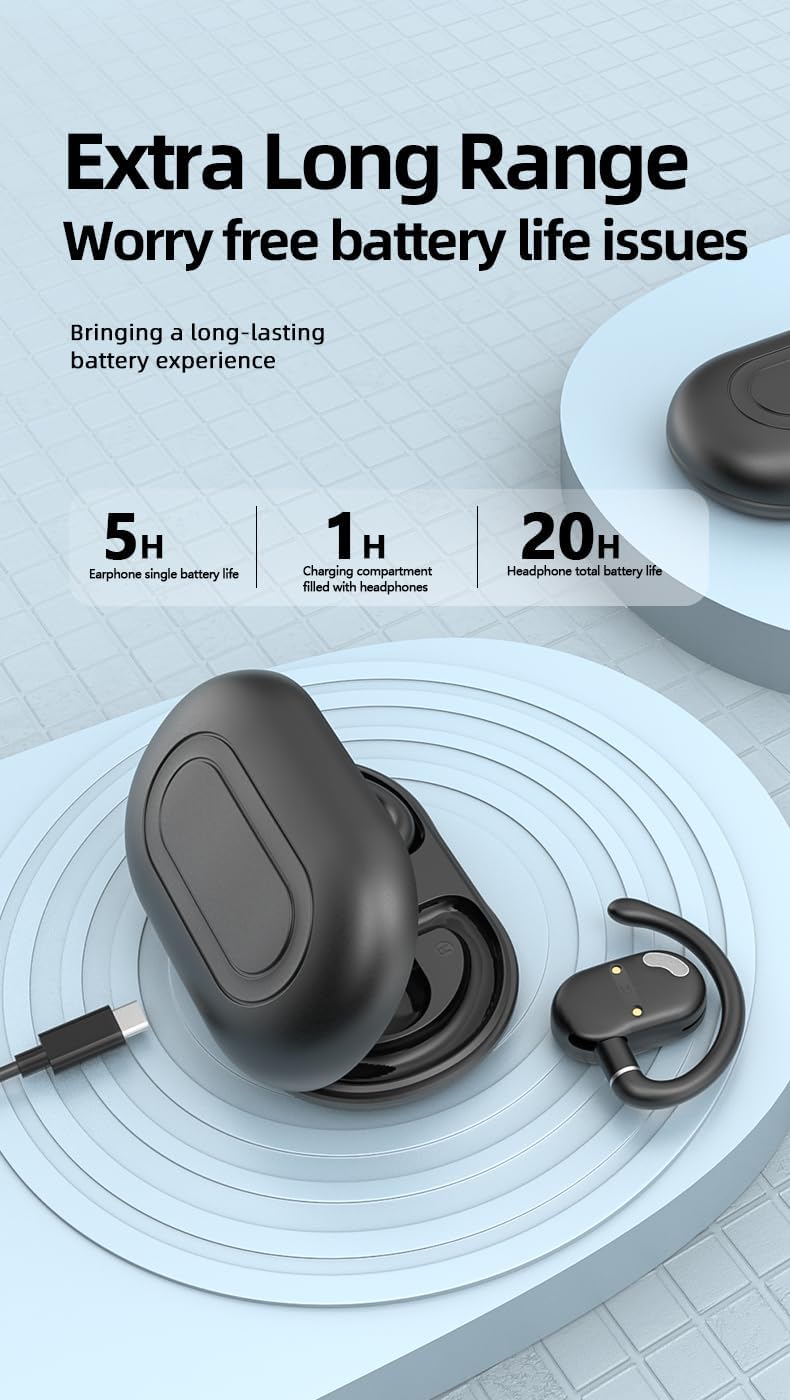
Image: Diagram illustrating the battery life of the earbuds (5 hours single charge) and the charging case (up to 20 hours total with case).

Image: URIZONS JM18 earbuds placed inside their charging case, showing the digital battery display indicating '100%' charge.
3.2 Pairing with a Bluetooth Device
Follow these steps to pair your URIZONS JM18 earbuds with your smartphone or other Bluetooth-enabled device:
- Ensure the earbuds are charged and inside the charging case.
- Open the charging case. The earbuds will automatically enter pairing mode, indicated by a flashing LED light on the earbuds.
- On your device, go to Bluetooth settings and turn Bluetooth on.
- Search for available devices. You should see "JM18" in the list.
- Select "JM18" to connect. Once connected, the LED indicator on the earbuds will stop flashing.
- If prompted, confirm the pairing on your device.
The earbuds will automatically reconnect to the last paired device when taken out of the case, if Bluetooth is enabled on the device.
Video: Demonstration of the URIZONS JM18 Earhook TWS Wireless Earbuds, showing the product, its earhook design, and basic pairing with a smartphone.
4. Operating the Earbuds
4.1 Wearing the Earbuds
The JM18 earbuds feature a 180-degree rotatable ear hook for a customized and secure fit. Adjust the ear hook to comfortably fit over your ear, ensuring the earbud sits properly in your ear canal.

Image: A pair of URIZONS JM18 earbuds with their charging case, illustrating the 180-degree rotatable earhook for adjustable comfort and fit.
4.2 Touch Controls
The earbuds are equipped with touch-sensitive controls for easy management of music and calls. The specific functions are:
- Play/Pause: Single tap on either earbud.
- Next Track: Double tap on the right earbud.
- Previous Track: Double tap on the left earbud.
- Answer/End Call: Single tap on either earbud during an incoming call.
- Reject Call: Long press on either earbud during an incoming call.
- Activate Voice Assistant: Triple tap on either earbud.
- Power On/Off: Long press the touch area for approximately 3-5 seconds.
Note: When the headset is powered on and before being paired with a mobile phone, double-clicking the touch area can switch the language between Chinese and English bidirectionally.
5. Maintenance
To ensure the longevity and optimal performance of your URIZONS JM18 earbuds, follow these maintenance guidelines:
- Cleaning: Regularly wipe the earbuds and charging case with a soft, dry, lint-free cloth. Do not use abrasive cleaners or solvents.
- Storage: When not in use, store the earbuds in their charging case to protect them from dust and damage.
- Avoid Extreme Conditions: Do not expose the earbuds to extreme temperatures, humidity, or direct sunlight for extended periods.
- Water Resistance: While water-resistant, avoid submerging the earbuds in water. Dry them thoroughly if they get wet from sweat or splashes.
6. Troubleshooting
If you encounter issues with your earbuds, try the following solutions:
- No Sound/Connection Issues:
- Ensure earbuds are charged.
- Turn off and on your device's Bluetooth, then try pairing again.
- Forget "JM18" from your device's Bluetooth list and re-pair.
- Restart your device.
- Earbuds Not Charging:
- Ensure the charging cable is securely connected to both the case and the power source.
- Check if the charging pins on the earbuds and in the case are clean and free of debris.
- Try a different charging cable or power adapter.
- Low Volume:
- Adjust the volume on both your connected device and using the earbud touch controls.
- Ensure the earbuds are properly seated in your ears.
7. Specifications
| Model Name | JM18 |
| Brand | URIZONS |
| Connectivity Technology | Wireless (Bluetooth 5.3) |
| Bluetooth Range | 10 Meters |
| Ear Placement | On Ear |
| Form Factor | Over Ear (Earhook) |
| Noise Control | Sound Isolation, Noise Cancellation |
| Audio Driver Type | Dynamic Driver (12mm) |
| Sensitivity | 98 dB |
| Impedance | 32 Ohms |
| Charging Time | 1.5 Hours |
| Battery Life (Earbuds) | 5 Hours |
| Control Method | Touch |
| Water Resistance Level | Water Resistant |
| Item Weight | 30 Grams (1.06 ounces) |
| Product Dimensions | 47.24 x 0.79 x 0.79 inches |
8. Warranty and Support
URIZONS products are designed for reliability and performance. For warranty information, technical support, or customer service inquiries, please refer to the contact details provided on the product packaging or visit the official URIZONS website.
Please retain your proof of purchase for any warranty claims.