
ELECTROPRIME Zealot S30
ELECTROPRIME Zealot S30 Portable Bluetooth Speaker User Manual
Model: Zealot S30 (IP7G8266R)
Introduction
Thank you for choosing the ELECTROPRIME Zealot S30 Portable Bluetooth Speaker. This manual provides essential information for setting up, operating, and maintaining your speaker to ensure optimal performance and longevity. Please read this manual thoroughly before using the product.
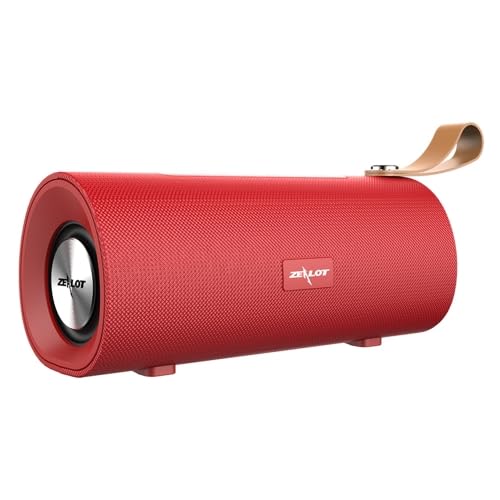
Figure 1: Front view of the ELECTROPRIME Zealot S30 Portable Bluetooth Speaker, showcasing its red finish and integrated leather carrying strap.
The Zealot S30 is a versatile portable speaker designed for high-quality audio on the go. Key features include:
- Portable Design: Equipped with a durable leather hand strap for easy carrying.
- Superior Sound: Features subwoofer dual speakers for stereo surround sound with heavy bass.
- Multiple Playback Options: Supports Bluetooth 5.0, TF card playback, and AUX audio input for wired connections.
- Hands-Free Calling: Built-in sensitive microphone with intelligent noise reduction for clear calls.
- Long Battery Life: Integrated 1800mAh battery provides extended music playback and standby time.
Package Contents
Please check the package for the following items:
- ELECTROPRIME Zealot S30 Portable Bluetooth Speaker
- Micro USB Charging Cable
- AUX Audio Cable (if included, check packaging)
- User Manual (this document)
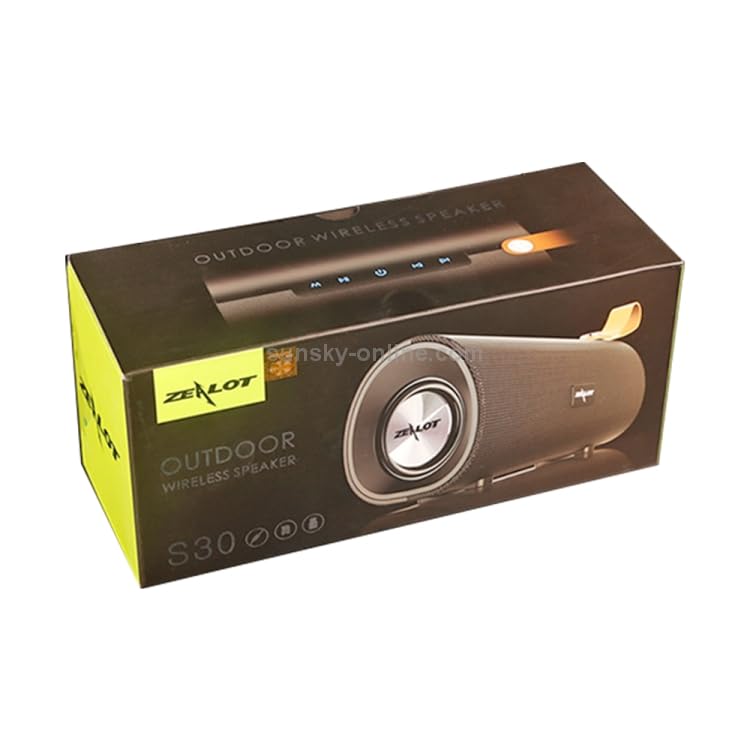
Figure 2: The retail packaging for the Zealot S30 speaker, indicating its "Outdoor Wireless Speaker" designation.
Setup
1. Charging the Speaker
Before first use, fully charge the speaker. Use the provided Micro USB cable to connect the speaker's charging port to a DC5V power source (e.g., a USB wall adapter or computer USB port).
- Charging Port: Micro USB
- Charging Voltage: DC5V
- Charging Time: Approximately 2.5 hours (may vary with charger specifications).
The charging indicator light will typically turn off or change color once charging is complete.
2. Powering On/Off
Locate the power button on the speaker. Press and hold the power button for a few seconds to turn the speaker on or off. A voice prompt or indicator light will confirm the status.
3. Bluetooth Pairing
To connect your speaker to a Bluetooth-enabled device:
- Ensure the speaker is powered on and in Bluetooth pairing mode (usually indicated by a flashing blue LED).
- On your device (smartphone, tablet, etc.), enable Bluetooth and search for available devices.
- Select "Zealot S30" from the list of found devices.
- Once connected, the speaker will provide an audible confirmation, and the Bluetooth indicator light will become solid.
The effective transmission distance for Bluetooth is approximately 10 meters (33 feet) without obstacles.
4. AUX Audio Input
For wired connection, use a 3.5mm AUX audio cable (not always included) to connect the speaker's AUX port to the audio output of your device. The speaker will automatically switch to AUX mode.
5. TF Card Playback
Insert a TF (Micro SD) card with pre-loaded audio files into the designated TF card slot on the speaker. The speaker will automatically detect the card and begin playing music. This mode does not require a Bluetooth connection.
Operating Instructions
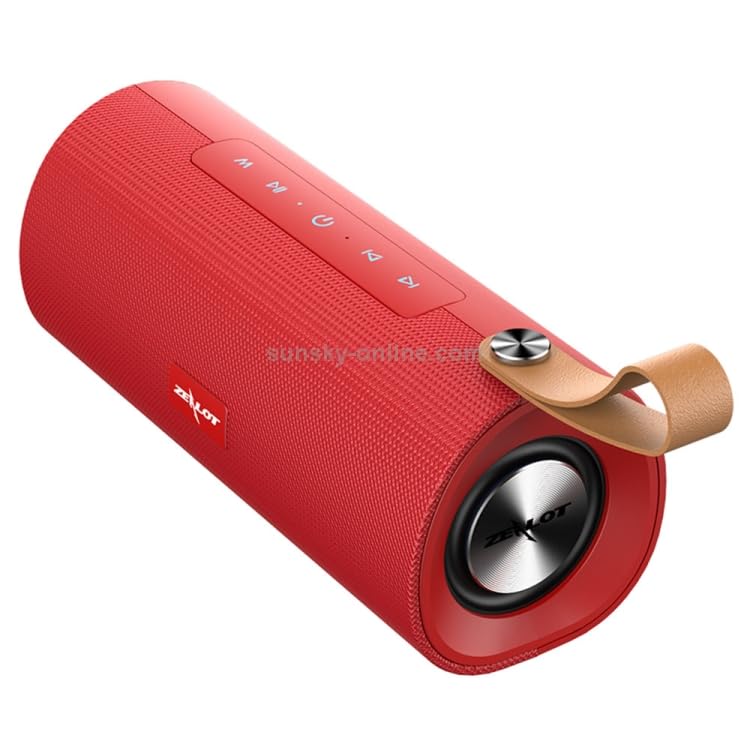
Figure 3: Top view of the Zealot S30 speaker, highlighting the control panel with buttons for playback and mode selection.
The Zealot S30 speaker features intuitive controls located on its top panel. While specific button functions may vary slightly, common operations include:
- Play/Pause: Press the Play/Pause button to start or pause music playback.
- Volume Control: Use the Volume Up (+) and Volume Down (-) buttons to adjust the audio level.
- Next/Previous Track: Long press or short press the Volume Up (+) or Volume Down (-) buttons to skip to the next or previous track, respectively.
- Mode Button (M): Press the Mode button to switch between Bluetooth, TF Card, and AUX input modes.
- Hands-Free Calling:
- Answer/End Call: Press the Play/Pause button to answer an incoming call or end an ongoing call.
- Reject Call: Press and hold the Play/Pause button to reject an incoming call.
- Redial: Double-press the Play/Pause button to redial the last number.
The built-in microphone with intelligent noise reduction ensures clear communication during hands-free calls.
Maintenance
Proper care will extend the life of your ELECTROPRIME Zealot S30 speaker.
- Cleaning: Use a soft, dry cloth to wipe the speaker's surface. Do not use abrasive cleaners, alcohol, or solvents.
- Storage: Store the speaker in a cool, dry place away from direct sunlight, extreme temperatures, and high humidity.
- Battery Care:
- Avoid fully discharging the battery frequently.
- If storing for a long period, charge the battery to about 50% every few months to prevent deep discharge.
- Do not expose the battery to excessive heat or cold.
- Water Resistance: This speaker is not specified as water-resistant. Avoid exposure to water or excessive moisture.
Troubleshooting
If you encounter issues with your speaker, refer to the following common solutions:
| Problem | Possible Cause | Solution |
|---|---|---|
| Speaker does not power on. | Low battery. | Charge the speaker fully. |
| No sound from speaker. | Volume too low; incorrect mode; device not connected. | Increase speaker and device volume. Ensure correct mode (Bluetooth/AUX/TF Card). Re-pair Bluetooth or check AUX cable connection. |
| Bluetooth connection unstable or fails. | Speaker too far from device; interference; device Bluetooth issue. | Move speaker closer to device (within 10m). Avoid obstacles. Turn off and on Bluetooth on both devices. Forget and re-pair "Zealot S30" on your device. |
| TF card not playing. | Card not inserted correctly; unsupported file format; corrupted card. | Reinsert TF card. Ensure audio files are in a supported format (e.g., MP3). Try a different TF card. |
If the problem persists after trying these solutions, please contact customer support.
Specifications
| Feature | Detail |
|---|---|
| Brand | ELECTROPRIME |
| Model Name | Zealot S30 |
| Model Number | IP7G8266R |
| Bluetooth Version | V5.0 |
| Speaker Output | 4 ohm 5W x2 (Dual Speakers) |
| Transmission Distance | Approximately 10m |
| Frequency Response | 20Hz-20KHz |
| Signal to Noise Ratio | 90dB |
| Working Voltage | 3.7V |
| Charging Voltage | DC5V |
| Charging Port | Micro USB |
| Battery Capacity | 1800mAh |
| Talk Time | Approximately 3 hours |
| Music Playback Time | Approximately 3.5 hours |
| Standby Time | Approximately 30 days |
| Charging Time | Approximately 2.5 hours |
| Dimensions (L x W x H) | 198mm x 80mm x 90mm |
| Compatible Devices | Smartphone, Tablet |
| Special Features | Bluetooth, Portable, Wireless, Built-in Mic |
| Audio Output Mode | Stereo |
| Power Source | Battery Powered |
| Connector Type | Auxiliary, Bluetooth, USB |
| Mounting Type | Tabletop |
Warranty and Support
ELECTROPRIME products are designed for reliability and performance. For information regarding warranty coverage and customer support, please refer to the warranty card included with your product or visit the official ELECTROPRIME website.
For technical assistance or inquiries, please contact ELECTROPRIME customer service. Keep your purchase receipt and model number (Zealot S30 / IP7G8266R) ready when contacting support.
Manufacturer: ELECTROGADGETSSTORE
Ask a question about this manual
Ask about setup, troubleshooting, compatibility, parts, safety, or missing instructions. Manuals+ will review the question and use this page’s manual context to help answer it.