
ELECTROPRIME EDA0037478
ELECTROPRIME A886BL Air Conduction Sports Wireless Headset User Manual
Model: EDA0037478
1. Product Overview
The ELECTROPRIME A886BL Air Conduction Sports Wireless Headset is designed for comfort and performance during physical activities. Utilizing air conduction technology, it allows you to enjoy audio while remaining aware of your surroundings. This manual provides essential information for setup, operation, and maintenance of your headset.
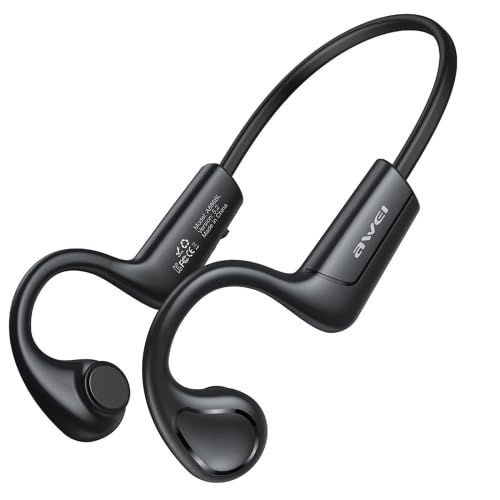
Image 1.1: The ELECTROPRIME A886BL Air Conduction Sports Wireless Headset, showcasing its lightweight, open-ear design.
2. Safety Information
- Do not expose the headset to extreme temperatures, humidity, or corrosive substances.
- Avoid dropping or subjecting the headset to strong impacts.
- Do not disassemble or modify the headset. This may void the warranty and pose safety risks.
- Clean the headset with a soft, dry cloth. Do not use harsh chemicals or abrasive materials.
- Use only the provided or recommended charging cable.
- Prolonged listening at high volume levels may cause hearing damage. Adjust volume to a safe level.
3. Package Contents
Please check the package for the following items:
- ELECTROPRIME A886BL Air Conduction Sports Wireless Headset
- Ear Cushions (if applicable, for comfort/fit)
- Charging Cable (USB)
- User Manual
4. Setup
4.1 Charging the Headset
- Connect the charging cable to the charging port on the headset.
- Connect the other end of the cable to a USB power adapter (not included) or a computer's USB port.
- The indicator light will show the charging status. A full charge takes approximately 1.5 hours.
- Once fully charged, disconnect the charging cable.
4.2 Bluetooth Pairing
- Ensure the headset is turned off.
- Press and hold the Power button until the indicator light flashes red and blue alternately, indicating pairing mode.
- On your device (smartphone, tablet, computer), enable Bluetooth.
- Search for available Bluetooth devices.
- Select "A886BL" or "ELECTROPRIME A886BL" from the list of found devices.
- Once connected, the indicator light will turn solid blue or stop flashing.
- The headset will automatically reconnect to the last paired device when turned on, if the device's Bluetooth is active and within range.
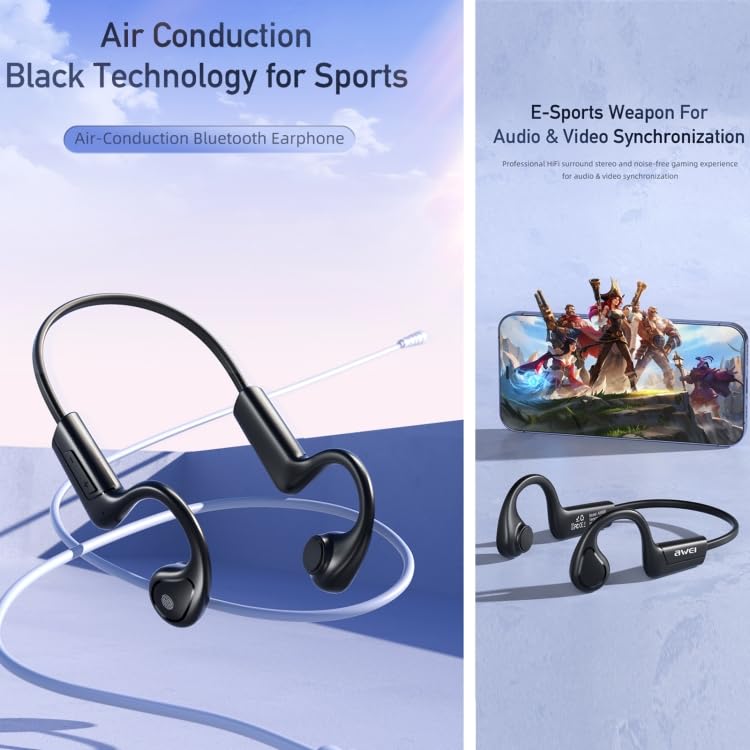
Image 4.2: Visual representation of the headset's air conduction technology and its suitability for synchronized audio and video experiences, such as e-sports.
5. Operating Instructions
5.1 Power On/Off
- Power On: Press and hold the Power button for 3 seconds.
- Power Off: Press and hold the Power button for 5 seconds.
5.2 Music Playback
- Play/Pause: Single press the Multi-function button.
- Next Track: Double press the Multi-function button.
- Previous Track: Triple press the Multi-function button.
- Volume Up: Single press the Volume + button.
- Volume Down: Single press the Volume - button.
5.3 Call Management
- Answer/End Call: Single press the Multi-function button during an incoming call or active call.
- Reject Call: Press and hold the Multi-function button for 2 seconds during an incoming call.
- Redial Last Number: Double press the Multi-function button when not on a call.
5.4 Voice Assistant
- Activate Voice Assistant: Press and hold the Multi-function button for 2 seconds (when not on a call).
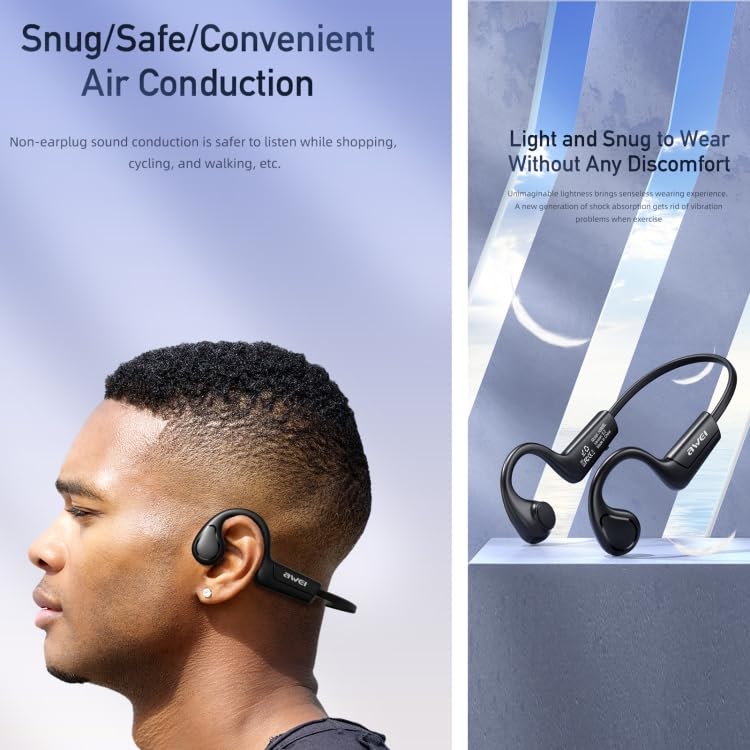
Image 5.4: The headset worn by a user, illustrating its snug, safe, and convenient air conduction design, which is lightweight and comfortable for extended wear.
6. Maintenance
- Cleaning: Wipe the headset with a soft, slightly damp cloth. Do not use alcohol, benzene, or other chemicals. Ensure the charging port is dry before charging.
- Storage: Store the headset in a cool, dry place away from direct sunlight and extreme temperatures.
- Battery Care: To prolong battery life, charge the headset fully before first use and at least once every three months if not used regularly. Avoid completely draining the battery.
7. Troubleshooting
| Problem | Possible Cause | Solution |
|---|---|---|
| Headset does not power on. | Low battery. | Charge the headset fully. |
| Cannot pair with device. | Headset not in pairing mode; Device Bluetooth off; Too far from device. | Ensure headset is in pairing mode (flashing red/blue). Turn on device Bluetooth. Move headset closer to device (within 1 meter for pairing). |
| No sound or intermittent sound. | Volume too low; Headset out of range; Interference. | Increase volume on headset and device. Move closer to the paired device (within 8-10m). Avoid strong electromagnetic interference. |
| Charging issue. | Faulty cable/charger; Dirty charging port. | Try a different USB cable or power source. Clean the charging port gently. |
8. Specifications
| Feature | Detail |
|---|---|
| Model | EDA0037478 (A886BL Series) |
| Bluetooth Version | V5.2 (Zhongke Lanxun 5616B) |
| Supported Protocols | Hands Free 1.6, Headset 1.1, A2DP 1.2, AVRCP 1.5 |
| Channel System | Stereo Sound |
| Call Time | 7 hours |
| Playing Time | 7 hours |
| Charging Time | 1.5 hours |
| Charging Warehouse Capacity | 240mAh (Note: This typically refers to a charging case, but the product description implies the headset itself has this capacity or it's a general spec for the product line) |
| Best Call Distance | Approx. 1 meter |
| Maximum Transmission Distance | Approx. 8-10 meters |
| Voice Prompt Support | Yes |
| Speaker Diameter | 18mm |
| Bluetooth Operating Frequency | 2.402G-2.480G |
| Control Type | Voice Control, Touch |
| Cable Feature | Without Cable (Wireless) |
| Special Features | Lightweight |
9. Warranty and Support
This product comes with a standard manufacturer's warranty. Please refer to the warranty policy provided at the time of purchase for specific terms and conditions. For technical support, troubleshooting assistance, or warranty claims, please contact ELECTROPRIME customer service through the retailer where the product was purchased or visit the official ELECTROPRIME website for contact information.
Keep your purchase receipt as proof of purchase for warranty purposes.
Ask a question about this manual
Ask about setup, troubleshooting, compatibility, parts, safety, or missing instructions. Manuals+ will review the question and use this page’s manual context to help answer it.