
Moman H2S
Moman H2S Motorcycle Intercom User Manual
Model: H2S | Brand: Moman
1. Introduction
Thank you for choosing the Moman H2S Motorcycle Intercom. This device is engineered to provide clear and reliable communication, entertainment, and navigation assistance for motorcyclists. Featuring advanced Bluetooth technology, superior noise cancellation, and a user-friendly design, the H2S enhances your riding experience by keeping you connected and informed.
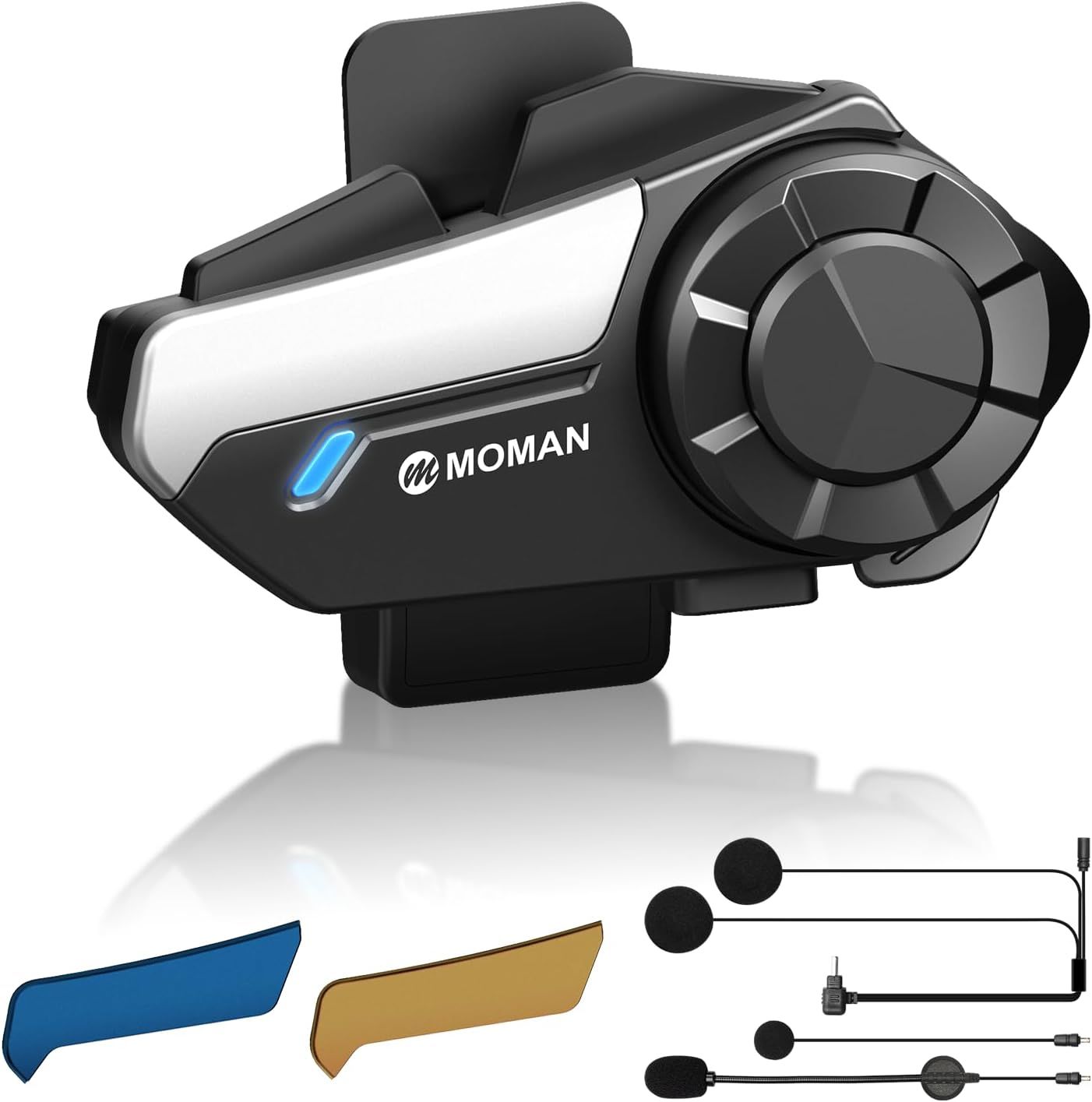
Image 1.1: The Moman H2S Motorcycle Intercom unit with interchangeable color covers and microphone options.
2. Safety Information
Always prioritize safety while riding. Do not operate the device in a manner that distracts you from the road. Ensure the device is securely mounted and does not obstruct your vision or movement. Keep the volume at a level that allows you to hear ambient traffic sounds. Adhere to all local laws and regulations regarding the use of communication devices while operating a motorcycle.
3. Package Contents
Verify that all items are present in your package:
- Moman H2S Intercom Unit x1
- Back Clip (Clamp Style) x1
- Back Clip (Stick Style) x1
- Changeable Microphone Speakers (Boom Mic & Soft Wire Mic) x1 set
- Interchangeable Pattern Shells Kit x2 (Blue, Gold)
- Charging Cable x1
- Double-Sided Tape x1
- Tape Kit x2
- Hexagon Key x1
- User Manual x1

Image 3.1: Visual representation of all included accessories and two installation methods for the Moman H2S intercom.
4. Product Overview
The Moman H2S features an ergonomic design with a large, glove-friendly rotary knob for easy control. The main unit houses the advanced Bluetooth chips and battery, while the external speakers and microphone connect via a cable.
4.1 Key Components
- Main Control Unit: Houses the processor, Bluetooth modules, and battery.
- Rotary Knob: For volume control, track skipping, and menu navigation.
- Function Buttons: Dedicated buttons for power, intercom, music sharing, and voice assistant.
- Speakers: 40mm high-fidelity speakers for immersive audio.
- Microphone: Available in boom mic and soft wire mic options, designed with anti-wind noise technology.
- Charging Port: USB-C for convenient charging.

Image 4.1: Illustration of the Moman H2S control layout, highlighting one-click functions for pairing, music sharing, AI voice assistant, and FM radio.
5. Setup
5.1 Charging the Device
Before first use, fully charge the Moman H2S. Connect the provided USB-C charging cable to the charging port on the intercom unit and a suitable USB power source. The LED indicator will show charging status. A full charge takes approximately 2 hours.

Image 5.1: Battery life details for the Moman H2S, showing 2 hours charging time, 25 hours working time, and 300 hours standby time.
5.2 Helmet Installation
The Moman H2S can be installed using either the clamp-style back clip or the stick-style back clip. Choose the method most suitable for your helmet type.
- Attach the Back Clip: Secure the chosen back clip to the side of your helmet. Ensure it is firmly attached and does not interfere with helmet functionality.
- Mount the Main Unit: Slide the Moman H2S main unit onto the installed back clip until it clicks securely into place.
- Install Speakers: Place the 40mm speakers inside the helmet's ear pockets. Ensure they are positioned directly over your ears for optimal sound quality.
- Install Microphone: For full-face helmets, use the soft wire mic and position it near your mouth. For open-face or modular helmets, use the boom mic and position it directly in front of your mouth.
- Connect Cables: Plug the speaker and microphone cables into the corresponding ports on the main intercom unit.

Image 5.2: Detailed steps for both clamp and adhesive installation methods of the intercom unit on a helmet.
5.3 Bluetooth Pairing
The Moman H2S utilizes dual-version BT5.3 and 5.1 chips for fast and stable connections.
- Power On: Press and hold the Power button until the LED indicator flashes, indicating pairing mode.
- Enable Bluetooth: On your mobile device, enable Bluetooth and search for available devices.
- Select 'Moman H2S': Choose 'Moman H2S' from the list of found devices. The LED will turn solid blue when successfully paired.
- Intercom Pairing: To pair with another Moman H2S unit for intercom communication, ensure both units are in pairing mode and follow the specific intercom pairing instructions in the full manual (typically a one-click pairing function).
6. Operating Instructions
6.1 Power On/Off
- Power On: Press and hold the Power button for 3 seconds.
- Power Off: Press and hold the Power button for 5 seconds.
6.2 Intercom Communication
The H2S supports 2-way intercom communication up to 1000 meters (0.6 miles) in open terrain. Once paired, simply press the Intercom button to initiate or end a conversation.

Image 6.1: Depiction of the 1000-meter seamless duo-intercom range between two Moman H2S units on a road.
6.3 Audio Multitasking and Adaptive Volume
The H2S features a dual-core Bluetooth system architecture, allowing for genuine audio multitasking. You can maintain intercom communication while simultaneously listening to music, FM radio, or GPS navigation prompts. The adaptive volume adjustment automatically balances audio levels based on real-time conditions, ensuring clear conversations without completely muting other audio sources.

Image 6.2: Illustration of the H2S's 4-mode dynamic audio mixing capability, allowing simultaneous use of intercom with music, GPS, FM radio, or AI voice assistant.

Image 6.3: Explanation of the priority intercom system, where music volume automatically reduces when intercom communication is active to ensure clear conversations.
6.4 Music Playback and Sharing
- Play/Pause: Press the Music button once.
- Next Track: Rotate the rotary knob clockwise.
- Previous Track: Rotate the rotary knob counter-clockwise.
- Music Sharing: With one-click music sharing, you can easily share your current playlist with a paired H2S unit.
6.5 FM Radio
Double-click the FM button to activate the built-in FM radio. Use the rotary knob to tune between stations.
6.6 AI Voice Assistant
Hold-click the AI Voice Assistant button to activate your smartphone's voice assistant (e.g., Siri, Google Assistant) for hands-free commands.
6.7 Noise Cancellation
The H2S integrates DSP, CVC, and ENC triple intelligent noise reduction technology, along with a specially designed windproof headset, to eliminate up to 98% of ambient noise. This ensures crystal-clear audio quality even at speeds up to 120 km/h.

Image 6.4: Diagram illustrating the NoiseCut ENC, Anti-Wind Noise Mic, and CVC DSP technologies integrated into the H2S for 98% noise reduction.
6.8 Volume Control
Adjust the volume by rotating the large, glove-friendly knob. The adaptive volume feature will automatically adjust based on riding conditions.

Image 6.5: Close-up of the Moman H2S's large, glove-friendly rotary knob, emphasizing ease of use while riding.
7. Maintenance
7.1 Cleaning
Wipe the intercom unit with a soft, damp cloth. Do not use harsh chemicals or abrasive cleaners. Ensure the charging port is dry before charging.
7.2 Waterproofing
The Moman H2S is IPX6 rated, meaning it is protected against high-pressure water jets from any direction. It is suitable for use in rain and dusty conditions. However, it is not designed for submersion.
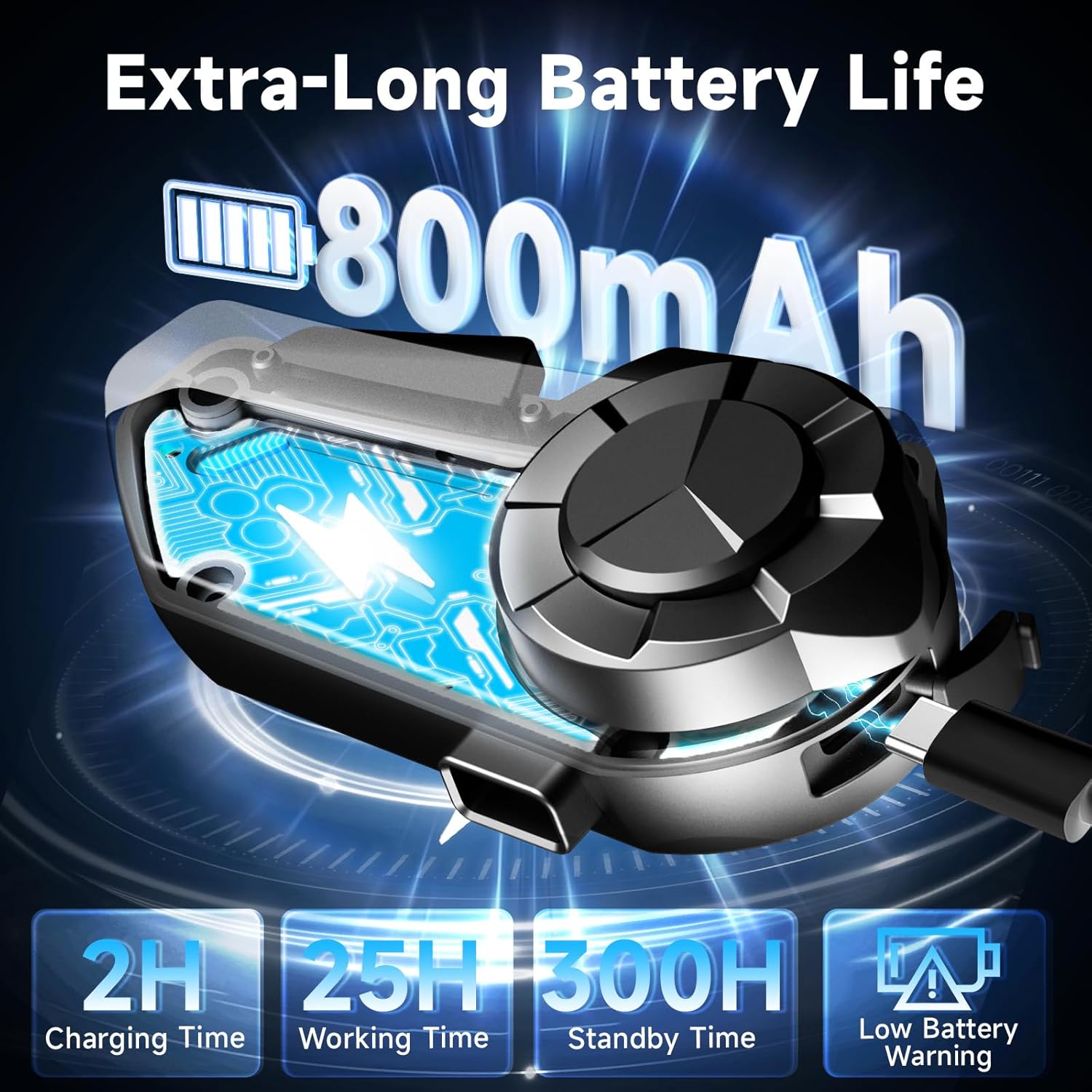
Image 7.1: Visual representation of the H2S's rugged outdoor capabilities, including IPX6 waterproofing, snowproof design, and drop resistance.
7.3 Storage
When not in use for extended periods, store the device in a cool, dry place. It is recommended to charge the battery to about 50% before long-term storage to preserve battery health.
8. Troubleshooting
| Problem | Possible Cause | Solution |
|---|---|---|
| Device does not power on. | Low battery. | Charge the device fully. |
| Cannot pair with phone/intercom. | Device not in pairing mode; Bluetooth off on phone; too many paired devices. | Ensure device is in pairing mode. Check phone's Bluetooth settings. Clear previous pairings if necessary. |
| Poor audio quality/noise. | Microphone/speakers improperly positioned; excessive wind noise; high speed. | Adjust microphone and speaker placement. Ensure microphone foam cover is intact. Noise cancellation works best up to 120 km/h. |
| Intercom range is limited. | Obstructions (buildings, terrain); interference. | Ensure clear line of sight between units for optimal range. Avoid areas with high electromagnetic interference. |
9. Specifications
| Feature | Detail |
|---|---|
| Model Name | H2S |
| Bluetooth Version | 5.3 & 5.1 (Dual-version) |
| Intercom Range | Up to 1000 meters (0.6 miles) |
| Noise Cancellation | DSP, CVC, ENC Triple Intelligent Noise Reduction |
| Speaker Size | 40mm High-Fidelity |
| Battery Capacity | 800mAh |
| Working Time | Up to 25 hours |
| Charging Time | Approx. 2 hours |
| Standby Time | Up to 300 hours |
| Water Resistance | IPX6 (Water Resistant) |
| Control Method | Physical Buttons, Rotary Knob |
| Compatible Devices | Motorcycles |
| Item Weight | 9.5 ounces |
| Manufacturer | Moman |
10. Warranty and Support
Moman products are designed for reliability and performance. For warranty information and technical support, please refer to the official Moman website or contact your local distributor. Keep your purchase receipt as proof of purchase for any warranty claims.
For further assistance, please visit the Moman Store on Amazon.
Related documentsH2S


Ask a question about this manual
Ask about setup, troubleshooting, compatibility, parts, safety, or missing instructions. Manuals+ will review the question and use this page’s manual context to help answer it.