
1. Introduction and Overview
The Tymate TM7+Newly Upgraded M7-3 is an advanced Tire Pressure Monitoring System (TPMS) designed to provide real-time monitoring of your vehicle's tire pressure and temperature. This system enhances driving safety by alerting you to potential tire issues, helping to prevent accidents and improve fuel efficiency. It is suitable for a wide range of vehicles including sedans, SUVs, MPVs, pickup trucks, RVs, and travel trailers.

Figure 1.1: Tymate TM7+ TPMS Monitor and External Sensors
The system features a vibrant color LCD with adjustable backlight for clear visibility in various lighting conditions. It offers robust accuracy and multiple alarm modes to keep you informed about your tire health.
2. Setup Guide
Setting up your Tymate TM7+ TPMS is designed to be quick and straightforward, typically taking around 5 minutes. Follow these steps for initial installation and sensor pairing:
2.1 Package Contents
Before you begin, ensure all components are present:
- Tymate TM7+ Monitor
- External Sensors (typically 4 or 6, depending on the kit)
- USB Charging Cable
- Anti-theft Nuts (for external sensors)
- Wrench (for anti-theft nuts)
- User Manual
2.2 Monitor Installation
The monitor can be powered via solar energy or USB charging. Place the monitor on your dashboard where it can receive sufficient sunlight for solar charging and where the display is clearly visible without obstructing your view.
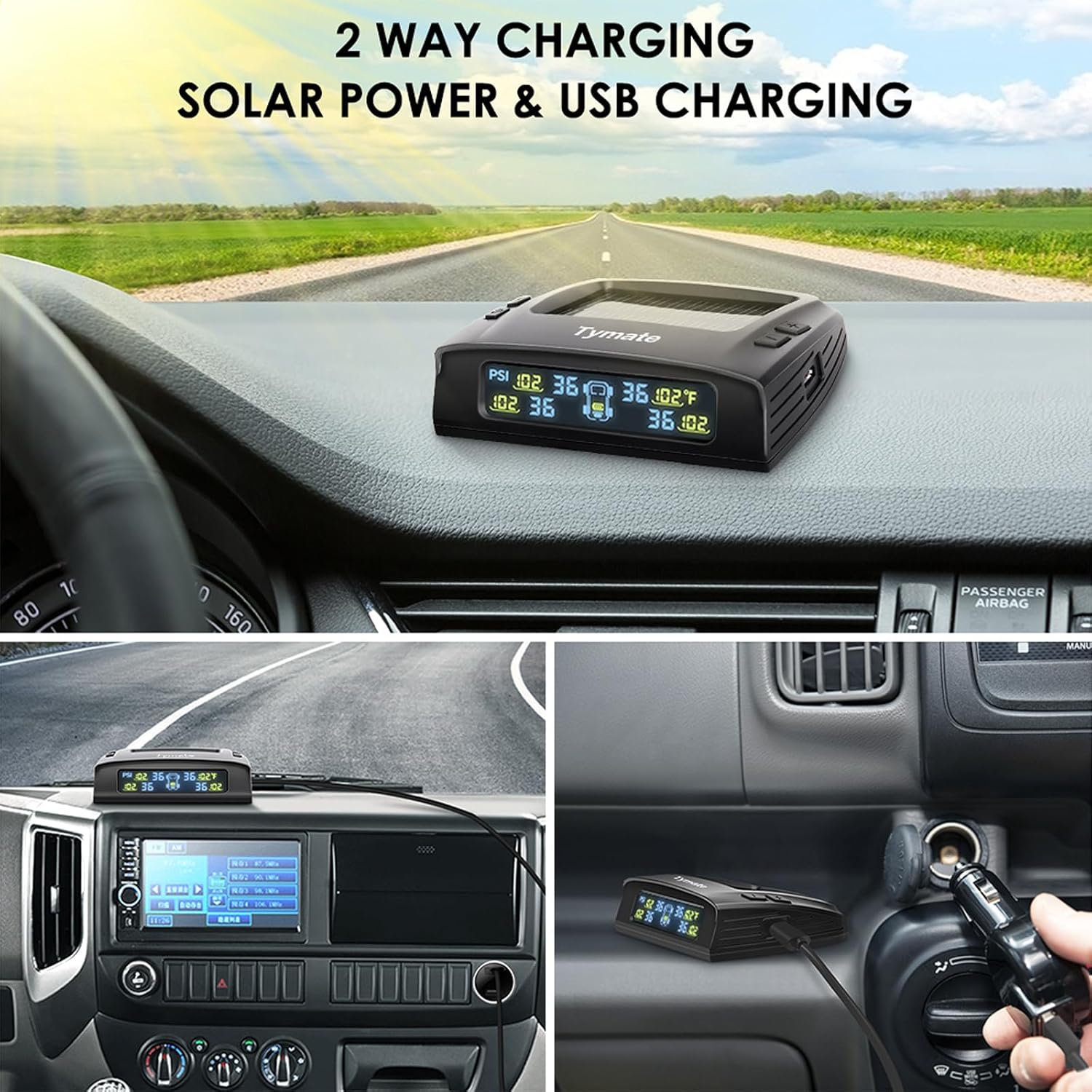
Figure 2.1: Two-Way Charging (Solar and USB)
2.3 Sensor Installation and Pairing
The sensors are designed for easy external installation on your tire valves. Each sensor is typically labeled (e.g., LF for Left Front, RR for Right Rear) to ensure correct placement.
- Screw the anti-theft nut onto the tire valve stem.
- Screw the corresponding sensor onto the valve stem until it is snug.
- Tighten the anti-theft nut against the sensor using the provided wrench to secure it.
- The system automatically calibrates to the center tire pressure using sensor installation pairing for accurate reference values. Refer to the detailed pairing instructions in the included user manual for specific steps if manual pairing is required.
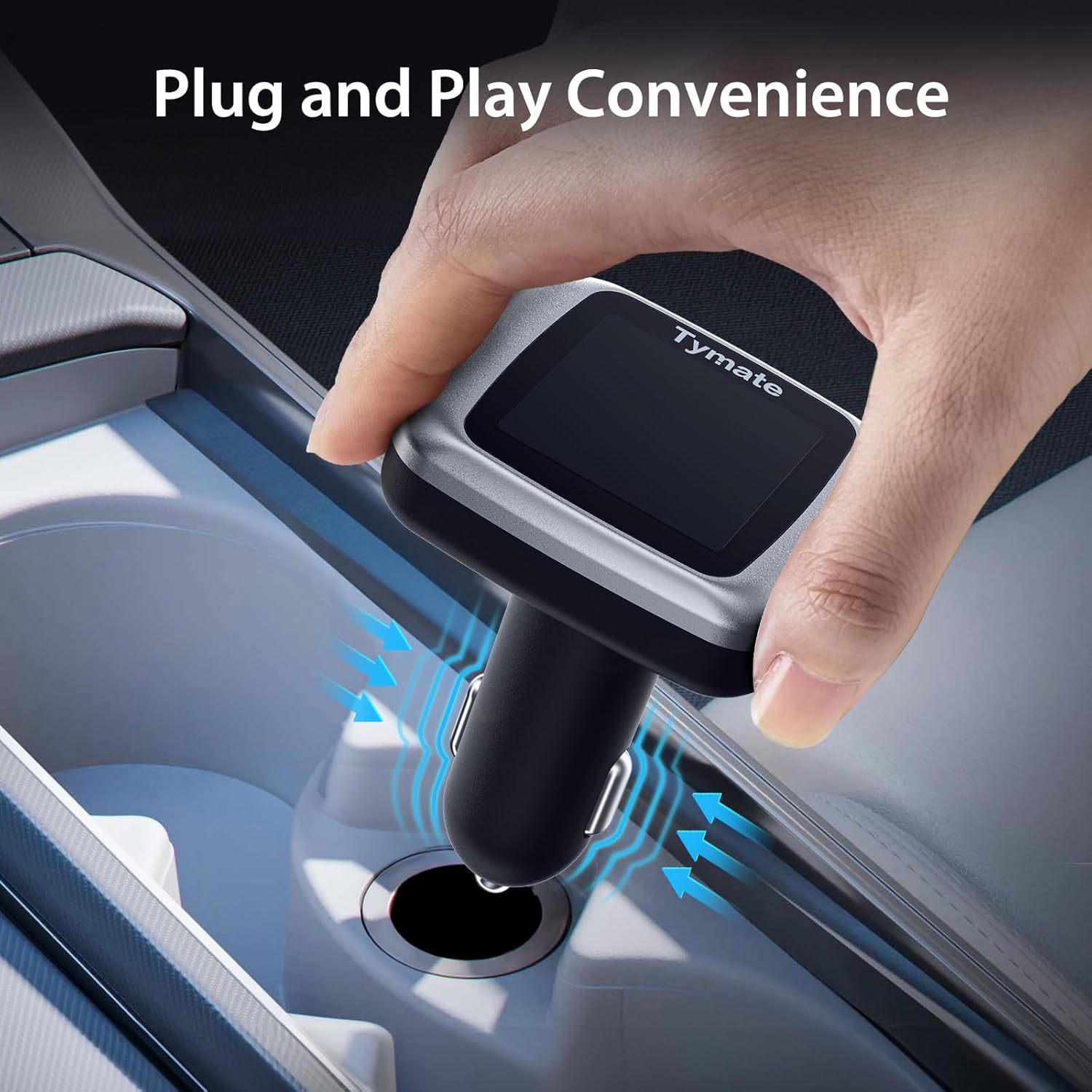
Figure 2.2: Plug and Play Convenience for Monitor Power
3. Operating Instructions
Once installed, the Tymate TM7+ TPMS continuously monitors your tires and displays critical information on its screen.
3.1 Real-time Monitoring
The monitor displays real-time tire pressure and temperature data for all connected tires. You can typically switch between PSI/BAR for pressure and ℃/℉ for temperature units via the monitor's settings.
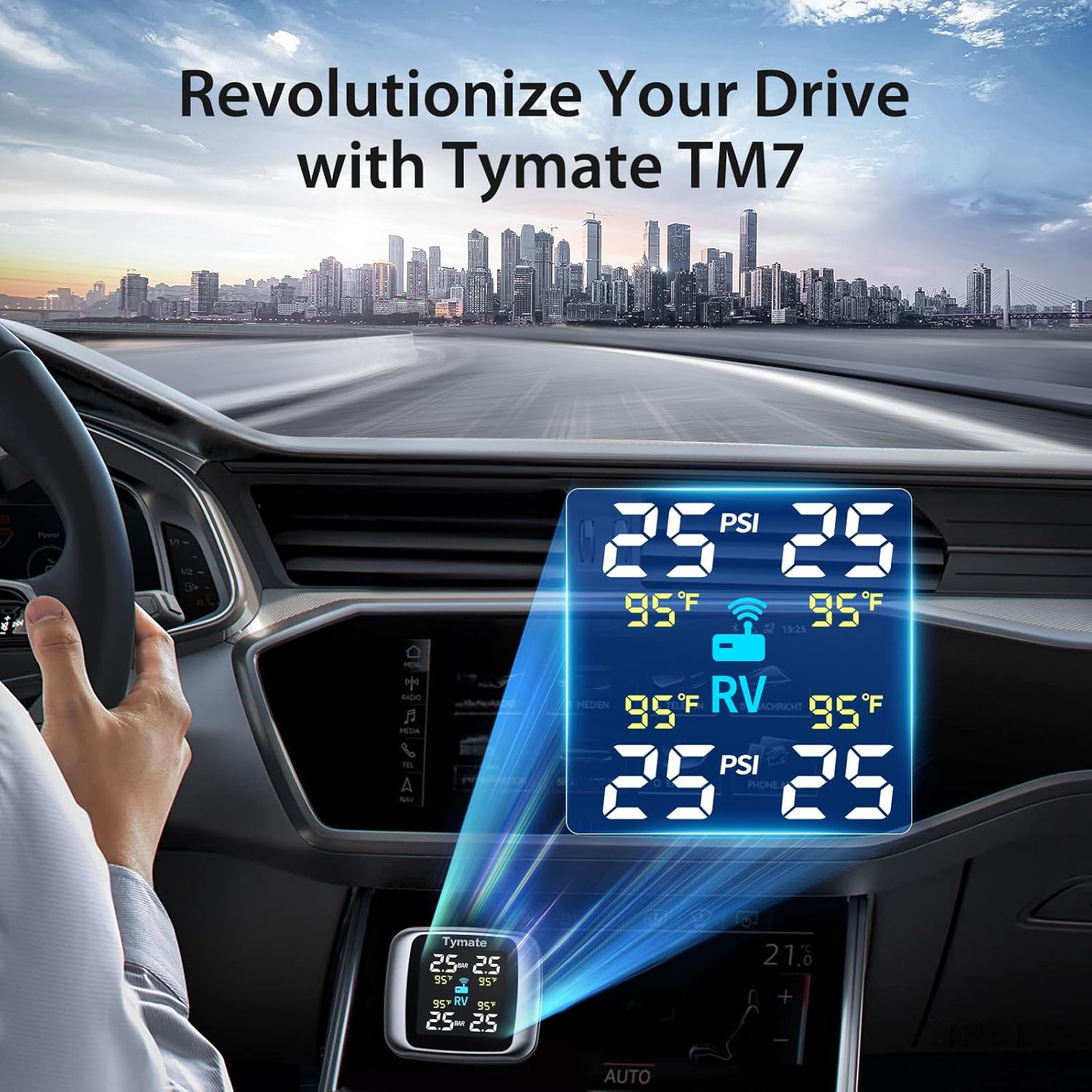
Figure 3.1: Revolutionize Your Drive with Tymate TM7+ Real-time Display
3.2 Alarm Modes
The system is equipped with six distinct alarm modes to alert you to potential issues:
- High Pressure Alarm: Alerts when tire pressure exceeds a preset high limit.
- Low Pressure Alarm: Alerts when tire pressure drops below a preset low limit.
- Fast Leakage Alarm: Detects rapid pressure loss, indicating a puncture or sudden leak.
- High Temperature Alarm: Alerts when tire temperature exceeds a preset high limit, often indicating excessive friction or an overloaded tire.
- Sensor Low Battery Alarm: Indicates that a sensor's battery is running low and needs replacement.
- Sensor Signal Lost Alarm: Alerts if communication with a sensor is lost, possibly due to interference or a faulty sensor.
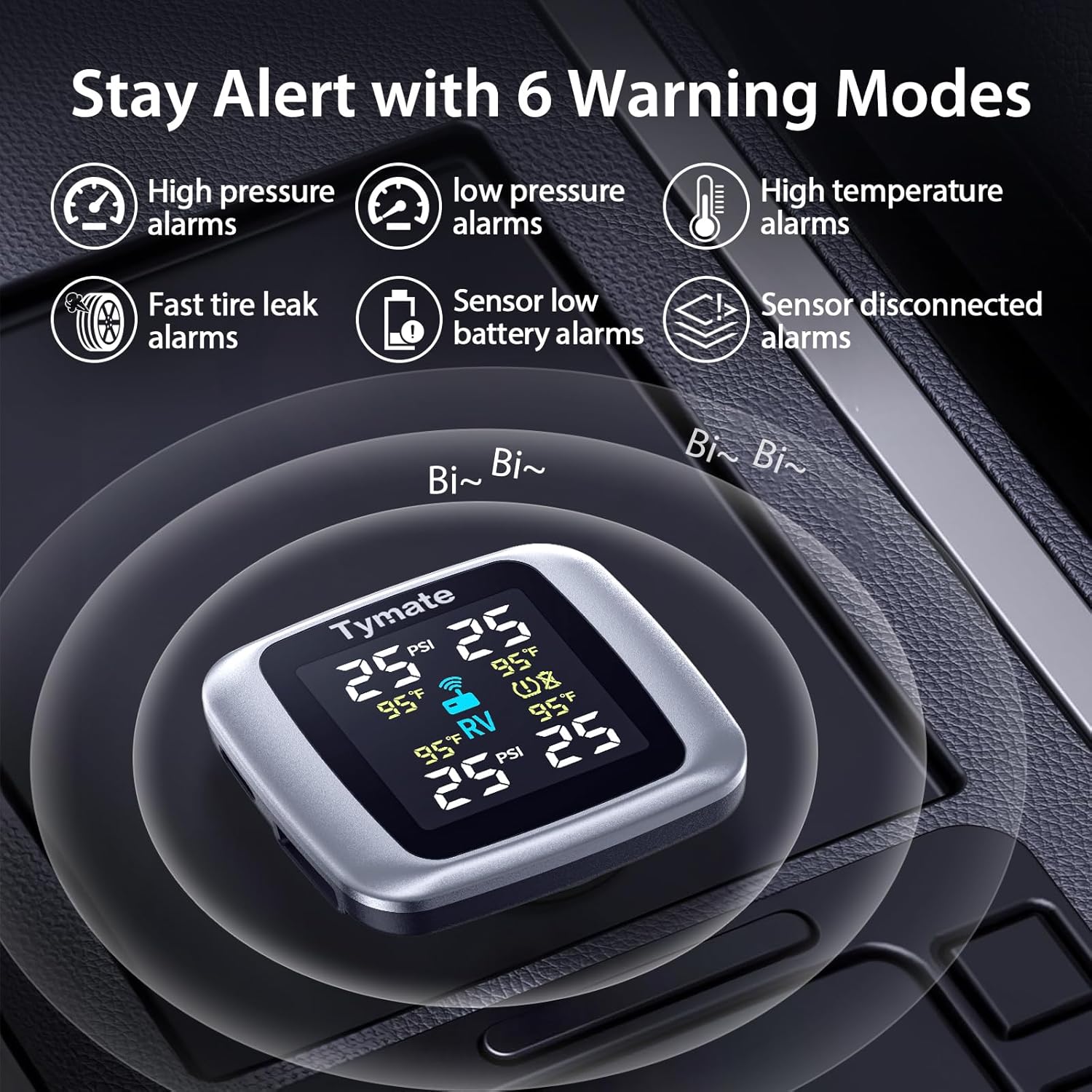
Figure 3.2: Stay Alert with 6 Warning Modes

Figure 3.3: Visual Representation of Alarm Modes
3.3 Adjustable Backlight
The color LCD screen features an adjustable backlight, allowing you to optimize visibility in various lighting conditions, from bright daylight to nighttime driving.
4. Maintenance
Proper maintenance ensures the longevity and accuracy of your Tymate TM7+ TPMS.
4.1 Monitor Charging
The monitor supports two-way charging: solar power and USB charging. Ensure the monitor is exposed to sufficient sunlight for continuous charging. If solar charging is insufficient, use the provided USB cable to charge the monitor via a USB port or car charger.
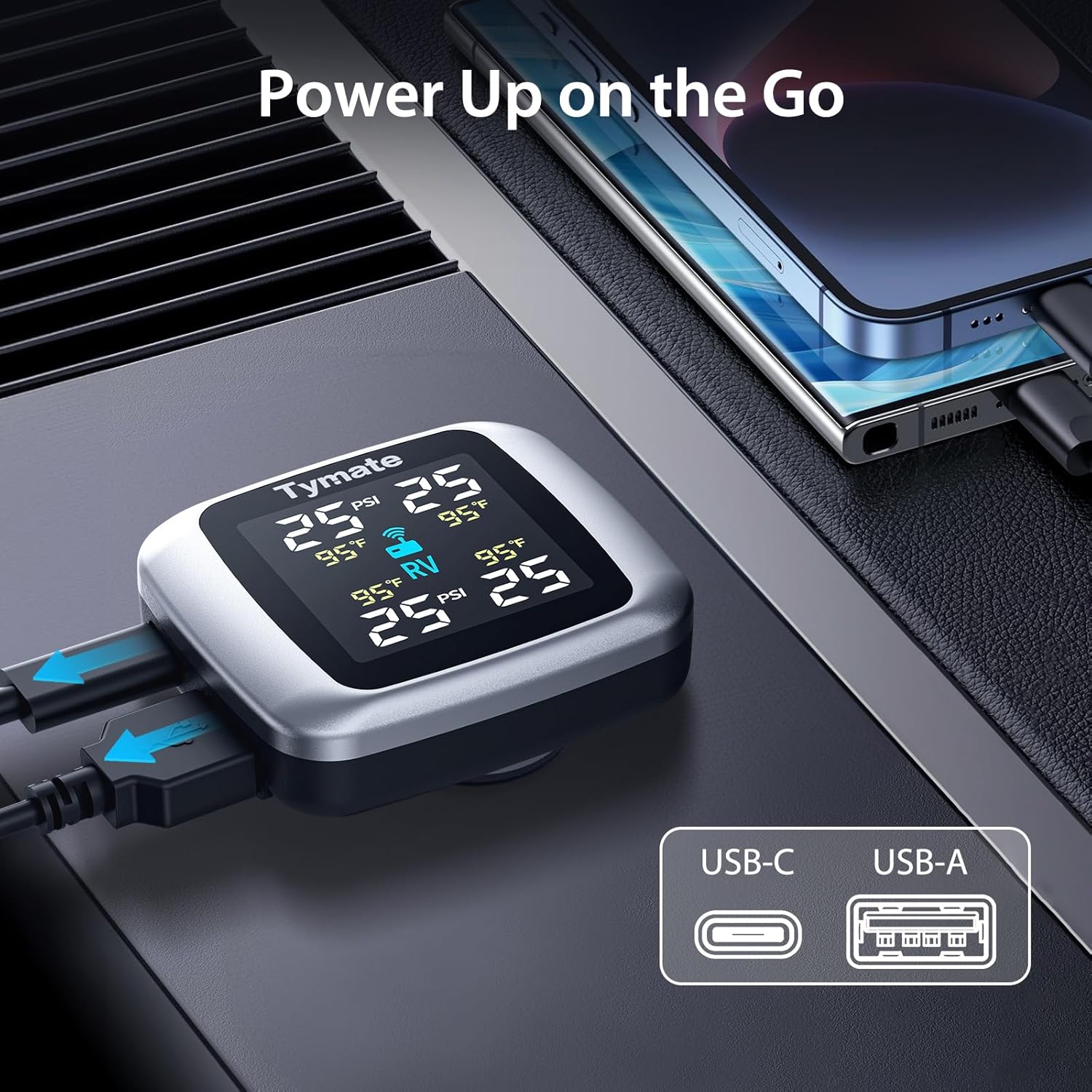
Figure 4.1: Power Up on the Go with USB Charging
4.2 Sensor Battery Replacement
When a sensor low battery alarm is triggered, replace the battery promptly. External sensors typically use standard coin cell batteries (e.g., CR1632). Refer to the detailed instructions in your user manual for specific battery types and replacement procedures.
4.3 Cleaning
Wipe the monitor and sensors with a soft, dry cloth. Avoid using abrasive cleaners or solvents that could damage the device.
5. Troubleshooting
If you encounter issues with your Tymate TM7+ TPMS, refer to the following common troubleshooting tips:
- No Display/Monitor Not Turning On: Ensure the monitor is charged. Connect it to a USB power source for at least 30 minutes. Check if the solar panel is receiving adequate light.
- No Sensor Readings: Verify that sensors are correctly installed and tightened. Check for sensor low battery alarms and replace batteries if necessary. Ensure the vehicle is within the transmission range.
- Inaccurate Readings: Ensure sensors are paired to the correct tire positions. Calibrate the system if an option is available (refer to manual). Compare readings with a reliable manual tire gauge.
- Alarm Constantly Triggering: Check the actual tire pressure and temperature. Adjust alarm thresholds if they are set too sensitively for your vehicle's normal operating conditions.
- Signal Interference: If readings are intermittent, try repositioning the monitor or checking for strong electromagnetic interference sources near the sensors.
For persistent issues, consult the comprehensive troubleshooting section in your user manual or contact Tymate customer support.
6. Specifications
Key technical specifications for the Tymate TM7+ TPMS:
- Pressure Detection Range: 0 to 87 PSI (0 to 6 BAR)
- Pressure Accuracy: ±1.5 PSI
- Temperature Accuracy: ±3°F (±1.67°C)
- Operating Frequency: 433.92MHz
- Alarm Modes: High/Low Pressure, Fast Leakage, High Temperature, Sensor Low Battery, Sensor Signal Lost
- Display: Color LCD with adjustable backlight
- Charging: Solar Power & USB Charging
- Suitable Vehicle Types: Sedan car, SUV, MPV, Pickup Truck, RV, Travel Trailer

Figure 6.1: Suitable Vehicle Types for Tymate TM7+
7. Warranty and Support
Tymate provides professional after-sale service for the TM7+ TPMS. If you have any questions about the product, require assistance with setup, operation, or troubleshooting, please contact Tymate customer support. Contact information can typically be found in the product packaging or on the official Tymate website.
For further assistance, refer to the guide videos available on the product page where you purchased the item, which can provide step-by-step visual guidance for the sensor pairing process and other functions.


