1. Introduction
Thank you for choosing the Belife X8 Portable Fan. This fan is designed for versatility, offering a portable, rechargeable, and oscillating cooling solution for various environments. Please read this manual thoroughly before use to ensure proper operation and maintenance.
2. Product Overview and Features
The Belife X8 fan combines a compact, foldable design with powerful, quiet operation. It can function as a desk fan or extend to a floor fan, providing flexible cooling options.

Image 2.1: The Belife X8 Portable Fan shown fully extended as a floor fan, partially extended as a desk fan, and folded into a compact disc shape. A remote control is also displayed.
- Foldable Telescopic Design: Adjustable height from 3.5 to 38 inches for use as a table or standing fan.
- Wireless Operation: Equipped with a 7200mAh rechargeable battery for cordless use.
- Oscillation and Rotation: Features 90° oscillation and 180° manual rotation for wide air distribution.
- Remote Control: Allows convenient adjustment of settings from a distance.
- Four Speed Settings: Offers multiple airflow options, including a natural wind mode.
- Quiet Operation: Utilizes a brushless noise reduction motor for a low noise level (30 dB).
- Easy Maintenance: Detachable fan cover for simple cleaning.

Image 2.2: This image illustrates the fan's adjustable height from 3.5 to 38 inches, its 90-degree oscillation capability, and 180-degree manual rotation.
3. Package Contents
Verify that all items are present in the package:
- Belife X8 Portable Fan
- Remote Control
- USB Type-C Charging Cable
- Instruction Manual (this document)
4. Setup
- Unfolding the Fan: Gently pull the fan head upwards from the base. The telescopic rod will extend. Adjust to your desired height.
- Positioning: Place the fan on a stable, flat surface. The anti-slip silicone pads on the base provide stability.
- Initial Charge: Before first use or after long-term storage, fully charge the fan. Connect the USB Type-C charging cable to the fan's charging port and a compatible USB power adapter (not included). The charging indicator light will show charging status. A full charge takes approximately 5 hours.

Image 4.1: This image demonstrates the fan's adjustable height, showing it in its compact folded form, as a desk fan, and as a fully extended standing fan.
5. Operating Instructions
5.1 Power On/Off
- On the Fan Base: Press the power button once to turn on the fan. Press again to cycle through speeds or turn off.
- Using the Remote Control: Press the power button on the remote to turn the fan on or off.
5.2 Speed Adjustment
The fan offers four speed settings:
- On the Fan Base: Press the speed button to cycle through Speed 1, Speed 2, Speed 3, and Natural Wind mode.
- Using the Remote Control: Use the speed buttons (+/-) to adjust the fan speed.

Image 5.1: This image details the fan's Type-C fast charging port, the internal 7200mAh rechargeable battery, and the four available speed settings (Speed 1, Speed 2, Speed 3, and Natural Wind).
5.3 Oscillation and Rotation
- Oscillation (90°): Press the oscillation button on the fan base or remote control to activate or deactivate the 90° automatic oscillation.
- Manual Rotation (180°): The fan head can be manually adjusted up to 180° vertically to direct airflow.
Important Note: The fan's oscillation feature is disabled during charging to prevent stress on the charging port and extend product life.
5.4 Remote Control Usage
The remote control allows for convenient operation of the fan's functions from a distance. Ensure the remote has working batteries (not specified, assume standard small batteries like CR2032). Point the remote towards the fan's base for optimal response.
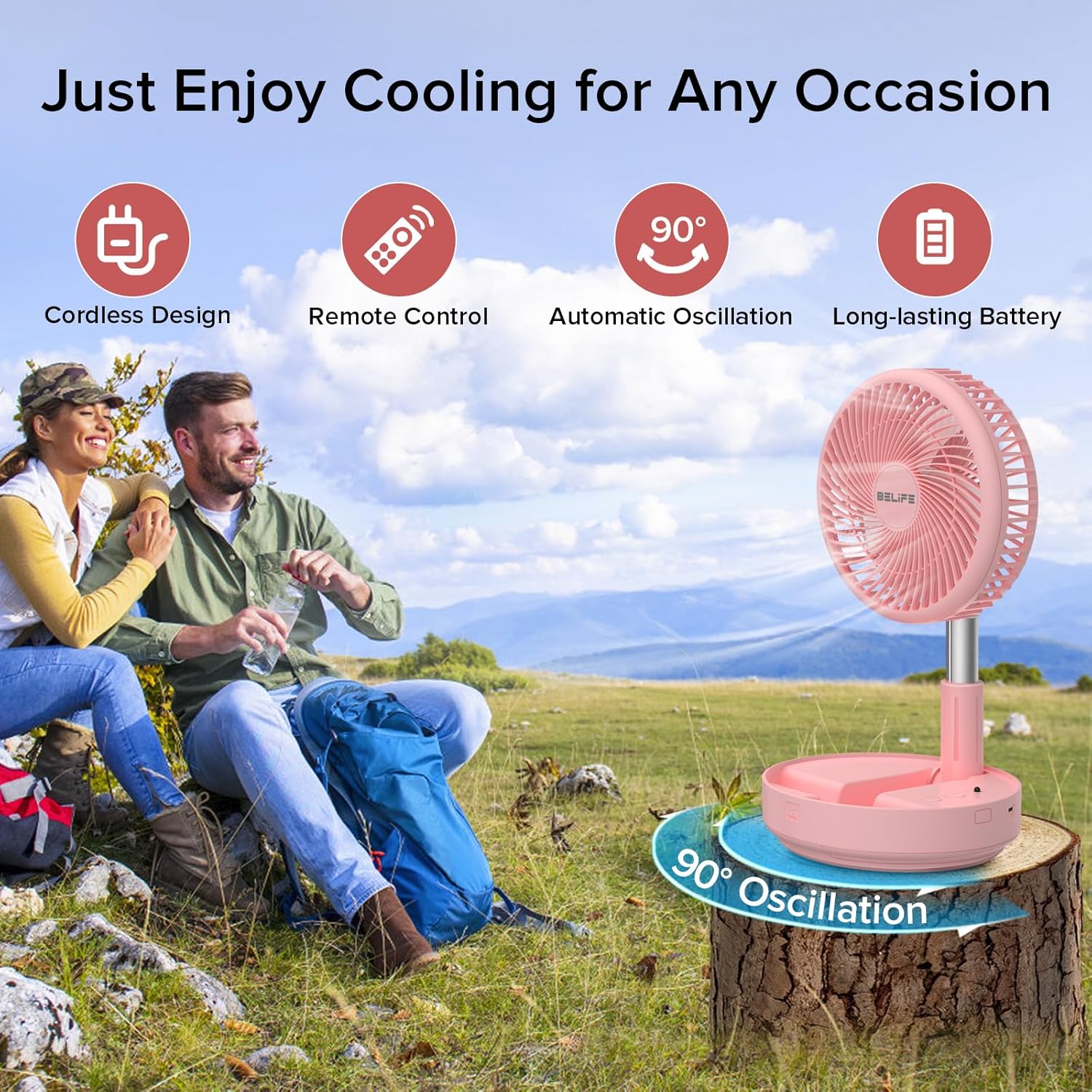
Image 5.2: A person is shown using the Belife X8 Portable Fan outdoors, controlling it with the included remote, highlighting its portability and remote operation.
5.5 Charging the Fan
The fan is equipped with a 7200mAh rechargeable battery. Use the provided USB Type-C cable for charging. A full charge provides 4 to 16 hours of operation depending on the speed setting. The fan supports 5V-2A fast charging.
6. Maintenance
6.1 Cleaning
The fan cover is detachable for easy cleaning. To clean:
- Ensure the fan is turned off and unplugged from any power source.
- Gently twist or unclip the front fan cover (refer to diagrams in the physical manual if available for specific instructions).
- Wipe the fan blades and cover with a soft, damp cloth. Do not use abrasive cleaners or immerse the fan in water.
- Allow all parts to dry completely before reassembling.

Image 6.1: This image shows a person cleaning the detachable front cover of the fan, emphasizing the ease of maintenance.
6.2 Storage
Due to its foldable design, the Belife X8 fan is easy to store. Fold the fan back into its compact disc shape and store it in a cool, dry place away from direct sunlight and extreme temperatures.
7. Troubleshooting
- Fan does not turn on:
- Ensure the battery is charged. Connect the fan to a power source using the USB Type-C cable.
- Check if the power button is pressed correctly.
- Fan does not oscillate while charging:
- This is normal operation. The oscillation feature is intentionally disabled during charging to protect the device.
- Weak airflow:
- Increase the fan speed setting.
- Clean the fan blades and cover if dust has accumulated.
- Remote control not working:
- Ensure the remote control batteries are correctly inserted and have sufficient power.
- Point the remote directly at the fan's base.
8. Specifications
| Feature | Specification |
|---|---|
| Brand | Belife |
| Model Name | X8 |
| Item Model Number | TM-520E |
| Power Source | Battery Powered |
| Battery Capacity | 7200mAh Lithium Ion (included) |
| Charging Time | Approximately 5 hours (5V-2A USB Type-C) |
| Operating Time | 4 to 16 hours (depending on speed) |
| Adjustable Height | 3.54" to 38" |
| Oscillation | 90° Automatic |
| Rotation | 180° Manual |
| Number of Speeds | 4 (including Natural Wind) |
| Noise Level | 30 dB |
| Product Dimensions (Folded) | 7.72"D x 7.72"W x 3.54"H |
| Item Weight | 2.5 Pounds |
| Control Method | Remote, On-device buttons |
9. Safety Information
- Do not place the product on high surfaces or uneven countertops or floors to prevent damage from falls.
- This product is not intended for use by children aged 3 years and younger without supervision.
- Keep fingers and other objects away from the fan blades during operation.
- Do not use the fan in excessively humid environments or near water.
- Unplug the fan before cleaning or performing any maintenance.
10. Warranty and Support
For warranty information or technical support, please refer to the contact details provided with your purchase or visit the official Belife website. If you have any questions or require assistance, please feel free to contact us. We are available to assist you.


