Introduction
This manual provides comprehensive instructions for the safe and effective operation of your TCFUNDY 500W Vertical Fog Machine with 9 LED Lights. Please read this manual thoroughly before use and retain it for future reference.

Image: The TCFUNDY 500W Vertical Fog Machine, black in color, with 9 LED lights around the fog outlet, emitting purple fog. A remote control is shown in the foreground.
Safety Information
- Power Supply: Ensure the machine is connected to a grounded power outlet with the correct voltage (AC 110V-120V 60Hz).
- Fog Liquid: Use only professional fog fluid. Do not operate the machine without liquid. Turn off the machine before the liquid runs out to prevent damage.
- Heat: The machine generates heat during operation. Do not touch the fog outlet or surrounding areas immediately after use. Allow adequate cooling time.
- Ventilation: Ensure proper ventilation around the machine to prevent overheating.
- Placement: Place the machine on a stable, flat surface. Keep it away from flammable materials and liquids.
- Children and Pets: Keep the machine out of reach of children and pets.
- Overheating Protection: The machine is equipped with an overheating protection system. If it overheats, it will automatically shut off and resume operation after cooling down.
Package Contents
Verify that all items are present in the package:
- TCFUNDY 500W Vertical Fog Machine
- Wireless Remote Control
- Power Cord
- Handle Bracket and Screws
- User Manual

Image: The TCFUNDY 500W Fog Machine and its accessories laid out, including the machine itself, a remote control, a power cord, a handle bracket, and small screws.
Product Overview
Familiarize yourself with the components of the fog machine:

Image: A diagram labeling the key parts of the TCFUNDY 500W Fog Machine, including the handle, fluid tank, fog outlet, LED lights, power switch, manual fog button, power cord, and visible fluid tank window.
- Handle: For easy portability.
- Tank: Reservoir for fog liquid.
- Fog Outlet: Where fog is emitted.
- LED Lights: 9 integrated LEDs for color effects.
- Low Fluid Indicator: A red light that illuminates when the fog liquid level is low.
- Power ON/OFF Switch: Main power control for the unit.
- Manual Fog Button: For manual fog activation.
- Power Cord Inlet: Connection point for the power cord.
- Visible Tank Window: Allows monitoring of the fog liquid level.
Setup Instructions
- Add Fog Liquid: Unscrew the cap of the liquid tank and carefully pour professional fog fluid (not included) into the tank. Ensure the cap is screwed on tightly after filling. Do not overfill.
- Connect Power: Connect the power cord to the machine's power inlet and then plug it into a standard AC 110V-120V 60Hz grounded electrical outlet.
- Power On and Warm-up: Flip the "POWER ON/OFF" switch to the "ON" position. The machine will begin to warm up. This process typically takes 3-5 minutes. The indicator light will change when the machine is ready for operation.
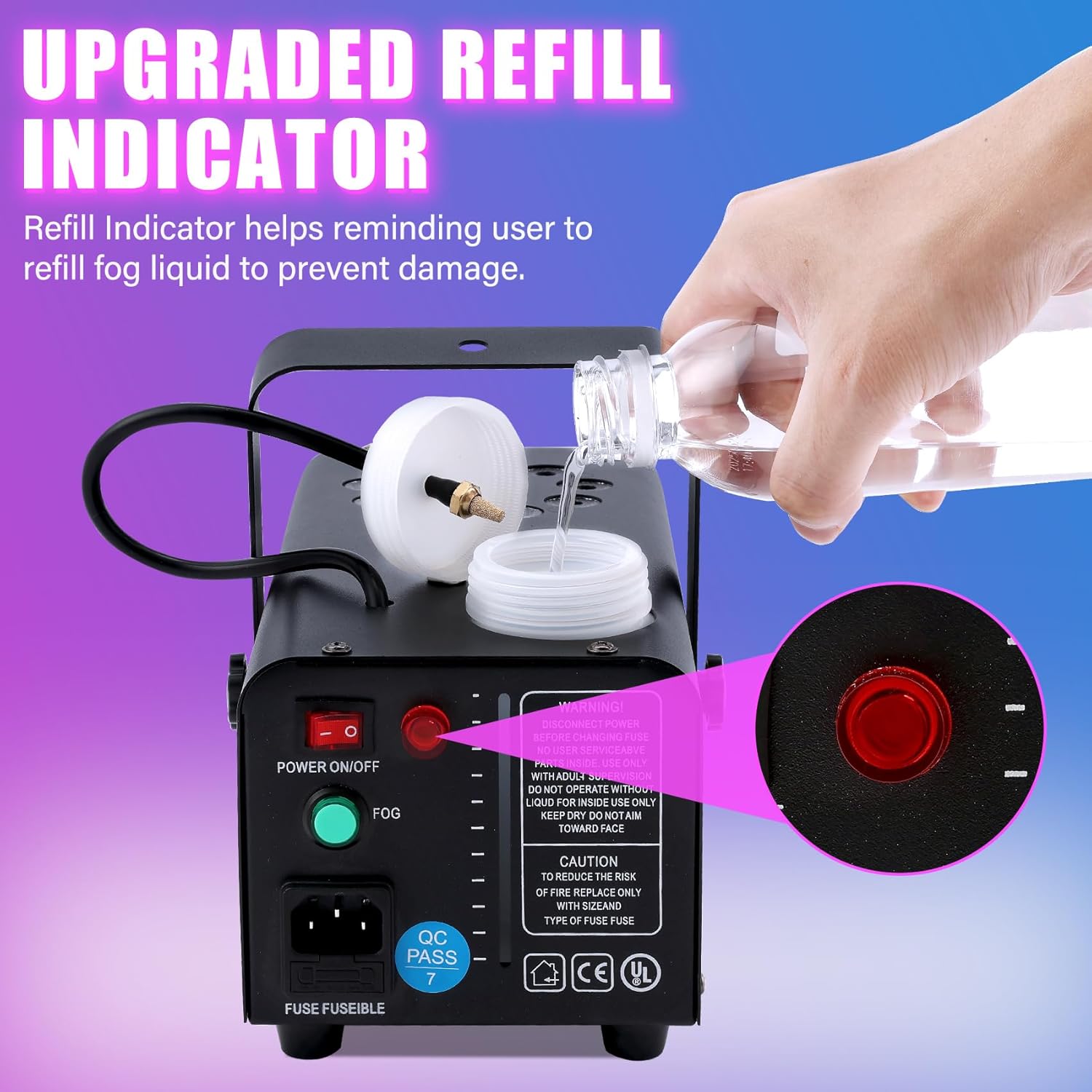
Image: A hand pouring fog liquid into the machine's tank. The "Upgraded Refill Indicator" is highlighted, showing a red light when the fluid is low.

Image: A four-panel image illustrating the operational steps: 1. Pouring fog fluid, 2. Connecting the power cord, 3. Turning on the power switch and waiting for warm-up, 4. Using the remote control to activate fog and lights.
Operating Instructions
Using the Remote Control
The included 2-in-1 remote control allows separate operation of fog output and LED lights.
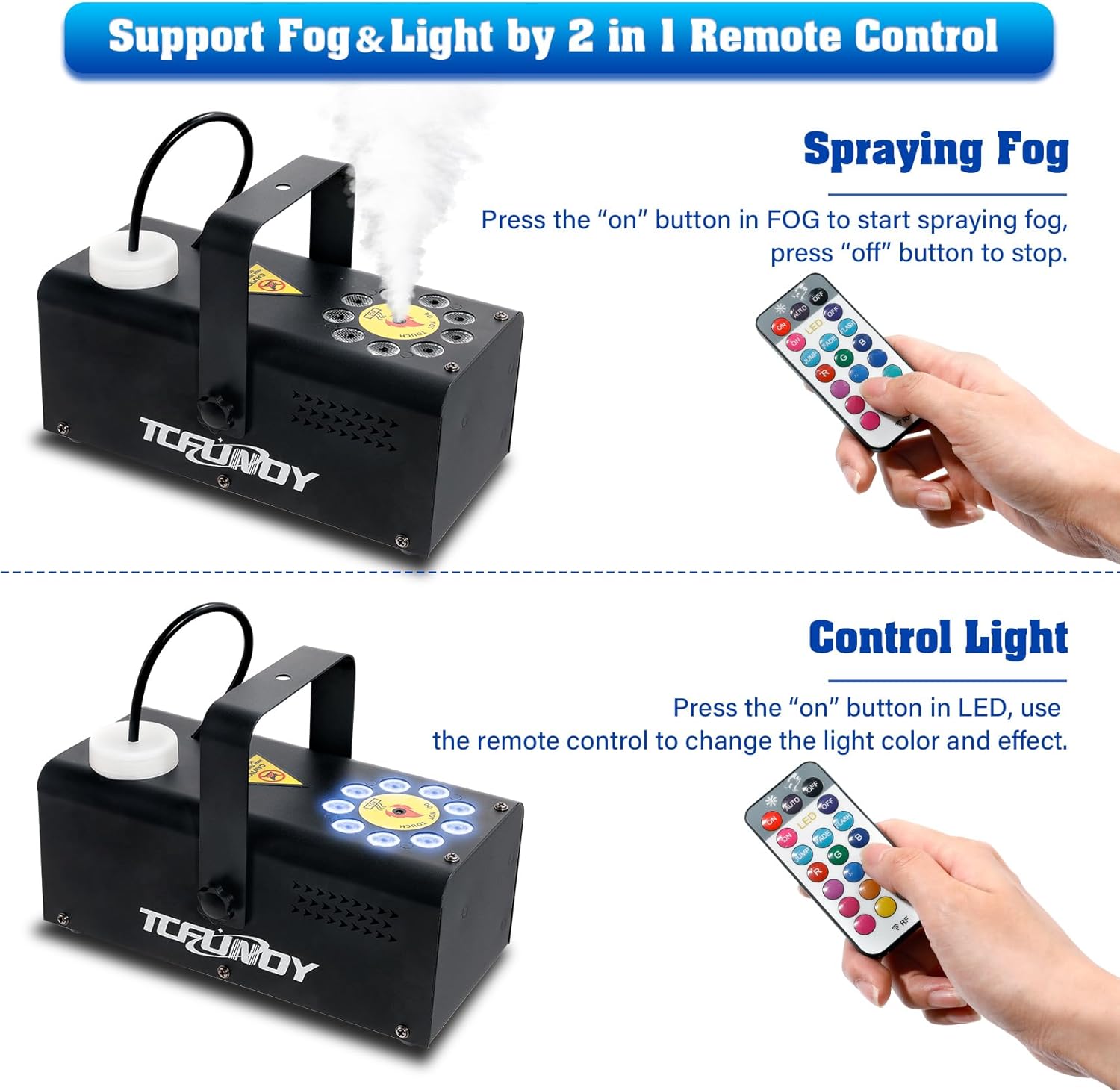
Image: A split image demonstrating the remote control's functions. The top panel shows pressing "ON" for fog, and the bottom panel shows pressing "ON" for LED lights and then selecting colors/effects.
Fog Output Control:
- Press the "ON" button in the FOG section of the remote to start fog production.
- Press the "OFF" button in the FOG section to stop fog production.
LED Light Control:
- Press the "ON" button in the LED section of the remote to activate the lights.
- Use the color buttons (R, G, B, W, and mixed colors) to select desired light colors. The machine offers 12 color options.
- Select from 3 lighting effects: JUMP (color changes abruptly), FADE (colors transition smoothly), and FLASH (colors flash rapidly).
- Press the "OFF" button in the LED section to turn off the lights.

Image: The TCFUNDY fog machine shown with various colored fog outputs, illustrating the 12 color options and 3 light effects (Jump, Fade, Flash) controllable via the remote.
Maintenance
- Fluid Level Monitoring: Regularly check the fluid level using the visible tank window. The low fluid indicator will illuminate when refilling is necessary.
- Refilling: Always turn off and unplug the machine before refilling the fog liquid.
- Cleaning: To ensure optimal performance and longevity, it is recommended to run a cleaning solution (distilled water mixed with a small amount of white vinegar) through the machine periodically, especially after extended use. This helps prevent clogs.
- Storage: When not in use, store the machine in a cool, dry place. Ensure the tank is empty or contains fresh fog fluid if storing for a short period.
Troubleshooting
| Problem | Possible Cause | Solution |
|---|---|---|
| No fog output |
|
|
| Remote control not responding |
|
|
| Machine overheats frequently |
|
|
Specifications
| Feature | Detail |
|---|---|
| Model Number | 500W Vertical Smoke Fog Machine |
| Power | 500W |
| Voltage | AC 110V-120V 60Hz |
| Tank Capacity | 350ML / 11.84 OZ |
| Warm-up Time | 3-5 minutes |
| Fog Output | 3500 cu.ft/min |
| Vertical Spray Height | 6.6-9.8 ft |
| Remote Control Distance | 19.7-32.8 ft |
| Dimensions | 10.24 x 4.72 x 4.53 inches |
| Item Weight | 4.24 pounds |
Customer Support
For any questions, concerns, or technical assistance, please contact TCFUNDY customer support through your purchase platform or refer to the contact information provided with your product packaging.