1. Product Overview
The SCS Sentinel AAM0128 is a 2-channel remote control designed for gate automation systems. It features a rolling secret code for enhanced security and operates on a reliable transmission frequency of 433.92 MHz. Its compact and ergonomic design ensures ease of use and portability. This remote control provides a convenient way to manage your gate without leaving your vehicle or home.

Image 1.1: The SCS Sentinel AAM0128 2-channel remote control.
2. Key Features
- Convenient Remote Control: Offers easy opening and closing of your gate from a distance, enhancing daily comfort and convenience.
- Increased Security: Utilizes a rolling secret code system, ensuring unique signal transmission for each use, which reduces the risk of unauthorized access or signal interception.
- Reliable Transmission Frequency: Operates at 433.92 MHz for stable and consistent signal delivery, ensuring smooth gate operation.
- Long-lasting Battery: Powered by a CR2032 lithium battery, designed for extended use to minimize frequent battery replacements.
- Elegant Design: Features a sleek black finish and a compact, ergonomic form factor, making it easy to carry and use.
3. Package Contents
Upon opening the package, please verify that all components are present and undamaged.
- 1 x SCS Sentinel AAM0128 2-Channel Remote Control
- 1 x User Manual (this document)
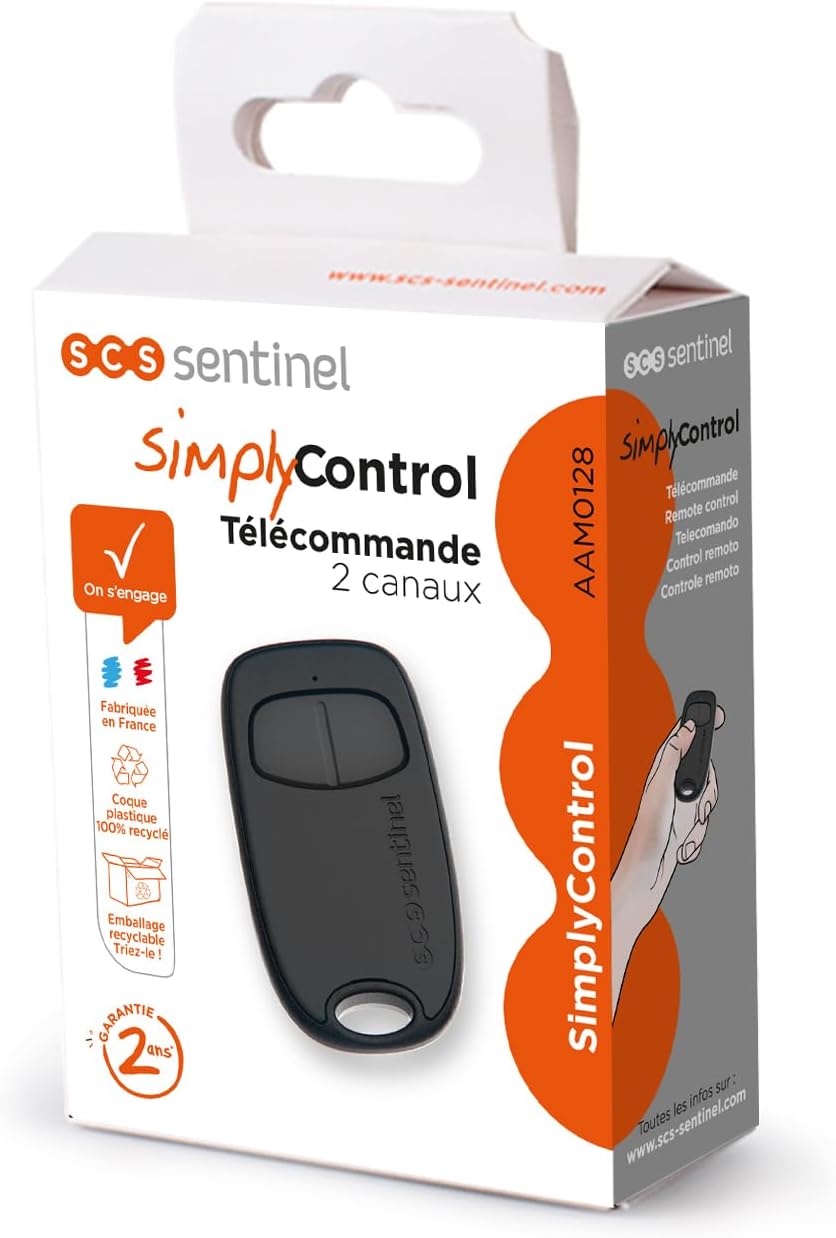
Image 3.1: The product packaging for the SCS Sentinel AAM0128 remote control.
4. Specifications
| Attribute | Value |
|---|---|
| Brand | SCS Sentinel |
| Model | AAM0128 |
| Model Name | SimplyControl |
| Part Number | AAM0128 |
| Connectivity Technology | Infrared |
| Number of Channels | 2 |
| Transmission Frequency | 433.92 MHz |
| Power Source Type | Battery Powered |
| Battery Description | CR2032 Lithium |
| Batteries Included | No |
| Batteries Required | Yes (1 x CR2032) |
| Product Dimensions | 3.7 x 1.15 x 7 cm; 0.1 g |
| Maximum Range | 10 Meters |
| Color | Black |
5. Setup
5.1 Battery Installation
- Locate the battery compartment on the back of the remote control.
- Carefully open the compartment cover.
- Insert one CR2032 lithium battery, ensuring the correct polarity (+/-) as indicated inside the compartment.
- Close the battery compartment cover securely.
5.2 Pairing with Your Gate System
The AAM0128 remote control uses a rolling code system for enhanced security. The pairing process typically involves activating a learning mode on your gate's receiver unit and then transmitting a signal from the new remote control. Refer to your gate system's specific instruction manual for detailed pairing steps, as procedures may vary between different gate automation models.
- Ensure your gate system's receiver is powered on.
- Locate the 'Learn' or 'Program' button on your gate receiver.
- Press and hold the 'Learn' button on the receiver for a few seconds until an indicator light (LED) illuminates or flashes, signifying it is in learning mode.
- Within the specified time (usually 10-30 seconds), press the desired button on your AAM0128 remote control that you wish to assign to the gate operation.
- The indicator light on the receiver should change (e.g., turn solid, flash rapidly, or turn off) to confirm successful pairing.
- Test the remote control to ensure it operates the gate correctly.
6. Operation
Once paired, operating your SCS Sentinel AAM0128 remote control is straightforward.
- Ensure you are within the operational range of your gate system (up to 10 meters).
- Press the programmed button on the remote control to activate your gate.
- Pressing the button again will typically stop or reverse the gate's movement, depending on your gate system's configuration.

Image 6.1: Operating the remote control to open a gate.
7. Maintenance
7.1 Battery Replacement
If the remote control's range decreases significantly or it stops responding, the battery may need replacement. Follow the battery installation steps in Section 5.1 to replace the CR2032 battery.
7.2 Cleaning
To clean the remote control, use a soft, dry cloth. Do not use abrasive cleaners, solvents, or immerse the device in water.
8. Troubleshooting
| Problem | Possible Cause | Solution |
|---|---|---|
| Remote control does not work. | Dead or low battery. | Replace the CR2032 battery (see Section 7.1). |
| Not paired correctly. | Re-pair the remote control with your gate system (see Section 5.2). | |
| Out of range. | Move closer to the gate receiver. | |
| Short operating range. | Low battery. | Replace the CR2032 battery. |
| Signal interference. | Ensure there are no large metallic objects or other strong radio frequency sources between the remote and the receiver. |
9. Warranty and Support
For warranty information and technical support, please refer to the documentation provided with your gate automation system or contact SCS Sentinel customer service. Keep your purchase receipt as proof of purchase for warranty claims.


