
1. Introduction
Thank you for choosing the AWEI Y669 Portable Bluetooth Speaker. This manual provides essential information for setting up, operating, and maintaining your speaker. Please read it carefully before use to ensure optimal performance and longevity of your device.
2. Safety Information
- Do not expose the speaker to extreme temperatures or direct sunlight for extended periods.
- Avoid dropping or subjecting the speaker to strong impacts.
- Keep the speaker away from medical devices, as it contains magnets.
- Do not attempt to disassemble, repair, or modify the speaker yourself. Contact authorized service personnel.
- Ensure the charging port cover is securely closed when using the speaker near water to maintain its IPX7 waterproof rating.
- Use only the provided Type-C charging cable or a certified equivalent.
3. Package Contents
Please check the package for the following items:
- 1 x AWEI Y669 Portable Bluetooth Speaker
- 1 x Type-C Charging Cable
- 1 x Quick Start Guide (This Manual)
4. Product Overview
The AWEI Y669 is a portable Bluetooth speaker designed for high-quality audio playback in various environments. It features intuitive controls for power, volume, playback, and call management. The speaker's robust design includes an IPX7 waterproof rating, making it suitable for outdoor use.
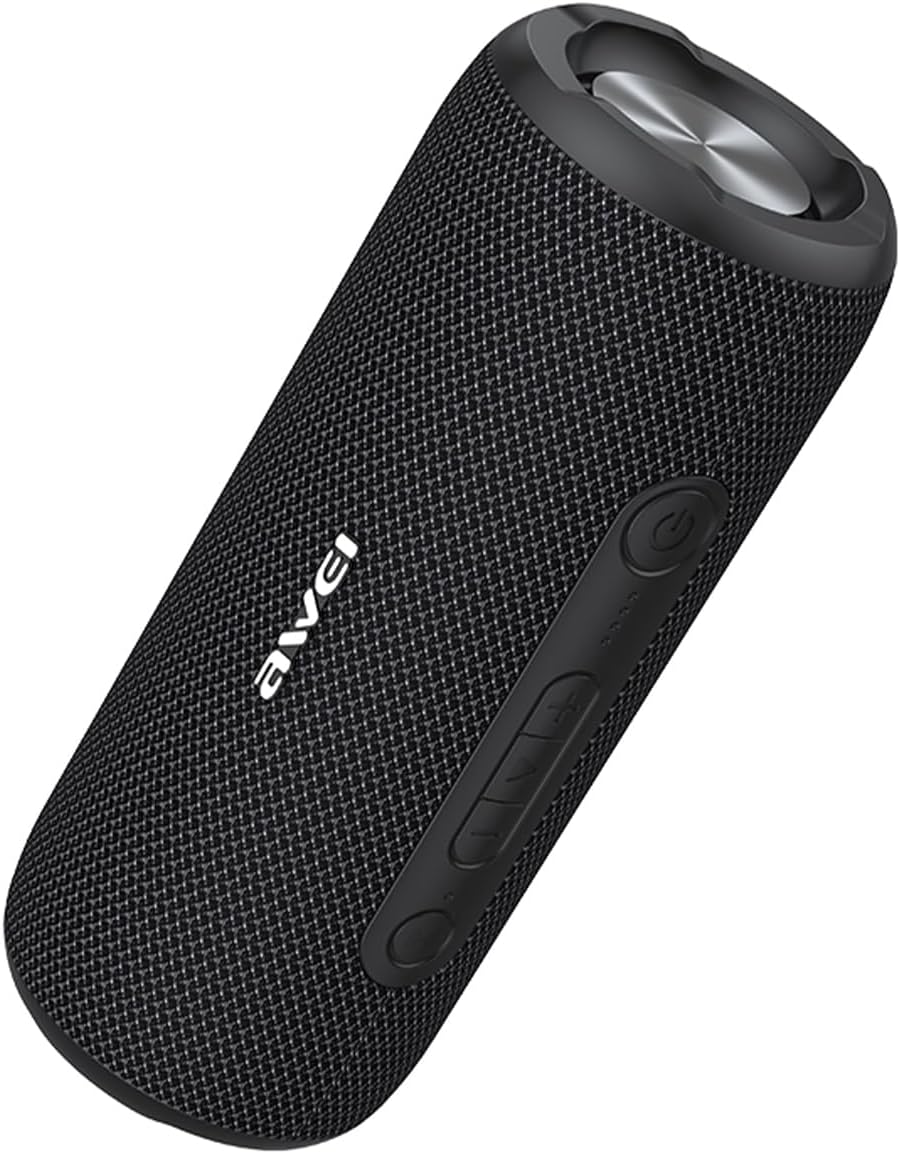
Image: The AWEI Y669 Portable Bluetooth Speaker in black, showcasing its cylindrical design and control panel.
Control Panel (General Layout)
While specific button labels may vary, typical controls include:
- Power Button: Press and hold to turn on/off.
- Volume Up/Next Track: Short press for volume up, long press for next track.
- Volume Down/Previous Track: Short press for volume down, long press for previous track.
- Play/Pause/Call Button: Short press to play/pause music, answer/end calls. Long press to reject calls.
- Bluetooth/TWS Button: Press to enter Bluetooth pairing mode or initiate TWS pairing.
5. Setup
5.1 Charging the Speaker
Before first use, fully charge the speaker.
- Open the protective cover on the side of the speaker to access the Type-C charging port.
- Connect the provided Type-C cable to the speaker's charging port and the other end to a USB power adapter (not included) or a computer's USB port.
- The charging indicator light will illuminate. It will turn off or change color once charging is complete.
- Close the protective cover firmly after charging to maintain waterproof integrity.
5.2 Power On/Off
- To Power On: Press and hold the Power button for approximately 2-3 seconds until you hear an audible prompt and the indicator light turns on.
- To Power Off: Press and hold the Power button for approximately 2-3 seconds until you hear an audible prompt and the indicator light turns off.
5.3 Bluetooth Pairing
Pair your speaker with a Bluetooth-enabled device to play audio wirelessly.
- Ensure the speaker is powered on and within 33 feet (10 meters) of your device.
- The speaker will automatically enter Bluetooth pairing mode, indicated by a flashing blue LED. If not, press the Bluetooth button.
- On your device (smartphone, tablet, etc.), go to Bluetooth settings and enable Bluetooth.
- Search for available devices and select "AWEI Y669" from the list.
- Once connected, the LED indicator will turn solid blue, and you will hear a confirmation sound.
5.4 True Wireless Stereo (TWS) Pairing
Connect two AWEI Y669 speakers for an enhanced stereo sound experience.

Image: Two AWEI Y669 speakers wirelessly connected to a laptop, illustrating the TWS pairing feature for stereo sound.
- Ensure both AWEI Y669 speakers are powered on and not connected to any other Bluetooth device.
- On one speaker (this will be the primary speaker), press the Bluetooth/TWS button twice. It will enter TWS pairing mode.
- The primary speaker will automatically search for the secondary speaker. Once connected, you will hear a confirmation sound, and the LED indicators on both speakers will show a stable connection (e.g., solid blue on primary, flashing blue on secondary, or both solid).
- Now, connect your device to the primary speaker via Bluetooth as described in section 5.3. Audio will play through both speakers in stereo.
6. Operation
6.1 Music Playback
- Play/Pause: Short press the Play/Pause button.
- Volume Up: Short press the Volume Up (+) button.
- Volume Down: Short press the Volume Down (-) button.
- Next Track: Long press the Volume Up (+) button.
- Previous Track: Long press the Volume Down (-) button.
6.2 Call Management
When connected to a smartphone, you can manage calls directly from the speaker.
- Answer Call: Short press the Play/Pause button when an incoming call rings.
- End Call: Short press the Play/Pause button during a call.
- Reject Call: Long press the Play/Pause button when an incoming call rings.
6.3 IPX7 Waterproof Feature
The AWEI Y669 speaker is rated IPX7, meaning it can be submerged in up to 1 meter (3 feet) of water for 30 minutes. This makes it ideal for use by the pool, at the beach, or in rainy conditions. Ensure the charging port cover is fully sealed before exposing the speaker to water.

Image: The AWEI Y669 speaker partially submerged in water, demonstrating its IPX7 water repellency.
7. Maintenance
- Cleaning: Wipe the speaker with a soft, damp cloth. Do not use abrasive cleaners or solvents.
- Storage: Store the speaker in a cool, dry place away from direct sunlight and extreme temperatures.
- Battery Care: To prolong battery life, charge the speaker at least once every three months if not used regularly.
8. Troubleshooting
If you encounter issues with your speaker, refer to the following table:
| Problem | Solution |
|---|---|
| Speaker does not turn on. | Ensure the speaker is charged. Connect it to a power source and try again. |
| Cannot pair with Bluetooth device. | Ensure the speaker is in pairing mode (flashing blue LED). Turn off and on your device's Bluetooth. Forget previous connections on your device. |
| No sound or low volume. | Increase volume on both the speaker and your connected device. Ensure the speaker is not muted. Check if the speaker is properly connected. |
| TWS pairing fails. | Ensure both speakers are AWEI Y669 models and are not connected to any other Bluetooth device. Try resetting both speakers and repeating the TWS pairing steps. |
| Sound distortion. | Reduce the volume on both the speaker and your device. Ensure the speaker is within Bluetooth range and there are no obstructions. |
9. Specifications
| Feature | Specification |
|---|---|
| Model Number | Y669 |
| Brand | AWEI |
| Connectivity Technology | Bluetooth 5.0 |
| Speaker Output Power | 31 Watts (2*8W mid-high frequency + 1*15W low frequency) |
| Water Resistance Level | IPX7 |
| Bluetooth Range | Up to 33 feet (10 meters) |
| Audio Output Mode | Stereo |
| Product Dimensions | 4.4"D x 3.9"W x 9.4"H |
| Item Weight | 2.64 pounds (42.3 Ounces) |
| Power Source | Battery Powered |
| Compatible Devices | Smartphone, Tablet, PC, etc. |
10. Warranty and Support
The AWEI Y669 Portable Bluetooth Speaker comes with a 2-year warranty from the date of purchase. This warranty covers manufacturing defects and ensures your product is free from material and workmanship flaws under normal use.
For warranty claims, technical support, or further inquiries, please contact AWEI customer service or visit the official AWEI store:
Visit the AWEI Store on Amazon
Please retain your proof of purchase for warranty service.


