
CEMELI OW3200/OW3100/OW3070
Digital Oscilloscope Probes User Manual
Models: OW3200, OW3100, OW3070 Series | Brand: CEMELI
1. Introduction
This manual provides essential information for the safe and effective use of your CEMELI Digital Oscilloscope Probes. These probes are designed for use with various digital oscilloscopes, including OWON 3000 series and HDS2000 series models such as HDS2102/HDS2102S/HDS2022/HDS2022S. Please read this manual thoroughly before operation to ensure proper functionality and safety.
2. Product Features
- Wide Bandwidth Options: Available in 70MHz (OW3070), 100MHz (OW3100), and 200MHz (OW3200) to suit various measurement needs.
- High Input Impedance: Ensures minimal loading on the circuit under test.
- Adjustable Compensation: Allows for precise matching with the oscilloscope's input capacitance for accurate waveform reproduction.
- Versatile Compatibility: Designed for seamless integration with OWON 3000 series and HDS2000 series digital oscilloscopes.
- Durable Construction: Built for reliability and long-term performance in various testing environments.
3. Package Contents
Please verify that all items are present in your package:
- Digital Oscilloscope Probe(s) (Quantity: 1 or 2, depending on your purchase variant)
- Ground Lead(s) with Alligator Clip
- Adjustment Tool (for probe compensation)
- Probe Tip Cover
- Color Rings (for probe identification)
4. Setup
4.1 Initial Inspection
Before connecting, visually inspect the probes for any signs of physical damage. Ensure all connectors are clean and free of debris.
4.2 Connecting the Probe
- Connect the BNC connector of the probe securely to an input channel on your oscilloscope.
- Attach the ground lead's alligator clip to the ground terminal of the oscilloscope.
4.3 Probe Compensation Adjustment
Proper probe compensation is crucial for accurate measurements. Follow these steps:
- Connect the probe tip to the oscilloscope's calibration output (usually a 1kHz square wave).
- Set the probe's attenuation switch to 10X.
- Observe the square wave on the oscilloscope screen.
- Using the provided adjustment tool, carefully turn the trimmer screw on the probe's body until the square wave corners are flat, with no overshoot or undershoot.

Image: A pair of CEMELI digital oscilloscope probes, showing the main probe body, BNC connector, and ground lead with alligator clip. This setup is typical for connecting to an oscilloscope.
5. Operating Instructions
5.1 Attenuation Setting
Most probes have a switch for 1X and 10X attenuation. Ensure the setting on the probe matches the input attenuation setting on your oscilloscope. Using 10X mode provides higher input impedance and reduces circuit loading, making it suitable for most measurements. 1X mode is used for measuring very low voltage signals.
5.2 Measuring Signals
- Connect the probe's ground lead to the ground reference of the circuit under test.
- Carefully touch the probe tip to the test point where you wish to measure the signal.
- Observe the waveform on the oscilloscope screen. Adjust the oscilloscope's vertical and horizontal settings as needed to view the signal clearly.
5.3 Safety Precautions
- Voltage Limits: Do not exceed the maximum input voltage rating of the probe. Refer to the specifications section for details.
- Grounding: Always ensure proper grounding of both the oscilloscope and the circuit under test to prevent electric shock and ensure accurate measurements.
- Live Circuits: Exercise extreme caution when working with live electrical circuits. Avoid touching exposed conductors.
- Environmental Conditions: Use the probes within their specified operating temperature and humidity ranges.
6. Maintenance
6.1 Cleaning
Clean the probe body and cable with a soft, dry cloth. For stubborn dirt, a slightly damp cloth with mild detergent can be used, ensuring no moisture enters the probe's internal components. Do not use abrasive cleaners or solvents.
6.2 Storage
When not in use, store the probes in a clean, dry, and dust-free environment. Protect the probe tip from damage by using the provided tip cover. Avoid bending or kinking the cable excessively.
7. Troubleshooting
Common Issues and Solutions:
- No Signal on Oscilloscope:
Possible Causes: Loose connections, incorrect probe attenuation setting, oscilloscope input not selected.
Solutions: Ensure probe BNC connector is fully seated. Verify the probe's 1X/10X switch matches the oscilloscope's setting. Check the oscilloscope's channel input selection. - Distorted or Ringing Waveform:
Possible Causes: Improper probe compensation, damaged probe.
Solutions: Perform probe compensation adjustment as described in Section 4.3. If distortion persists, the probe may be faulty. - Noisy Signal:
Possible Causes: Poor grounding, electromagnetic interference.
Solutions: Ensure the probe's ground lead is securely connected to the circuit's ground. Minimize external interference by keeping the probe away from strong electromagnetic fields. - Probe Tip Damage:
Possible Causes: Physical impact, excessive force.
Solutions: Replace the probe tip if it is removable. If the main probe body is damaged, the probe may need replacement.
8. Specifications
The following table outlines the general specifications for the CEMELI Digital Oscilloscope Probes. Specific parameters may vary slightly by model (OW3070, OW3100, OW3200).
| Specification | Value |
|---|---|
| Model Bandwidths | OW3070: 70MHz, OW3100: 100MHz, OW3200: 200MHz |
| Attenuation Ratio | 1X, 10X |
| Input Resistance (10X) | Typically 10 MΩ |
| Input Capacitance (10X) | Typically 15 pF |
| Maximum Input Voltage | Varies by model and attenuation (e.g., 300V RMS CAT II for 10X) |
| Cable Length | Approx. 1.2 meters |
| Package Dimensions | 1.18 x 0.79 x 0.39 inches |
| Item Weight | 1.76 ounces |
| Manufacturer | CEMELI |
| Country of Origin | China |
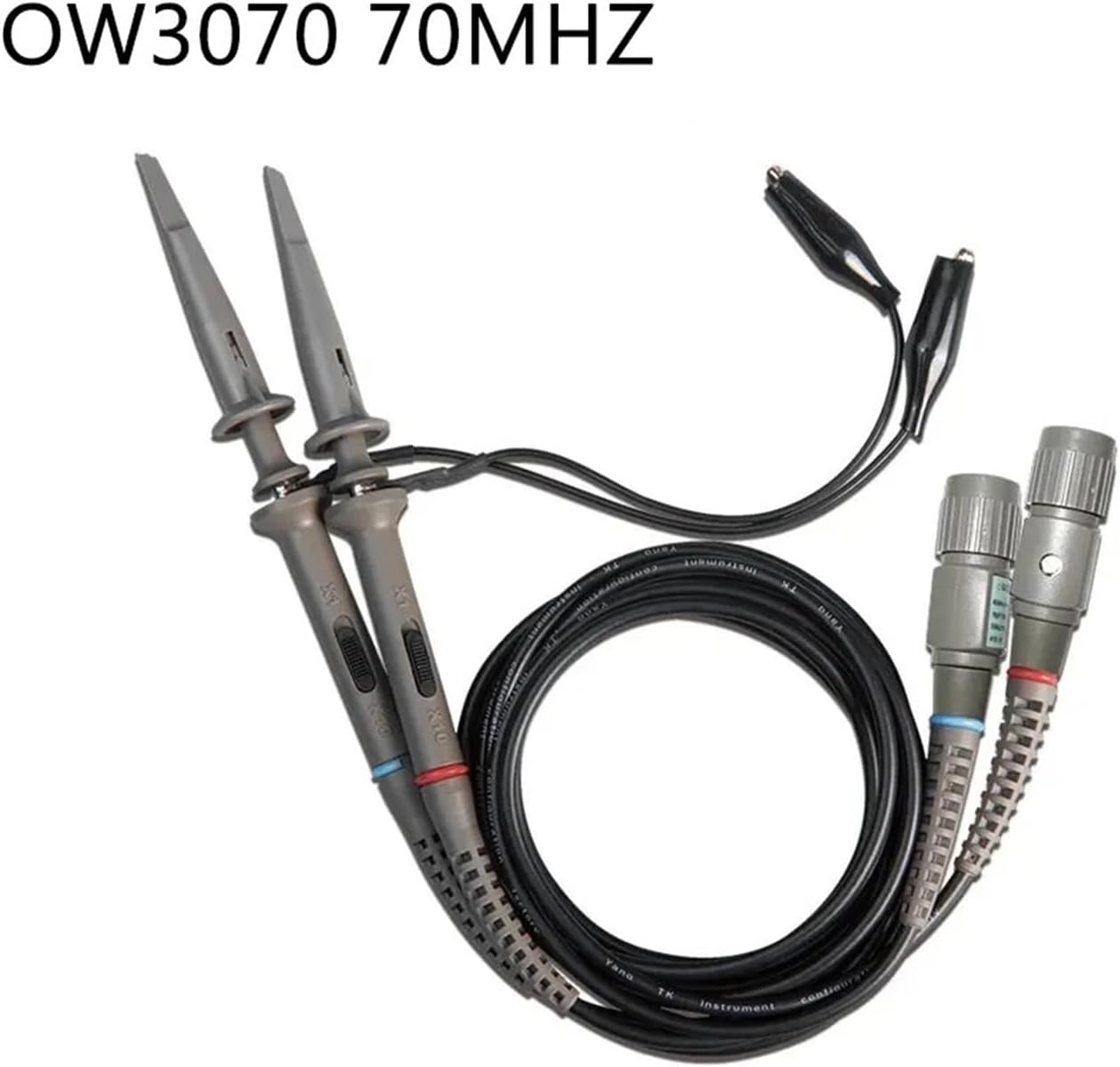
Image: A CEMELI OW3070 70MHz oscilloscope probe, highlighting its specific model and bandwidth.

Image: A CEMELI OW3100 100MHz oscilloscope probe, illustrating its design and specific bandwidth.
9. Warranty and Support
For warranty information, technical support, or service inquiries regarding your CEMELI Digital Oscilloscope Probes, please contact your point of purchase or the manufacturer, CEMELI, directly. Retain your proof of purchase for any warranty claims or service requests.
Related documentsOW3200/OW3100/OW3070


Ask a question about this manual
Ask about setup, troubleshooting, compatibility, parts, safety, or missing instructions. Manuals+ will review the question and use this page’s manual context to help answer it.