
Linsoul TIN HiFi P1 MAX II
Linsoul TIN HiFi P1 MAX II In-Ear Monitor User Manual
Model: TIN HiFi P1 MAX II
1. Product Overview
The Linsoul TIN HiFi P1 MAX II In-Ear Monitors (IEMs) are designed for audiophiles and gamers seeking a high-fidelity audio experience. Featuring a next-generation 14.2mm planar magnetic driver, these wired earbuds offer precise sound reproduction and an ergonomic design for extended comfort.

Figure 1: Linsoul TIN HiFi P1 MAX II In-Ear Monitors with detachable cable.
Key Features:
- Next-Generation 14.2mm Planar Driver: Optimized with higher-quality materials for its 2-micron diaphragm, equipped with a dual N52 magnetic circuit system and dual-chamber design for purer and more accurate music experience.
- Lightweight & Comfortable Design: Crafted with advanced design and materials, weighing just 3.8 grams per side, ensuring extended wear without pressure.
- Exquisite Appearance: Elegant and lightweight design, showcasing compactness and luxury with meticulous craftsmanship.
- High-Quality Detachable Cable: Features a 4-strand Oxygen-free copper silver-plated mixed braided wire for stable audio signal transmission and enhanced clarity.
2. What's in the Box
Upon opening the package, please verify that all components are present and in good condition:
- Linsoul TIN HiFi P1 MAX II In-Ear Monitors (Left and Right units)
- Detachable 2-Pin Audio Cable
- Assorted Eartips (various sizes)
- User Manual (this document)
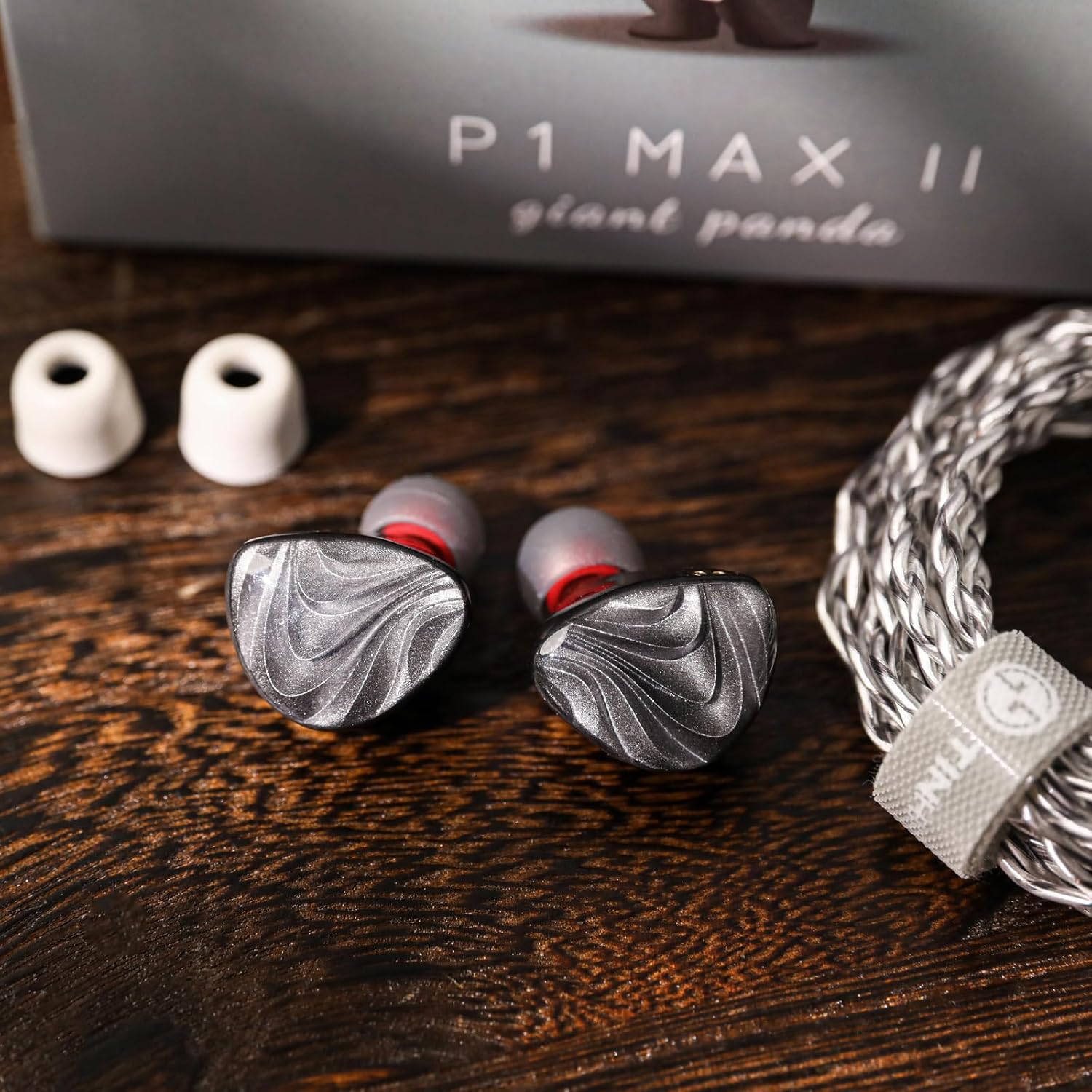
Figure 2: Included eartips and IEM units.
3. Setup Guide
3.1 Attaching the Cable
- Identify the left (L) and right (R) earpiece units. These are usually marked on the inner side of the IEM shell.
- Locate the 2-pin connectors on the detachable cable. The cable typically has color indicators (e.g., blue for left, red for right) or L/R markings.
- Align the pins on the cable with the corresponding sockets on the IEM units. Gently push the connectors straight in until they are securely seated. Avoid twisting or forcing the connection to prevent damage to the pins.

Figure 3: Proper connection of the detachable cable to the IEM units.
3.2 Selecting and Installing Eartips
Proper eartip selection is crucial for both sound quality and comfort. Experiment with the various sizes provided to find the best fit for your ears.
- Gently remove any pre-installed eartips by pulling them off the nozzle.
- Select a pair of eartips that feel comfortable and create a good seal in your ear canal. A good seal is essential for optimal bass response and passive noise isolation.
- Push the chosen eartips onto the nozzle of the IEM until they are firmly attached.
3.3 Wearing the IEMs
The TIN HiFi P1 MAX II IEMs are designed to be worn with the cable looped over the ear for a secure and comfortable fit.
- Insert the earpiece into your ear canal.
- Guide the cable over the top and behind your ear. The cable is designed to conform to the shape of your ear for stability.
- Adjust the earpiece and cable until you achieve a comfortable and secure fit with a good seal.
4. Operating Instructions
4.1 Connecting to an Audio Source
The TIN HiFi P1 MAX II connects to your audio device via a standard 3.5mm audio jack.
- Plug the 3.5mm stainless steel plug of the cable into the headphone jack of your smartphone, digital audio player (DAP), computer, or other compatible audio device.
- Ensure the plug is fully inserted for a stable connection and optimal sound.

Figure 4: IEMs connected to a mobile device for audio playback.
4.2 Audio Playback
Once connected, you can begin playing audio from your device. Adjust the volume on your audio source to a comfortable listening level. The IEMs provide passive noise cancellation, which helps to reduce ambient noise for an immersive listening experience.
5. Maintenance and Care
To ensure the longevity and optimal performance of your Linsoul TIN HiFi P1 MAX II IEMs, follow these maintenance guidelines:
- Cleaning: Regularly wipe the IEM shells and eartips with a soft, dry, lint-free cloth. For eartips, you may gently wash them with mild soap and water, ensuring they are completely dry before reattaching. Do not use harsh chemicals or abrasive materials.
- Cable Care: Avoid sharp bends or excessive pulling on the cable. When not in use, coil the cable loosely to prevent tangling and damage.
- Storage: Store your IEMs in a clean, dry place, preferably in a protective case, to prevent dust accumulation and physical damage.
- Avoid Moisture: Keep the IEMs away from water, humidity, and extreme temperatures.
6. Troubleshooting
If you encounter issues with your Linsoul TIN HiFi P1 MAX II IEMs, please refer to the following common problems and solutions:
| Problem | Possible Cause | Solution |
|---|---|---|
| No sound from one or both IEMs | Loose cable connection, incorrect audio source selection, low volume on device. | Ensure cable 2-pin connectors are fully inserted. Check 3.5mm plug connection to device. Verify audio output settings and volume on your device. Test with another audio source. |
| Distorted or poor sound quality | Poor eartip seal, damaged cable, audio file quality. | Try different eartip sizes to achieve a better seal. Inspect the cable for any visible damage. Test with high-quality audio files. |
| IEMs fall out easily or are uncomfortable | Incorrect eartip size, improper wearing technique. | Experiment with all included eartip sizes to find the most secure and comfortable fit. Ensure the cable is properly looped over your ear. |
If the issue persists after trying these steps, please contact Linsoul customer support for further assistance.
7. Product Specifications
| Specification | Value |
|---|---|
| Model | TIN HiFi P1 MAX II |
| Driver Unit | 14.2mm Planar Magnetic Driver |
| Diaphragm | 2-micron |
| Magnetic Circuit System | Dual N52 |
| Acoustic Design | Dual-chamber |
| Sensitivity | 98±3dB@1kHz |
| Frequency Response | 10-20kHz |
| Impedance | 16Ω±15% |
| Rated Power | 5mW |
| Max Power | 10mW |
| Max Distortion | 3% @1kHz |
| Interface | Gold-plated 2pin connector |
| Plug | 3.5mm Stainless Steel Plug |
| Weight (per side) | 3.8 grams |
| Connectivity Technology | Wired |
| Noise Control | Passive Noise Cancellation |
8. Warranty and Support
8.1 Warranty Information
Linsoul products typically come with a 1-Year Warranty for the main product and a 3-Month Warranty for accessories (such as cables and eartips). Please retain your proof of purchase for warranty claims. The warranty covers manufacturing defects but does not cover damage caused by misuse, accidents, or unauthorized modifications.
8.2 Customer Support
For any questions, technical assistance, or warranty inquiries, please contact Linsoul Audio customer support. You can find more information and contact details on the official Linsoul store page:
Visit the Linsoul Store on Amazon
Please provide your product model and purchase details when contacting support to ensure a swift resolution.
Ask a question about this manual
Ask about setup, troubleshooting, compatibility, parts, safety, or missing instructions. Manuals+ will review the question and use this page’s manual context to help answer it.