
1. Introduction
Thank you for purchasing the MEGUO K38 Portable Bluetooth Karaoke Machine. This device is designed to provide an enjoyable audio experience with its powerful speaker, wireless microphones, and dynamic lighting. Please read this manual thoroughly before use to ensure proper operation and to maximize your enjoyment of the product.
2. Package Contents
Ensure all items are present in the package:
- 1 x Wireless Speaker
- 2 x Wireless Microphones
- 1 x USB Charging Cable
- 1 x User Manual
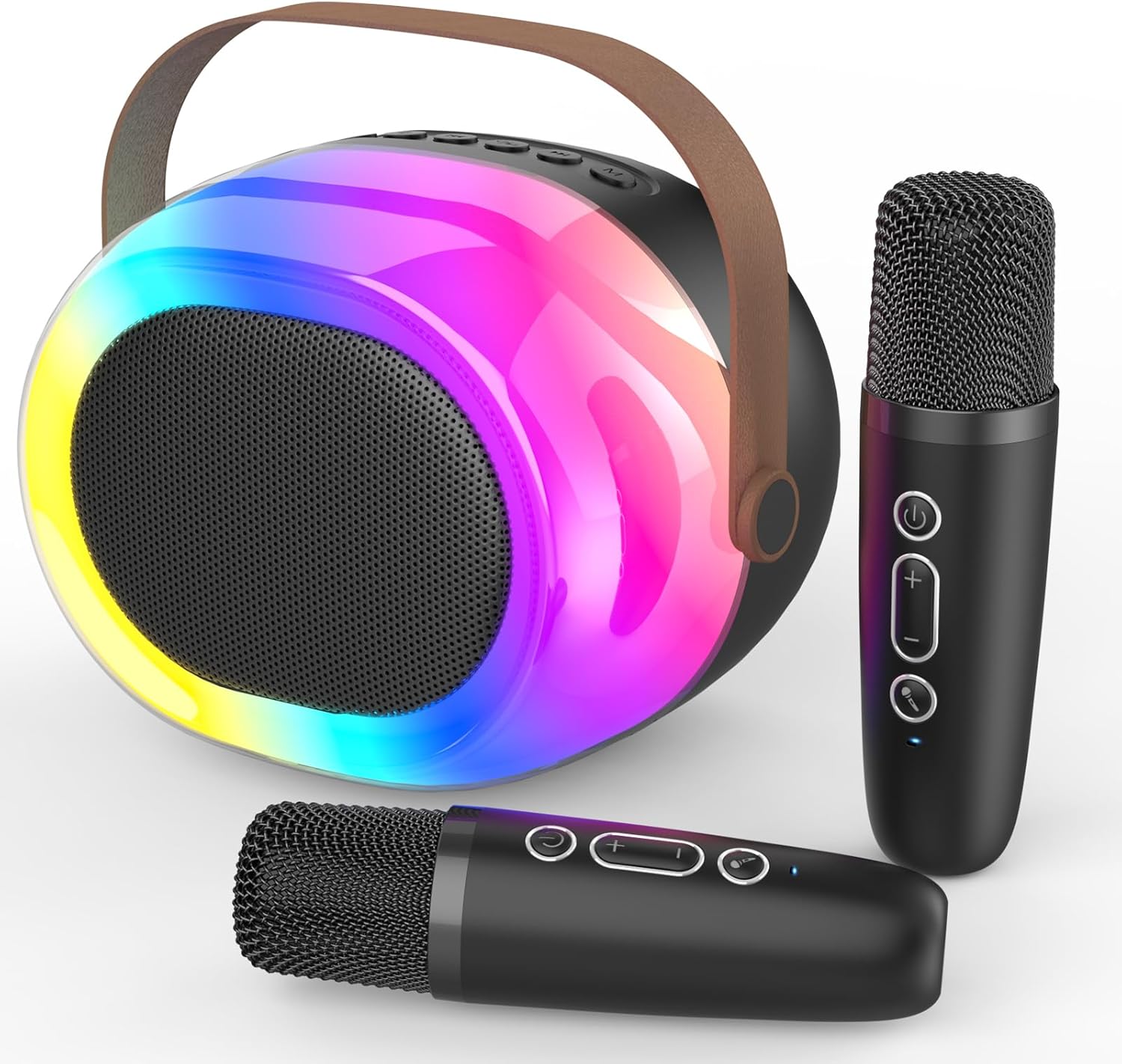
Image: The MEGUO K38 Portable Bluetooth Karaoke Machine, including the main speaker unit and two wireless microphones.
3. Product Overview
3.1 Speaker Unit
The main speaker unit features a 12W powerful driver and bass radiator for clear and balanced sound. It includes a convenient handle for portability.
- Control Buttons: Power, Volume Up/Down, Play/Pause, Mode Selection.
- Ports: USB-C charging port, TF card slot, USB-A port, AUX input.
- Dynamic Lights: Integrated colorful dynamic atmosphere lights with multiple modes.

Image: An exploded view of the speaker unit highlighting its 12W speaker and 4-inch bass radiator for enhanced sound.
3.2 Wireless Microphones
The two wireless microphones are lightweight and designed for ease of use. Each microphone is rechargeable.
- Control Buttons: Power, Volume Up/Down, Voice Changer.
- Voice Effects: Baby, Female, Male, and Monster voice changing effects.

Image: A family enjoying the karaoke machine, illustrating the various voice changing effects available on the microphones.
4. Setup
4.1 Initial Charging
Before first use, fully charge both the speaker unit and the wireless microphones. Use the provided USB charging cable. A full charge typically takes 2-3 hours.
- Connect the USB-C end of the cable to the charging port on the speaker/microphone.
- Connect the USB-A end to a compatible USB power adapter (not included).
- The indicator light will show charging status and turn off when fully charged.
4.2 Power On/Off
- Speaker: Press and hold the Power button on the speaker unit until you hear a power-on prompt.
- Microphones: Press and hold the Power button on each microphone until you hear a power-on prompt.
- To power off, repeat the process.
4.3 Bluetooth Pairing
The speaker and microphones will automatically attempt to pair with each other upon powering on. For external device connection:
- Ensure the speaker is in Bluetooth mode (indicated by a voice prompt).
- On your smartphone or other Bluetooth-enabled device, search for "K38" in the Bluetooth settings.
- Select "K38" to connect. A voice prompt will confirm successful pairing.

Image: The speaker and microphones, illustrating the various playback modes including Bluetooth, TF card, USB, and AUX input.
5. Operating Instructions
5.1 Playback Modes
The speaker supports multiple playback options:
- Bluetooth Mode: Connect wirelessly to your device to stream music.
- TF Card Mode: Insert a TF (MicroSD) card with MP3 files into the designated slot.
- USB Mode: Insert a USB flash drive with MP3 files into the USB-A port.
- AUX Input: Connect an external audio device using a 3.5mm AUX cable (not included).
Press the 'M' (Mode) button on the speaker to switch between modes.
5.2 Volume Control
- Speaker Volume: Use the Volume Up (+) and Volume Down (-) buttons on the speaker unit.
- Microphone Volume: Use the Volume Up (+) and Volume Down (-) buttons on each microphone.
5.3 Voice Changing Effects
Each microphone features four magic voice changing effects:
- Original Voice
- Baby Voice
- Female Voice
- Male Voice
- Monster Voice
Press the dedicated Voice Changer button on the microphone to cycle through the effects.
5.4 Dynamic Lights
The speaker unit includes colorful dynamic atmosphere lights. These lights can be changed to different modes to enhance the ambiance. Refer to the speaker's control buttons for light mode selection (usually integrated with the 'M' button or a dedicated light button if available).
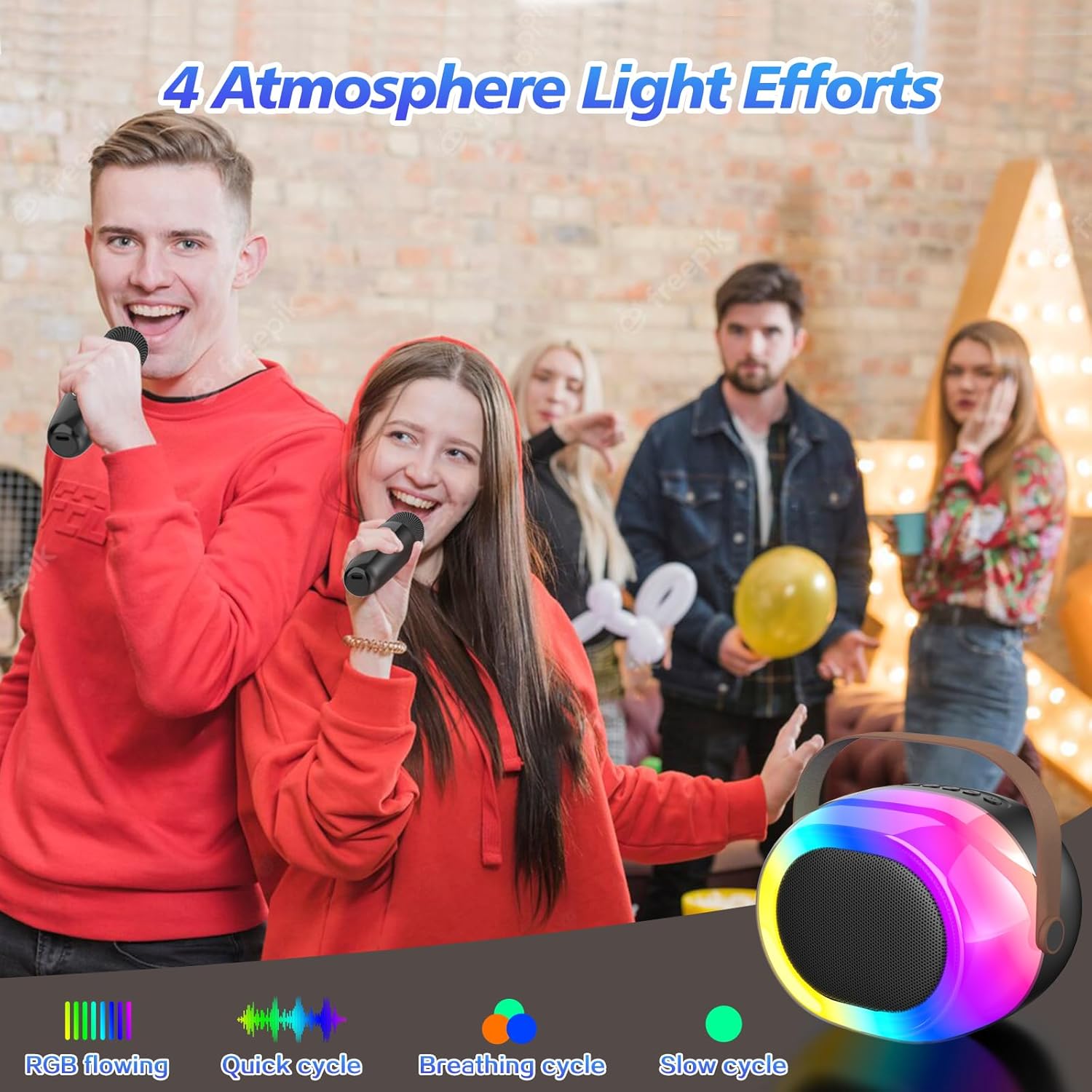
Image: The dynamic atmosphere lights of the karaoke machine creating a lively environment.
6. Charging
Both the speaker and microphones are equipped with built-in rechargeable Lithium-Ion batteries. Use the provided USB-C cable for charging.
- Charging Time: Approximately 2-3 hours for a full charge.
- Playtime: Up to 5-10 hours on a full charge, depending on usage and volume levels.
- A red indicator light typically signifies charging, turning off or changing color when fully charged.

Image: The portable karaoke machine being used outdoors, emphasizing its built-in battery and extended playtime.
7. Maintenance
- Keep the device away from water, moisture, and extreme temperatures.
- Clean the surfaces with a soft, dry cloth. Do not use abrasive cleaners or solvents.
- Store in a cool, dry place when not in use.
- Avoid dropping or subjecting the device to strong impacts.
8. Troubleshooting
| Problem | Possible Cause | Solution |
|---|---|---|
| No power | Battery is low or depleted. | Charge the speaker/microphones fully. |
| No sound from microphone | Microphone is off or not paired. Volume is too low. | Ensure microphone is powered on and paired. Increase microphone volume. |
| Bluetooth not connecting | Speaker is not in Bluetooth mode. Device is too far. Interference. | Switch speaker to Bluetooth mode. Move device closer. Avoid obstacles. |
| Poor sound quality | Low battery. Interference. Source audio quality. | Charge devices. Move away from other electronic devices. Use high-quality audio files. |
9. Specifications
- Brand: MEGUO
- Model: K38
- Product Dimensions: 3.9 x 6.2 x 4.8 inches
- Item Weight: 2.29 pounds
- Power Source: Battery Powered (1 Lithium Ion battery included)
- Special Feature: Voice Changer
- Included Components: 1 Wireless Speaker, 2 Microphones
10. Safety Information
- Do not disassemble or modify the device.
- Keep out of reach of small children to prevent choking hazards from small parts.
- Use only the specified charging cable and power adapter.
- Avoid prolonged exposure to loud volumes to prevent hearing damage.
11. Warranty and Support
For warranty information or technical support, please refer to the product packaging or contact MEGUO customer service directly. Contact details are typically provided on the product box or on the official MEGUO website.