
1. Introduction
Thank you for choosing the DEWENWILS PTW01 Outdoor Smart WiFi Pool Pump Timer. This heavy-duty 40A 120VAC 2HP wireless controller is designed to automate the operation of your pool pump, water heater, pool filter, spa, irrigation system, and landscape lighting. It offers versatile timer functions, remote control via smartphone applications, and voice control compatibility with Alexa and Google Assistant, enhancing convenience and energy efficiency.

Image 1: DEWENWILS PTW01 Outdoor Smart WiFi Pool Pump Timer with its protective cover open, revealing the internal wiring terminals and control panel.
2. Safety Information
- Electrical Shock Hazard: Installation should be performed by a qualified electrician. Turn power OFF at the main panel before servicing this timer or the equipment it controls. More than one disconnect switch may be required to de-energize the device before servicing.
- Wiring: For supply connections, use copper wire AWG 8-18 suitable for 90°C (194°F). Always close the door after use. Use listed wiring connector for grounding terminals.
- Outdoor Use: The timer is IP44 waterproof rated and designed for outdoor use, ensuring reliable performance from -40°F to 140°F. However, it is not for water immersion.
- Compatibility: Supports 2.4 GHz Wi-Fi network only.
3. Product Overview
3.1 Key Features
- High Power Capacity: 40 AMP, 2HP, 120VAC.
- Wireless Control: Compatible with DEWENWILS and Smart Life App.
- Voice Control: Works with Alexa and Google Assistant.
- Versatile Timer Functions: Programmable, random, countdown, and astronomical modes with up to 15 ON/OFF settings.
- Durable Design: Corrosion-resistant metal housing, IP44 waterproof, resin PC core, and flame-retardant insulation.
- Wide Wi-Fi Range: Up to 100 feet from your router.
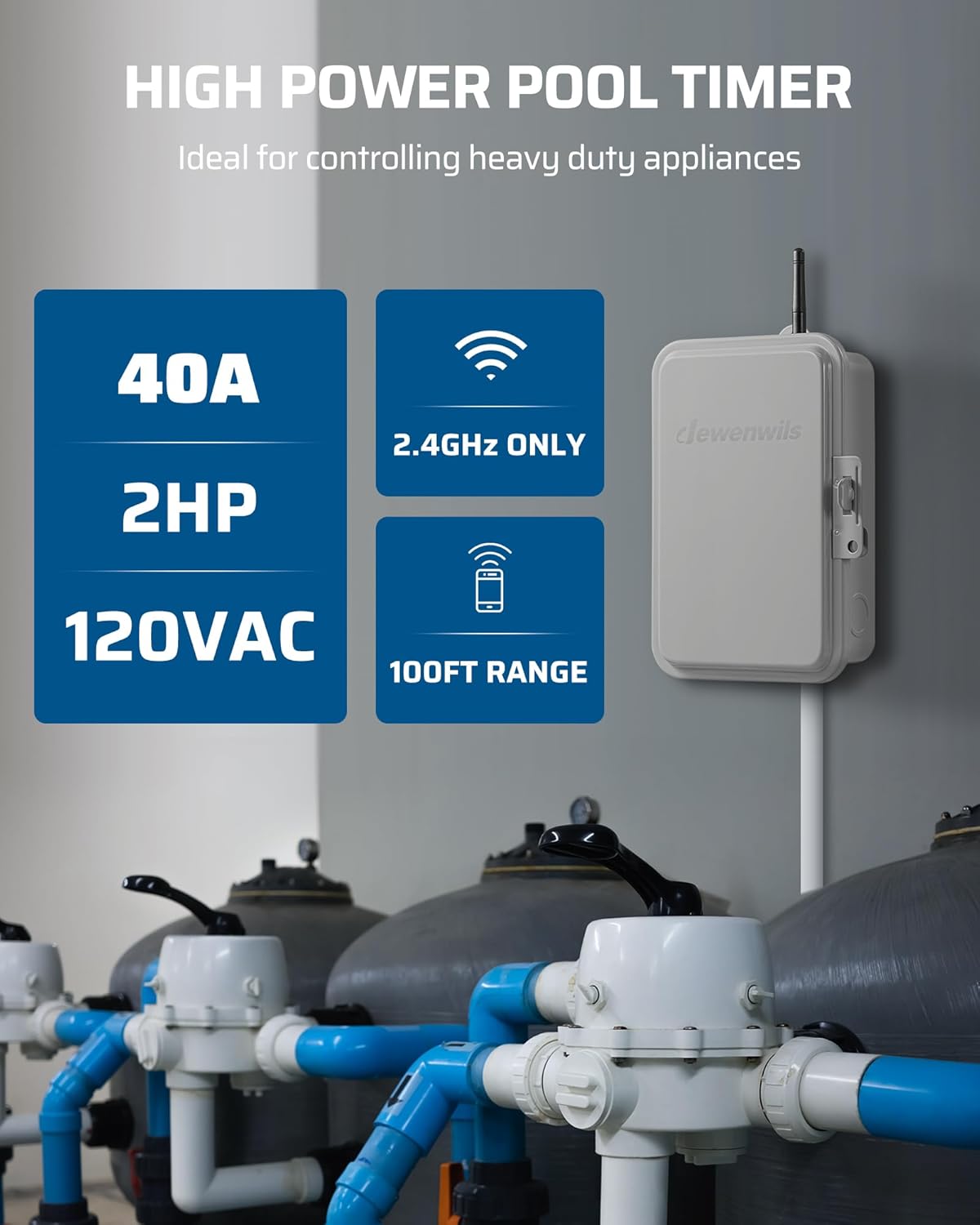
Image 2: Visual representation of the timer's high power capabilities and wireless specifications.
3.2 Components

Image 3: Detailed view of the DEWENWILS PTW01 timer with its key components clearly labeled for identification.
- Wi-Fi Antenna: For wireless connectivity.
- Power Indicator: Lights up when the timer is powered on.
- Load Indicator: Lights up when the connected device is active.
- Power & Programming Button: For manual control and pairing.
- Wi-Fi LED Indicator: Shows Wi-Fi connection status.
- Terminal Blocks: For electrical wiring connections.
- Ground Terminal: For safety grounding.
- Knockouts: Pre-drilled holes for conduit entry.
4. Setup
4.1 Electrical Installation
Ensure power is OFF at the main circuit breaker before proceeding with any wiring. The innovative wiring design simplifies installation. The timer supports controlling one or two 120VAC loads simultaneously.
4.1.1 Wiring for One 120VAC Load

Image 4: Diagram illustrating how to connect the DEWENWILS PTW01 timer to control a single 120VAC load.
4.1.2 Wiring for Two 120VAC Loads
Note: When controlling two devices, they will be controlled simultaneously.
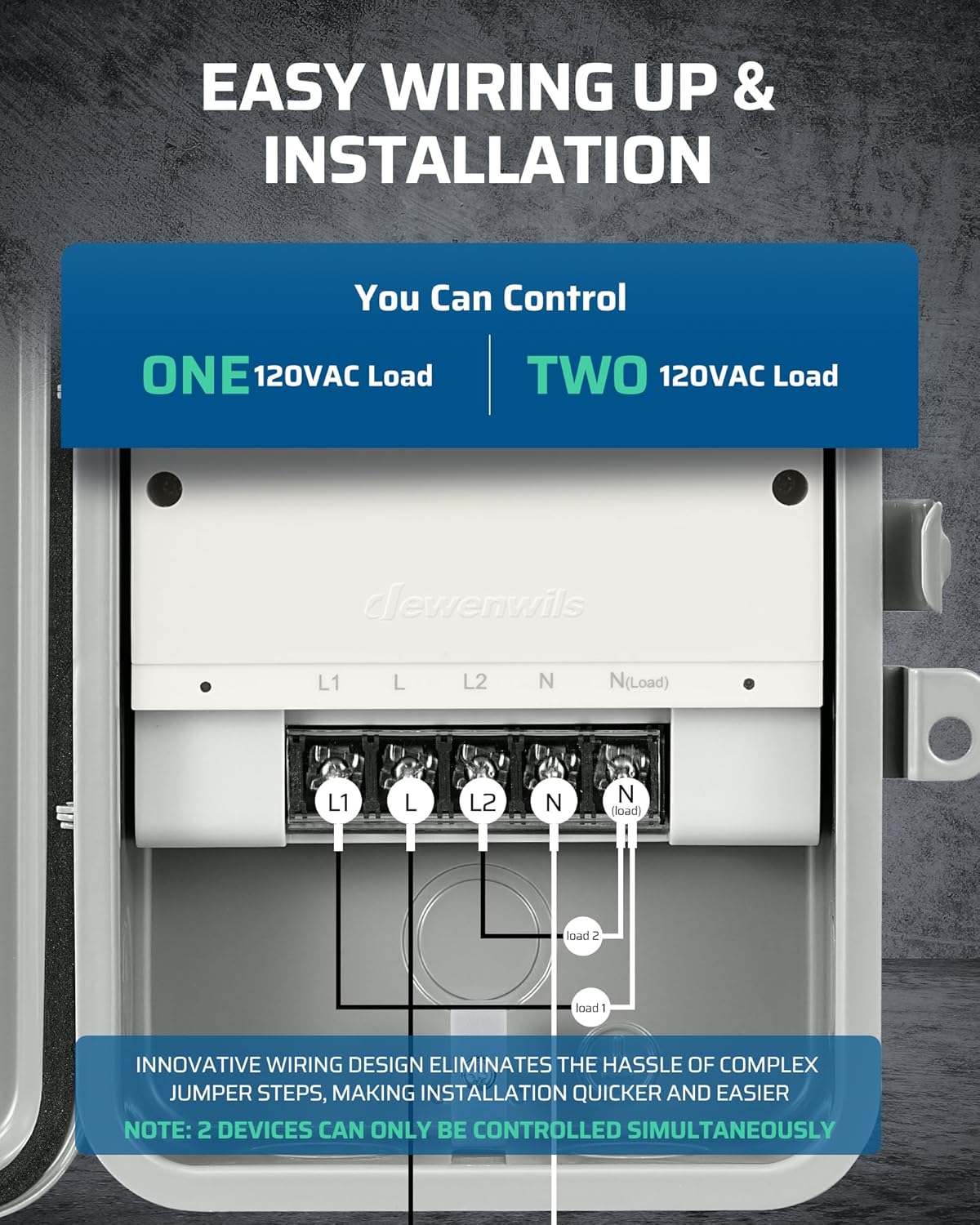
Image 5: Diagram illustrating how to connect the DEWENWILS PTW01 timer to control two 120VAC loads simultaneously.
4.2 App Connection
- Download the 'DEWENWILS' or 'Smart Life' app from your smartphone's app store. You can scan the QR code on the inside cover of the timer for direct access.
- Register or log in to your account.
- Ensure your smartphone is connected to a 2.4 GHz Wi-Fi network. The timer only supports 2.4 GHz Wi-Fi.
- Follow the in-app instructions to add the device. This typically involves putting the timer into pairing mode (refer to the app for specific steps, usually pressing and holding the Power & Programming button).
For app download, scan the QR code below:
Image 6: QR code for downloading the DEWENWILS Smart IoT application.
5. Operating Instructions
5.1 Remote Control via App
Once connected to the app, you can remotely turn your devices ON/OFF from anywhere using your smartphone. The app also provides real-time status of your connected devices.

Image 7: A smartphone displaying the DEWENWILS app, showing scheduling options for automating pool and lighting systems.
5.2 Voice Control
Integrate your DEWENWILS PTW01 with Amazon Alexa or Google Assistant for convenient voice control. Use simple commands like "Alexa, turn on the pool timer" or "Hey Google, turn off the water heater."
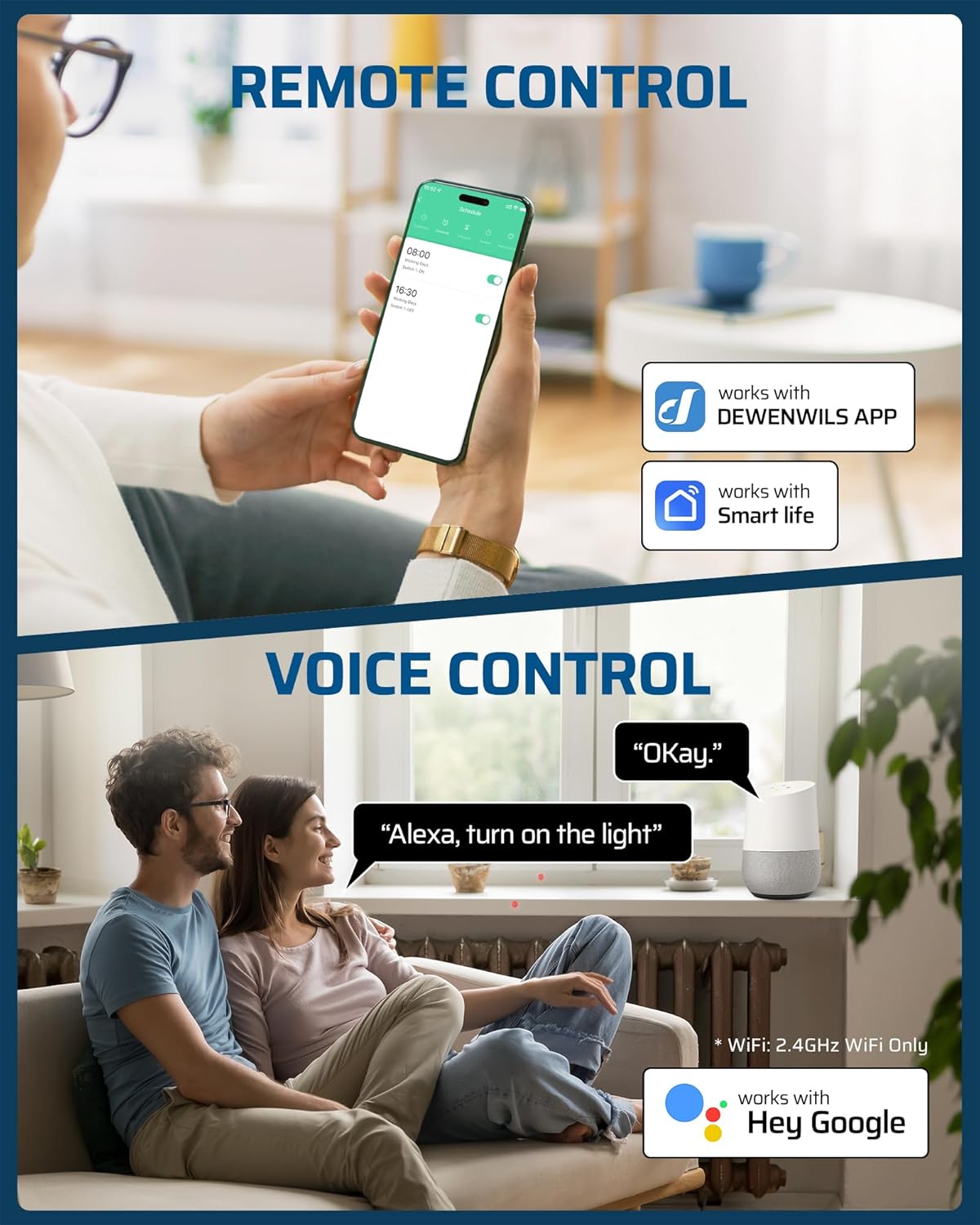
Image 8: An illustration of how to use voice commands with smart assistants like Alexa or Google Assistant to control the timer.
5.3 Timer Functions
The app allows you to set various timer schedules:
- Programmable Timer: Set specific ON/OFF times for daily or weekly schedules (up to 15 settings).
- Countdown Timer: Set a duration for the device to run before automatically turning off.
- Random Mode: Randomly turns devices ON/OFF within a set period, useful for security.
- Astronomical Mode: Automatically adjusts ON/OFF times based on local sunrise and sunset.
Video 1: An official DEWENWILS video demonstrating the features and wiring of the Outdoor Smart WiFi Box. This video provides a visual guide to the product's functionality and installation process.
6. Maintenance
- Cleaning: Wipe the exterior of the timer with a soft, damp cloth. Do not use harsh chemicals or abrasive cleaners.
- Inspection: Periodically check the wiring connections for tightness and ensure the housing is free from damage.
- Environmental Protection: The IP44 rating protects against splashing water and solid objects larger than 1mm. Ensure the cover is always securely closed to maintain its weatherproof integrity.

Image 9: The DEWENWILS PTW01 timer shown in an outdoor environment, emphasizing its robust and weatherproof construction.
7. Troubleshooting
- Device Not Connecting to Wi-Fi:
- Ensure your Wi-Fi network is 2.4 GHz. The timer does not support 5 GHz networks.
- Check the Wi-Fi signal strength at the timer's location. The range is up to 100 feet from your router. Consider a Wi-Fi extender if necessary.
- Restart your router and the timer, then attempt to reconnect via the app.
- Verify correct Wi-Fi password entry in the app.
- Device Not Turning ON/OFF as Scheduled:
- Check the app to ensure schedules are correctly set and enabled.
- Verify the timer has power and the load is properly connected.
- Confirm the device is still connected to Wi-Fi (check the Wi-Fi LED indicator).
- Power Failure Behavior: If power is interrupted, the timer may default to an OFF state upon restoration. To ensure the load turns back ON, consider using the 'circulate' mode in the app to set a cycle that forces the load ON after a brief OFF period, as described in some user experiences.
- App Issues: If the app is unresponsive, try closing and reopening it, or reinstalling the app. Ensure your smartphone's operating system is up to date.
8. Specifications
| Attribute | Value |
|---|---|
| Brand | DEWENWILS |
| Model Number | PTW01 |
| Color | Gray |
| Material | Metal |
| Product Dimensions | 4.72"D x 6.69"W x 7.87"H |
| Input Voltage | 120VAC 60Hz |
| Output | 40A Resistive 120VAC, 2HP 120VAC |
| Number of Settings | 30 (Max ON/OFF settings) |
| Wi-Fi Frequency | 2.4 GHz only |
| Operating Temperature | -40°F to 140°F |
| Waterproof Rating | IP44 |
| Certifications | ETL Listed, FCC Certified |
| Item Weight | 2.81 pounds |
9. Warranty and Support
For warranty information, technical support, or any inquiries regarding your DEWENWILS PTW01 timer, please refer to the manufacturer's official website or contact their customer service directly. Contact details are typically found on the product packaging or the manufacturer's website.