1. Introduction
Thank you for choosing the AIRROBO PC10 Robot Pool Vacuum. This manual provides essential information for the safe operation, maintenance, and troubleshooting of your new pool cleaner. Please read this manual thoroughly before using the product to ensure optimal performance and longevity.
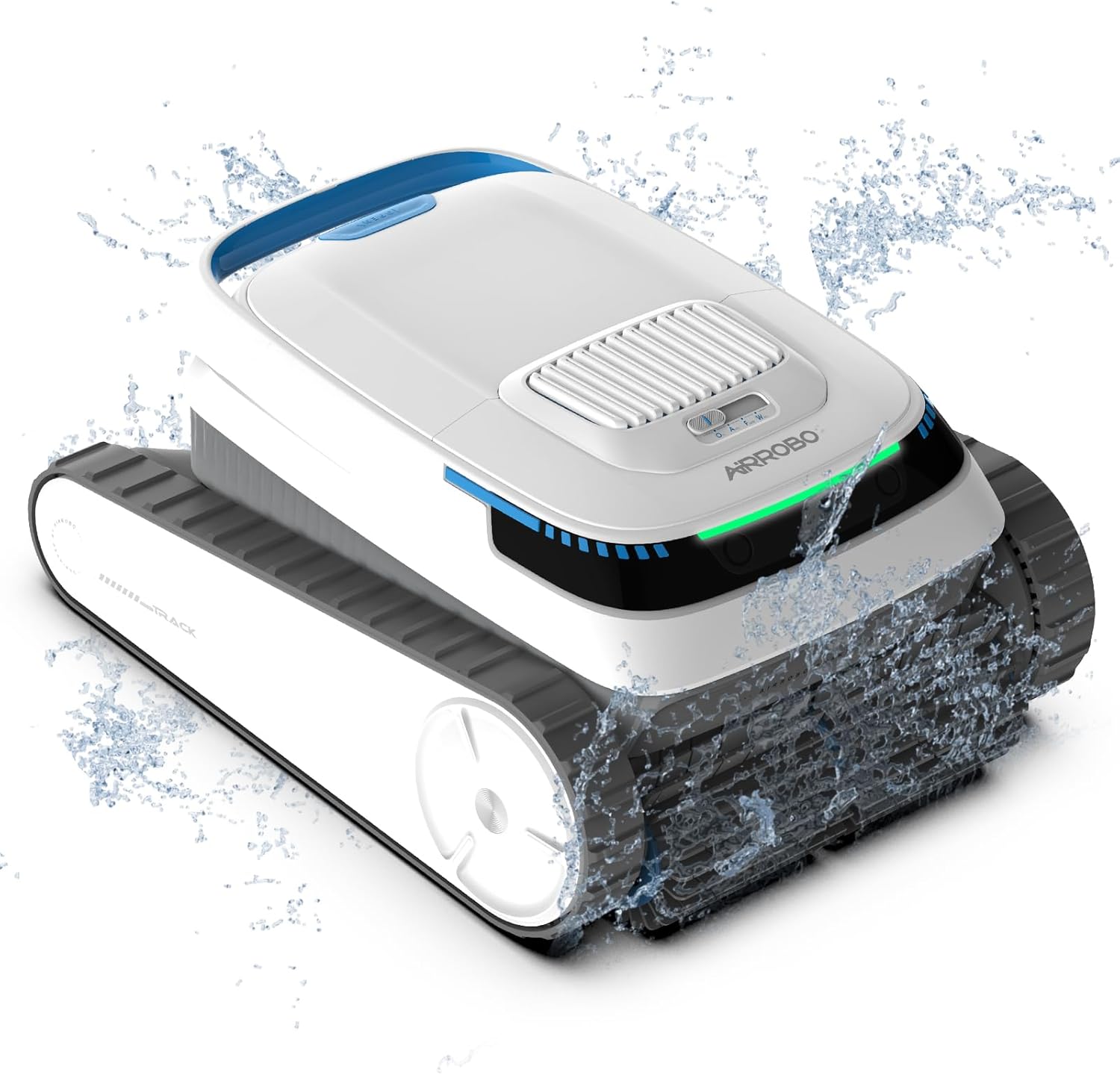
The AIRROBO PC10 Robot Pool Vacuum, designed for efficient and convenient pool cleaning.
2. Safety Information
Always adhere to the following safety precautions to prevent injury or damage to the product:
- Read all instructions before operating the appliance.
- Do not operate the cleaner when people or animals are in the pool.
- Ensure the charging port is dry before connecting the power adapter.
- Use only the original power adapter provided by AIRROBO.
- Keep the cleaner out of reach of children.
- Do not use the cleaner to remove chemicals or hazardous materials.
- Store the cleaner in a cool, dry place when not in use.
3. Package Contents
Verify that all items are present in the package:
- Pool Robot (with built-in filter) x 1
- Power Adapter x 1
- Hook x 1
- Warranty Card x 1
- User Manual x 1
- Maintenance Kit x 1 (Includes: Combined machine screw x 2pcs, Combined machine screw x 2pcs, Self-tapping screw x 4pcs, Flip buckle hand piece x 1pcs, Circlip x 4pcs, Washer x 4pcs, Rubber strip x 1pcs)

All components included in the AIRROBO PC10 Robot Pool Vacuum package.
4. Product Features
The AIRROBO PC10 Robot Pool Vacuum is equipped with advanced features for comprehensive and efficient pool cleaning:
- Cordless Design: Eliminates messy wires and hoses for safer and more convenient operation.
- 3 Cleaning Modes: Offers Automatic, Floor-Only, and Wall-Only modes to scrub pool floors, walls, and waterlines.
- Smart Navigation: Utilizes precise positioning and intelligent navigation for bow-shaped cleaning paths, ensuring complete coverage.
- Powerful Cleaning Capability: Features 2 drive motors, 1 pump motor, and a 180-micron fine filter for effective debris collection.
- Long Runtime: Built-in 5200mAh battery provides up to 120 minutes of continuous cleaning for areas up to 1829 square feet.
- Intelligent Parking: Automatically stops at the pool edge when cleaning is complete or battery is low for easy retrieval.
- Large Capacity Debris Basket: A 4-liter basket reduces emptying frequency.
- Versatile Compatibility: Suitable for both in-ground and above-ground pools, and various pool surfaces including concrete, vinyl, fiberglass, mosaic tiles, PVC liners, stainless steel, and natural stone.

The PC10's powerful performance is driven by its suction, motors, and scrubbing brushes.

The AIRROBO PC10 offers ultimate flexibility, suitable for both in-ground and above-ground pools.

The PC10 is compatible with a wide range of pool surfaces.
5. Setup
5.1 Initial Charging
- Ensure the robot is completely dry before charging.
- Connect the power adapter to the robot's charging port.
- Plug the adapter into a power outlet. The indicator light will show charging status.
- Charge the robot for approximately 2.5 hours for a full charge.

The PC10 features fast charging for its 5200mAh battery.
5.2 Preparing for Use
- Ensure the pool water temperature is between 10°C (50°F) and 35°C (95°F).
- Check that the filter basket is clean and properly installed.
- Gently lower the robot into the pool until it sinks to the bottom. Ensure no air bubbles are trapped inside.
6. Operating Instructions
6.1 Selecting a Cleaning Mode
The AIRROBO PC10 offers three cleaning modes:
- Auto Mode: Cleans walls, waterline, and floor. The robot will adjust its cleaning path based on battery level.
- Floor-Only Mode: Focuses cleaning on the pool floor.
- Wall-Only Mode: Focuses cleaning on the pool walls and waterline.

The control switch allows selection of the desired cleaning mode.

Auto Mode intelligently adapts cleaning based on battery level.
6.2 Starting and Stopping
- After placing the robot in the pool, select your desired cleaning mode using the switch.
- The robot will begin its cleaning cycle.
- To stop the robot mid-cycle, switch the mode selector to 'Off'.
6.3 Intelligent Parking and Retrieval
When the cleaning cycle is complete or the battery level falls below 15%, the robot will automatically navigate to the nearest pool edge and park itself for easy retrieval.

The robot utilizes intelligent parking technology to stop at the pool edge.

Self-parking technology and the retrieval hook make removal effortless.
Use the included hook to lift the robot out of the water. Allow excess water to drain before removing it completely from the pool.
7. Maintenance
Regular maintenance ensures the longevity and optimal performance of your AIRROBO PC10.
7.1 Cleaning the Filter Basket
- After each cleaning cycle, remove the robot from the pool.
- Open the lid and lift out the filter basket.
- Empty the collected debris into a waste bin.
- Rinse the filter basket thoroughly with a garden hose to remove fine particles.
- Ensure the filter basket is completely clean before reinserting it into the robot.

The large top-load filter basket is easy to access and clean.
The filter basket is designed for easy access and cleaning.
7.2 General Care
- Periodically inspect the brushes and tracks for wear or damage. Clean any entangled debris.
- Wipe the exterior of the robot with a soft, damp cloth. Do not use harsh chemicals.
- Store the robot in a shaded, dry area when not in use, away from direct sunlight and extreme temperatures.
8. Troubleshooting
If you encounter issues with your AIRROBO PC10, refer to the following table:
| Problem | Possible Cause | Solution |
|---|---|---|
| Robot does not start | Low battery; Power switch off; Obstruction | Charge the robot; Turn on the power switch; Check for and remove obstructions. |
| Poor cleaning performance | Full filter basket; Worn brushes; Incorrect mode selected | Clean the filter basket; Inspect and replace brushes if necessary; Select appropriate cleaning mode. |
| Robot gets stuck | Obstruction; Uneven pool surface; Air trapped inside | Remove obstructions; Ensure robot is fully submerged without air bubbles. |
| Short runtime | Battery not fully charged; Battery degradation | Ensure full charge before use; Contact support if battery life significantly decreases. |
| Robot does not climb walls | Low battery; Filter basket full; Water chemistry imbalance (e.g., algae) | Charge the robot; Clean filter basket; Balance pool chemistry. |
9. Specifications
| Feature | Detail |
|---|---|
| Model Name | PC10-US |
| Power Source | Battery Powered |
| Battery Type | Lithium Ion |
| Battery Capacity | 5200 mAh |
| Runtime | Up to 120 minutes |
| Charging Time | Approx. 2.5 hours |
| Filter Fineness | 180 microns |
| Debris Basket Capacity | 4 Liters |
| Max Cleaning Area | 1829 sq. ft. (170 m²) |
| Product Dimensions | 18.7 x 15.6 x 9.8 inches |
| Item Weight | 29.9 pounds |
| Control Method | Touch |
| Installation Type | Portable |

The PC10 offers long-lasting runtime and covers a significant area.
10. Warranty & Support
10.1 Warranty Information
The AIRROBO PC10 Robot Pool Vacuum comes with an Extended Warranty. Please refer to the included Warranty Card for specific terms and conditions, including coverage details and duration.
10.2 Customer Support
For technical assistance, warranty claims, or any questions regarding your AIRROBO PC10, please contact our customer support team:
- Website: Visit the official AIRROBO website for FAQs and support resources.
- Email: support@airrobo.com (example email, please refer to actual product documentation for correct contact)
- Phone: [Insert Phone Number Here, if applicable]


