
1. Introduction
Welcome to the Blackview A55 experience. This manual provides essential information to help you get the most out of your new unlocked Android smartphone. The Blackview A55 combines a vibrant display, reliable performance, and essential features for daily communication and entertainment.

Image: Front and back view of the Blackview A55 Unlocked Cell Phone.
2. Setup
2.1 Package Contents
Upon unboxing your Blackview A55, please ensure all items are present:
- Blackview A55 Cell Phone
- USB Cable
- Power Adapter (if included in your region)
- SIM Eject Tool
- User Manual (this document)
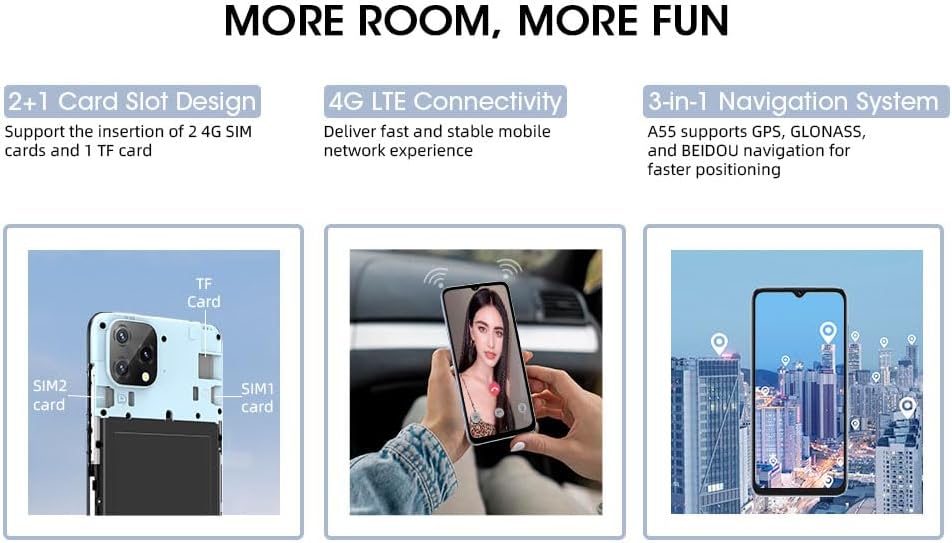
Image: The Blackview A55 phone, USB cable, and other accessories included in the package.
2.2 SIM Card & Storage Installation
The Blackview A55 features a convenient 2+1 card slot design, allowing for two 4G SIM cards and one TF (microSD) card for expandable storage.
- Locate the SIM card tray on the side of your device.
- Insert the SIM eject tool into the small hole next to the tray and press gently until the tray pops out.
- Place your Nano-SIM cards into the designated SIM1 and SIM2 slots.
- If desired, insert a TF (microSD) card into the dedicated storage slot. The device supports up to 1TB of expandable storage.
- Carefully reinsert the tray into the phone until it clicks into place.
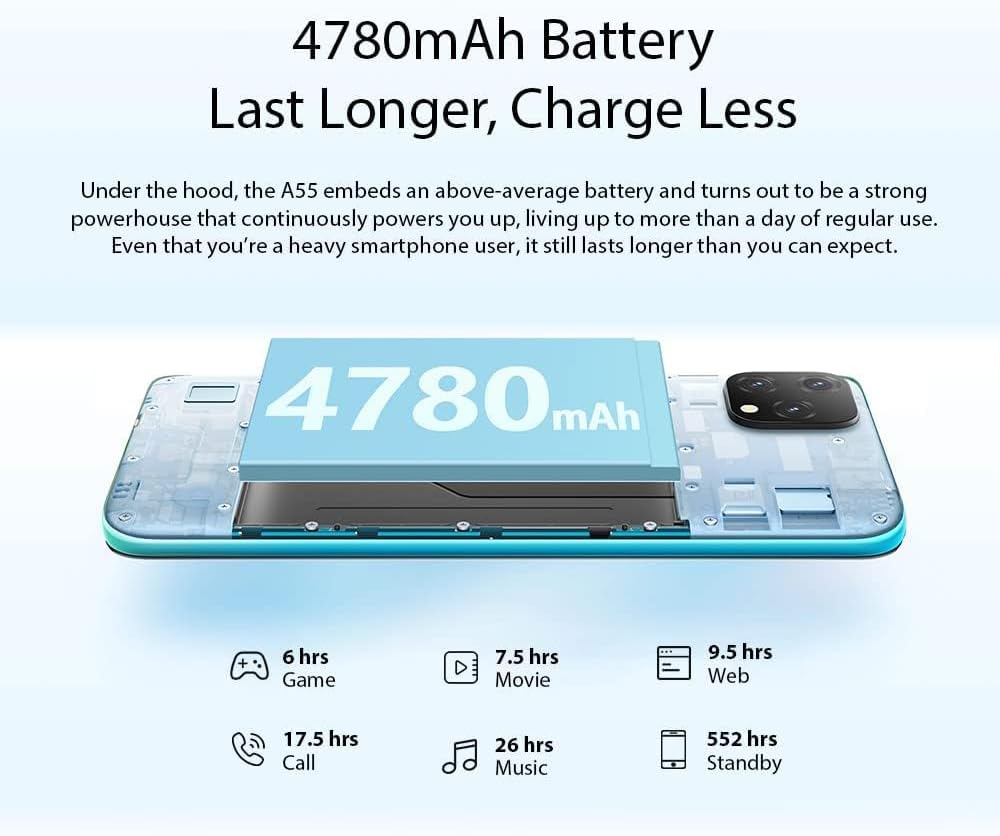
Image: A visual representation of the 2+1 card slot, indicating where to insert SIM1, SIM2, and the TF card.
2.3 Initial Power On
To power on your device, press and hold the Power Button located on the side until the Blackview logo appears on the screen. Follow the on-screen prompts to complete the initial setup, including language selection, Wi-Fi connection, and Google account setup.
3. Operating Your Blackview A55
3.1 Device Overview
Familiarize yourself with the physical components of your Blackview A55:

Image: A detailed diagram highlighting the 3.5mm headphone jack, earpiece, screen, speaker, microphone, charger/USB port, 13MP rear camera, flash, fingerprint sensor, volume buttons, and power button.
- Power Button: Located on the right side, used to power on/off and wake/sleep the screen.
- Volume Buttons: Located above the Power Button, used to adjust media and call volume.
- 3.5mm Headphone Jack: Located on the top edge for wired audio accessories.
- USB-C Port: Located on the bottom edge for charging and data transfer.
- Speaker & Microphone: Located on the bottom edge for audio output and input.
- Cameras: Rear and front cameras for photography and video calls.
3.2 Display Features
The Blackview A55 features a 6.528-inch HD+ Incell display with a resolution of 720*1600 pixels and 400 nits brightness, ensuring clear and vibrant visuals even in bright conditions.

Image: The Blackview A55 display showcasing its 6.528-inch screen size, 720*1600 HD+ resolution, 89% screen-to-body ratio, and 400nit brightness.
3.3 Camera Usage
Capture memorable moments with the 8MP dual rear camera and 5MP front camera. The device supports features like Face Unlock for quick and secure access.

Image: Illustrates the 8MP rear camera and 5MP front camera capabilities, along with the Face Unlock feature.
3.4 Battery Management
The Blackview A55 is equipped with a 4780mAh battery, providing extended usage. Optimize battery life by managing background apps and adjusting screen brightness.

Image: Details the 4780mAh battery and estimated hours of use for gaming, movies, web browsing, calls, music, and standby.
3.5 Connectivity
Your Blackview A55 supports 4G LTE on AT&T, Cricket, and T-Mobile carriers. It also includes GPS, Beidou, GLONASS, and Galileo for navigation, dual-band 5G Wi-Fi, and Bluetooth 4.1.
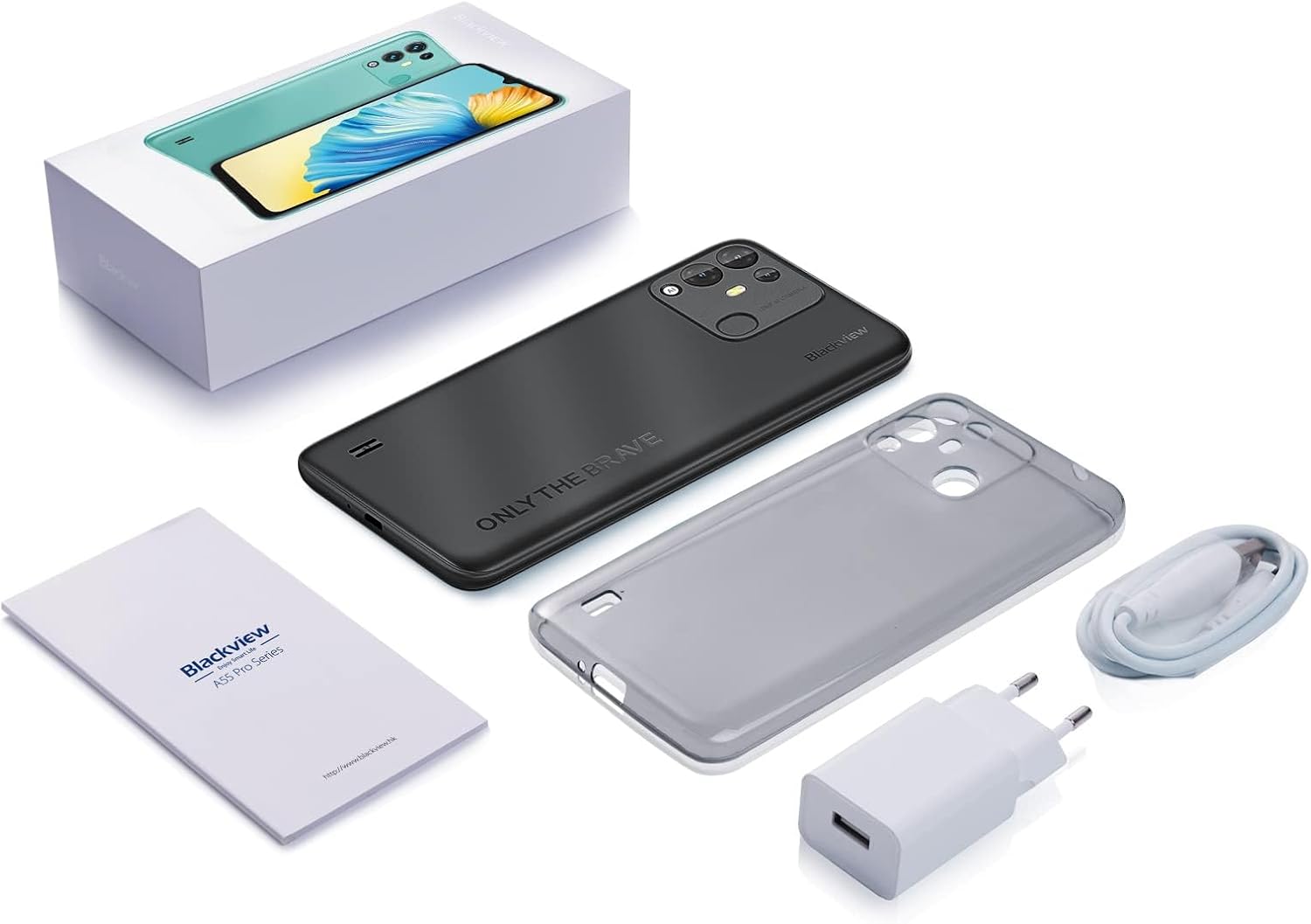
Image: A map illustrating the supported 4G GSM network carriers for the Blackview A55 in North America.
3.6 Performance & Storage
Powered by a 2.0GHz quad-core MT6761V processor, the A55 offers smooth performance. It comes with 3GB RAM and 16GB ROM, expandable up to 1TB with a TF card.
3.7 Software
The Blackview A55 runs on Android 11 with the self-developed Doke OS 2.1 UI system, providing a user-friendly and intuitive interface.
4. Maintenance
To ensure the longevity and optimal performance of your Blackview A55, follow these maintenance guidelines:
- Keep your device clean by wiping it with a soft, dry cloth.
- Avoid exposing the phone to extreme temperatures or direct sunlight for prolonged periods.
- Protect the screen with a screen protector and consider a protective case to prevent physical damage.
- Regularly update the software to benefit from the latest features and security enhancements.
- Manage storage by deleting unnecessary files and apps to maintain performance.
5. Troubleshooting
If you encounter issues with your Blackview A55, consider the following common troubleshooting steps:
- Device not responding: Press and hold the Power Button for about 10-15 seconds to force a restart.
- Apps crashing or freezing: Close background applications and restart the device. Consider uninstalling recently installed apps that might be causing conflicts.
- Battery draining quickly: Reduce screen brightness, disable unnecessary features like GPS or Bluetooth when not in use, and check battery usage in settings to identify power-hungry apps.
- Connectivity issues: Toggle Wi-Fi or mobile data off and on. Restart your router for Wi-Fi issues. Ensure your SIM card is properly inserted.
Troubleshooting Video: Device Lagging or Freezing
Video: This video provides general tips for resolving device lagging or freezing issues on Blackview phones. While not specific to the A55, the principles apply.
6. Specifications
| Feature | Specification |
|---|---|
| Product Dimensions | 6.48 x 3.03 x 0.38 inches |
| Item Weight | 7.2 ounces |
| Item Model Number | cell Phone A55 |
| Batteries | 1 Lithium Ion batteries required. (included) |
| OS | Android 11 (with Doke OS 2.1 UI) |
| Wireless Communication Technologies | Bluetooth, Cellular, Wi-Fi |
| Connectivity Technologies | Wireless |
| GPS | GPS+GLONASS+BEIDOU+Galileo |
| Special Features | 4780mAh, 4G AT&T/Cricket/T-Mobile Carriers, Face Unlocked, Three Cards Slots |
| Human Interface Input | Touchscreen |
| Scanner Resolution | 1600*720 pixels |
| Other Camera Features | Front (5MP), Rear (8MP Dual) |
| Audio Jack | 3.5 mm |
| Form Factor | Smartphone |
| Color | Black |
| Battery Power Rating | 4780 Milliamp Hours |
| What's in the Box | USB Cable |
| Manufacturer | Blackview |
| Date First Available | April 1, 2024 |
| Memory Storage Capacity | 3 GB (expandable up to 1TB) |
| Standing Screen Display Size | 6.53 Inches |
| RAM Memory Installed Size | 3 GB |
| Battery Capacity | 4780 Milliamp Hours |
| Weight | 0.45 Pounds |
| Brand | Blackview |
| Operating System | Android |
| Screen Size | 6.53 Inches |
| Resolution | 1600*720 pixels |
| Model Name | cell Phone A55 |
| Wireless Carrier | T-Mobile (also supports AT&T, Cricket) |
| Cellular Technology | 4G |
| Connectivity Technology | Wireless |
7. Warranty and Support
Your Blackview A55 comes with a two-year guarantee. If you encounter any issues, please contact our professional customer service team by activating the service card included with your product. We are committed to providing support and resolving any concerns you may have.
Product Video: Blackview A55 Features
Video: An official Blackview video showcasing the features of the A55 smartphone, including its 4G compatibility with AT&T, Cricket, and T-Mobile carriers.