
radtel RT-470X
Radtel RT-470X Multi-Bands Ham Radio Walkie Talkie User Manual
Model: RT-470X
1. Introduction
Thank you for choosing the Radtel RT-470X Multi-Bands Ham Radio Walkie Talkie. This device is designed for reliable two-way communication across multiple frequency bands, including amateur radio bands, air band receive, and FM radio. This manual provides detailed instructions for the proper setup, operation, and maintenance of your RT-470X to ensure optimal performance and longevity.

Figure 1.1: Radtel RT-470X Multi-Bands Ham Radio Walkie Talkie with its included antenna.
2. Safety Information
Please read and understand all safety precautions before using the RT-470X. Failure to follow these instructions may result in injury or damage to the device.
- Battery Safety: Use only the specified battery and charger. Do not short-circuit, incinerate, or disassemble the battery. Do not expose the battery to extreme temperatures.
- Antenna Safety: Do not touch the antenna during transmission. Avoid using the radio with a damaged antenna, as it may cause minor burns.
- Water Resistance: This device is not water resistant. Avoid exposure to water or high humidity.
- Interference: Turn off the radio in areas where instructed to do so, such as hospitals, aircraft, or near blasting sites.
- Cleaning: Disconnect power before cleaning. Use a soft, dry cloth. Do not use harsh chemicals or abrasive cleaners.
3. Package Contents
Verify that all items are present in your package:
- Radtel RT-470X Radio Unit
- Tri-Band Flex Antenna (136-174/200-260/400-520MHz)
- Type-C USB Charger Cable
- Battery Pack
- Belt Clip
- User Manual (this document)
4. Product Overview
Familiarize yourself with the various components and controls of your RT-470X radio.

Figure 4.1: Key Components and Buttons of the RT-470X.
- Antenna: For transmitting and receiving signals.
- Strong LED Flashlight: Located at the top, provides illumination.
- Alarm Button: Activates an emergency alarm.
- PTT Launch Key (PTT1): Push-to-Talk button for transmitting.
- Volume/Power Knob: Rotates to adjust volume and press to power on/off.
- Headphone Jack: For connecting external audio accessories.
- Liquid Crystal Display (LCD) Screen: Displays frequency, channel, and status.
- Microphone: For voice input during transmission.
- Speaker: For audio output.
- Keypad: For manual frequency input, channel selection, and menu navigation.
- Return/Exit Key: Used to go back or exit menus.
- Type-C Port: For charging the device.
- SOS Button: (Refer to Figure 4.2) Activates emergency signal.
- PTT2: (Refer to Figure 4.2) Programmable PTT button, requires software programming.

Figure 4.2: Side View of RT-470X highlighting SOS, Flashlight, PTT1, and PTT2.
5. Setup
5.1 Attaching the Antenna
Carefully screw the Tri-Band Flex Antenna onto the antenna connector at the top of the radio until it is finger-tight. Do not overtighten.

Figure 5.1: Tri-Band Flex Antenna details.
5.2 Charging the Battery
- Ensure the battery pack is securely attached to the radio.
- Connect the Type-C USB charger cable to the Type-C port on the side of the radio.
- Connect the other end of the cable to a compatible USB power source (e.g., wall adapter, computer USB port).
- The charging indicator on the radio will show charging status. Charge the radio fully before first use.
5.3 Initial Power On
Press and hold the Volume/Power knob until the LCD screen illuminates. The radio will perform a self-test and display the current frequency or channel.
6. Operating Instructions
6.1 Power On/Off and Volume Control
- Power On/Off: Press and hold the Volume/Power knob.
- Volume Adjustment: Rotate the Volume/Power knob clockwise to increase volume, counter-clockwise to decrease.
6.2 Channel Selection and Frequency Tuning
The RT-470X supports both channel mode and VFO (Variable Frequency Oscillator) mode for direct frequency input.
- Switching Modes: Use the designated button (refer to your radio's specific button layout, often labeled VFO/MR or similar) to switch between channel mode and VFO mode.
- Channel Mode: Use the Up/Down arrow keys on the keypad to navigate through the 256 storage channels.
- VFO Mode: Directly input frequencies using the numeric keypad. Use the Up/Down arrow keys for fine-tuning.
6.3 PTT (Push-to-Talk) Operation
To transmit, press and hold the PTT Launch Key (PTT1) on the side of the radio. Speak clearly into the microphone. Release the PTT button to stop transmitting and return to receive mode.
6.4 One-Key Copy Frequency (Auto Frequency Capture)
This feature allows the RT-470X to quickly copy the frequency and CTCSS/DCS tone from another radio, enabling immediate communication without manual programming. Ensure the two radios are within 1 meter distance for best results.
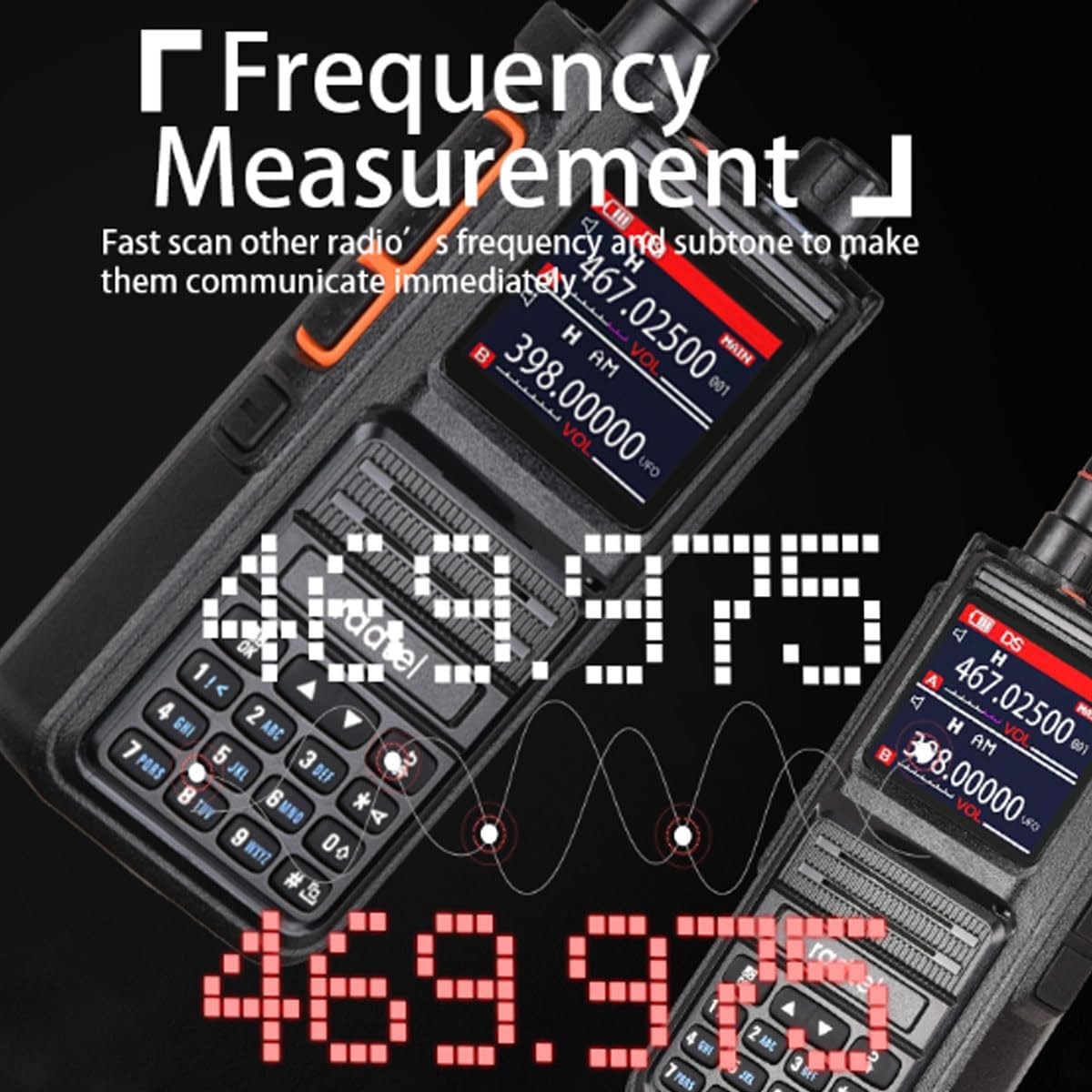
Figure 6.1: One-Key Copy Frequency in action.
6.5 Air Band Receive (AM RX)
The RT-470X supports receiving AM signals in the 108-136MHz air band frequency range. Tune to the desired air band frequency to listen to aviation communications.

Figure 6.2: Air Band Receive functionality.
6.6 Voice Scrambler Function
When activated, the Voice Scrambler function encrypts your voice transmission, making it unintelligible to other radios that do not have the scrambler function activated or are not set to the same scrambling code. This enhances privacy.

Figure 6.3: How the Voice Scrambler Function works.
6.7 NOAA U.S. Weather Channel Receive
The RT-470X can receive NOAA Weather Channels, providing access to real-time weather alerts and forecasts. Refer to the radio's menu for specific instructions on accessing and scanning NOAA channels.
6.8 VOX (Voice Operated Exchange)
The VOX function allows for hands-free transmission. When VOX is enabled, the radio will automatically transmit when it detects your voice, and stop transmitting when you stop speaking. Adjust the VOX sensitivity level in the menu to prevent accidental transmissions or missed voice activation.
6.9 Strong LED Flashlight
The built-in LED flashlight can be activated for illumination in low-light conditions. This is useful for camping, basements, or other dark environments.
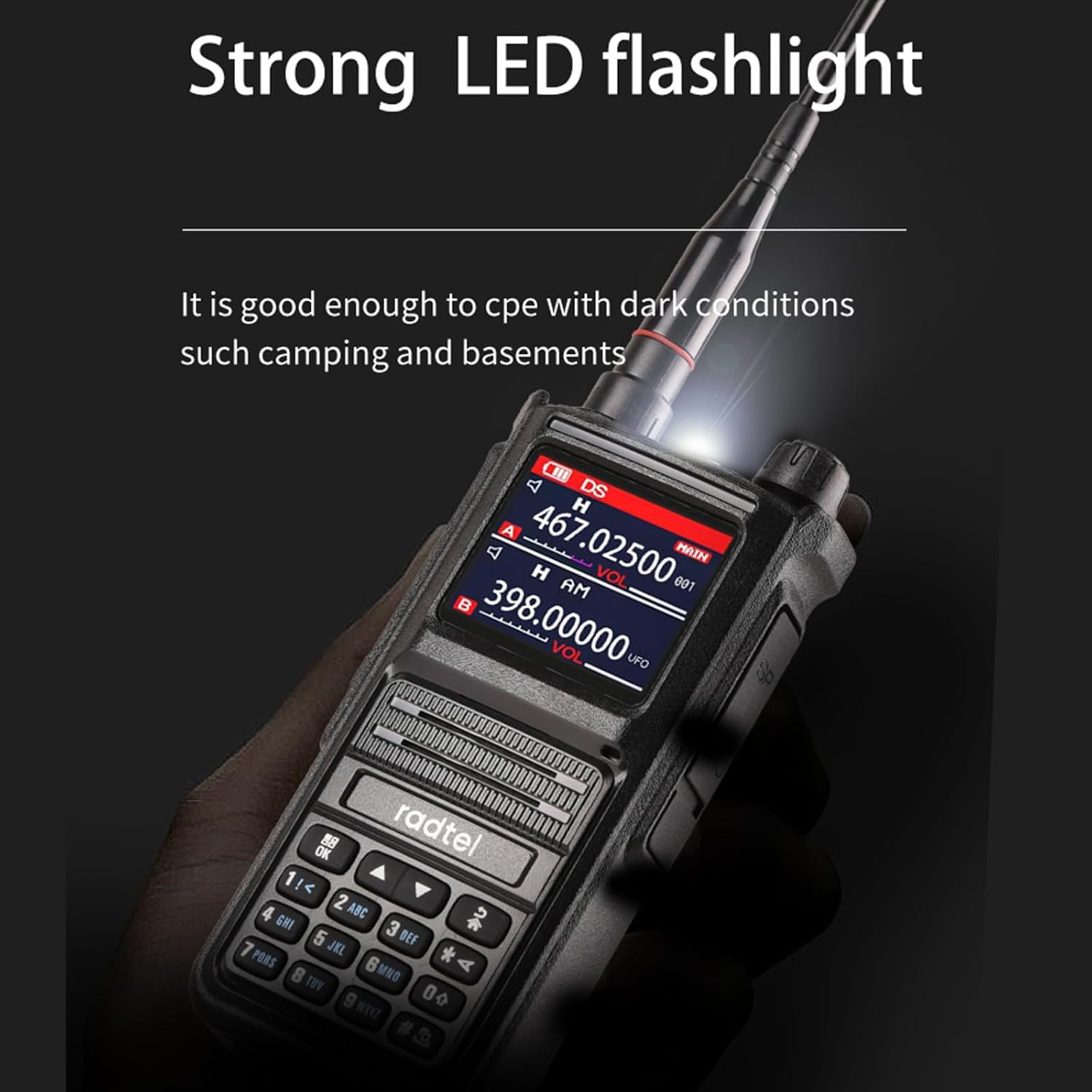
Figure 6.4: Strong LED Flashlight in use.
7. Maintenance
7.1 Cleaning
Regularly clean the radio's exterior with a soft, lint-free cloth. For stubborn dirt, slightly dampen the cloth with water. Do not use solvents or abrasive cleaners, as they can damage the casing and screen.
7.2 Battery Care
- Avoid fully discharging the battery frequently.
- Charge the battery in a cool, dry place.
- If storing the radio for an extended period, charge the battery to about 50% capacity and remove it from the radio. Recharge every 3-6 months to prevent deep discharge.
7.3 Storage
Store the radio in a cool, dry, and dust-free environment away from direct sunlight and extreme temperatures. Remove the battery if storing for long periods.
8. Troubleshooting
| Problem | Possible Cause | Solution |
|---|---|---|
| Radio does not power on. | Battery is low or not installed correctly. | Charge the battery. Ensure the battery is securely attached. |
| Cannot transmit or receive. | Incorrect frequency/channel, antenna not attached, or out of range. | Verify frequency/channel. Ensure antenna is attached. Move closer to the other radio. |
| Poor audio quality. | Low battery, weak signal, or incorrect squelch setting. | Charge battery. Adjust squelch level. Check antenna connection. |
| Voice Scrambler not working. | Scrambler not activated or different code used. | Ensure scrambler is activated on both radios and using the same setting. |
9. Specifications
| Feature | Detail |
|---|---|
| Model Number | RT-470X |
| Frequency Range (TX/RX) | 144-148MHz (RX/TX), 420-450MHz (RX/TX) |
| Frequency Range (RX Only) | 18-108MHz (CB/SSB RX), 108-136MHz (AM RX - Air Band), 136-630MHz (UHF/VHF RX), 840-999MHz (UHF RX), 66-108MHz (FM Radio RX) |
| Number of Channels | 256 (128x2 groups) |
| Antenna Type | SMA Female, Tri-Band Flex Antenna |
| Antenna Length | 35cm / 13.7 inches |
| Charger Type | Type-C USB |
| Voltage | 5 Volts (DC) |
| Tuner Technology | UHF, VHF |
| Water Resistance Level | Not Water Resistant |
| Special Features | Dual PTT, NOAA Weather Channel Receive, One-Key Copy Frequency, Voice Scrambler, VOX, Strong LED Flashlight |
| Included Components | Tri-Band Flex Antenna, Type-C charger |
10. Warranty and Support
Radtel products are designed for reliability and performance. For warranty information, please refer to the warranty card included with your purchase or visit the official Radtel website. For technical support, troubleshooting assistance, or inquiries about your RT-470X, please contact Radtel customer service through the contact information provided on the official website or your purchase platform.
Online Resources: For additional resources, firmware updates, or programming software (if applicable), please visit the Radtel Store on Amazon or the official Radtel website.
Related documentsRT-470X


Ask a question about this manual
Ask about setup, troubleshooting, compatibility, parts, safety, or missing instructions. Manuals+ will review the question and use this page’s manual context to help answer it.