
1. Introduction
Thank you for choosing the Wurkkos TD01C Tactical LED Flashlight. This high-performance flashlight is designed for reliability and versatility, featuring an SFT40 LED, 1800 lumens output, and a 1000-meter beam range. It is equipped with a regulated Buck driver for stable light output, USB-C recharging, and an IP68 waterproof rating. This manual provides essential information for the safe and effective use of your TD01C flashlight.
2. Safety Instructions
- Do not shine the flashlight directly into eyes. The powerful beam can cause temporary vision impairment.
- Keep out of reach of children.
- Do not disassemble the flashlight head or body, as this may damage the device and void the warranty.
- Use only the recommended battery type. Incorrect battery usage can lead to damage or explosion.
- Avoid exposing the flashlight to extreme temperatures or direct sunlight for prolonged periods.
- Ensure the USB-C port cover is securely closed when not charging to maintain water resistance.
3. Package Contents
Verify that all items are present in your package:
- Wurkkos TD01C Tactical Flashlight x 1
- Lithium-ion Battery x 1
- USB-C Charging Cable x 1
- Wrist Strap x 1
- Spare O-rings x 2
- User Manual x 1
4. Product Overview
The Wurkkos TD01C features a robust design with a high-power SFT40 LED, a tactical tail switch, and a side switch for versatile operation. Its aerospace-grade 6061 aluminum body ensures durability, while the hardened glass lens protects the LED.

Image: Exploded view of the Wurkkos TD01C flashlight, showing its main components including the tactical switch, anti-slip grip, indicator light, O-ring, USB-C charging port, and SFT40 LED with hardened glass lens. This illustration helps in understanding the internal and external parts of the flashlight.
5. Setup
5.1 Battery Installation
The Wurkkos TD01C comes with a pre-installed rechargeable lithium-ion battery. Before first use, ensure the battery is fully charged.
5.2 Charging
To charge the flashlight, locate the USB-C charging port on the side of the flashlight body. Open the protective rubber cover and connect the provided USB-C cable to a power source (e.g., USB wall adapter, computer USB port). The indicator light will show the charging status:
- Red light blinking: Charging in progress.
- Green light solid: Charging complete.
During charging, you can click the side button to activate or deactivate emergency lights. When emergency lights are active, the light will flash once at regular intervals, which is normal behavior.

Image: The Wurkkos TD01C flashlight being charged via its USB-C port. The image highlights the charging cable connection and the red/green indicator lights that signal charging status.
6. Operating Instructions
The TD01C features both a side switch and a tactical tail switch for versatile control.
6.1 Power On/Off
- From OFF: Press the tactical tail switch fully to turn the flashlight ON in the last used mode. Press again to turn OFF.
- Momentary ON: Half-press and hold the tactical tail switch for momentary illumination. Release to turn OFF.
6.2 Mode Switching (General Lighting Mode)
When in General Lighting Mode (EDC mode), use the side switch to cycle through brightness levels and special modes.
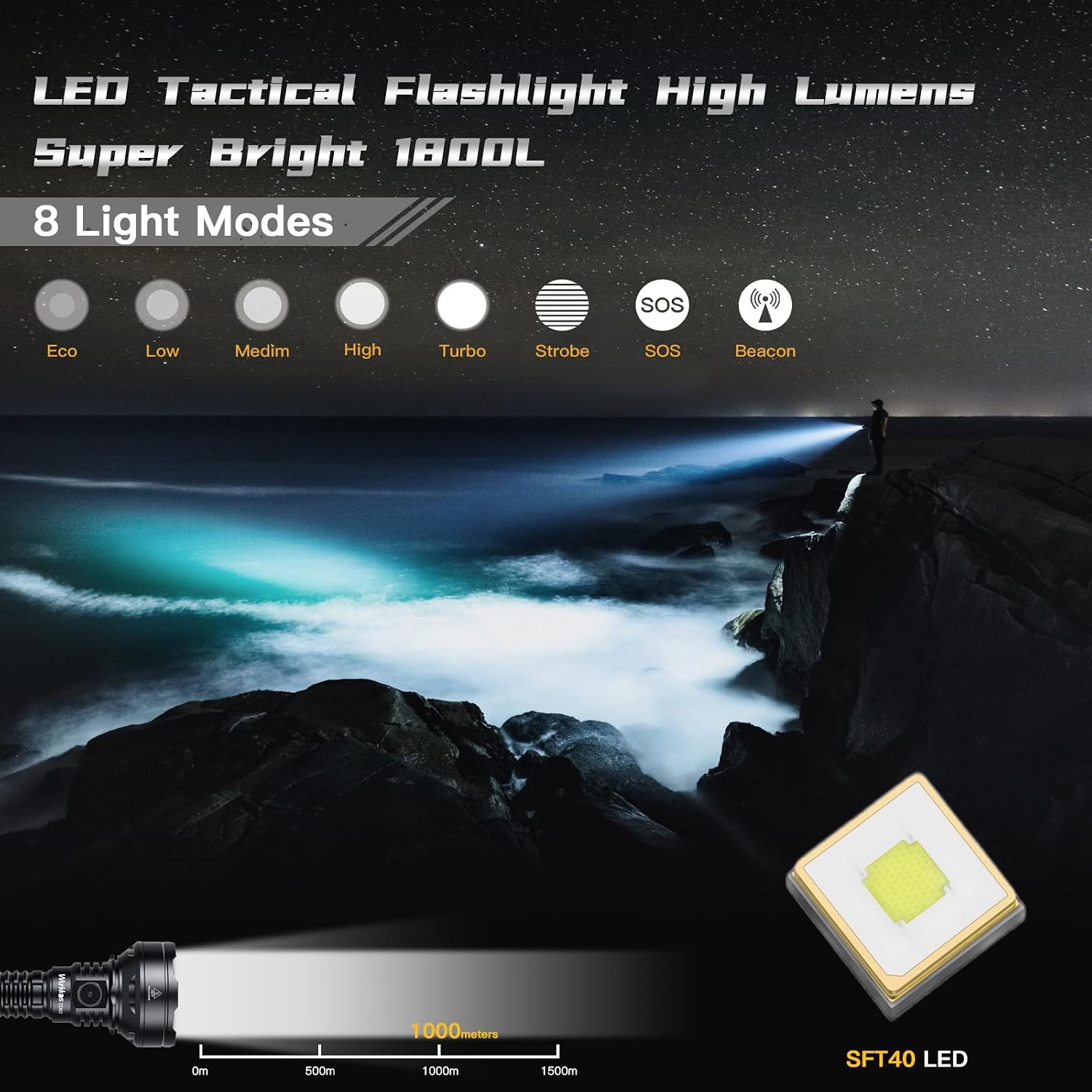
Image: The Wurkkos TD01C flashlight projecting a powerful beam, illustrating its various light modes: Eco, Low, Medium, High, Turbo, Strobe, SOS, and Beacon. This image highlights the flashlight's versatility in different lighting scenarios.
- Brightness Levels: From ON, single-click the side switch to cycle through Eco → Low → Medium → High → Turbo.
- Strobe: From ON, double-click the side switch to activate Strobe.
- SOS/Beacon: From Strobe, double-click again to cycle through SOS → Beacon. Single-click to return to the previous brightness level.
- Memory Function: The flashlight will remember the last used brightness level (Eco, Low, Medium, High, Turbo) when turned off and on again.
6.3 Tactical Mode
The TD01C offers a dedicated Tactical Mode for quick access to high output and defensive functions.
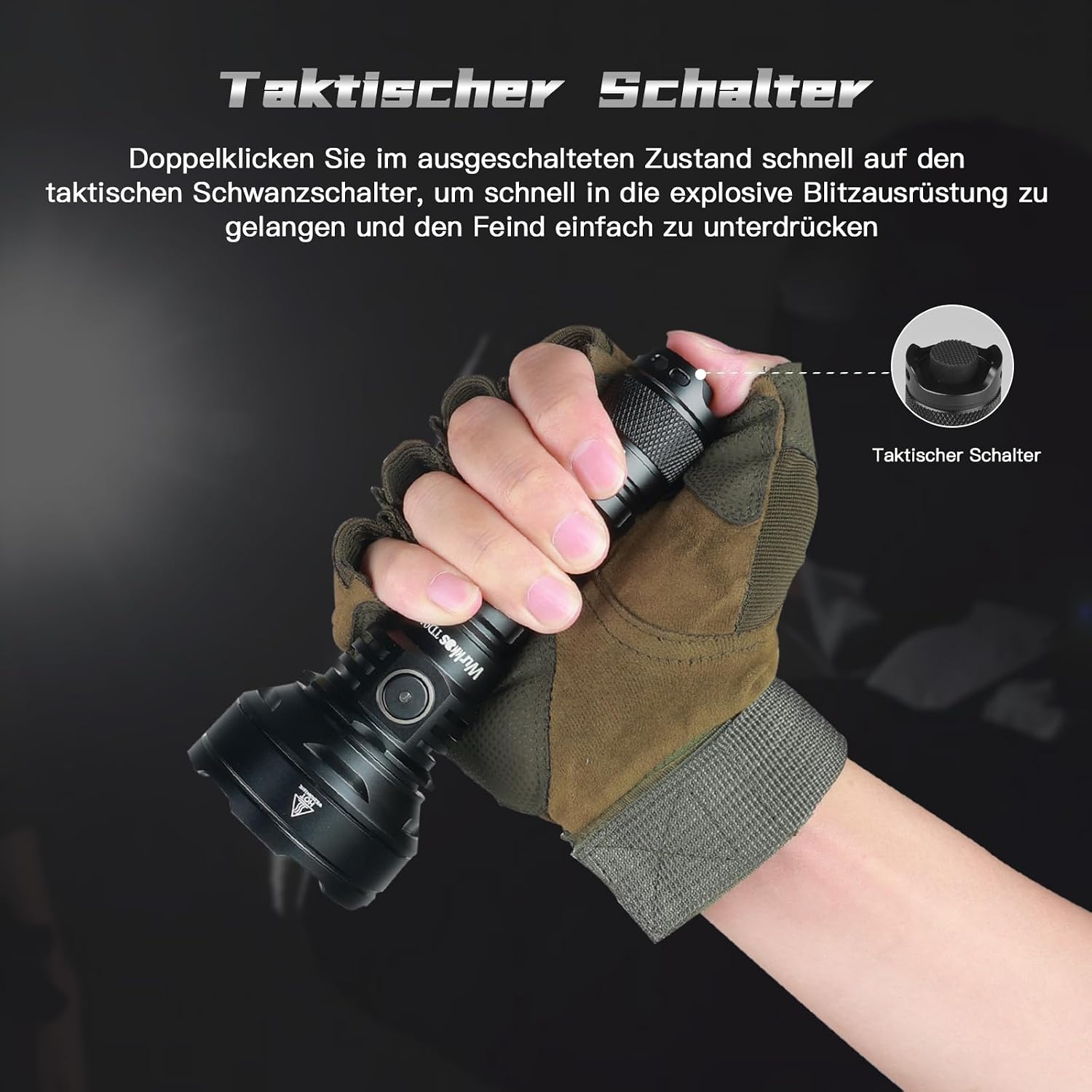
Image: A hand wearing a tactical glove holds the Wurkkos TD01C flashlight, with a focus on the tactical tail switch. This illustrates the ergonomic design for quick and efficient operation in tactical situations.
- Activating Tactical Mode: The flashlight has a rotary switch near the tail cap. Rotate this switch to the 'Tactical' position.
- Brightness Levels: In Tactical Mode, the tail switch provides access to Medium/Extreme Light and Strobe.
- Instant Strobe: From OFF, double-click the tail switch and hold to activate Strobe instantly. Release to turn off.
6.4 Advanced Temperature Regulation (ATR)
The flashlight is equipped with ATR technology, which automatically adjusts the brightness level when the driver temperature reaches 55°C to prevent overheating. This ensures optimal performance and extends the lifespan of the LED and battery.
7. Maintenance
- Cleaning: Clean the flashlight body with a soft, damp cloth. Do not use abrasive cleaners or solvents.
- Threads and O-rings: Lubricate the threads and O-rings regularly with silicone grease to maintain water resistance. Replace O-rings if they appear damaged or worn.
- Battery Care: Store the flashlight with a partially charged battery if not used for extended periods. Recharge the battery every 3-6 months to prevent damage.
- USB-C Port: Keep the USB-C port clean and free of debris. Ensure the rubber cover is properly sealed when not in use.

Image: The Wurkkos TD01C flashlight showcasing its robust hard-anodized aluminum casing, appearing undamaged through a shattered glass pane. This illustrates the high-quality material and durability of the flashlight.
8. Troubleshooting
If you encounter issues with your Wurkkos TD01C flashlight, refer to the following common problems and solutions:
| Problem | Possible Cause | Solution |
|---|---|---|
| Flashlight does not turn on. | Battery is depleted or incorrectly installed. | Charge the battery fully. Ensure the battery is inserted with the positive (+) end towards the head of the flashlight. |
| Light output is dim or flickers. | Low battery charge. Loose connections. | Recharge the battery. Tighten the tail cap and head cap securely. |
| Flashlight gets hot quickly. | Operating in Turbo mode for extended periods. | This is normal due to high power output. The ATR system will reduce brightness to prevent overheating. Switch to a lower mode if prolonged use is required. |
| Water ingress. | Damaged O-rings or improperly sealed USB-C port cover. | Inspect and replace O-rings if damaged. Ensure the USB-C port cover is fully closed. |
If the problem persists, please contact Wurkkos customer support.
9. Specifications
| Feature | Specification |
|---|---|
| Model | TD01C |
| Light Source | SFT40 LED (6000-6500K) |
| Maximum Light Output | 1800 Lumens |
| Beam Distance | 1000 Meters |
| Power Source | Rechargeable Lithium-ion Battery |
| Charging Port | USB-C |
| Run Time (Max) | Up to 70 hours (Eco mode) |
| Material | Aerospace-grade 6061 Aluminum Alloy |
| Waterproof Level | IP68 (submersible up to 2 meters) |
| Special Features | Regulated Buck Driver, Tactical Tail Switch, Advanced Temperature Regulation (ATR), Safety Hammer Head |
| Product Dimensions (L x W x H) | 7.7cm x 9.6cm x 19cm (approximate, based on provided data) |
| Voltage | 3.7 Volts |
| Wattage | 4 W |
10. Warranty Information
Wurkkos products are manufactured to high-quality standards. This product is covered by a standard manufacturer's warranty against defects in materials and workmanship. Please refer to the warranty card included with your purchase or visit the official Wurkkos website for detailed warranty terms and conditions.
11. Support
For further assistance, technical support, or warranty claims, please contact Wurkkos customer service through their official website or the retailer from whom you purchased the product. Please have your model number (TD01C) and purchase date ready when contacting support.


