
1. Introduction
Thank you for choosing the Baseus Bowie E17 Wireless Earbuds. These in-ear headphones are designed to provide a superior audio experience with advanced features such as Bluetooth 5.3 connectivity, Environmental Noise Cancellation (ENC) for clear calls, and extended playtime. This manual will guide you through the setup, operation, and maintenance of your new earbuds.
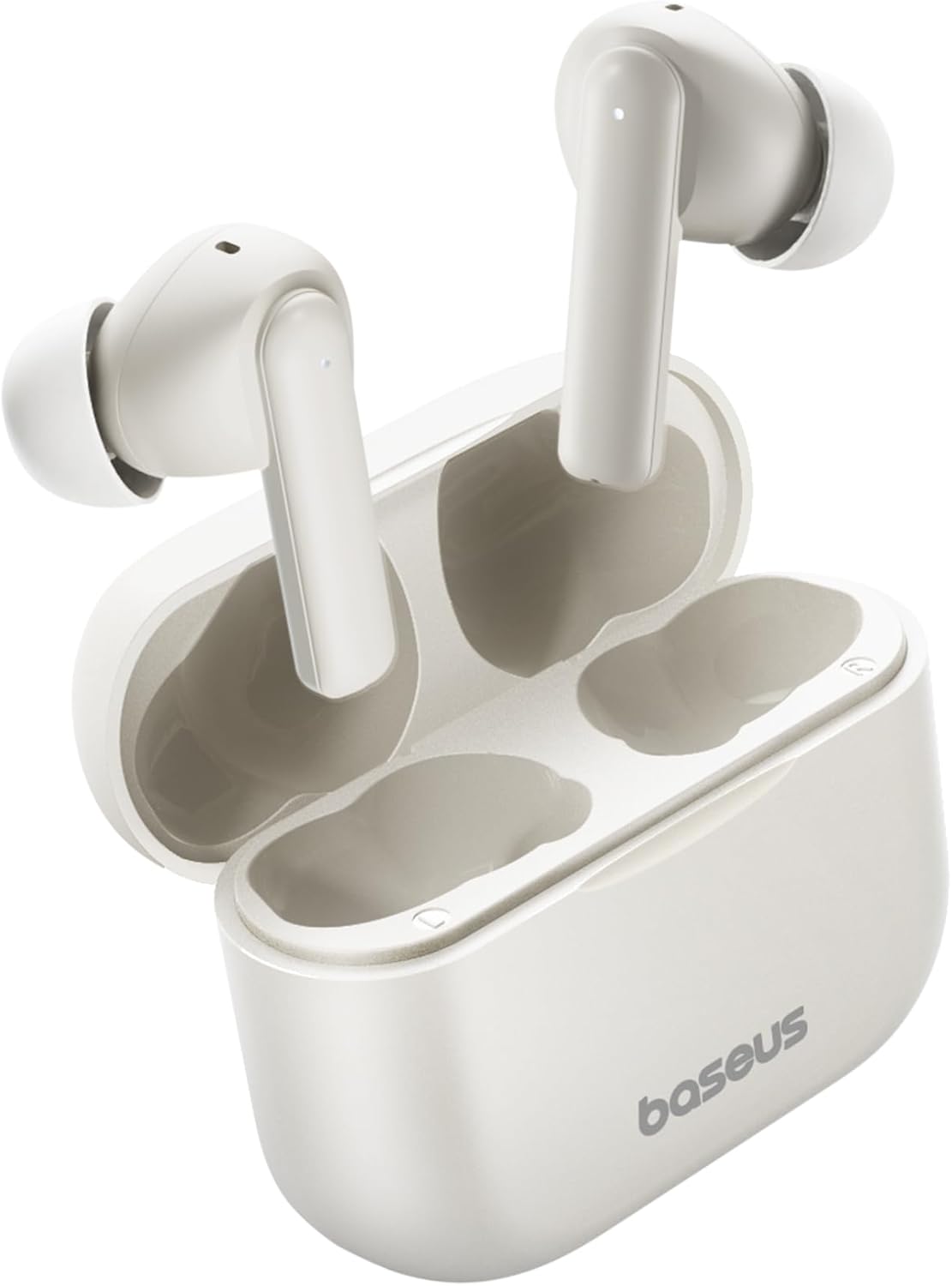
Image: Baseus Bowie E17 Wireless Earbuds in their charging case.
2. What's in the Box
Please check the package contents to ensure all items are present:
- Baseus Bowie E17 Wireless Earbuds (Left and Right)
- Charging Case
- USB-C Charging Cable
- Multiple Sizes of Ear Tips
- Lanyard
- Quick Start Guide / User Manual
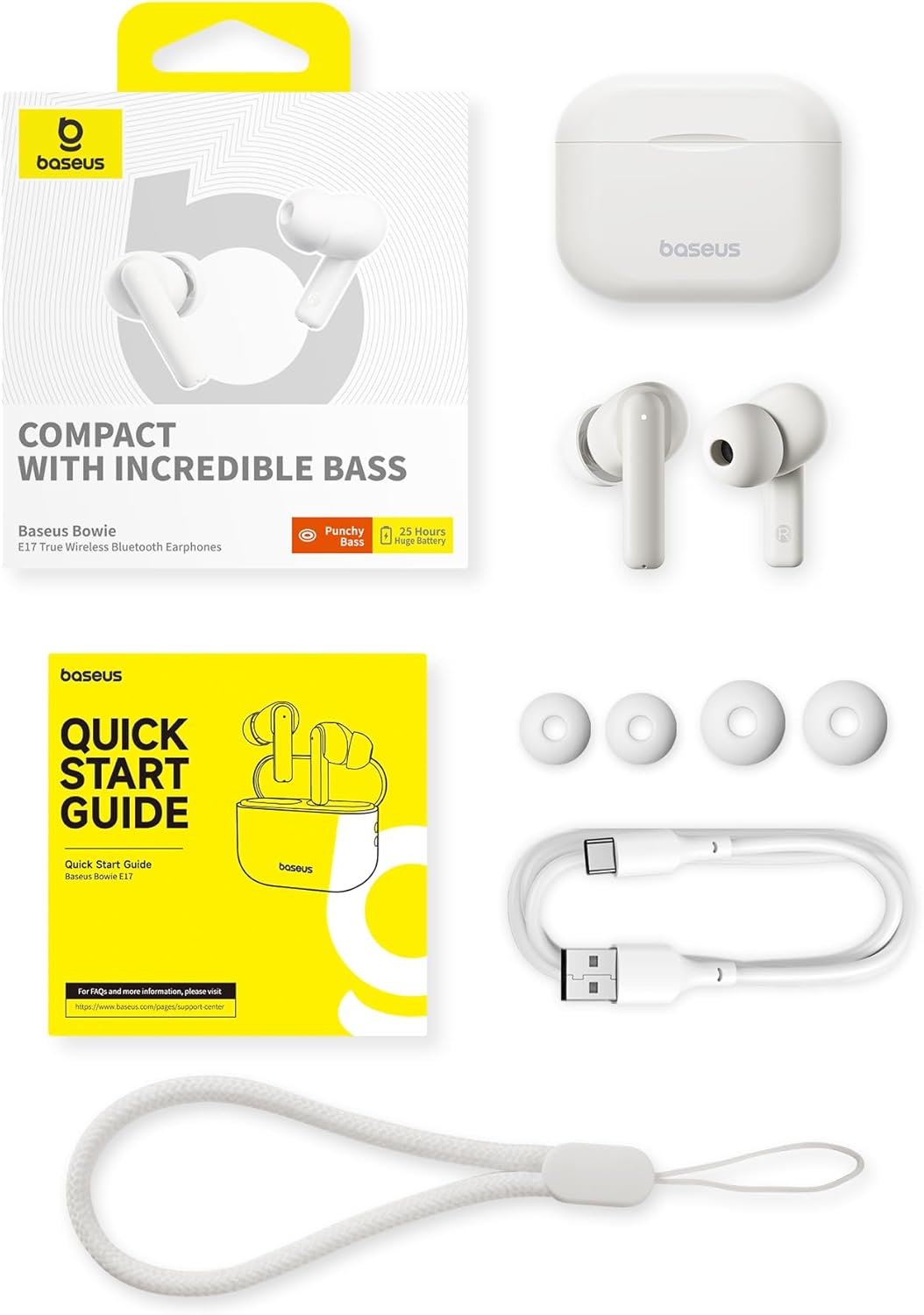
Image: All items included in the Baseus Bowie E17 product package.
3. Product Overview
The Baseus Bowie E17 earbuds are designed for comfort and performance. Each earbud features a touch-sensitive area for controls and a microphone for calls. The charging case protects the earbuds and provides additional battery life.
Earbud Components:
- Touch Control Area: For managing playback, calls, and voice assistant.
- Microphone: Equipped with ENC for clear voice pickup.
- Ear Tip: Replaceable for optimal fit and sound isolation.
- Charging Contacts: Located at the bottom of the earbud stem.
Charging Case Components:
- Earbud Slots: Magnetic slots for secure earbud placement and charging.
- Charging Port: USB-C port for charging the case.
- LED Indicator: Shows charging status and battery level.
- Lanyard Loop: For attaching the included lanyard for easy carrying.

Image: The Baseus Bowie E17 charging case in black, showing the lanyard attachment point and the earbuds.
4. Setup
4.1. Charging the Earbuds and Case
Before first use, fully charge the earbuds and the charging case. Place the earbuds into the charging case. Connect the USB-C charging cable to the case's charging port and plug the other end into a USB power source (e.g., wall adapter, computer USB port). The LED indicator on the case will show the charging status.
- A full charge provides up to 6 hours of playtime for the earbuds.
- The charging case extends the total playtime to approximately 25 hours.
- Fast charging capabilities allow for quick power-ups.

Image: Illustration highlighting the 25-hour total playtime with the charging case.
4.2. Pairing with Your Device
The Baseus Bowie E17 earbuds utilize Bluetooth 5.3 for a stable and efficient connection.
- Ensure the earbuds are charged and placed in the charging case.
- Open the charging case lid. The earbuds will automatically enter pairing mode, indicated by a flashing LED light on the earbuds.
- On your device (smartphone, tablet, computer), go to the Bluetooth settings.
- Search for available devices and select "Baseus Bowie E17" from the list.
- Once connected, the LED indicator on the earbuds will turn off or show a steady light, and your device will confirm the connection.
- If pairing fails, close the case, wait a few seconds, and repeat the steps.

Image: Visual representation of the enhanced Bluetooth 5.3 technology for faster and more stable connections.
5. Operating Instructions
5.1. Touch Controls
The Baseus Bowie E17 earbuds feature intuitive touch controls on each earbud. The functions can be customized via the Baseus app (if available for your region).
| Action | Function |
|---|---|
| Tap twice (L/R) | Play/Pause, Answer Call, Hang Up |
| Tap thrice (L/R) | Activate Voice Assistant |
| Press-hold (L/R) 1.5s | Previous/Next Track, Reject Call |

Image: A visual guide to the touch controls available on the Baseus Bowie E17 earbuds.
5.2. Making and Receiving Calls
The earbuds are equipped with dual-mic Environmental Noise Cancellation (ENC) to ensure clear communication even in noisy environments.
- Answering a Call: Tap twice on either earbud.
- Ending a Call: Tap twice on either earbud.
- Rejecting a Call: Press and hold either earbud for 1.5 seconds.

Image: Illustration of the ENC microphone system for crystal-clear call quality.
5.3. Audio Playback
Experience immersive sound with the 12mm large drivers, delivering deep bass and clear audio.
- Play/Pause: Tap twice on either earbud.
- Next Track: Press and hold the right earbud for 1.5 seconds.
- Previous Track: Press and hold the left earbud for 1.5 seconds.

Image: Detailed view of the 12mm oversized PU composite driver, responsible for powerful bass.
6. Maintenance
Proper maintenance ensures the longevity and optimal performance of your Baseus Bowie E17 earbuds.
- Cleaning: Regularly clean the earbuds, ear tips, and charging contacts with a soft, dry, lint-free cloth. Do not use harsh chemicals or abrasive materials.
- Storage: When not in use, always store the earbuds in their charging case to protect them from dust, dirt, and damage.
- Water Resistance: The earbuds are IPX5 waterproof, meaning they are resistant to sweat and light splashes. Do not submerge them in water or expose them to heavy rain. Dry them thoroughly before placing them back in the charging case if they get wet.
- Temperature: Avoid exposing the earbuds to extreme temperatures (hot or cold) or high humidity.
7. Troubleshooting
If you encounter any issues with your Baseus Bowie E17 earbuds, please refer to the following common solutions:
- Earbuds not pairing:
- Ensure both earbuds are charged.
- Place earbuds back in the case, close the lid, wait 5 seconds, then open the lid to re-enter pairing mode.
- Turn off and on your device's Bluetooth.
- Forget/delete "Baseus Bowie E17" from your device's Bluetooth list and try pairing again.
- Only one earbud working:
- Ensure both earbuds are charged.
- Place both earbuds in the charging case, close the lid, and then open it again. This often re-syncs them.
- Clean the charging contacts on both earbuds and inside the case.
- Low volume or poor sound quality:
- Adjust the volume on your connected device.
- Ensure ear tips are properly sealed in your ear canal. Try different sized ear tips.
- Clean any debris from the earbud speaker mesh.
- Charging case not charging:
- Try a different USB-C cable and power adapter.
- Ensure the charging cable is securely connected to both the case and the power source.
If the issue persists after trying these steps, please contact Baseus customer support for further assistance.
8. Specifications
| Feature | Detail |
|---|---|
| Model Number | A00072200223-Z1 (E17) |
| Brand | Baseus |
| Bluetooth Version | 5.3 |
| Ear Placement | In Ear |
| Form Factor | True Wireless |
| Driver Size | 12mm |
| Noise Control | Environmental Noise Cancellation (ENC) for Mics |
| Playtime (Earbuds) | Up to 6 hours (single charge) |
| Total Playtime (with Case) | Up to 25 hours |
| Charging Port | USB-C |
| Water Resistance | IPX5 |
| Battery Type | Lithium Ion (included) |
| Color | White |
| Country of Origin | China |
9. Warranty and Support
Baseus products are manufactured to high quality standards. For information regarding warranty coverage, please refer to the warranty card included in your product packaging or visit the official Baseus website. For technical support, troubleshooting assistance beyond this manual, or service inquiries, please contact Baseus customer support through their official channels.
You can often find additional support and FAQs on the Baseus official website or through the retailer where you purchased the product.


