
Soundcore A3062
Contents
Soundcore Space One Pro User Manual
Model: A3062 | Brand: Soundcore
Adaptive Active Noise Cancelling Headphones
1. Introduction
Welcome to the Soundcore Space One Pro user manual. This guide provides comprehensive instructions for setting up, operating, maintaining, and troubleshooting your new headphones. Please read this manual carefully to ensure optimal performance and longevity of your device.
The Soundcore Space One Pro headphones are designed to deliver a rich, lossless listening experience with advanced adaptive active noise cancellation and all-day comfort. Featuring a FlexiCurve structure for portability and long battery life, these headphones are perfect for travel, entertainment, and daily use.
2. What's in the Box
Verify that all items are present in your package:
- Soundcore Space One Pro Noise Cancelling Headphones × 1
- Carry Pouch for Storage × 1
- 0.98ft USB-C Charging Cable × 1
- 3.94ft AUX Cable × 1
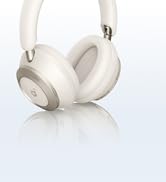
Image: Contents of the Soundcore Space One Pro package.
3. Product Features
- Foldable Like No Other: Soundcore-engineered FlexiCurve Structure reduces the size by 50%. Space One Pro Noise Cancelling Headphones' compact and foldable design lets you pack more.

Image: Soundcore Space One Pro showcasing its super foldable design.
- Exclusive 4-Stage Noise Cancelling System: Enhanced and improved, Soundcore’s Space One Pro Noise Cancelling Headphones target and cancel out a wider range of on-the-go noise in real time, adapting to your dynamic movements.

Image: Breakdown of the 4-Stage Noise Cancelling System.
- Rich, Lossless Listening Experience: Space One Pro's advanced drivers feature triple composite diaphragms for perfect audio balance and LDAC mode for Hi-Res audio. Indulge in high-fidelity, undistorted audio with less than 3% Total Harmonic Distortion.

Image: User enjoying rich, undistorted sound with Hi-Res Audio and LDAC support.
- 60 Hours Nonstop Playback with Ultra-Fast Charging: Enjoy audio that lasts for days, with ultra-fast charging for 8 hours of playback in just 5 minutes. Space One Pro boasts an impressive 40H battery life with ANC on, and 60H with ANC off.

Image: Battery life and fast charging capabilities of the headphones.
- Designed for All-Day Comfort: Ideal for long-haul flights, Space One Pro’s pressure-relieving headband and slow-rebound foam earcups make comfort the priority, even during long listening sessions.

Image: Ergonomic design for all-day comfort.
4. Setup Guide
4.1 Charging Your Headphones
Before first use, fully charge your Soundcore Space One Pro headphones. Connect the provided USB-C charging cable to the charging port on the headphones and to a USB power source. The LED indicator will show charging status and turn off when fully charged.
- Charging Time: Approximately 2 hours for a full charge.
- Quick Charge: 5 minutes of charging provides up to 8 hours of playback.
4.2 Powering On/Off
- To Power On: Press and hold the Power button for 2 seconds.
- To Power Off: Press and hold the Power button for 5 seconds.
4.3 Bluetooth Pairing
Your Soundcore Space One Pro headphones support Bluetooth 5.3 for stable wireless connection.
- Ensure the headphones are powered off.
- Press and hold the Power button for 5 seconds until the LED indicator flashes blue, indicating pairing mode.
- On your device (smartphone, tablet, laptop), enable Bluetooth and search for "Soundcore Space One Pro" in the list of available devices.
- Select "Soundcore Space One Pro" to connect. The LED indicator will turn solid blue when connected.
The headphones also support Multipoint Connection, allowing simultaneous connection to two devices. Fast Pair is supported for Android devices.

Image: Seamless Multipoint Connection setup.
4.4 Wired Connection (AUX)
For a wired connection, use the provided 3.5mm AUX cable. Connect one end to the headphone's 3.5mm jack and the other end to your audio device's audio output. Active Noise Cancellation (ANC) is compatible when using an AUX cable.
5. Operating Instructions
5.1 Controls Overview
The Soundcore Space One Pro headphones feature intuitive button controls on the earcups.
| Button/Control | Function |
|---|---|
| Power Button (Press & Hold) | Power On/Off, Enter Pairing Mode |
| Volume Up (+) | Increase Volume |
| Volume Down (-) | Decrease Volume |
| Multi-function Button (e.g., Play/Pause) | Play/Pause, Answer/End Call, Next Track (double press), Previous Track (triple press) |
| ANC Button | Cycle through Noise Cancellation modes (ANC On, Transparency Mode, Normal) |
5.2 Active Noise Cancellation (ANC) and Transparency Mode
The headphones offer advanced noise control features:
- Active Noise Cancellation (ANC): Blocks out ambient noise for an immersive listening experience. Ideal for noisy environments.
- Transparency Mode: Allows you to hear your surroundings while still enjoying your audio. Useful for conversations or being aware of your environment.
- Normal Mode: Standard audio playback without noise cancellation or transparency.
Press the ANC button to cycle through these modes.
5.3 Soundcore App Customization
Download the Soundcore app from your device's app store for enhanced control and customization options:
- Custom EQ: Adjust audio equalization to your preference.
- Hearing Test (HearID 2.0): Take a personalized hearing test to create a sound profile uniquely tuned to your ears.
- ANC Adjustment: Fine-tune noise cancellation levels.
- Firmware Updates: Keep your headphones updated with the latest features and improvements.

Image: Soundcore App for Customization.
6. Maintenance
6.1 Cleaning
- Use a soft, dry cloth to clean the headphones.
- Do not use abrasive cleaners or solvents.
- Keep the charging port free of dust and debris.
6.2 Storage
When not in use, store the headphones in the provided carry pouch to protect them from dust and scratches. The foldable design allows for compact storage.
Image: Foldable design for easy storage.
6.3 Battery Care
- Avoid exposing the headphones to extreme temperatures.
- Charge the headphones regularly, even if not used frequently, to maintain battery health.
7. Troubleshooting
If you encounter issues with your Soundcore Space One Pro headphones, refer to the following common solutions:
| Problem | Solution |
|---|---|
| Cannot power on | Ensure the headphones are charged. Connect to a power source and try again. |
| Cannot pair via Bluetooth |
|
| No sound |
|
| Poor sound quality |
|
| ANC not working effectively |
|
For more detailed troubleshooting, please refer to the official Troubleshooting Guide (PDF) available online.
8. Specifications
| Feature | Detail |
|---|---|
| Model Name | Space One Pro |
| Model Number | A3062 |
| Connectivity Technology | Wireless (Bluetooth 5.3) |
| Bluetooth Range | 15 Meters |
| Noise Control | Active Noise Cancellation, Adaptive Noise Cancellation, Passive Noise Cancellation |
| Audio Driver Type | Dynamic Driver |
| Audio Driver Size | 40 Millimeters |
| Frequency Response | 40000 Hz |
| Impedance | 16 Ohm |
| Sensitivity | 93 dB |
| Battery Life | 60 Hours (ANC off), 40 Hours (ANC on) |
| Charging Time | 2 Hours |
| Headphones Jack | 3.5 mm Jack |
| Item Weight | 9.6 ounces |
| Product Dimensions | 6.41 x 3.51 x 7.5 inches |
| Material | Polycarbonate (PC), Acrylonitrile Butadiene Styrene (ABS) |
| Water Resistance Level | Not Water Resistant |
| Manufacturer | Anker |
| Date First Available | September 5, 2024 |

Image: Product Dimensions.
9. Warranty and Support
Soundcore products come with a limited warranty. For detailed warranty information, please refer to the warranty card included with your product or visit the official Soundcore website.
For technical support, troubleshooting assistance, or to register your product, please visit the Soundcore Store on Amazon or contact Soundcore customer service directly.
You can also find the official User Guide (PDF) and Troubleshooting Guide (PDF) online for additional information.
Documents and downloads
Ask a question about this manual
Ask about setup, troubleshooting, compatibility, parts, safety, or missing instructions. Manuals+ will review the question and use this page’s manual context to help answer it.