
1. Product Overview
The Anderic RR7070T is a replacement remote control designed for use with Harbor Breeze ceiling fans that originally used the UC7070T or CHQ7070T remote. This remote provides essential control over your ceiling fan and light functions.
Key Features:
- Fan Speed Control: Offers three distinct speed settings: High, Medium, and Low, allowing adjustment of airflow to your preference.
- Fan OFF Function: A dedicated button to quickly turn off the fan.
- Light Control: Includes a light-dimming function for incandescent lights and some dimmable LED lights. For most non-dimmable LED and CFL lights, this button will function as a simple ON/OFF switch.
- Frequency: Operates at 303.9mhz/304mhz.
- FCC ID: CHQ7070T.
Important Note: This remote control does not include a reverse button for changing fan direction. It also does not include the receiver or batteries, which are sold separately.
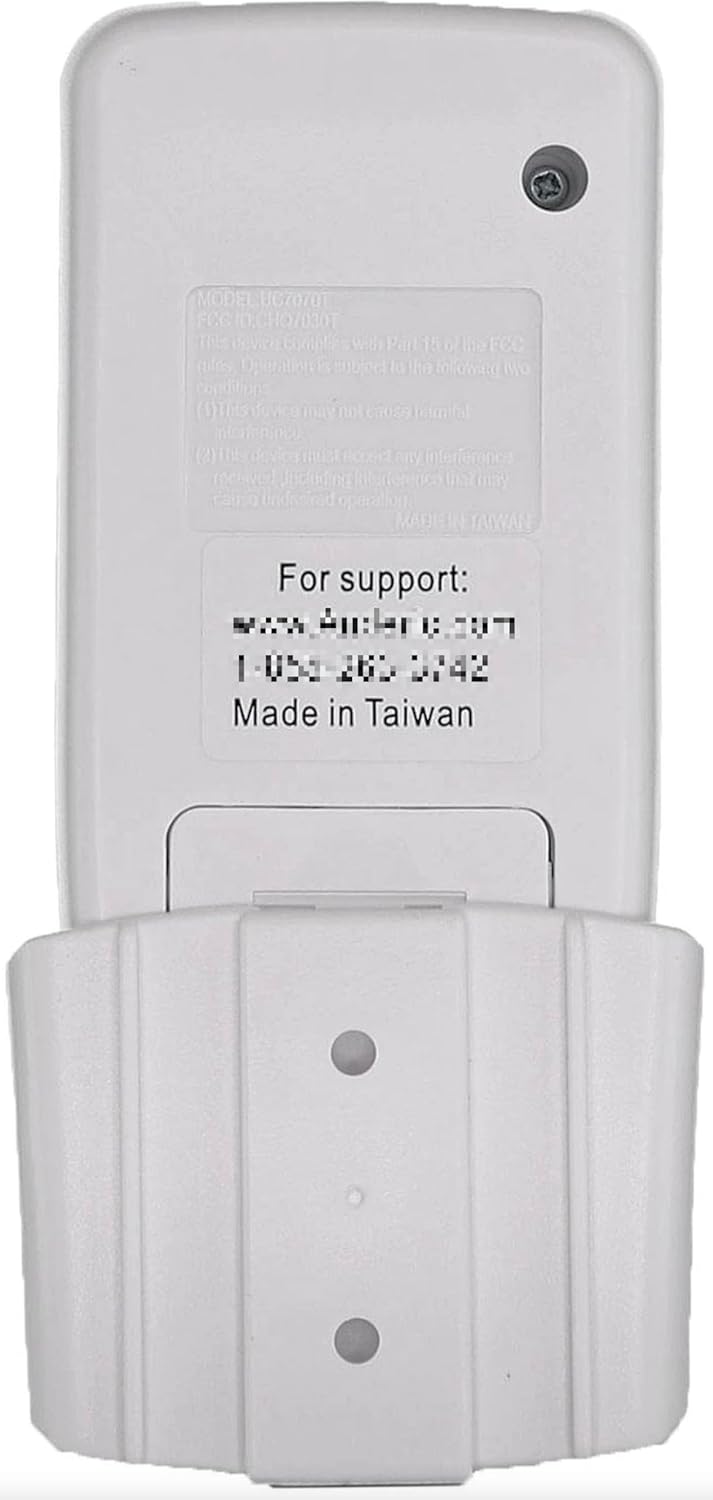
Image: Front view of the Anderic RR7070T remote control, showing the 'HI', 'MED', 'LOW', 'OFF' fan speed buttons and the light bulb button for light control.
2. Setup Instructions
Follow these steps to set up your Anderic RR7070T remote control.
2.1. Battery Installation
- Remove the battery cover from the back of the remote control.
- Insert one 9V battery (not included), ensuring correct polarity (+/-).
- Replace the battery cover.

Image: Back view of the Anderic RR7070T remote control with the battery compartment open, showing where to insert the 9V battery.
2.2. Setting the Code (Dip Switches)
The remote control uses dip switches to communicate with your ceiling fan's receiver. The code on the remote must match the code on your fan's receiver for proper operation. If you are replacing an old remote, match the new remote's dip switches to your old remote's settings.
- On the Remote:
- Remove the battery cover.
- Locate the code switches inside the battery compartment.
- Using a small screwdriver or a ballpoint pen, slide the code switches to match the settings of your existing receiver or old remote. Avoid using the factory default setting if your receiver has a different code.
- Replace the battery cover.
- On the Receiver:
- Ensure the code switches on the fan's receiver are set to the same positions as those on your new remote control. Refer to your fan's original manual for receiver access if needed.
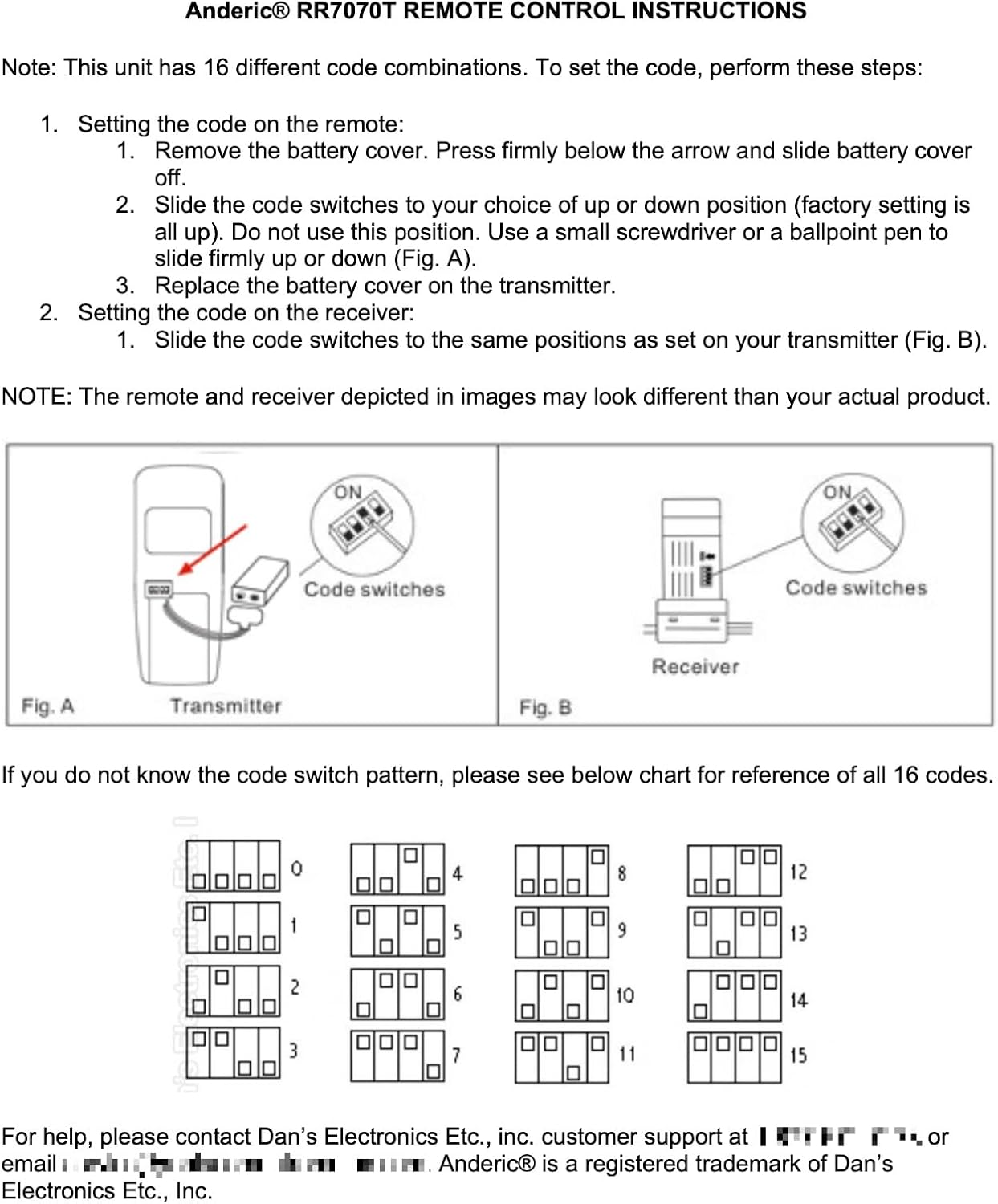
Image: Diagram illustrating the location of code switches on both the remote (Fig. A) and the receiver (Fig. B), along with a chart showing 16 possible code combinations for reference.
3. Operating Instructions
Once the remote is set up, you can control your ceiling fan and light using the buttons:
- HI: Sets the fan to high speed.
- MED: Sets the fan to medium speed.
- LOW: Sets the fan to low speed.
- OFF: Turns the fan off.
- Light Bulb Icon: Turns the light ON/OFF. Press and hold to dim incandescent or compatible dimmable LED lights. For most non-dimmable LED/CFL lights, this button will only toggle ON/OFF.
4. Maintenance
The Anderic RR7070T remote control requires minimal maintenance. The primary maintenance task is replacing the 9V battery when it runs low. Reduced range or inconsistent operation are common indicators that the battery needs replacement.
- Battery Replacement: Refer to section 2.1 for instructions on how to replace the 9V battery.
- Cleaning: Wipe the remote with a soft, dry cloth. Avoid using harsh chemicals or abrasive cleaners.
5. Troubleshooting
If you encounter issues with your remote control, refer to the following troubleshooting tips:
- Remote Not Responding:
- Check if the 9V battery is installed correctly and has sufficient charge. Replace if necessary.
- Verify that the dip switch settings on the remote exactly match those on your ceiling fan's receiver. Refer to section 2.2.
- Light Dimming Not Working:
- Confirm that the light bulbs installed in your ceiling fan are dimmable. Many LED and CFL bulbs are not dimmable and will only function as ON/OFF with the remote's light button.
- No Reverse Function:
- This remote model (RR7070T) does not include a button for reversing the fan's direction. If your fan has a reverse function, it must be controlled directly on the fan motor housing.
- Receiver Compatibility:
- This remote is compatible with the Harbor Breeze UC7067FM receiver. If you require a new receiver, the Anderic UC7067FMRX is the compatible model (sold separately).
6. Specifications
| Product Dimensions | 6 x 1.25 x 2.5 inches |
| Item Weight | 2.88 ounces |
| Item Model Number | UC7070T |
| Brand | Anderic |
| Special Feature | Pre Programmed |
| Color | White |
| Max Number of Supported Devices | 1 |
| Compatible Devices | Fan |
| Manufacturer | Dan's Electronics Etc., Inc. |
| Frequency | 303.9mhz / 304mhz |
| FCC ID | CHQ7070T |
7. Warranty and Support
This product is manufactured by Dan's Electronics Etc., Inc. Anderic® is a registered trademark of Dan's Electronics Etc., Inc.
For assistance, support, or warranty inquiries, please contact Dan's Electronics Etc., Inc. customer support. Specific contact details (email and phone number) are typically provided with the product packaging or on the manufacturer's official website.


