
BOBLOV 02US-64GBA27
BOBLOV A27 2K Body Worn Camera User Manual
Model: 02US-64GBA27
1. Introduction
Thank you for choosing the BOBLOV A27 2K Body Worn Camera. This manual provides essential information for the proper setup, operation, and maintenance of your device. Please read it thoroughly before using the camera to ensure optimal performance and longevity. The A27 camera is designed for various applications, including personal security, law enforcement, cycling, and delivery services, offering 2K Ultra HD video recording, a 180° rotatable lens, WiFi connectivity, and integrated white lights for low-light conditions.
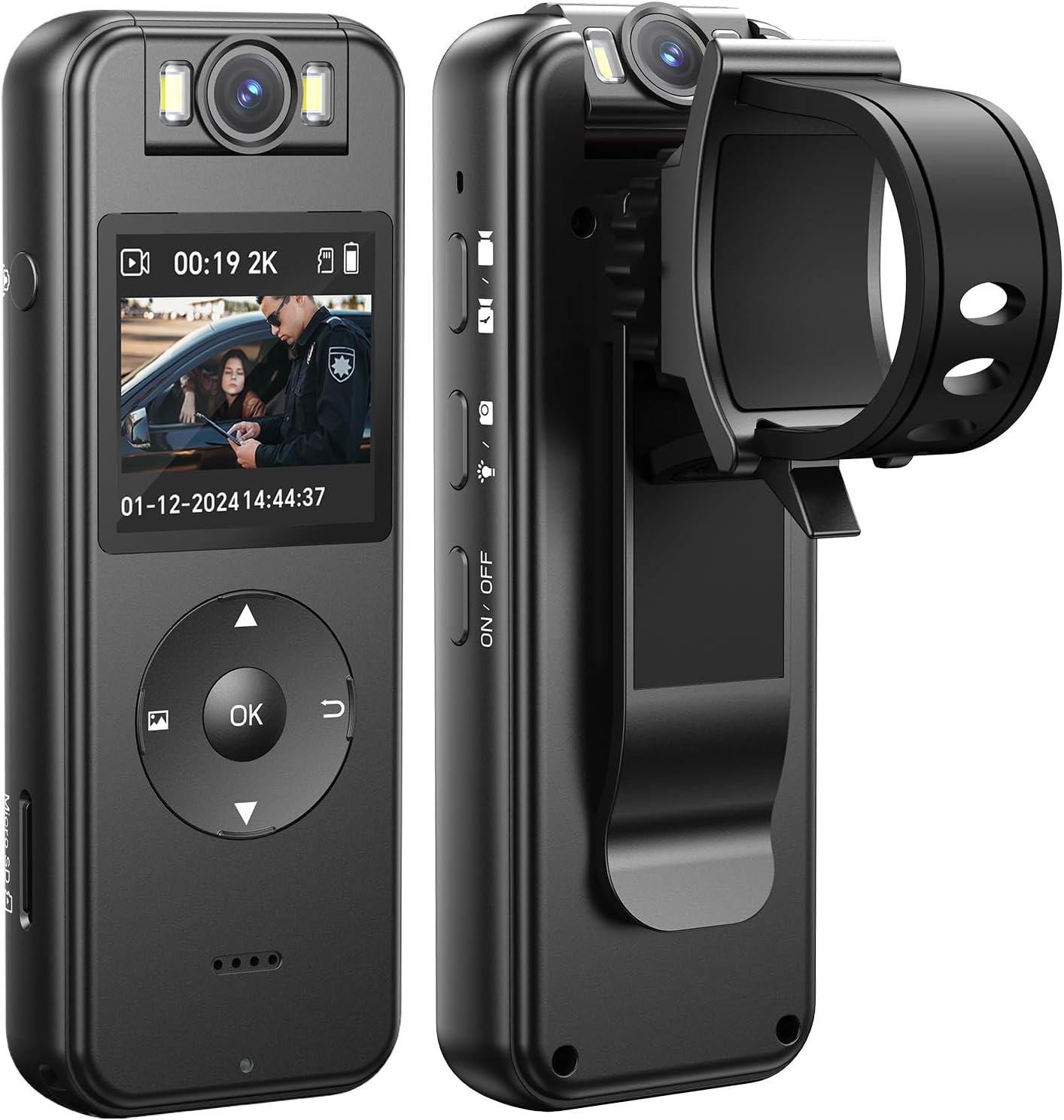
Front and side view of the BOBLOV A27 Body Worn Camera, showcasing its compact design, LCD screen, control buttons, and rotatable lens.
2. Product Overview
2.1. Package Contents
Verify that all items are present in your package:
- BOBLOV A27 Body Camera x1
- Bike Mount x1
- USB Cable x1
- User Manual x1

Contents of the BOBLOV A27 package laid out on a desk, including the A27 Body Camera, USB Cable, Bike Mount, and User Manual.
2.2. Camera Components and Controls
Familiarize yourself with the camera's physical features:
- 180° Rotatable Lens: Allows for flexible recording angles.
- LCD Display: For live view, playback, and menu navigation.
- Control Buttons: Power, Record, Menu, Navigation (Up/Down/OK), Back.
- White Lights: Integrated for illumination in dim environments.
- Micro SD Card Slot: Supports up to 256GB external memory.
- USB-C Port: For charging and data transfer.
- Built-in Clip: For attaching to clothing or gear.

Illustration of the 180° rotating lens feature of the BOBLOV A27, showing the camera from various angles to highlight its flexibility.
3. Setup
3.1. Charging the Battery
Before first use, fully charge the camera. Connect the camera to a power source using the provided USB-C cable. The charging indicator will show the charging status. A full charge typically takes approximately 2.5 hours and provides up to 4 hours of video recording (1080P, IR&Screen Off).

The BOBLOV A27 camera connected via USB-C for charging, highlighting its 1400mAh battery and approximately 4 hours of video recording time.
3.2. Inserting a Micro SD Card
The camera requires a Micro SD card (not included, unless specified in the package) for storing recordings. It supports cards up to 256GB. Insert the Micro SD card into the designated slot until it clicks into place. Ensure the camera is powered off before inserting or removing the card.

Hands inserting a Micro SD card into the BOBLOV A27 camera, illustrating the external memory card support up to 256GB.
3.3. Powering On/Off
- To Power On: Press and hold the Power button until the screen illuminates.
- To Power Off: Press and hold the Power button until the camera shuts down.
3.4. Initial Settings
Upon first power-on or after a reset, you may need to set the date and time. Navigate through the menu using the directional buttons and confirm with the OK button.
3.5. WiFi Connection (Viidure App)
The A27 supports WiFi connectivity for real-time viewing and data transfer to your smartphone. Download the "Viidure" app from your device's app store. Follow the in-app instructions to connect your camera. The connection range is approximately 10 meters.
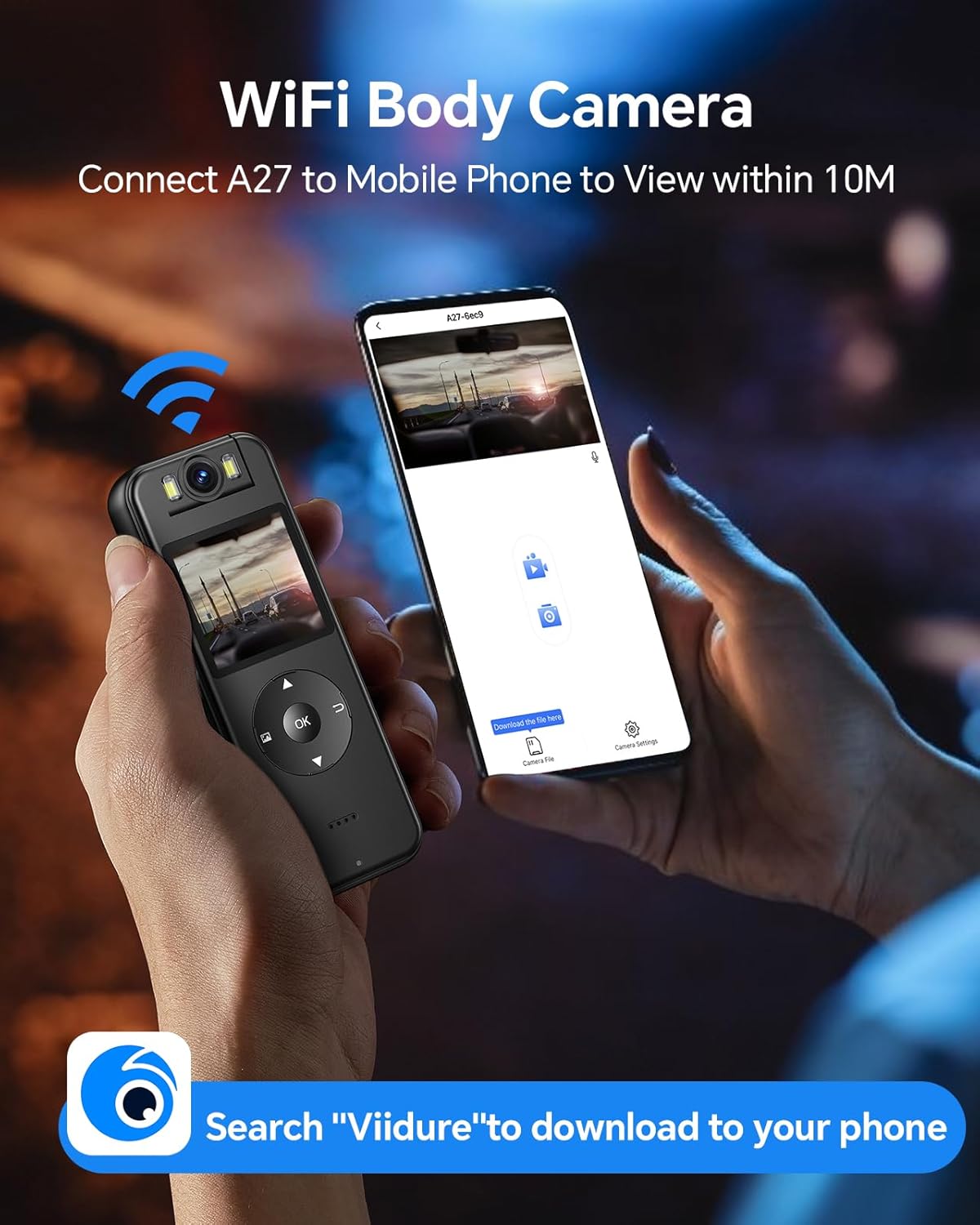
Image depicting the WiFi connectivity of the BOBLOV A27, showing the camera connected to a smartphone displaying the 'Viidure' app interface.
4. Operating Instructions
4.1. Recording Video
Press the Record button once to start video recording. Press it again to stop. The camera will save the video file to the Micro SD card.

The BOBLOV A27 camera being worn by an individual in a meeting setting, demonstrating its 2K/1440P Ultra HD recording capability.
4.2. Taking Photos
While in standby mode, press the Photo button (if available, or a specific menu option) to capture a still image.
4.3. Using the 180° Rotatable Lens
The camera's lens can be manually rotated 180 degrees to capture footage from various angles without repositioning the entire device. Adjust the lens to your desired orientation before recording.

An image demonstrating the manual image rotation feature, showing how the camera can adjust orientation for different perspectives.
4.4. Activating White Lights
In low-light conditions, activate the built-in white lights to illuminate the scene and enhance recording clarity. Refer to the camera's menu or a dedicated button for this function.

A scene at night with the BOBLOV A27's white light illuminating a subject, indicating its use for capturing evidence in low-light conditions.
4.5. Playback and File Management
You can review recorded videos and photos directly on the camera's LCD display. Navigate to the playback menu. To manage files, connect the camera to a computer via USB or use the Viidure app.

A user holding the BOBLOV A27 camera, showing its LCD display for easy playback and setup.
4.6. Using the Bike Mount
Attach the bike mount to your bicycle handlebars. Securely clip the BOBLOV A27 camera onto the mount, ensuring it is stable before riding. This allows for hands-free recording during cycling activities.

The BOBLOV A27 camera mounted on a bicycle handlebar using the included bike mount, demonstrating its use for cycling.
5. Maintenance
5.1. Cleaning the Device
Wipe the camera body with a soft, dry cloth. For the lens, use a specialized lens cleaning cloth and solution to avoid scratches. Do not use harsh chemicals or abrasive materials.
5.2. Battery Care
To prolong battery life, avoid extreme temperatures. Charge the battery regularly, even if the camera is not in frequent use, to prevent deep discharge.
5.3. Storage
Store the camera in a cool, dry place away from direct sunlight and moisture when not in use.
5.4. Firmware Updates
Periodically check the official BOBLOV website or the Viidure app for available firmware updates. Updates can improve performance, add features, or fix bugs. Follow the provided instructions carefully when performing an update.
6. Troubleshooting
If you encounter issues with your BOBLOV A27 camera, refer to the following common problems and solutions:
- Camera not powering on: Ensure the battery is charged. Connect to a power source and try again.
- Recording issues (e.g., 'Card Error'): Ensure a Micro SD card is properly inserted and formatted. Try a different, compatible Micro SD card.
- WiFi connection problems: Ensure the Viidure app is installed and updated. Check that the camera's WiFi is enabled. Keep the camera and smartphone within 10 meters.
- Poor video quality: Ensure the lens is clean. Check recording resolution settings in the camera menu.
- Device unresponsive: Perform a soft reset by pressing and holding the Power button for an extended period (e.g., 10-15 seconds) until it restarts. If a reset button is available, use a thin object to press it.
7. Specifications
| Feature | Detail |
|---|---|
| Brand | BOBLOV |
| Model Number | 02US-64GBA27 |
| Video Capture Resolution | 2K |
| Lens Rotation | 180° |
| Battery Capacity | 1400mAh Lithium Polymer |
| Video Recording Time | Up to 4 hours (1080P, IR&Screen Off) |
| Connectivity Technology | USB, WiFi |
| Flash Memory Type | Micro SD (up to 256GB) |
| Screen Size | 1.3 Inches |
| Special Features | Body Camera, White Lights |
| Item Weight | 12.3 ounces |
| Product Dimensions | 6 x 4.1 x 5.2 inches |

Technical drawing showing the dimensions of the BOBLOV A27 Body Camera in millimeters and inches, along with its net weight.
8. Warranty Information
BOBLOV products typically come with a limited warranty covering manufacturing defects. Please refer to the warranty card included with your product or visit the official BOBLOV website for detailed warranty terms and conditions. Keep your proof of purchase for warranty claims.
9. Customer Support
For technical assistance, troubleshooting beyond this manual, or warranty inquiries, please contact BOBLOV customer support. Contact information can usually be found on the official BOBLOV website or on the packaging of your product. When contacting support, please have your model number (02US-64GBA27) and purchase details ready.

Collage of images showing various application scenarios for the BOBLOV A27 camera: delivering goods, cycling, law enforcement, and walking a dog.
Related documents02US-64GBA27


Ask a question about this manual
Ask about setup, troubleshooting, compatibility, parts, safety, or missing instructions. Manuals+ will review the question and use this page’s manual context to help answer it.