
1. Product Overview
The PISEN 65W USB C Fast Charger is a compact, 4-port GaN charger designed for efficient power delivery to a wide range of devices, including laptops, tablets, and smartphones. It features two USB-C ports and two USB-A ports, allowing for simultaneous charging of up to four devices.
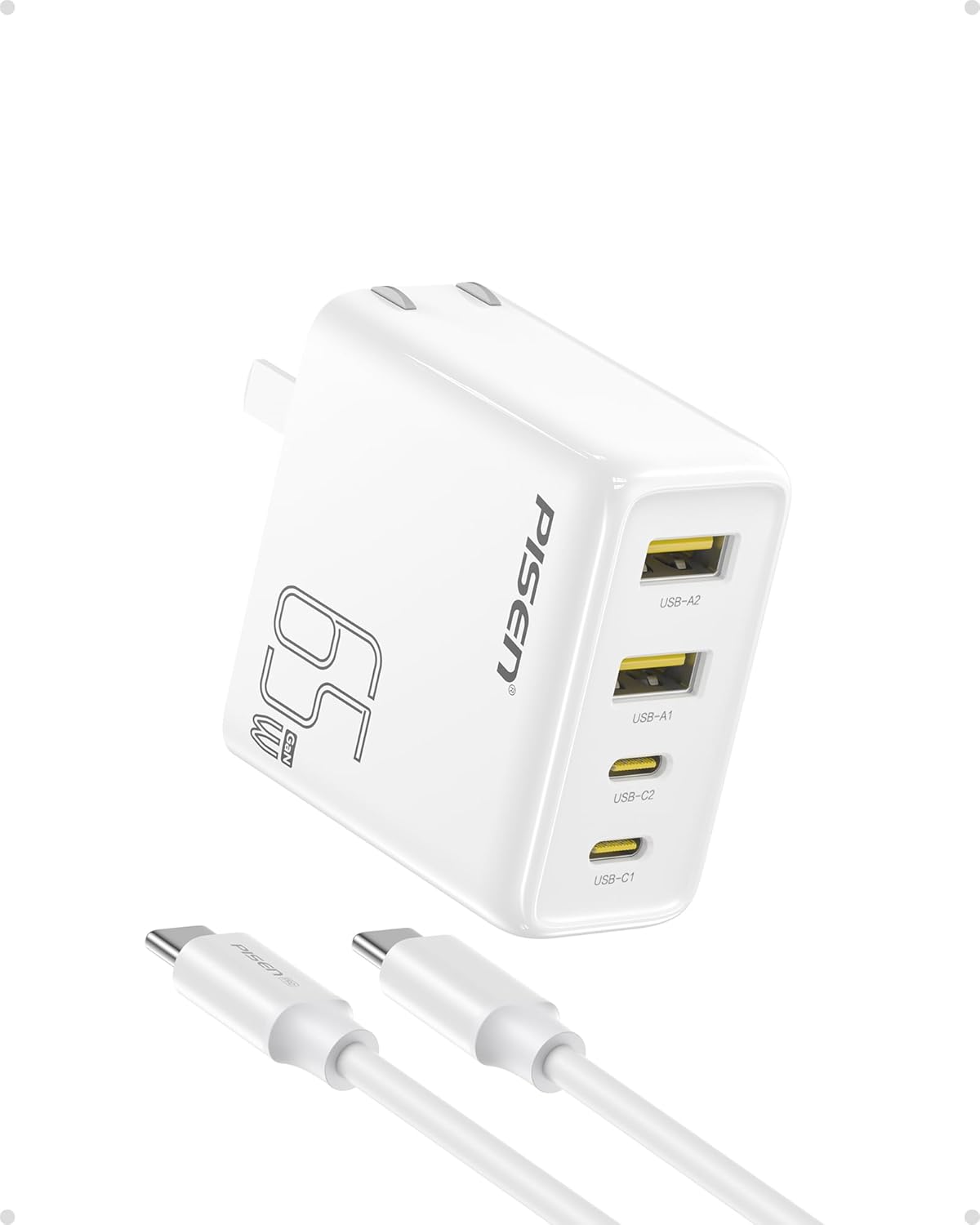
Image 1.1: PISEN 65W USB C Fast Charger with included USB-C to USB-C cable. The charger is white with a foldable plug, featuring two USB-C ports and two USB-A ports on the front face.
Package Contents:
- 1 x PISEN 65W GaN Charger
- 1 x 4FT USB C to C Cable
2. Setup and Connection
Follow these steps to set up and begin using your PISEN 65W USB C Fast Charger.
Initial Setup:
- Unfold the AC prongs located on the back of the charger.
- Plug the charger into a standard wall outlet. Ensure the outlet is easily accessible.
- Connect your device to one of the available USB-C or USB-A ports using an appropriate charging cable. For optimal performance, use the included PISEN 4FT USB C to C cable for USB-C devices.
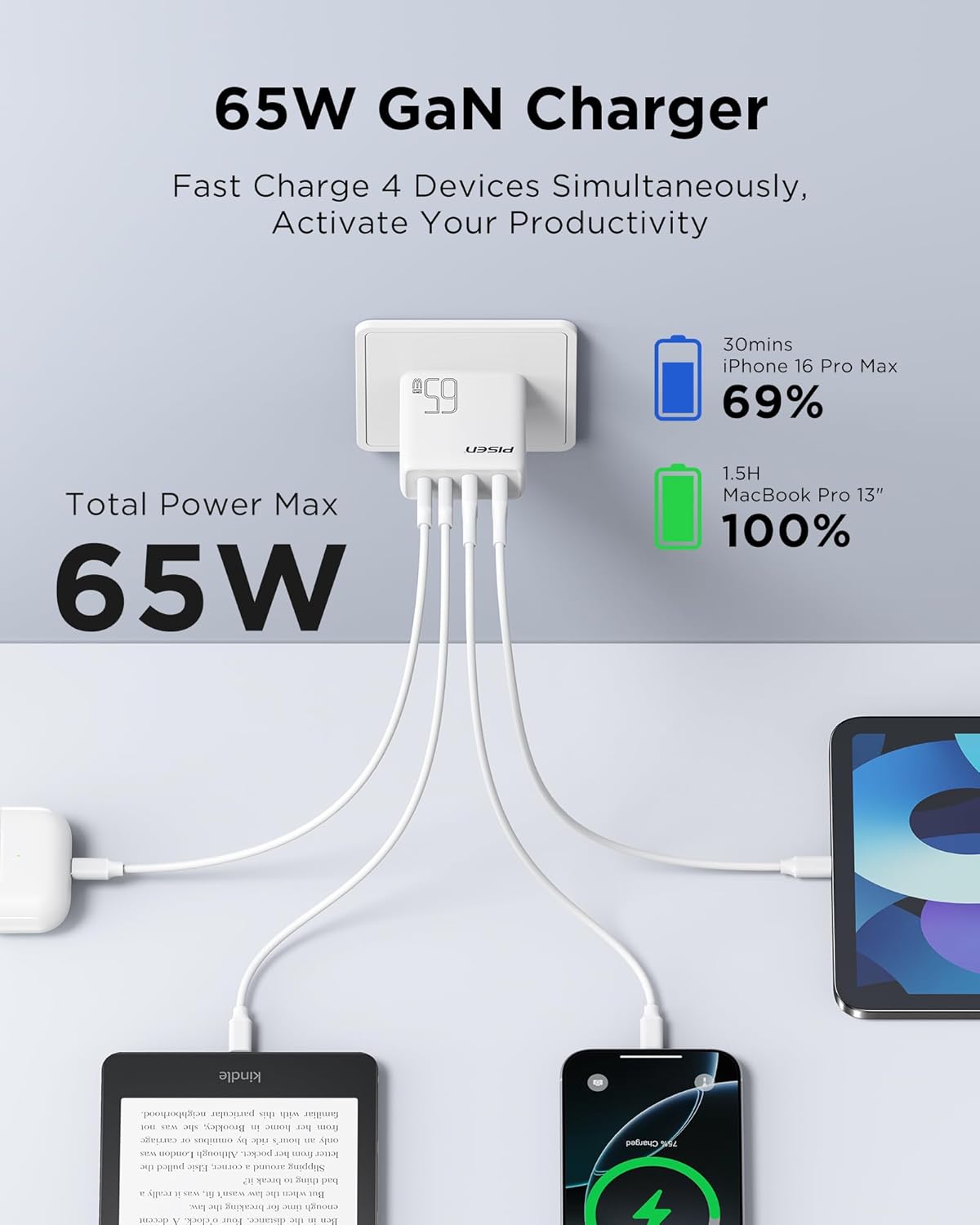
Image 2.1: The PISEN 65W charger connected to a power outlet, with a USB-C cable extending to a laptop. This illustrates a typical setup for charging a device.
3. Operating Instructions
The PISEN 65W charger is designed for efficient and safe charging of multiple devices simultaneously.
Charging Devices:
- Single Device Charging: Connect your device to any available port. The charger will automatically detect the device and deliver the optimal charging power up to 65W for compatible devices.
- Multiple Device Charging: The charger features two USB-C ports (USB-C1, USB-C2) and two USB-A ports (USB-A1, USB-A2). All four ports can be used simultaneously. The total power output is dynamically distributed, with a maximum combined output of 65W.

Image 3.1: The PISEN 65W charger plugged into a wall outlet, with four cables extending to charge a MacBook Pro, an iPad, a Kindle e-reader, and an iPhone, demonstrating its multi-device charging capability.
Power Distribution Examples:
The charger intelligently distributes power based on connected devices. Here are some common scenarios:
- Single USB-C Device: Up to 65W (e.g., MacBook Pro 13").
- Two USB-C Devices: Power is shared, for example, 45W + 18W.
- Four Devices (2x USB-C, 2x USB-A): Power is distributed across all ports, typically 15W per port or optimized for connected devices.

Image 3.2: A diagram illustrating different power output configurations when multiple devices are connected to the charger's USB-C and USB-A ports, showing dynamic power allocation.
Compatibility:
The charger is compatible with a wide range of devices supporting USB Power Delivery (PD) and other fast-charging protocols. This includes:
- Laptops: MacBook Pro 13''/14''/15'', MacBook Air 13'', MacBook 12'', HP Spectre Folio, Dell XPS 15/13, Google Pixelbook, Microsoft Surface Book 2, Lenovo, Chromebook, Acer, and more.
- Tablets: iPad Pro, iPad Air, iPad Mini, Galaxy Tab S8/S7, Windows Tablets.
- Smartphones: iPhone 16/15/14/13/12 series, Galaxy Z Flip 4/S23/S22 Ultra/S22/S21/S20/Note 20/Note 10+, Google Pixel 7 Pro/6a/5, and other Android devices.
- Other Devices: Nintendo Switch, Echo/Alexa devices, AirPods, Apple Watch Series, and various USB-powered accessories.
Note: For USB-C ports, devices must be PD compliant to utilize fast charging. Non-PD compliant USB-C devices may charge at standard rates or not at all via USB-C ports. USB-A ports offer broader compatibility for older devices.
4. Safety Information
The PISEN 65W GaN charger incorporates multiple safety features to protect your devices and ensure safe operation:
- Short Circuit Protection: Prevents damage from electrical shorts.
- Overload Protection: Safeguards against excessive current draw.
- Over Temperature Protection: Monitors and regulates internal temperature to prevent overheating.
- Overvoltage Protection: Protects devices from voltage spikes.
Always ensure the charger is used in a well-ventilated area and avoid covering it during operation. Do not expose the charger to liquids or extreme temperatures.
5. Maintenance
Proper maintenance ensures the longevity and optimal performance of your charger.
Cleaning:
- Disconnect the charger from the power outlet before cleaning.
- Use a soft, dry cloth to wipe the exterior of the charger.
- Do not use liquid cleaners, aerosols, or solvents.
Storage:
- Store the charger in a cool, dry place away from direct sunlight and moisture.
- When traveling, fold the prongs for compact storage and to prevent damage.
6. Troubleshooting
If you encounter issues with your PISEN 65W USB C Fast Charger, refer to the following common solutions.
Charger Not Providing Power:
- Ensure the charger is securely plugged into a working wall outlet.
- Verify that the charging cable is properly connected to both the charger and your device.
- Try a different wall outlet or a different charging cable to rule out external factors.
Slow Charging:
- Confirm your device and cable support fast charging protocols (e.g., USB Power Delivery).
- If multiple devices are connected, the total 65W power is shared, which may result in slower charging for individual devices compared to single-device charging.
- Ensure the cable used is capable of handling the desired wattage. The included 4FT USB C to C cable supports high power delivery.
Device Not Charging via USB-C Port:
- Some older devices or non-PD compliant devices may not charge via the USB-C ports. Try using a USB-A port if available on your device, or ensure your device supports USB Power Delivery.
Charger Feels Warm:
- It is normal for the charger to become warm during operation, especially when charging multiple devices or high-power devices. The GaN technology helps manage heat efficiently.
- If the charger becomes excessively hot or emits smoke/unusual odors, immediately unplug it and discontinue use. Contact customer support.
7. Specifications
| Feature | Detail |
|---|---|
| Brand | PISEN |
| Model Number | 65W charger + C to C cable |
| Wattage | 65 watts (Max) |
| Total USB Ports | 4 (2x USB Type-C, 2x USB Type-A) |
| Input Voltage | 240 Volts (AC) |
| Special Feature | Fast Charging, GaN Technology, Foldable Plug |
| Included Components | 65W GaN Charger, 4FT USB C to C Cable |
| Item Weight | 6.5 ounces |
| Dimensions | 5.39 x 4.06 x 1.54 inches (Package) |
| Color | White |

Image 7.1: A visual representation of the PISEN 65W charger's dimensions, indicating its compact size for portability.
8. Warranty and Support
Warranty Information:
PISEN products typically come with a standard manufacturer's warranty. For specific warranty details and duration, please refer to the product packaging or contact PISEN customer support directly. Optional extended protection plans may be available for purchase.
Customer Support:
For any questions, concerns, or technical assistance, please contact PISEN customer support. You can often find support contact information on the official PISEN website or through the retailer where the product was purchased.
Online support is generally available to assist with product inquiries and troubleshooting.


