
Introduction
This manual provides essential information for the safe and efficient use of your PISEN 10000mAh 30W Portable Power Bank. Please read these instructions carefully before using the product and retain them for future reference.
What's in the Box
- 1 x PISEN 10000mAh Portable Power Bank (Model: TS-D364)
- 1 x USB-A to USB-C Charging Cable (for recharging the power bank)
- 1 x User Manual
Product Overview
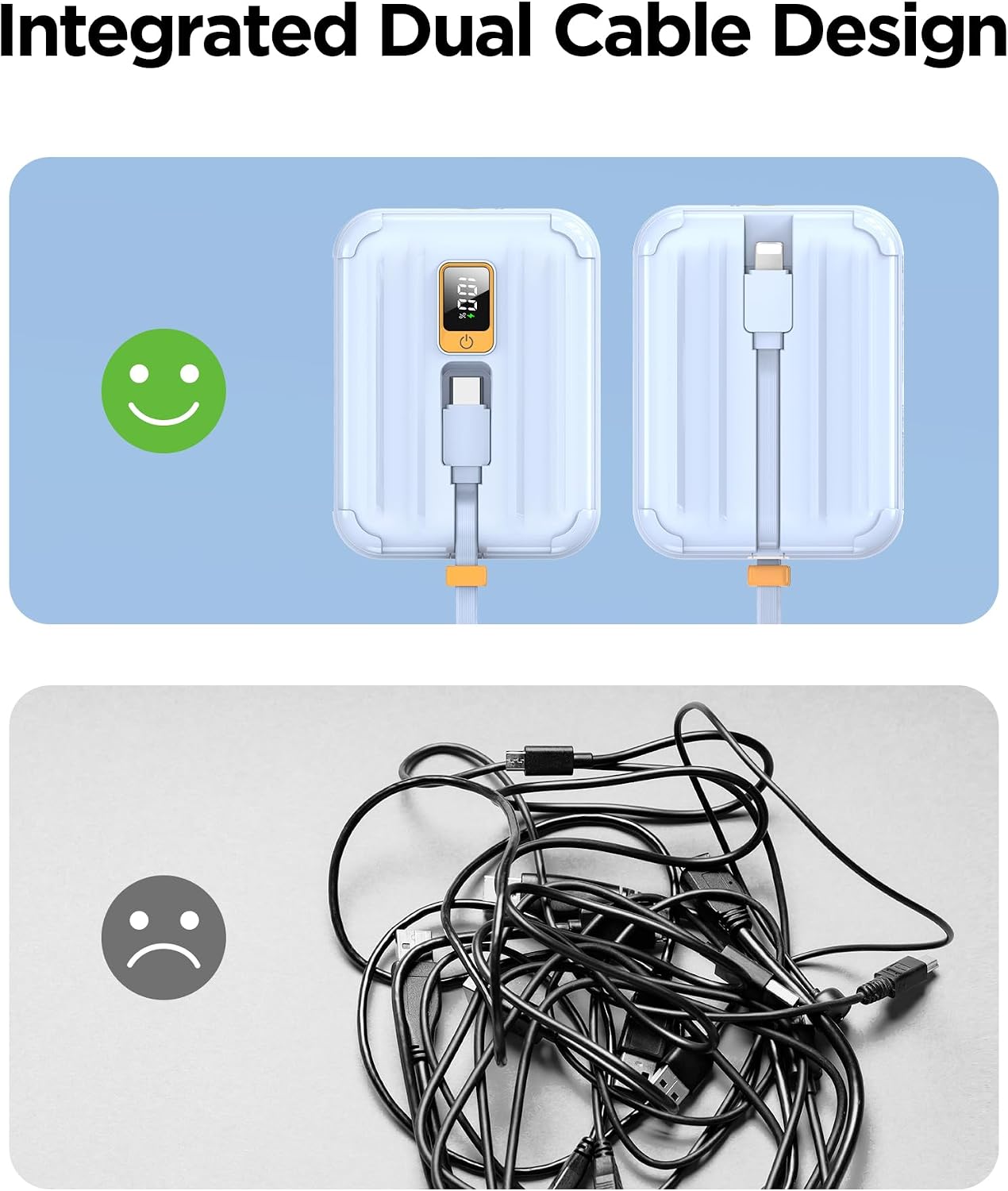
The PISEN 10000mAh Portable Power Bank is designed for convenient on-the-go charging. It features built-in USB-C and Lightning cables, eliminating the need to carry extra charging accessories. The device also includes a mini LED display for battery status and multiple safety protections.
Key features include:
- Built-in Cables: Integrated USB-C and Lightning cables for broad compatibility.
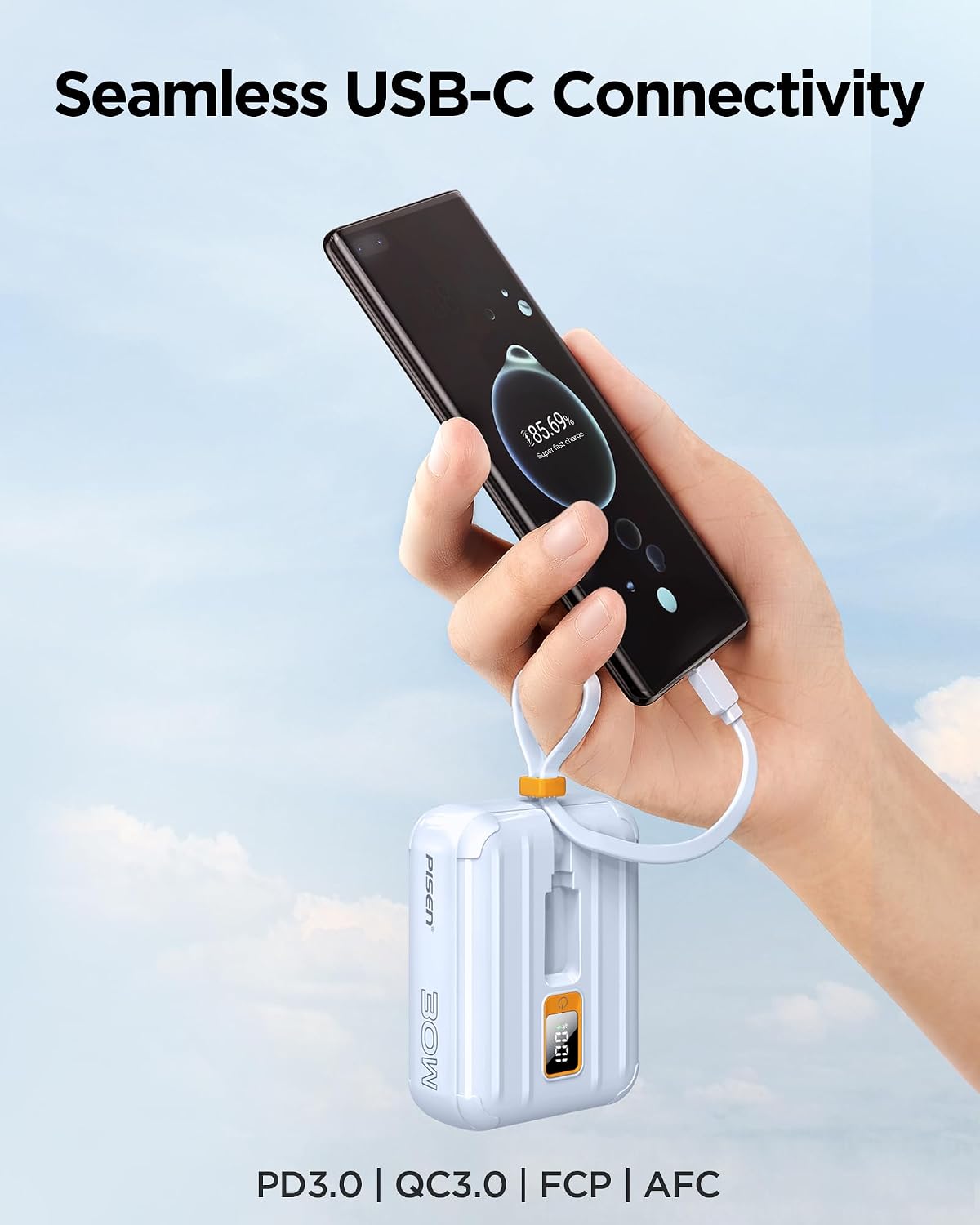
- 30W Fast Charging: Supports Power Delivery (PD30W) for rapid charging of compatible devices and quick recharging of the power bank itself.
- Compact Design: Weighing approximately 7.35 oz and measuring 3.39 x 2.56 x 1.28 inches, it is designed to be pocket-sized.
- LED Digital Display: Provides precise battery percentage monitoring.


Setup
First Use & Recharging the Power Bank
Before initial use, it is recommended to fully charge your PISEN Power Bank. The power bank can be recharged using its built-in USB-C port or the provided USB-A to USB-C cable connected to a compatible power adapter (not included).
- Connect the USB-C end of the provided charging cable (or the built-in USB-C cable) to the power bank's USB-C input port.
- Connect the other end of the cable to a USB power adapter (e.g., wall charger, computer USB port). For fastest charging, use a 30W Power Delivery compatible adapter.
- The LED digital display will show the charging progress. The power bank is fully charged when the display shows "100%".

Operating Instructions
Charging Your Devices
The PISEN Power Bank can charge a variety of devices using its built-in cables or the external USB-C port.
- Using Built-in Cables:
- Pull out the integrated USB-C cable to charge Android devices, newer iPhones (iPhone 15 series), or other USB-C compatible gadgets.
- Pull out the integrated Lightning cable to charge older iPhones (iPhone 14 series and earlier), iPads, or other Lightning-compatible devices.
- Connect the appropriate cable directly to your device. The power bank will automatically begin charging.
- Using the External USB-C Port:
- For devices requiring a different cable type or for simultaneous charging, use your device's own USB-C to USB-C cable and connect it to the power bank's external USB-C port.
- Monitoring Charge: The LED display will show the remaining battery percentage of the power bank.


Video 1: Demonstration of the PISEN Mini Power Bank 10,000 mAh, highlighting its compact size and charging capabilities.
Safety Information
Your PISEN Power Bank is equipped with multiple built-in protections to ensure safe operation. Please observe the following safety guidelines:
- Do not expose the power bank to extreme temperatures (above 60°C/140°F) or direct sunlight.
- Avoid dropping, disassembling, or attempting to repair the device yourself.
- Keep the power bank away from water, moisture, and flammable materials.
- Do not use if the device is damaged, swollen, or leaking.
- Ensure proper ventilation during charging and discharging.
- Keep out of reach of children.


Maintenance
- Clean the power bank with a soft, dry cloth. Do not use harsh chemicals or abrasive materials.
- Store the power bank in a cool, dry place when not in use.
- If storing for extended periods, charge the power bank to approximately 50-75% every three months to prolong battery life.
Troubleshooting
| Problem | Possible Cause | Solution |
|---|---|---|
| Power bank not charging device. | Low power bank battery; incorrect cable; device not compatible; loose connection. | Recharge power bank; ensure correct cable is used; check device compatibility; secure connections. |
| Power bank not recharging. | Faulty charging cable/adapter; loose connection. | Try a different USB-C cable and power adapter; ensure connections are secure. |
| Slow charging. | Non-fast charging adapter/cable; device not supporting fast charge; multiple devices charging simultaneously. | Use a 30W PD compatible adapter/cable; check device's fast charge capability; charge fewer devices at once. |
| LED display not working. | Device is off; battery completely drained. | Press the power button to activate; recharge the power bank. |
Specifications
- Model: TS-D364
- Battery Capacity: 10000mAh
- Input/Output: 30W Max (Bi-directional USB-C)
- Built-in Cables: USB-C, Lightning
- Dimensions: Approximately 3.39 x 2.56 x 1.28 inches
- Weight: Approximately 7.35 ounces
- Special Features: Digital LED Display, Built-in Cables, Fast Charging, Lightweight, Pocket Size
- Material: Shell made from 80% recycled plastic

Warranty and Support
PISEN offers the following for your product:
- Warranty: 12-month replacement for manufacturing defects.
- Returns: 30-day refund policy.
- Customer Support: 24/7 online support available.
For further assistance or to claim warranty, please contact PISEN customer service through the retailer's platform or the official PISEN website.


