
1. Introduction
Thank you for choosing the JUMMICO Electric Standing Desk. This manual provides essential information for the safe assembly, operation, and maintenance of your new adjustable height desk. Please read these instructions thoroughly before use and retain them for future reference.
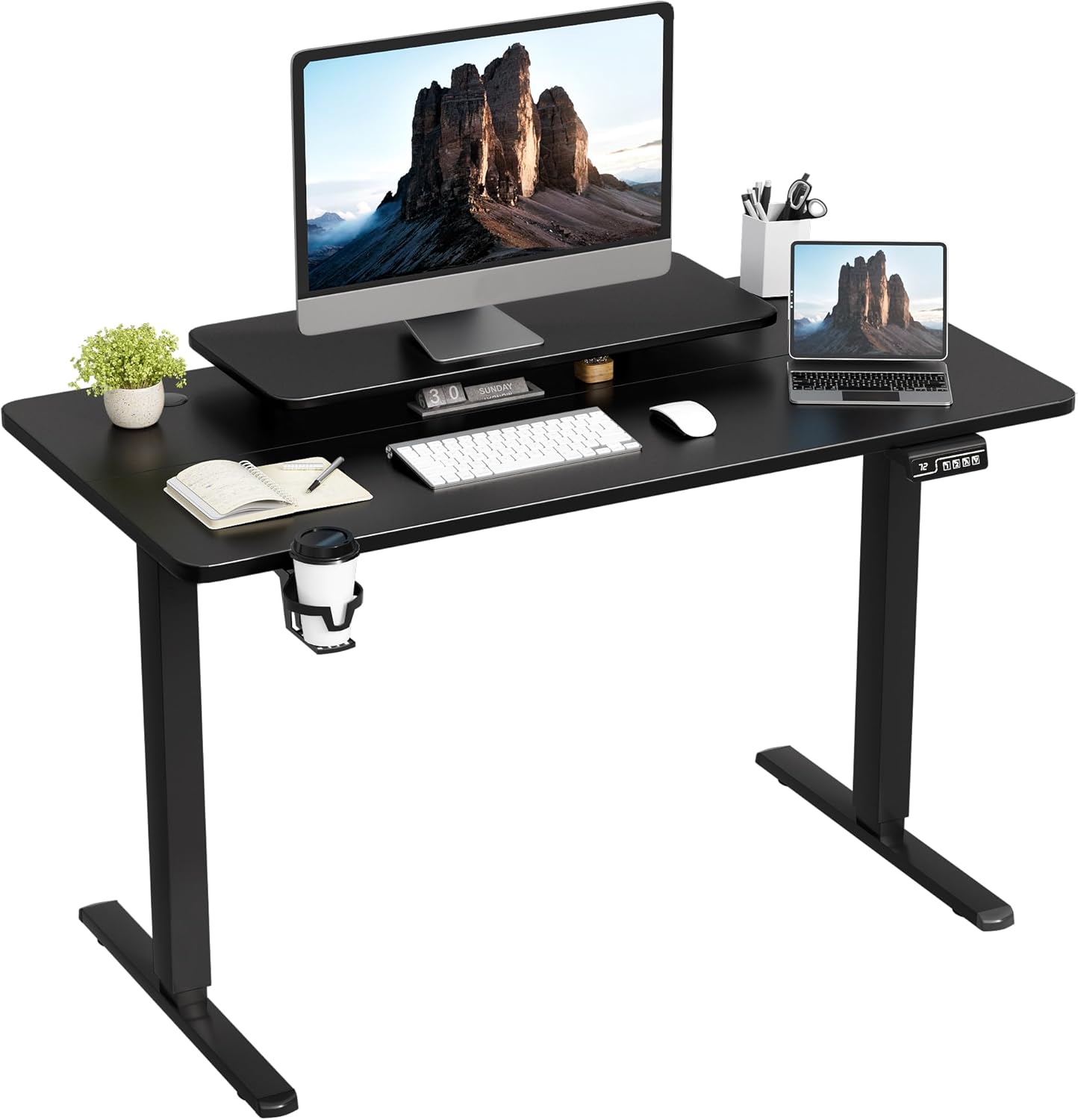
Image 1.1: The JUMMICO Electric Standing Desk, featuring a monitor stand, cup holder, and headphone hook, set up with a computer and accessories.
2. Safety Information
Caution: Do not exceed the maximum weight limit of 132 pounds (60 kg). Overloading the desk can cause damage to the lifting mechanism and may result in injury. Misuse of the electric lifting mechanism may also lead to injury. Ensure proper assembly for stability and safety.
- Keep children and pets away from the desk during operation.
- Ensure no obstacles are in the desk's path when adjusting height.
- Do not place hands or fingers near moving parts.
- Only use the provided power adapter.
- If the desk makes unusual noises or movements, discontinue use and contact support.
3. Package Contents
Verify that all components are present before beginning assembly. If any parts are missing or damaged, please contact JUMMICO customer support.
- Desktop Surface (47 x 24 Inch)
- Desk Legs (2)
- Motor and Control Box
- Control Panel
- Monitor Stand
- Headphone Hook
- Cup Holder
- Power Adapter and Cable
- Assembly Hardware (screws, wrenches, etc.)
4. Setup and Assembly
Assembly of the JUMMICO Electric Standing Desk typically takes 1-3 hours. While the desk includes necessary tools, some users may find additional tools helpful. It is recommended to have a second person assist with certain steps for easier and safer assembly.
- Unpack Components: Carefully remove all parts from the packaging and lay them out on a clean, soft surface to prevent scratches.
- Attach Desk Legs: Secure the desk legs to the desktop using the provided hardware. Ensure all screws are tightened firmly.
- Install Motor and Control Box: Mount the motor and control box to the designated areas under the desktop. Connect the motor cables to the control box.
- Connect Control Panel: Attach the control panel to the front edge of the desk and connect its cable to the control box.
- Attach Monitor Stand: Secure the monitor stand to the desktop. Its hollow design provides additional storage and simplifies cleaning.
- Install Accessories: Attach the headphone hook and cup holder to either the left or right side of the desk, according to your preference.
- Connect Power: Plug the power adapter into the control box and then into a wall outlet.

Image 4.1: An illustration showing the various components of the JUMMICO Electric Standing Desk, indicating the assembly process.
5. Operating Instructions
5.1 Height Adjustment
The desk features a powerful motor for smooth and quiet height adjustments, operating below 50 decibels. The adjustable height range is from 28.74 inches (sitting height) to 46.45 inches (standing height).

Image 5.1: The JUMMICO Electric Standing Desk shown at its minimum height of 28.7 inches and maximum height of 48.1 inches, demonstrating its adjustable range.
5.2 Control Panel Functions
The multifunctional control panel allows for precise height adjustments and memory settings.

Image 5.2: A detailed view of the control panel, highlighting the LED display, up/down keys, and memory preset buttons (1 and 2).
- Up/Down Keys (▲ / ▼): Press and hold to manually adjust the desk height. Release to stop.
- LED Display: Shows the current desk height in inches.
- Memory Presets (1, 2): To save a preferred height, adjust the desk to the desired level, then press and hold the 'M' button until the display flashes. Then, press either '1' or '2' to save the current height to that preset. To recall a saved height, simply press the corresponding '1' or '2' button.
5.3 Monitor Stand and Accessories
The integrated monitor stand provides an ergonomic viewing height, helping to reduce neck fatigue. Its hollow design offers additional storage space and simplifies cleaning. The headphone hook and cup holder can be positioned on either side of the desk for convenience.

Image 5.3: The dual-layer desktop design, showcasing the monitor stand providing extra space and ease of cleaning, along with the handy cup holder.
6. Maintenance
To ensure the longevity and optimal performance of your JUMMICO Electric Standing Desk, follow these maintenance guidelines:
- Cleaning: The desktop is waterproof and scratch-resistant. Wipe surfaces with a soft, damp cloth. Avoid abrasive cleaners or harsh chemicals.
- Motor Care: The electric motor is designed for durability. Avoid spilling liquids on the motor or control box.
- Cable Management: Periodically check that all cables are securely connected and not pinched or tangled.
- Weight Distribution: Distribute weight evenly across the desktop to prevent strain on the lifting mechanism.

Image 6.1: The JUMMICO Electric Standing Desk in a home office, illustrating its quiet operation and smooth height adjustment, suitable for various environments.
7. Troubleshooting
If you encounter issues with your JUMMICO Electric Standing Desk, refer to the following common problems and solutions:
| Problem | Possible Cause | Solution |
|---|---|---|
| Desk does not move | No power, loose connection, overloaded | Check power cable, ensure all connections are secure, reduce weight on desk. |
| Desk moves unevenly | Uneven weight distribution, calibration issue | Distribute weight evenly. Perform a reset (refer to control panel instructions or contact support). |
| Error code on LED display | System fault | Note the error code and contact JUMMICO customer support for specific guidance. |
| Unusual noise during operation | Obstruction, motor issue | Ensure no obstructions. A slight hum (below 50dB) is normal. If noise is excessive, contact support. |
If the problem persists after attempting these solutions, please contact JUMMICO customer support.
8. Specifications
| Feature | Detail |
|---|---|
| Brand | JUMMICO |
| Model Number | JVCH-24120BK |
| Product Dimensions (D x W x H) | 47" x 24" x 46" (Overall) |
| Adjustable Height Range | 28.74 inches - 46.45 inches |
| Maximum Weight Capacity | 132 Pounds (60 kg) |
| Desktop Material | Laminated Metal |
| Base Material | Alloy Steel |
| Noise Level | Below 50 decibels |
| Included Components | Monitor Stand, Headphone Hook, Cup Holder |
| Assembly Required | Yes |
9. Warranty Information
The JUMMICO Electric Standing Desk comes with a limited warranty. For specific details regarding warranty coverage, terms, and conditions, please refer to the warranty card included with your product or visit the official JUMMICO website. Keep your proof of purchase for warranty claims.
10. Customer Support
For any questions, technical assistance, or warranty claims, please contact JUMMICO customer support through the following channels:
- Website: Visit the official JUMMICO website for FAQs and support contact information.
- Email: Refer to your product packaging or warranty card for customer service email addresses.
- Online Retailer: If purchased through an online retailer, you may also contact their customer service for initial support.
Please have your model number (JVCH-24120BK) and proof of purchase ready when contacting support.


