
ZOMBIES CAT TF-T2301
TF-T23 Wireless Bluetooth 5.4 Earbuds Instruction Manual
Model: TF-T2301
1. Introduction
Thank you for choosing the TF-T23 Wireless Bluetooth 5.4 Earbuds. These earbuds are designed to provide a high-quality audio experience with a unique Transformers-themed design, featuring deep bass stereo sound, an HD microphone for clear calls, and a long playtime. This manual will guide you through the setup, operation, and maintenance of your new earbuds to ensure optimal performance.
2. Product Overview
The TF-T23 earbuds come with a distinctive charging case and ergonomically designed earbuds for comfortable wear. The case features glowing lights indicating charging status and a robust design.

Figure 2.1: TF-T23 Earbuds and Charging Case. The earbuds are yellow and black, designed with a Transformers theme, specifically resembling Bumblebee.

Figure 2.2: Earbuds removed from the charging case, highlighting the unique internal structure and the earbuds' design.

Figure 2.3: Internal structure of the earbud, featuring a 13mm oversized unit designed for immersive audio quality.

Figure 2.4: The ergonomic design of the TF-T23 earbuds ensures a comfortable and secure fit for extended wear.

Figure 2.5: The TF-T23 earbuds come in a specially designed Transformers-themed retail package.
3. Setup
3.1 Initial Pairing
The TF-T23 earbuds feature one-step pairing for convenience. After the initial pairing, they will automatically reconnect to your device when removed from the charging case.
- Ensure your device's Bluetooth is turned on.
- Open the charging case. The earbuds will automatically enter pairing mode.
- On your device, search for Bluetooth devices and select "TF-T23" from the list.
- Once connected, you will hear an audio prompt, and the earbuds are ready for use.
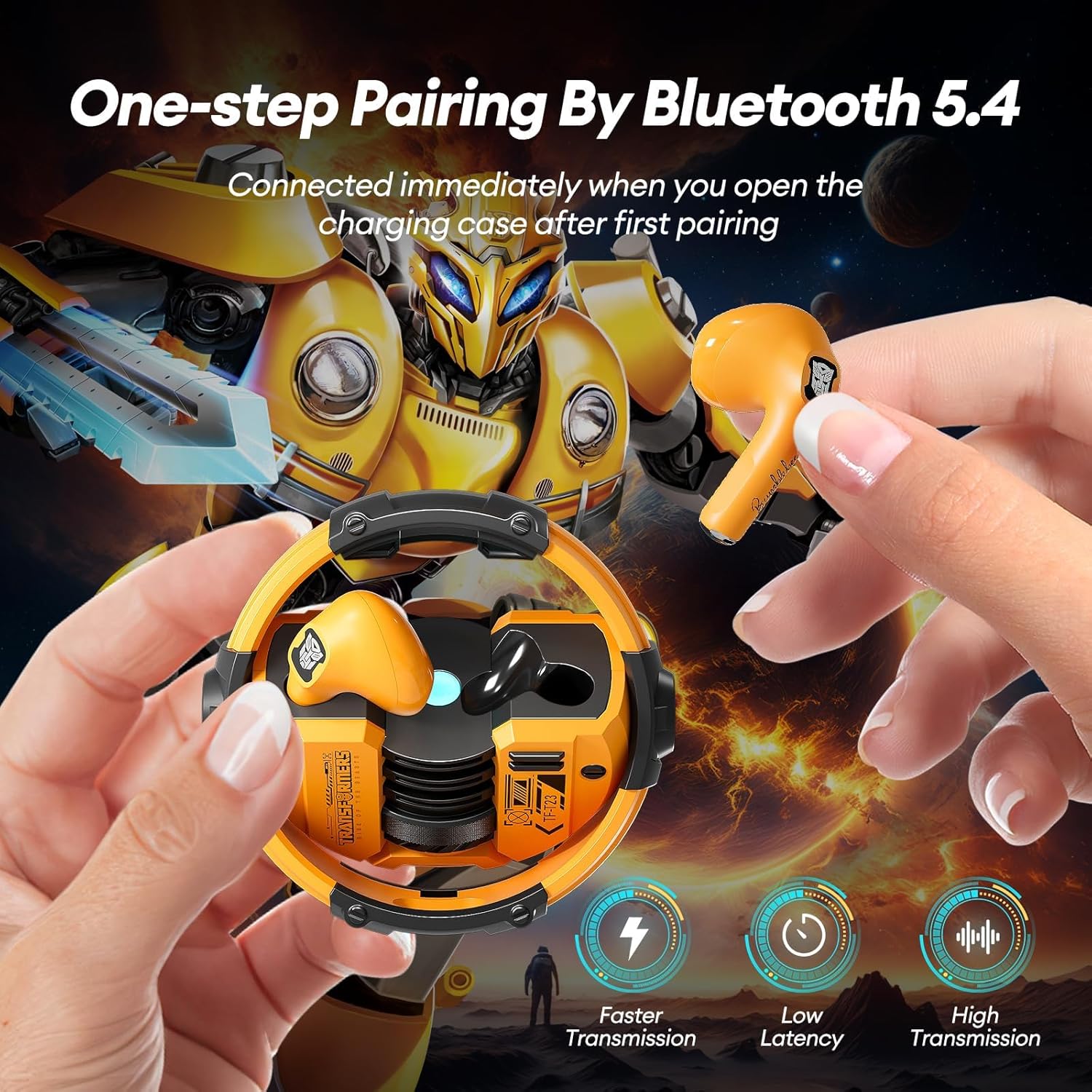
Figure 3.1: One-step Bluetooth 5.4 pairing process for quick and stable connection.
3.2 Charging the Earbuds and Case
To charge the earbuds, simply place them back into their charging case. The case will automatically begin charging them. To charge the case itself, connect it to a power source using the provided USB cable.
Video 3.1: Official product video demonstrating the TF-T23 Wireless Earbuds, including their design, charging case, and basic functionality. This video is provided by the seller.

Figure 3.2: The earbuds offer 5 hours of playtime on a single charge, extended to 60 hours with the fully charged case.
4. Operating Instructions
4.1 Touch Controls
The TF-T23 earbuds feature intuitive touch controls for easy management of your audio and calls.
| Action | Control |
|---|---|
| Answer/End Call | Double Click L/R MFB |
| Reject Call | Long Press 2s L/R MFB |
| Pause/Play | Double Click L/R MFB |
| Previous/Next Track | Three Strikes L/R MFB |
| Volume Up/Down | Click L/R MFB |
| Voice Assistant | Long Press 2s L MFB to Start/Close |
| Music/Game Mode | Long Press 2s R MFB |
MFB refers to the Multi-Function Button, which is the touch-sensitive area on each earbud.
Figure 4.1: Comprehensive guide to the touch controls on your TF-T23 earbuds.
4.2 HD Microphone
The integrated HD microphone ensures clear voice transmission during calls, making these earbuds suitable for both business and personal use.
4.3 Single Earbud Use
Each earbud can be used independently, allowing for flexibility and extended listening time by alternating between them.
5. Maintenance
To ensure the longevity and optimal performance of your TF-T23 earbuds, follow these maintenance guidelines:
- Cleaning: Regularly wipe the earbuds and charging case with a soft, dry cloth. Avoid using abrasive materials or harsh chemicals.
- Water Resistance: The earbuds are IPX5 sweatproof, making them suitable for workouts and light rain. However, they are not designed for submersion in water. Avoid exposing them to excessive moisture.
- Storage: When not in use, store the earbuds in their charging case to protect them from dust and damage. Store in a cool, dry place.
- Charging: Use only the provided charging cable or a certified equivalent. Do not attempt to charge with damaged cables or chargers.
6. Troubleshooting
If you encounter any issues with your TF-T23 earbuds, please refer to the following common solutions:
- No Sound/Poor Sound Quality:
- Ensure earbuds are fully charged.
- Check if the earbuds are properly connected to your device. Try re-pairing if necessary.
- Adjust the volume on both your device and the earbuds.
- Clean any debris from the earbud speakers.
- Earbuds Not Pairing:
- Ensure both earbuds are in the charging case and fully charged.
- Turn off and then on your device's Bluetooth.
- Forget the device from your Bluetooth list and attempt to re-pair.
- Ensure the earbuds are within the effective Bluetooth range (typically 10 meters).
- Charging Issues:
- Verify the charging cable is securely connected to both the case and the power source.
- Check if the charging indicator lights on the case are active.
- Try a different charging cable or power adapter.
- Microphone Not Working:
- Ensure the earbuds are properly connected and selected as the audio input device on your phone.
- Clean the microphone opening on the earbuds.
If these steps do not resolve the issue, please contact customer support.
7. Specifications
| Feature | Detail |
|---|---|
| Model Name | TF-T2301 |
| Connectivity Technology | Wireless (Bluetooth) |
| Bluetooth Version | 5.4 |
| Material | Plastic |
| Charging Time | 1.5 Hours |
| Total Playtime (with case) | Up to 60 Hours |
| Water Resistance Level | IPX5 (Sweatproof) |
| Compatible Devices | Cellphones, Laptops, Tablets (Android, iOS, Windows) |
| Control Type | Touch / Media Control |
| Frequency Range | 20 Hz - 20,000 Hz |
| Ear Placement | In Ear |
| Manufacturer | ZOMBIES CAT |
| Item Weight | 5.9 ounces |
| Package Dimensions | 6.38 x 4.21 x 1.54 inches |
8. Warranty and Support
For warranty information and customer support, please refer to the contact details provided with your product packaging or visit the official ZOMBIES CAT website. Keep your proof of purchase for any warranty claims.
Related documentsTF-T2301

Ask a question about this manual
Ask about setup, troubleshooting, compatibility, parts, safety, or missing instructions. Manuals+ will review the question and use this page’s manual context to help answer it.