
EF ECOFLOW EFD350+400W Rigid
EF ECOFLOW DELTA 2 Max Solar Generator User Manual
Model: EFD350+400W Rigid | Brand: EF ECOFLOW
1. Introduction and Overview
The EF ECOFLOW DELTA 2 Max is a powerful and versatile portable power station designed to provide reliable energy for various applications, from home backup during power outages to outdoor adventures like camping and RV trips. This solar generator combines a high-capacity 2048Wh LFP battery with efficient 4x100W monocrystalline solar panels, offering fast and flexible charging options. With its robust output and numerous outlets, it can power a wide range of essential devices and appliances, ensuring you stay connected and comfortable wherever you are.

Image: The EF ECOFLOW DELTA 2 Max portable power station shown alongside four rigid solar panels, illustrating the complete solar generator system.
2. Key Features
- Fast Green Charging: The DELTA 2 Max can be rapidly recharged using the included 4x100W rigid solar panels. These monocrystalline PV modules boast a high conversion efficiency of up to 23%, allowing the DELTA 2 Max to reach full charge in approximately 6.4 hours under optimal sunlight. This makes it an excellent solution for emergency power during outages or for sustainable energy while camping.
- Fuel up 80% in 43 Mins: Leveraging EcoFlow's advanced dual charging technology, the DELTA 2 Max can achieve an 80% charge in just 43 minutes when combining solar and AC input at 2400W. Alternatively, using only AC input, it can reach 80% charge in a swift 1.1 hours.
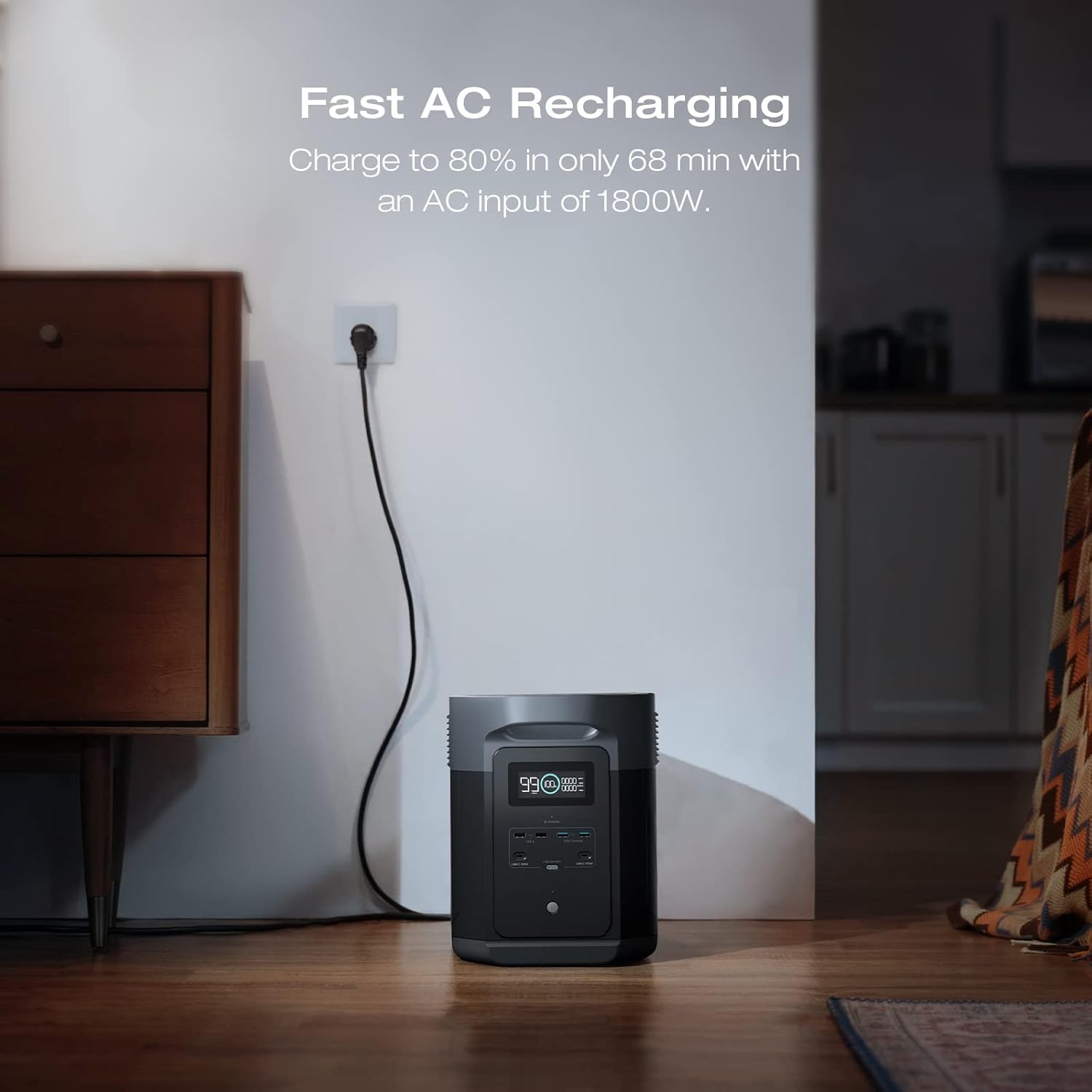
Image: The DELTA 2 Max power station plugged into a standard AC wall outlet, demonstrating its fast AC recharging capability.
- Long-lasting LFP Battery: Equipped with LiFePO4 (LFP) battery chemistry, the DELTA 2 Max offers an impressive lifespan of 3000 full charging cycles before its capacity degrades to 80%. This is six times more cycles than the industry average, providing over 10 years of reliable use and making it a highly cost-efficient power solution.
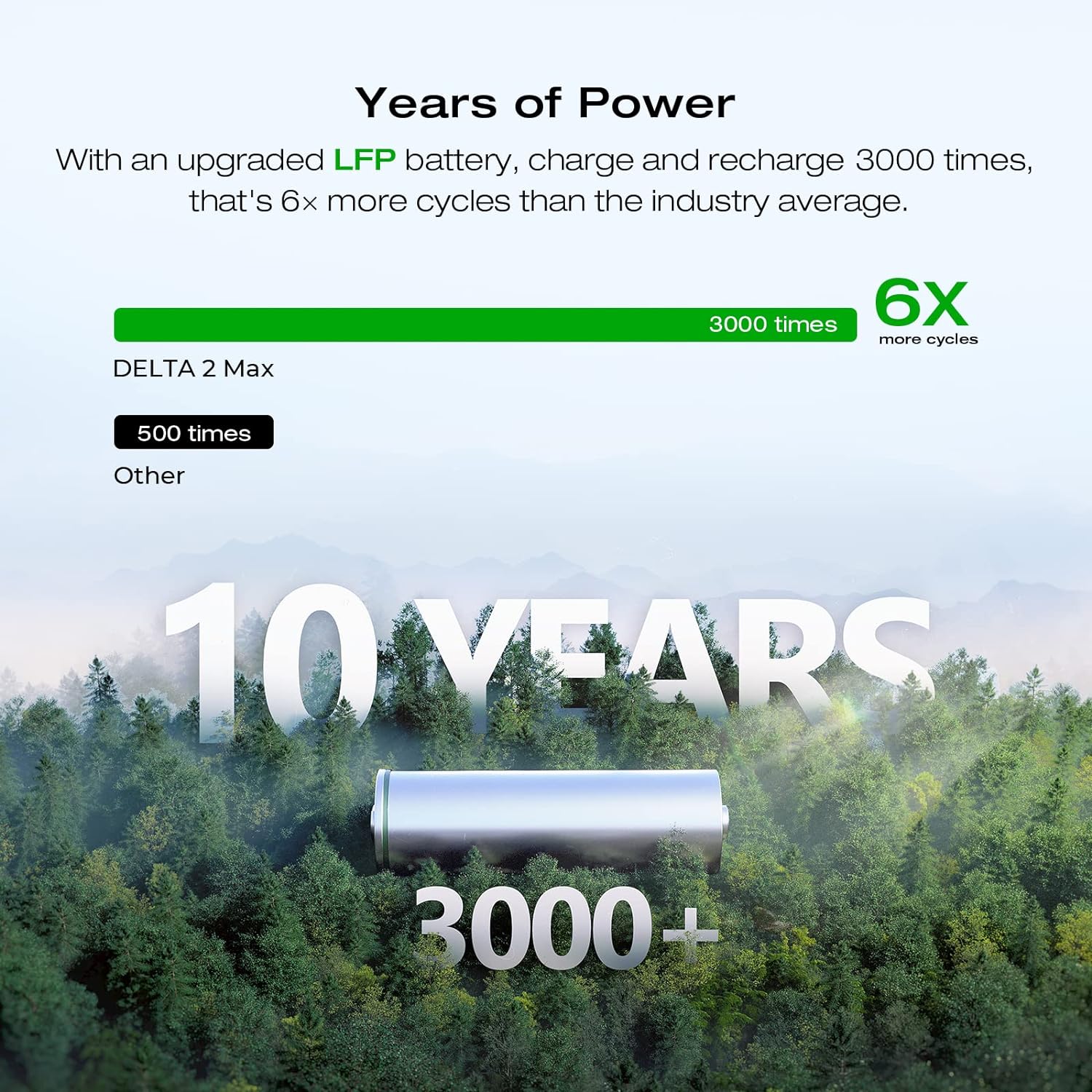
Image: A visual representation highlighting the long lifespan of the DELTA 2 Max's LFP battery, showing 3000+ charge cycles and over 10 years of use.
- Power 99% of Your Household Devices: The DELTA 2 Max delivers a robust output of up to 2400W, capable of running nearly all common home appliances. With 15 available outlets, it provides ample connectivity for multiple devices simultaneously. Furthermore, the X-Boost mode allows it to power certain high-wattage appliances up to 3400W.

Image: A family in a kitchen setting, utilizing the DELTA 2 Max to power various appliances like a coffee maker, refrigerator, microwave, and blender, demonstrating its versatility.
- Waterproof & Easy Set Up: The included solar panels feature an IP68 waterproofing rating, ensuring they are fully protected against dust, debris, and water ingress. Designed for straightforward installation, they come with pre-drilled holes, simplifying mounting and securing in various environments. (Note: Mounting accessories are sold separately on the Brand Store).

Image: A close-up view of the solar panel, showing water droplets on its surface, emphasizing its IP68 waterproof and dustproof rating.

Image: An exploded diagram illustrating the robust construction of the solar panel, detailing layers such as protective lamination, tempered glass, EVA film, monocrystalline solar cells, high weatherproof backsheet, and anodized aluminum for durability.
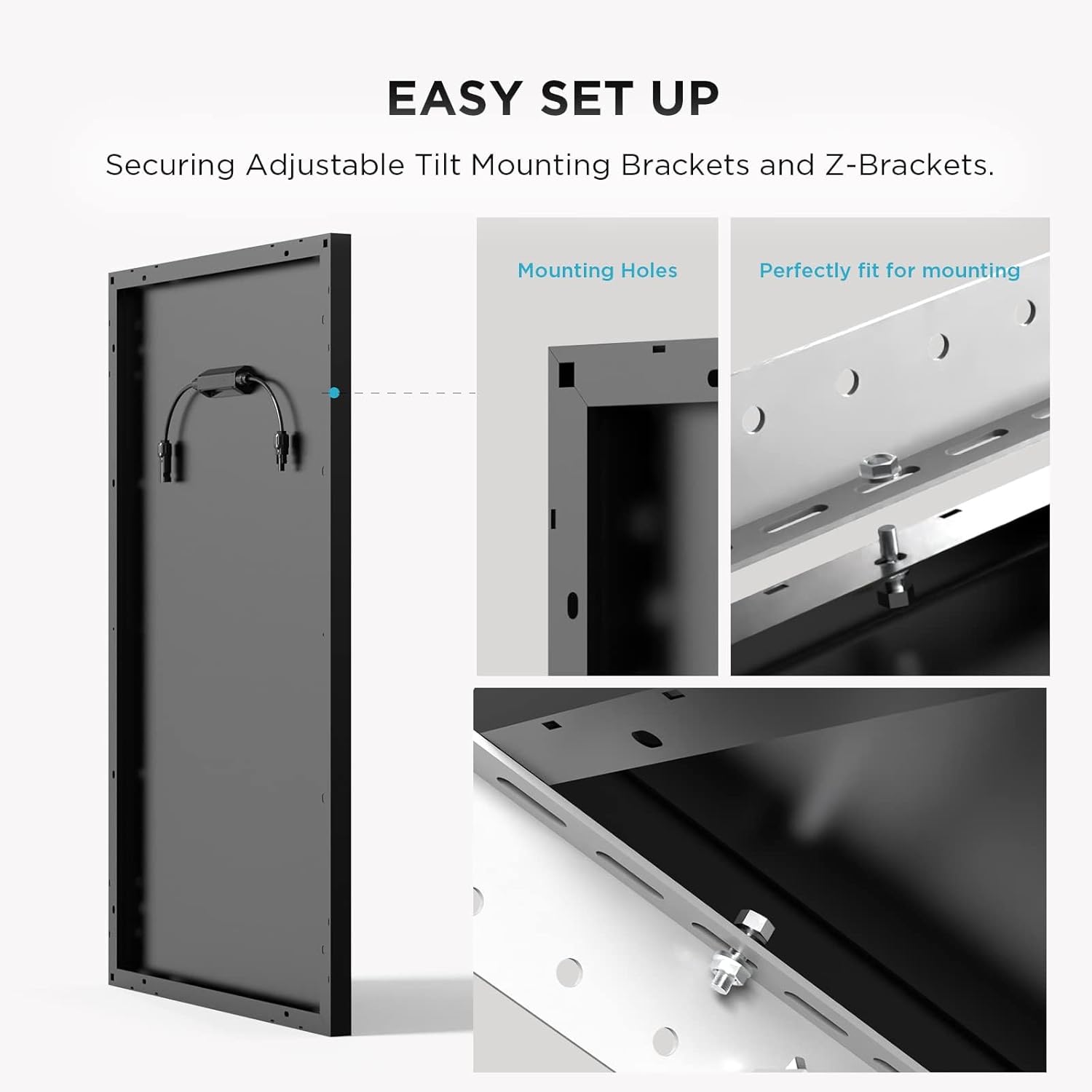
Image: Detailed views of the solar panel's mounting holes and how they facilitate easy installation with adjustable tilt mounting brackets and Z-brackets.
3. Setup
3.1 Initial Charging
Before first use, it is recommended to fully charge your DELTA 2 Max. Connect the AC charging cable to a standard wall outlet and plug the other end into the AC input port on the power station. The display will show the charging progress. For optimal performance, ensure the unit is fully charged before extended storage.
3.2 Connecting Solar Panels
To utilize solar charging, connect the solar panels to the DELTA 2 Max using the appropriate solar charging cable. Ensure the connections are secure. Position the solar panels in direct sunlight for maximum efficiency. The DELTA 2 Max supports up to 1000W solar input, with 500W per port.

Image: The DELTA 2 Max power station connected to solar panels in an outdoor setting, demonstrating solar charging.
3.3 Powering On/Off
Press and hold the main power button for a few seconds to turn the DELTA 2 Max on or off. The LCD display will illuminate upon activation, showing battery level and output information.
4. Operating Instructions
4.1 Using AC Outlets
To use the AC outlets, ensure the AC power button on the unit is turned on. Plug your devices into any of the 15 available AC outlets. The DELTA 2 Max provides a continuous output of 2400W. For higher wattage appliances, activate the X-Boost mode (up to 3400W) via the EcoFlow app or unit settings.
4.2 Using DC Outlets
The DELTA 2 Max includes various DC output ports, such as USB-A, USB-C, and a 12V car power outlet. Turn on the respective DC power button to activate these ports. Connect your compatible devices for charging or powering.
4.3 Monitoring and Control
The integrated LCD display provides real-time information on battery status, input/output wattage, and remaining runtime. For advanced monitoring and remote control, download the EcoFlow app. The app allows you to manage settings, view detailed power statistics, and enable features like X-Boost.
4.4 Expandable Capacity
The DELTA 2 Max's capacity can be expanded by connecting up to two additional DELTA 2 Max Smart Extra Batteries. This allows for a total capacity of up to 6144Wh, significantly extending runtime for longer power needs.

Image: The DELTA 2 Max power station shown with one and two additional Smart Extra Batteries stacked, illustrating its expandable capacity.
4.5 Emergency Power Supply (EPS)
The DELTA 2 Max features an Ultra-fast backup switch (EPS function) that allows it to act as an Emergency Power Supply. When connected to an AC outlet and powering devices, if the grid power fails, the unit can automatically switch to battery power within 30 milliseconds, ensuring uninterrupted operation for connected appliances.

Image: The DELTA 2 Max power station integrated into a home office setup, demonstrating its Emergency Power Supply (EPS) capability to keep devices running during outages.
5. Maintenance
- Cleaning: Regularly wipe the exterior of the DELTA 2 Max and solar panels with a clean, dry, soft cloth. Avoid using harsh chemicals or abrasive materials. Ensure all ports are free of dust and debris.
- Storage: When storing the unit for extended periods, ensure it is charged to approximately 50-80% capacity. Store in a cool, dry place away from direct sunlight and extreme temperatures. Recharge the unit every 3-6 months to maintain battery health.
- Battery Care: While the LFP battery is designed for longevity, avoid completely draining the battery frequently. For optimal lifespan, try to keep the battery charge above 20% when possible.
6. Troubleshooting
6.1 Unit Not Turning On
- Ensure the battery is charged. Connect to AC power to check if it powers on.
- Press and hold the main power button for at least 3 seconds.
- If the issue persists, contact customer support.
6.2 No AC Output
- Verify the AC output button is turned on.
- Check if the total power consumption of connected devices exceeds the 2400W (or 3400W with X-Boost) limit. Disconnect some devices if overloaded.
- Ensure the unit's battery level is sufficient.
6.3 Solar Panels Not Charging
- Ensure solar panels are in direct sunlight and not shaded.
- Check all cable connections between the solar panels and the DELTA 2 Max for proper seating.
- Verify the solar input voltage and current are within the specified range for the DELTA 2 Max.
- Clean the surface of the solar panels if dirty.
6.4 Error Codes on Display
Refer to the EcoFlow app or the full product manual for a comprehensive list of error codes and their corresponding troubleshooting steps. If an error code appears, note it down and follow the recommended actions.
7. Specifications
| Attribute | Value |
|---|---|
| Brand | EF ECOFLOW |
| Model Name | DELTA 2 Max+400W Rigid |
| Item Model Number | EFD350+400W Rigid |
| Wattage | 2400 Watt-hours |
| Fuel Type | Electric |
| Power Source | Battery Powered |
| Recommended Uses | Camping |
| Voltage | 220 Volts |
| Output Wattage | 2400W (3400W with X-Boost) |
| Special Feature | Portable, Expandable Capacity, EPS Function |
| Included Components | Charger, 4x100W Rigid Solar Panels |
| Color | Black |
| Product Dimensions | 9.5"L x 12"W x 19.6"H |
| Runtime | 43 minutes (80% charge) |
| Total Power Outlets | 15 |
| Frequency | 60 Hz |
| Current Rating | 2400 Amps |
| Item Weight | 77.2 pounds |
| UPC | 842783142115 |
| Manufacturer | ECOFLOW |
8. Warranty and Support
For warranty information, please refer to the documentation included with your product or visit the official EF ECOFLOW website. If you encounter any issues or require technical assistance, please contact EF ECOFLOW Customer Support. You can often find contact details on the manufacturer's website or through your purchase platform.
For additional resources and frequently asked questions, visit the EF ECOFLOW Store on Amazon.
Related documentsEFD350+400W Rigid


Ask a question about this manual
Ask about setup, troubleshooting, compatibility, parts, safety, or missing instructions. Manuals+ will review the question and use this page’s manual context to help answer it.