1. Introduction
This manual provides essential information for the safe and efficient operation of your JVC TiVo LT-43VF5355 43-inch Full HD HDR Smart TV. Please read these instructions thoroughly before using the television and retain them for future reference.

Image 1.1: Front view of the JVC TiVo LT-43VF5355 Smart TV, highlighting its 43-inch Full HD display with HDR10 and Super Resolution features.
2. Safety Information
To ensure safe operation and prevent damage, observe the following safety guidelines:
- Do not expose the TV to rain or moisture.
- Do not block ventilation openings.
- Ensure the power cord is not walked on or pinched.
- Only use attachments/accessories specified by the manufacturer.
- Unplug the TV during lightning storms or when unused for long periods.
- Refer all servicing to qualified service personnel.
3. Package Contents
Verify that all items are present in the packaging:
- JVC TiVo LT-43VF5355 Smart TV Unit
- Remote Control
- AAA Batteries (x2)
- TV Stand Feet
- User Manual (this document)
4. Setup
4.1 Physical Setup (Stand/Wall Mount)
To attach the stand feet:
- Carefully place the TV face down on a soft, flat surface.
- Align the stand feet with the screw holes on the bottom of the TV.
- Secure the feet using the provided screws.
For wall mounting, use a VESA M4 100x100 compatible bracket (not included). Refer to the wall mount instructions for proper installation.

Image 4.1: Diagram illustrating the dimensions of the JVC TiVo LT-43VF5355 TV and the VESA M4 100x100 mounting pattern.
4.2 Connecting Peripherals
Connect external devices to the appropriate ports on your TV. The TV features multiple connectivity options:
- HDMI (x2): For connecting devices like Blu-ray players, game consoles, or set-top boxes. Supports CEC (Consumer Electronics Control) and ARC (Audio Return Channel) on one port.
- USB (x1): For connecting USB storage devices to play media files.
- Antenna (RF/F): For connecting a terrestrial or satellite antenna.
- Digital Audio Output: For connecting to external audio systems.
- Headphones: For private listening.
- CI Slot: For Conditional Access Modules (CAM) to decrypt encrypted channels.
- LAN: For wired network connection.
- Bluetooth: For wireless connection to compatible audio devices or accessories.

Image 4.2: Close-up view of the various input and output ports available on the JVC TiVo LT-43VF5355 TV, including HDMI, USB, antenna, and network connections.
4.3 Initial Power On & First-Time Setup
After connecting all necessary cables and the power cord:
- Press the power button on the remote control or TV.
- Follow the on-screen instructions to select your language, country, and network settings.
- The TV will guide you through channel scanning for DVB-C, DVB-T2, or DVB-S2 sources.
- Complete the TiVo Smart TV setup, including account creation or login, to access smart features.
5. Operating Instructions
5.1 Remote Control Overview
The remote control allows full navigation and control of your JVC TiVo Smart TV. Insert the two AAA batteries into the remote control, ensuring correct polarity.
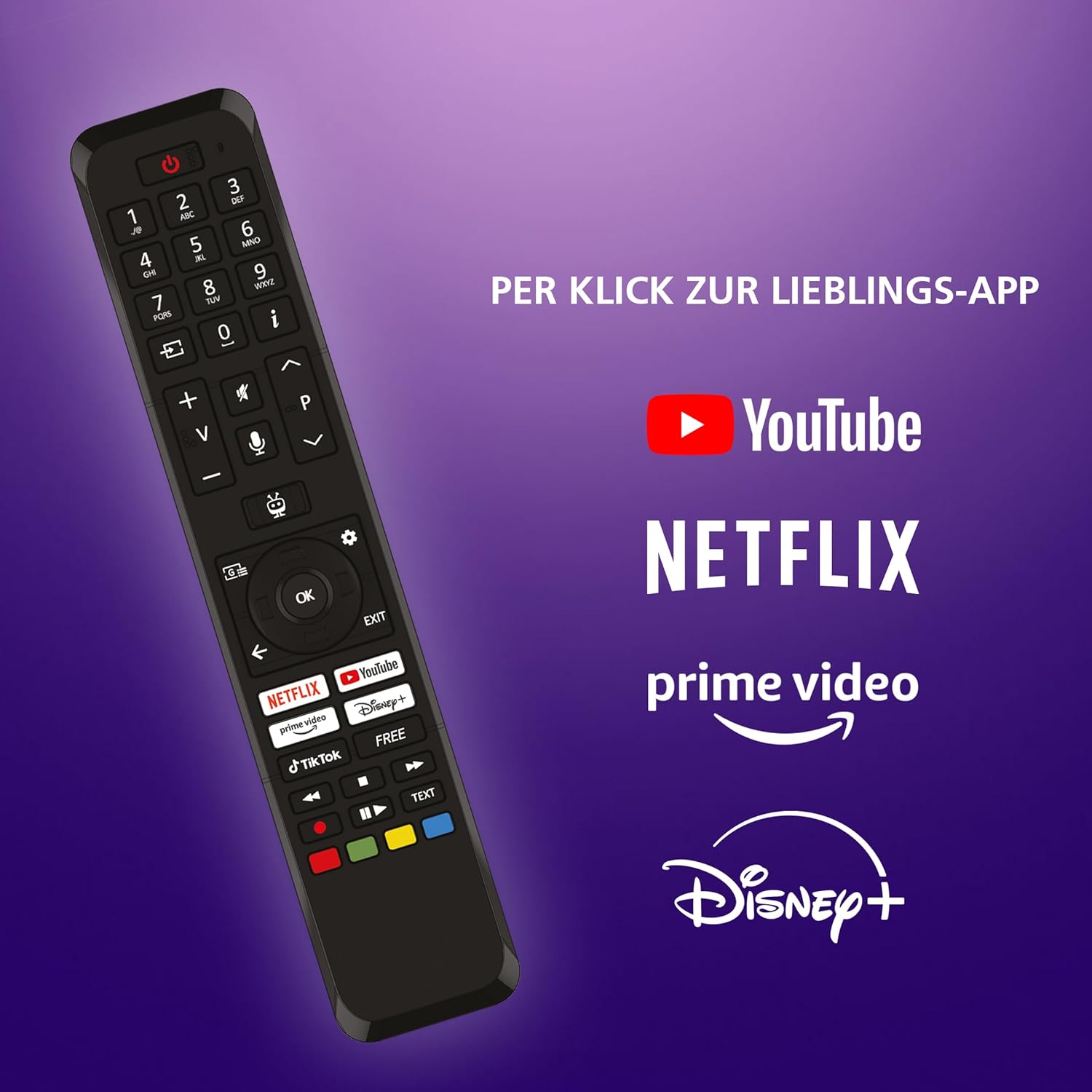
Image 5.1: The remote control for the JVC TiVo LT-43VF5355 TV, featuring dedicated buttons for popular streaming applications like YouTube, Netflix, Prime Video, and Disney+.
5.2 Navigating TiVo Smart TV
The TiVo Smart TV operating system provides an intuitive interface for accessing content and applications.
- Use the directional pad and OK button on the remote to navigate menus and select items.
- The Home button returns you to the main TiVo interface.
- The Back button navigates to the previous screen.

Image 5.2: Screenshot of the TiVo Smart TV interface, showcasing personalized content recommendations and an organized user experience.
5.3 Using Apps
Your JVC TiVo Smart TV comes pre-installed with popular streaming applications and allows for additional app downloads.
- Access apps directly using the dedicated buttons on the remote control (Netflix, Prime Video, Disney+, YouTube).
- Navigate to the 'Apps' section on the home screen to view all installed applications and discover new ones.

Image 5.3: The JVC TiVo Smart TV displaying its home screen with various streaming applications such as Netflix, Prime Video, Disney+, YouTube, and others.
5.4 Tuner Functions (DVB-C/T2/S2)
The integrated triple tuner allows reception of television programs via satellite (DVB-S2), cable (DVB-C), or terrestrial antenna (DVB-T2) without an additional receiver.
- Select the desired input source (DVB-S2, DVB-C, or DVB-T2) from the input menu.
- Perform a channel scan during initial setup or via the TV settings menu to find available channels.
- For encrypted channels, a compatible CI module and subscription may be required.
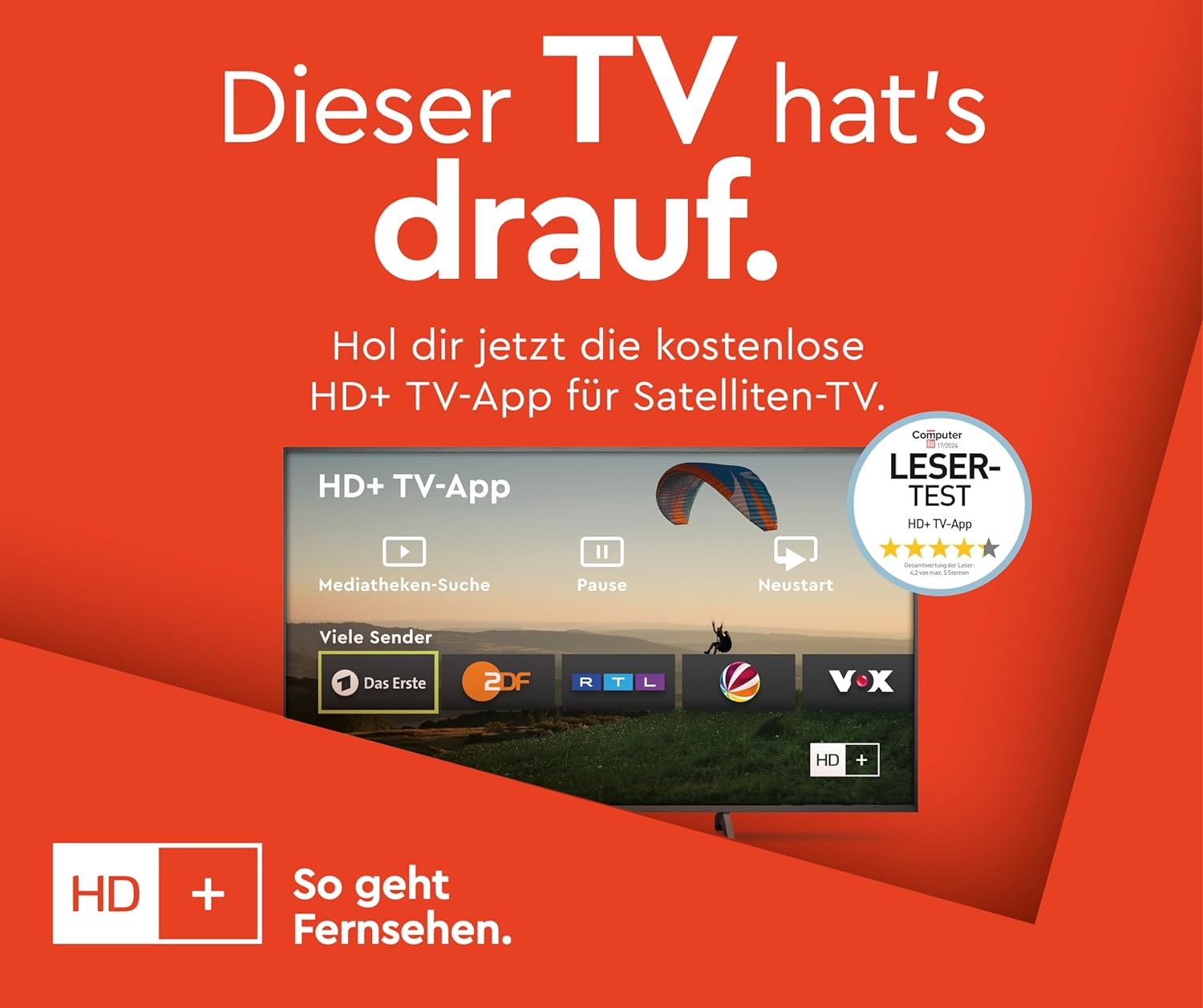
Image 5.4: A screen displaying the HD+ TV App interface, which provides access to various channels and media libraries, relevant for satellite TV users.
5.5 Picture and Sound Settings
Adjust picture and sound settings to optimize your viewing experience.
- Access picture settings to adjust brightness, contrast, color, and sharpness.
- The TV supports HDR10, Super Resolution, and Micro Dimming for enhanced image quality.
- Sound settings allow adjustment of volume, equalizer, and sound modes.

Image 5.5: A JVC Smart TV displaying content with high dynamic range (HDR10), illustrating enhanced details and contrast.

Image 5.6: A JVC Smart TV screen emphasizing the benefits of Super Resolution and Micro Dimming for breathtaking image quality.

Image 5.7: A visual representation of various picture modes available on the JVC Smart TV, including Cinema, Sport, Gaming, and Dynamic, each optimized for different content types.
5.6 Voice Control
The TiVo Smart TV supports voice control for convenient operation.
- Activate voice control via the remote control (if equipped with a microphone button).
- Use voice commands to change channels, adjust volume, open applications, and search for content.
6. Maintenance
6.1 Cleaning
To clean your TV:
- Always unplug the TV before cleaning.
- Use a soft, dry cloth to wipe the screen and cabinet.
- For stubborn marks, lightly dampen the cloth with water or a mild, non-abrasive cleaner specifically designed for electronics.
- Never spray liquid directly onto the TV.
6.2 Software Updates
The TiVo Smart TV system receives regular software updates to improve performance and add new features.
- Ensure your TV is connected to the internet for automatic updates.
- You can manually check for updates in the TV's settings menu.
7. Troubleshooting
If you encounter issues with your TV, refer to the following common solutions:
| Problem | Possible Solution |
|---|---|
| No power | Check power cord connection. Ensure outlet is functional. |
| No picture/sound | Verify input source. Check cable connections to external devices. |
| Remote not working | Replace batteries. Ensure no obstructions between remote and TV. |
| Smart features unresponsive | Check internet connection. Restart the TV by unplugging it for 1 minute. |
| Poor picture quality | Adjust picture settings. Check antenna/cable signal strength. |
8. Specifications
Detailed technical specifications for the JVC TiVo LT-43VF5355 Smart TV:
- Brand: JVC
- Model Number: LT-43VF5355
- Screen Size: 43 Inches (108 cm diagonal)
- Display Technology: LED
- Resolution: 1080p (Full HD, 1920x1080 pixels)
- Refresh Rate: 120 Hz
- Operating System: TiVo Smart TV
- Special Features: HDR10, HLG, Super Resolution, Micro Dimming, 6 months HD+ included (via SAT in Germany)
- Tuner: DVB-C, DVB-T2, DVB-S2 (Triple Tuner)
- Connectivity: 2x HDMI (CEC + ARC), 1x USB, Wi-Fi, Bluetooth, Digital Audio Output, Headphone Jack, CI Slot, LAN
- Dimensions (with stand): 96.5 cm (Width) x 60.8 cm (Height) x 23.5 cm (Depth)
- VESA Compatibility: M4 100x100
- Energy Efficiency Class: E
- Power Consumption (SDR): 42 kWh/1000h
- Power Consumption (HDR): 62 kWh/1000h

Image 8.1: The EU Energy Label for the JVC TiVo LT-43VF5355, indicating an energy efficiency class of E and power consumption details. For more details, visit the EPREL database.
8.1 Optimal Viewing Distance
The recommended viewing distance for your 43-inch Full HD TV is approximately 216 cm (7.1 feet).

Image 8.2: A table providing recommended seating distances for different TV sizes and resolutions (4K, Full HD, HD).
9. Warranty and Support
This product is covered by a manufacturer's warranty. Please refer to the warranty card included in your package for specific terms and conditions.
- Spare Parts Availability: 7 Years
- Software Updates Guaranteed Until: Information not available
For technical support or service inquiries, please contact JVC customer service through their official website or the contact information provided in your warranty documentation.


