
1. Introduction
Thank you for choosing the DOUBLE E Volvo RC Excavator. This remote-controlled construction vehicle is designed to provide an authentic and engaging play experience. Featuring a die-cast steel body and durable plastic parts, it replicates the design of real Volvo construction equipment. This manual provides essential information for safe setup, operation, and maintenance of your excavator.
2. What's in the Box
Please ensure all items are present before proceeding:
- RC Excavator
- Rechargeable Battery (3.6V/300mAH NiCr)
- Charging Cable
- Remote Control Transmitter

Image: The DOUBLE E Volvo RC Excavator, its remote control, rechargeable battery, and charging cable are shown, illustrating the complete package contents.
3. Safety Information
- Adult Supervision: Always supervise children during operation to prevent accidents.
- Battery Safety:
- Use only the provided charging cable and rechargeable battery.
- Do not mix old and new batteries, or different types of batteries (e.g., alkaline, standard, rechargeable).
- Ensure correct polarity when inserting batteries.
- Remove batteries from the toy and remote control when not in use for extended periods.
- Do not attempt to recharge non-rechargeable batteries.
- Keep batteries away from heat sources and open flames.
- Operating Environment:
- Operate the excavator on flat, stable surfaces. Avoid uneven terrain, water, or mud to prevent damage.
- Keep hands, hair, and loose clothing away from moving parts, especially the tracks and digging arm.
- Do not operate near people, pets, or fragile objects.
- Choking Hazard: Small parts may be present. Not suitable for children under 3 years.
4. Setup
4.1. Battery Installation (Excavator)
- Locate the battery compartment on the underside of the excavator.
- Use a small screwdriver (not included) to open the battery compartment cover.
- Connect the provided 3.6V/300mAH NiCr rechargeable battery to the excavator's battery connector, ensuring correct polarity.
- Place the battery inside the compartment and close the cover, securing it with the screw.
- Before first use, fully charge the battery using the provided charging cable. Connect the charging cable to the battery pack and a suitable USB power source. The charging indicator will show the charging status.
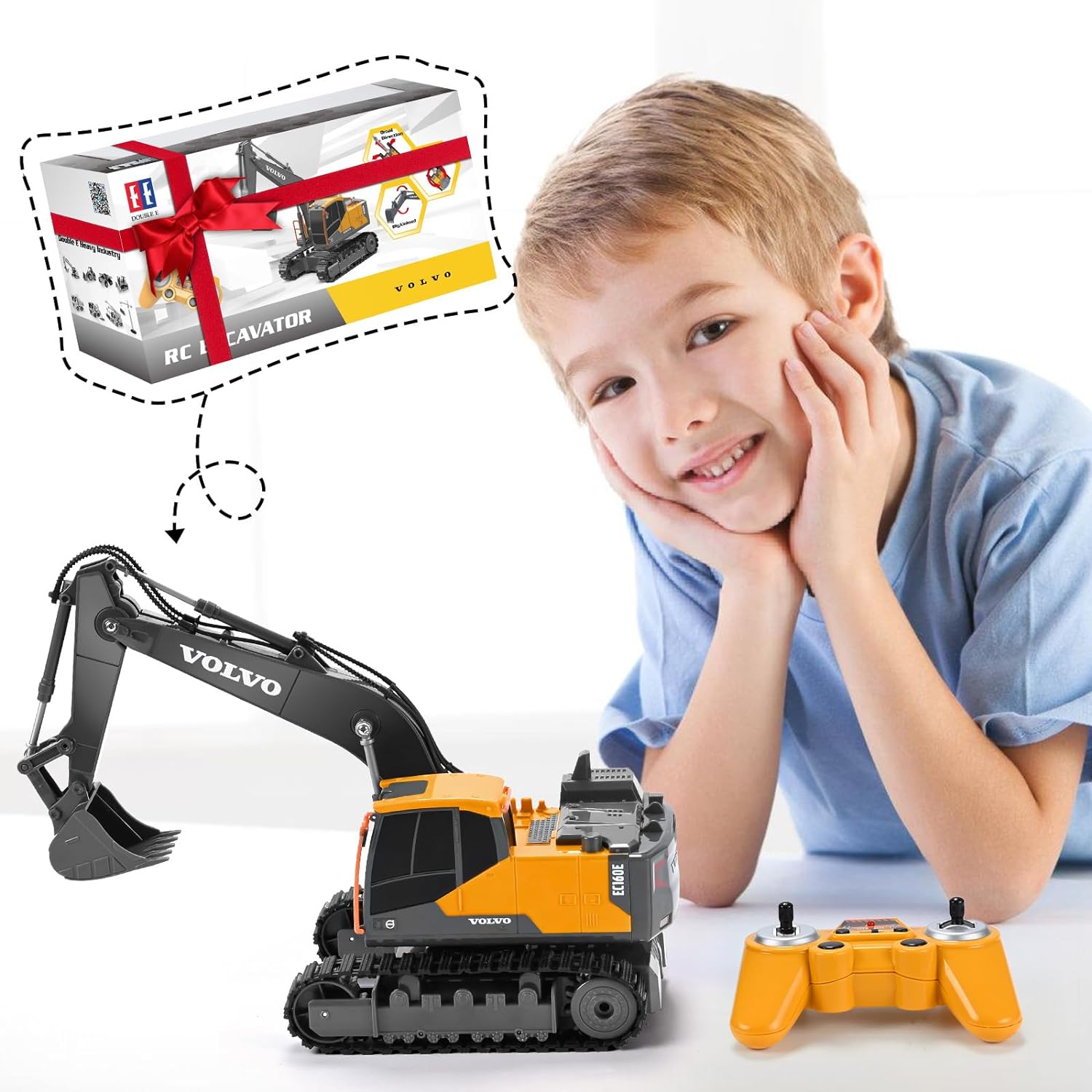
Image: The rechargeable battery and its charging cable are displayed next to the excavator, highlighting the power components.
4.2. Battery Installation (Remote Control)
- Locate the battery compartment on the back of the remote control.
- Open the battery compartment cover.
- Insert 2 AA batteries (not included), observing the correct polarity (+/-).
- Close the battery compartment cover.
4.3. Pairing the Remote Control
The DOUBLE E Volvo RC Excavator uses a 2.4GHz transmitter for anti-interference auto code pairing, allowing multiple vehicles to operate simultaneously without interference.
- Ensure both the excavator and the remote control are switched OFF.
- Switch ON the excavator.
- Switch ON the remote control. The remote control's indicator light will flash.
- Wait for a few seconds. The indicator light on the remote control will become solid, indicating successful pairing.
- If pairing fails, switch both devices OFF and repeat the steps.

Image: The remote control is shown alongside the excavator, demonstrating the readiness for operation after successful pairing.
5. Operating Instructions
Familiarize yourself with the remote control functions to master the excavator's movements.
5.1. Basic Controls
- Forward/Backward: Use the left joystick to move the excavator forward or backward.
- Turn Left/Right: Use the left joystick to steer the excavator left or right while moving.
- Cab Rotation: Use the right joystick to rotate the excavator's cab 330 degrees clockwise or counter-clockwise. The digging arm can rotate 720 degrees.
- Digging Arm Control: Use the buttons on the remote control to raise, lower, extend, and retract the digging arm and bucket.

Image: The excavator is shown with its tracks rotating, demonstrating its omni-directional movement capabilities.

Image: The excavator's powerful digging arm is extended, showcasing its ability to scoop and move material.
5.2. Official Product Video
Video: This official product video demonstrates the DOUBLE E Volvo RC Excavator's full range of functions, including driving, digging, and cab rotation in a realistic outdoor setting.
5.3. Advanced Operations
The excavator is designed for realistic digging and moving of light materials like sand or loose dirt. Practice coordinating the arm, bucket, and cab movements for efficient operation. The robust rubber track tires provide excellent traction on various surfaces, enhancing the simulation experience.
6. Maintenance
- Cleaning: Wipe the excavator and remote control with a soft, damp cloth after each use. Avoid using harsh chemicals or excessive water.
- Battery Care:
- Always fully charge the rechargeable battery before and after use to prolong its lifespan.
- Do not overcharge or completely drain the battery.
- Store batteries in a cool, dry place away from direct sunlight.
- Storage: Store the excavator and remote control in a dry, dust-free environment when not in use. Keep them away from extreme temperatures.
7. Troubleshooting
| Problem | Possible Cause | Solution |
|---|---|---|
| Excavator does not turn on. | Battery is not charged or incorrectly installed. Power switch is OFF. | Ensure the rechargeable battery is fully charged and correctly connected. Turn the excavator's power switch ON. |
| Remote control does not respond. | AA batteries are low or incorrectly installed. Remote control power switch is OFF. Not paired with excavator. | Replace AA batteries in the remote control. Turn the remote control's power switch ON. Re-pair the remote control with the excavator (refer to Section 4.3). |
| Short operating time. | Battery not fully charged. Battery lifespan reduced. | Ensure the rechargeable battery is fully charged before use. If the issue persists, the battery may need replacement. |
| Interference during operation. | Other 2.4GHz devices nearby. | Move to an area with less wireless interference. The 2.4GHz system is designed to minimize interference, but strong signals from other devices can still affect performance. |
8. Specifications
- Brand: DOUBLE E
- Model Number: 580-003
- Product Dimensions: 10 x 3 x 5 inches
- Item Weight: 1.98 pounds
- Recommended Age: 6 - 18 years
- Excavator Battery: 3.6V/300mAH rechargeable NiCr battery
- Remote Control Batteries: 2 AA batteries (not included)
- Frequency: 2.4GHz
- Cab Rotation: 330 degrees
- Digging Arm Rotation: 720 degrees
9. Warranty and Support
For warranty information, please refer to the documentation included with your product or contact the manufacturer directly. For customer support, inquiries, or technical assistance, please contact:
Email: superkidsservice@hotmail.com

Image: A QR code is provided for quick access to customer support contact information.


