
1. Introduction
Thank you for choosing the Baseus Bass 30 Max Bluetooth Headphones. These over-ear headphones are designed to provide a powerful audio experience with enhanced bass, extended playtime, and clear call quality. This manual will guide you through the setup, operation, and maintenance of your new headphones.
2. What's in the Box
- Baseus Bass 30 Max Bluetooth Headphones Over Ear
- USB-C Charging Cable
- Audio Cable (3.5 mm Jack)
- User Manual
- Warranty Card
3. Product Overview and Features

Figure 3.1: Baseus Bass 30 Max Bluetooth Headphones (White)
This image displays the overall design of the Baseus Bass 30 Max headphones in white, highlighting their sleek and comfortable over-ear form factor.
3.1 Powerful Bass Performance
The Bass 30 Max headphones feature 40mm oversized drivers and Baseus's proprietary bass enhancement technology. This combination is engineered to maximize audio bass, delivering rich and tonal low frequencies for an immersive listening experience.

Figure 3.2: Bass with Depths and Power
Illustration showing a user enjoying music with the headphones, emphasizing the enhanced bass performance through visual sound waves.

Figure 3.3: 40mm Bass-Enhancing Diaphragm
An exploded diagram illustrating the internal components of the headphone's 40mm driver, designed for optimal bass reproduction.
3.2 Extended Listening Time
Enjoy up to 50 hours of continuous listening on a single charge. The long-lasting battery ensures your headphones are ready for extended use, from daily commutes to long journeys, without frequent recharging.

Figure 3.4: 50-Hour Listening Time
This image highlights the impressive 50-hour battery life of the headphones, set against a starry night background.
3.3 Enhanced Call Clarity
Equipped with ENC (Environmental Noise Cancellation) microphones, these headphones effectively cancel out ambient noise and amplify your voice. This ensures crisp, clear, and noise-free calls in various environments.

Figure 3.5: Enhanced Call Clarity with ENC
A visual representation of the ENC technology in action, showing a user making a clear call outdoors with the headphones.
3.4 Comfortable and Foldable Design
The Bass 30 Max headphones are designed for comfort and portability. They feature fully adjustable earcups with ultra-soft noise isolation padding for a snug fit that blocks out background noise. The lightweight and foldable design makes them easy to carry and store.

Figure 3.6: Soft, Gentle and Comfortable Design
This image illustrates the key comfort and portability features: retractable headband, ultra-soft earcups, and adjustable, foldable earcups for easy storage.
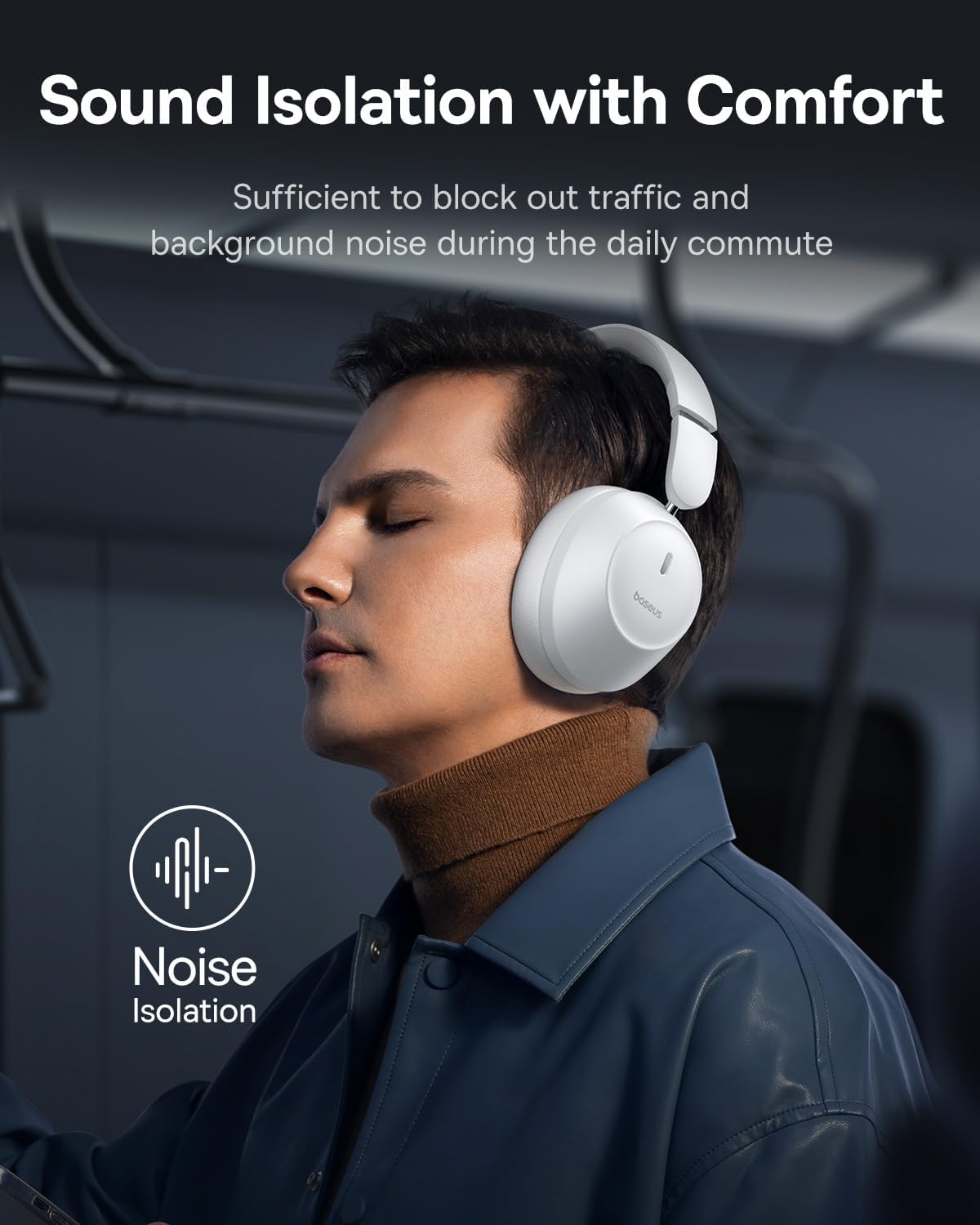
Figure 3.7: Sound Isolation with Comfort
A depiction of the headphones providing sound isolation in a busy environment, allowing the user to focus on their audio.
3.5 Advanced Bluetooth 5.3 Technology
Utilizing Bluetooth 5.3, these headphones offer a stable connection with low latency and low power consumption. This ensures audio remains perfectly synchronized across all compatible devices, providing a seamless wireless experience.

Figure 3.8: The Solid Connection with Bluetooth 5.3
An image illustrating the Bluetooth 5.3 chip, highlighting its benefits of stable connection and low power consumption.
4. Setup and Getting Started
4.1 Charging the Headphones
Before first use, fully charge your Baseus Bass 30 Max headphones.
- Connect the provided USB-C charging cable to the charging port on the headphones.
- Connect the other end of the USB-C cable to a compatible USB power adapter (not included) or a computer's USB port.
- The indicator light on the headphones will show the charging status. Refer to the headphone's specific LED indicator guide for details (usually red for charging, off or blue/green for fully charged).
- A full charge typically takes approximately 1.5-2 hours.
4.2 Bluetooth Pairing
To connect your headphones to a device via Bluetooth:
- Ensure the headphones are charged and powered off.
- Press and hold the Power button on the headphones until the indicator light flashes rapidly (usually blue or red/blue alternating), indicating pairing mode.
- On your device (smartphone, tablet, laptop), enable Bluetooth and search for available devices.
- Select "Baseus Bass 30 Max" from the list of found devices.
- Once connected, the indicator light on the headphones will typically stop flashing and remain solid blue, or turn off.
- The headphones will automatically reconnect to the last paired device when powered on, if the device's Bluetooth is active and within range.
5. Operating Instructions
5.1 Power On/Off
- Power On: Press and hold the Power button for approximately 3 seconds until the indicator light turns on.
- Power Off: Press and hold the Power button for approximately 5 seconds until the indicator light turns off.
5.2 Music Playback
- Play/Pause: Press the Multi-function button (usually the Power button or a dedicated play/pause button) once.
- Next Track: Press and hold the Volume Up button, or double-press the Multi-function button (refer to specific button layout on headphones).
- Previous Track: Press and hold the Volume Down button, or triple-press the Multi-function button (refer to specific button layout on headphones).
- Volume Up: Short press the Volume Up (+) button.
- Volume Down: Short press the Volume Down (-) button.
5.3 Call Management
- Answer/End Call: Press the Multi-function button once.
- Reject Call: Press and hold the Multi-function button for 2 seconds.
- Activate Voice Assistant: Double-press the Multi-function button (functionality may vary by device).
5.4 Wired Connection (3.5mm Audio Cable)
You can use the headphones with the included 3.5mm audio cable for a wired connection, which is useful when the battery is depleted or for devices without Bluetooth.
- Plug one end of the 3.5mm audio cable into the headphone's audio jack.
- Plug the other end into the 3.5mm audio output of your device.
- Note: Bluetooth functions and built-in microphone may be disabled when using the wired connection.
6. Maintenance and Care
To ensure the longevity and optimal performance of your Baseus Bass 30 Max headphones, follow these care guidelines:
- Cleaning: Wipe the headphones with a soft, dry, lint-free cloth. Do not use abrasive cleaners, alcohol, or chemical solvents.
- Storage: When not in use, store the headphones in a cool, dry place, away from direct sunlight and extreme temperatures. Utilize their foldable design for compact storage.
- Water Exposure: These headphones are not waterproof. Avoid exposure to water, moisture, or excessive humidity.
- Battery Care: For optimal battery life, avoid fully discharging the battery frequently. Charge the headphones regularly, even if not in constant use.
- Handling: Avoid dropping the headphones or subjecting them to strong impacts. Do not attempt to disassemble or modify the headphones, as this will void the warranty.
7. Troubleshooting
If you encounter issues with your Baseus Bass 30 Max headphones, refer to the following common solutions:
| Problem | Possible Cause | Solution |
|---|---|---|
| Headphones do not power on. | Low battery. | Charge the headphones fully. |
| Cannot pair with device. | Headphones not in pairing mode; Bluetooth off on device; device too far. | Ensure headphones are in pairing mode. Turn Bluetooth on/off on your device. Move device closer to headphones. Clear previous Bluetooth connections on your device. |
| No sound or low volume. | Volume too low; incorrect audio output selected; headphones not connected. | Increase volume on both headphones and device. Check if headphones are properly connected. Ensure the correct audio output is selected on your device. |
| Sound distortion or intermittent connection. | Interference; device too far; low battery. | Move away from sources of interference (Wi-Fi routers, other Bluetooth devices). Move device closer. Charge headphones. |
| Microphone not working during calls. | Incorrect audio input selected on device; wired connection in use. | Ensure the headphones are selected as the audio input device. Disconnect the 3.5mm audio cable if using Bluetooth for calls. |
If the problem persists after trying these solutions, please refer to the warranty and support section.
8. Specifications
| Feature | Detail |
|---|---|
| Model Name | Baseus Bass 30 Max |
| Item Model Number | BASS 30 |
| Brand | Baseus |
| Connectivity Technology | Wireless (Bluetooth) |
| Wireless Communication Technology | Bluetooth 5.3 |
| Headphones Jack | 3.5 mm Jack |
| Ear Placement | Over Ear |
| Audio Driver Type | Dynamic Driver |
| Frequency Range | 20 Hz - 20,000 Hz |
| Battery Life | Up to 50 Hours (advertised), 48 Hours (specification) |
| Material | Silicone (earcups/padding) |
| Color | White |
| Item Weight | 15.8 ounces |
| Special Features | 100% More Powerful Bass, 50-hour Listening Time, Bluetooth 5.3, Enhanced Call Clarity, Foldable Design, Noise Isolation Earcups |
| Compatible Devices | Cellphones, Devices with Bluetooth Audio Capability (iOS, Android, Windows, Mac OS, Switch), Laptops, Tablets |
9. Warranty and Support
Your Baseus Bass 30 Max headphones come with a warranty. Please refer to the included Warranty Card for detailed information regarding warranty terms, conditions, and duration.
For technical support, troubleshooting assistance beyond this manual, or warranty claims, please contact Baseus customer service. You can typically find contact information on the official Baseus website or through the retailer where you purchased the product.
Visit the Baseus Store on Amazon for more information and support resources.


