
Introduction
This instruction manual provides essential information for the proper installation, function, and maintenance of your NEWPAD Replacement Filter for the KJ-300L Air Purifier. Adhering to these guidelines will ensure optimal performance and longevity of your air purification system.
Product Features
The NEWPAD KJ-300L Replacement Filter is designed with a multi-layer filtration system to effectively purify the air in your environment.
- 3-in-1 Filtration System: Combines a Pre-filter, Cold Catalyst Filter (upgraded activated carbon), and HEPA Filter for comprehensive air purification.
- High Efficiency: Removes 99.97% of particles as small as 0.3 microns, including dust, smoke, pet dander, and odors.
- Extended Service Life: Designed for a service life of 5 to 12 months, depending on usage and air quality.
- Certified Quality: Certificated by EPA, ETL, CARB, and FCC, ensuring safety and performance standards.

Image: A diagram illustrating the three layers of the NEWPAD filter: Pre-filter, HEPA filter, and Cold Catalyst filter, with descriptions of what each layer filters.
Installation and Setup
Follow these steps to replace the filter in your NEWPAD KJ-300L Air Purifier:
- Power Off and Unplug: Before beginning, ensure the air purifier is turned off and unplugged from the power outlet for safety.
- Access Filter Compartment: Locate the filter compartment cover on your KJ-300L Air Purifier. Depending on the model, this may involve twisting the base or opening a panel.
- Remove Old Filter: Carefully remove the used filter from the compartment. Dispose of the old filter responsibly.
- Unpack New Filter: Remove the new NEWPAD KJ-300L Replacement Filter from its protective packaging.
- Insert New Filter: Place the new filter into the air purifier, ensuring it is seated correctly and securely. Follow any directional arrows on the filter or in your air purifier's main manual.
- Close Compartment: Reattach the filter compartment cover, ensuring it is properly sealed.
- Restore Power: Plug the air purifier back into the power outlet and turn it on.
- Reset Filter Indicator (if applicable): If your air purifier has a filter replacement indicator, follow the instructions in your air purifier's main manual to reset it.
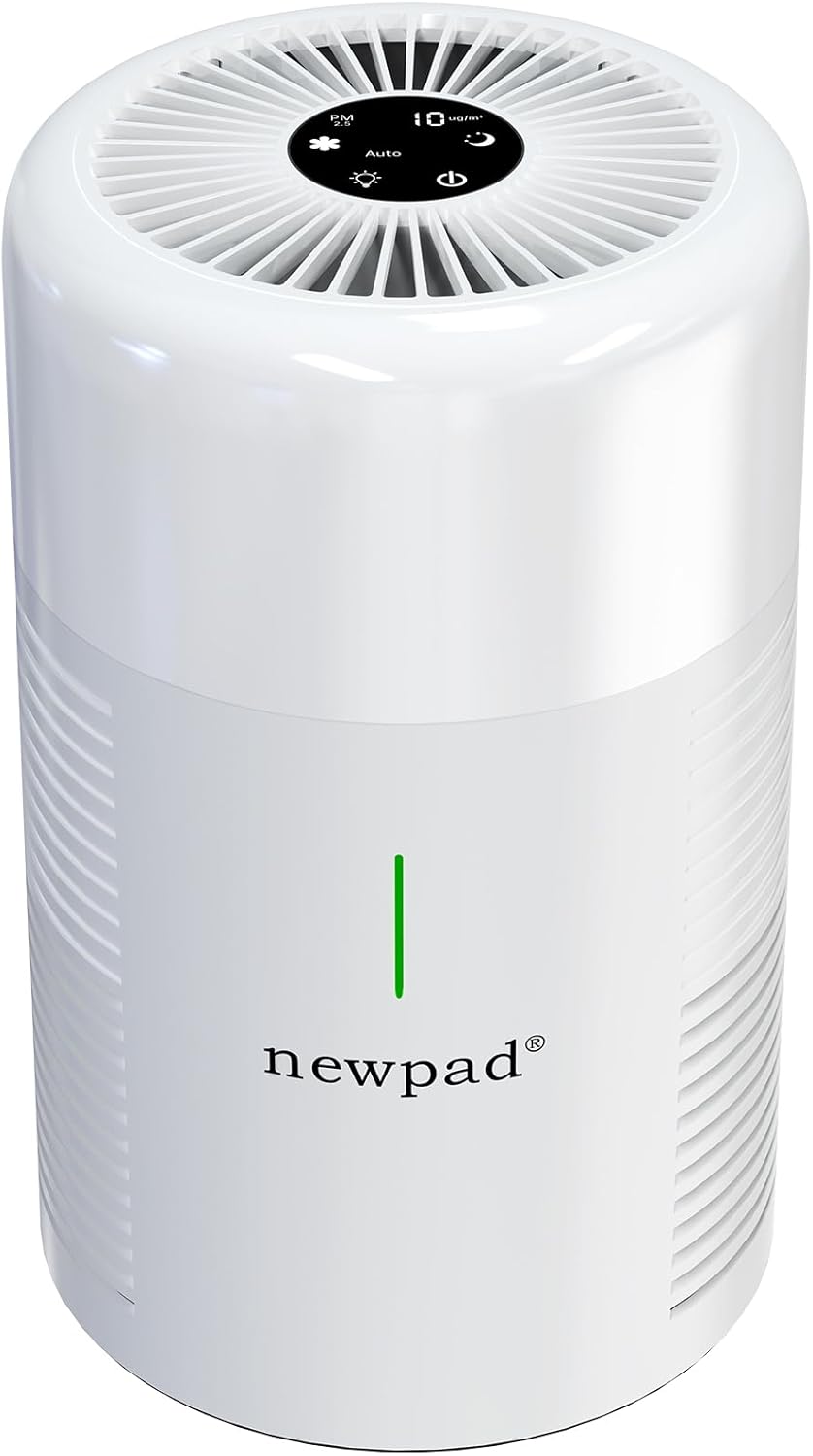
Image: A white NEWPAD KJ-300L Air Purifier, showing the overall design of the unit where the filter is installed.
Operating Principles
The NEWPAD KJ-300L Replacement Filter utilizes a multi-stage filtration process:
- Pre-filter: This initial layer captures larger particles such as pet hair, lint, and dust, extending the life of the subsequent filters.
- HEPA Filter: The High-Efficiency Particulate Air (HEPA) filter is designed to capture 99.97% of airborne particles as small as 0.3 microns, including pollen, dust mites, mold spores, and pet dander.
- Cold Catalyst Filter (Activated Carbon): This layer, featuring upgraded activated carbon, is highly effective at absorbing odors, smoke, volatile organic compounds (VOCs), and other harmful gases, preventing secondary pollution.
Maintenance
Regular filter replacement is crucial for maintaining the efficiency and effectiveness of your air purifier.
- Filter Lifespan: The NEWPAD KJ-300L Replacement Filter typically lasts between 5 to 12 months. This duration can vary based on air quality, frequency of use, and environmental factors.
- Replacement Indicator: Your NEWPAD KJ-300L Air Purifier may have a filter replacement indicator light. Replace the filter when this indicator illuminates.
- Visual Inspection: Periodically inspect the filter. If it appears heavily soiled, discolored, or if you notice a decrease in air purifier performance or an increase in odors, it may be time for a replacement, even if the indicator light has not yet activated.
- Disposal: The filter is disposable. Do not attempt to wash or clean the filter, as this can damage the filtration media and reduce its effectiveness.
Troubleshooting
If you experience issues with your air purifier after filter replacement, consider the following:
- Reduced Airflow: Ensure the new filter is correctly seated and the compartment cover is fully closed. Check for any obstructions around the air intake or outlet.
- Persistent Odors: Verify that the new filter was removed from all plastic packaging before installation. If odors persist, the filter may be faulty or the air quality issue is beyond the filter's capacity.
- Filter Indicator Light Remains On: After replacing the filter, you may need to manually reset the filter life indicator on your air purifier. Refer to your air purifier's main instruction manual for specific reset procedures.
- Unusual Noises: Ensure the filter is properly installed and not loose. If noises persist, it may indicate an issue with the air purifier unit itself, not the filter.
Specifications
| Feature | Detail |
|---|---|
| Model Number | KJ-300L-RF |
| Compatible Devices | NEWPAD KJ-300L Air Purifier |
| Filtration Type | 3-in-1 (Pre-filter, HEPA, Cold Catalyst) |
| Material | HEPA |
| Product Dimensions | 6.4"L x 6.4"W x 5.7"H (16.26 cm L x 16.26 cm W x 14.48 cm H) |
| Item Weight | 11.29 ounces (320 grams) |
| Reusability | Disposable |
| Certifications | EPA, ETL, CARB, FCC |
Warranty and Support
NEWPAD is committed to providing quality products and customer satisfaction.
- Returns: 30-day no-reason return policy.
- Exchanges: 60-day no-reason exchange policy.
- After-sales & Technical Support: Lifetime support is available for NEWPAD products.
For further assistance, please visit the official NEWPAD store or contact customer service:


