
EP B0CXP3RQ88
EP Home Smart Level 2 EV Charger Instruction Manual
Model: B0CXP3RQ88
1. Introduction
This manual provides essential instructions for the safe and efficient operation of your EP Home Smart Level 2 EV Charger. This 40 Amp, 240V charging station features a NEMA 14-50 plug and a 25-foot cable, designed for wall-mounted indoor or outdoor use with all electric vehicles (EVs) and plug-in hybrid vehicles (PHEVs) that utilize the SAE J1772 (Type 1) standard interface. It offers fast charging capabilities and smart app control for enhanced user experience.
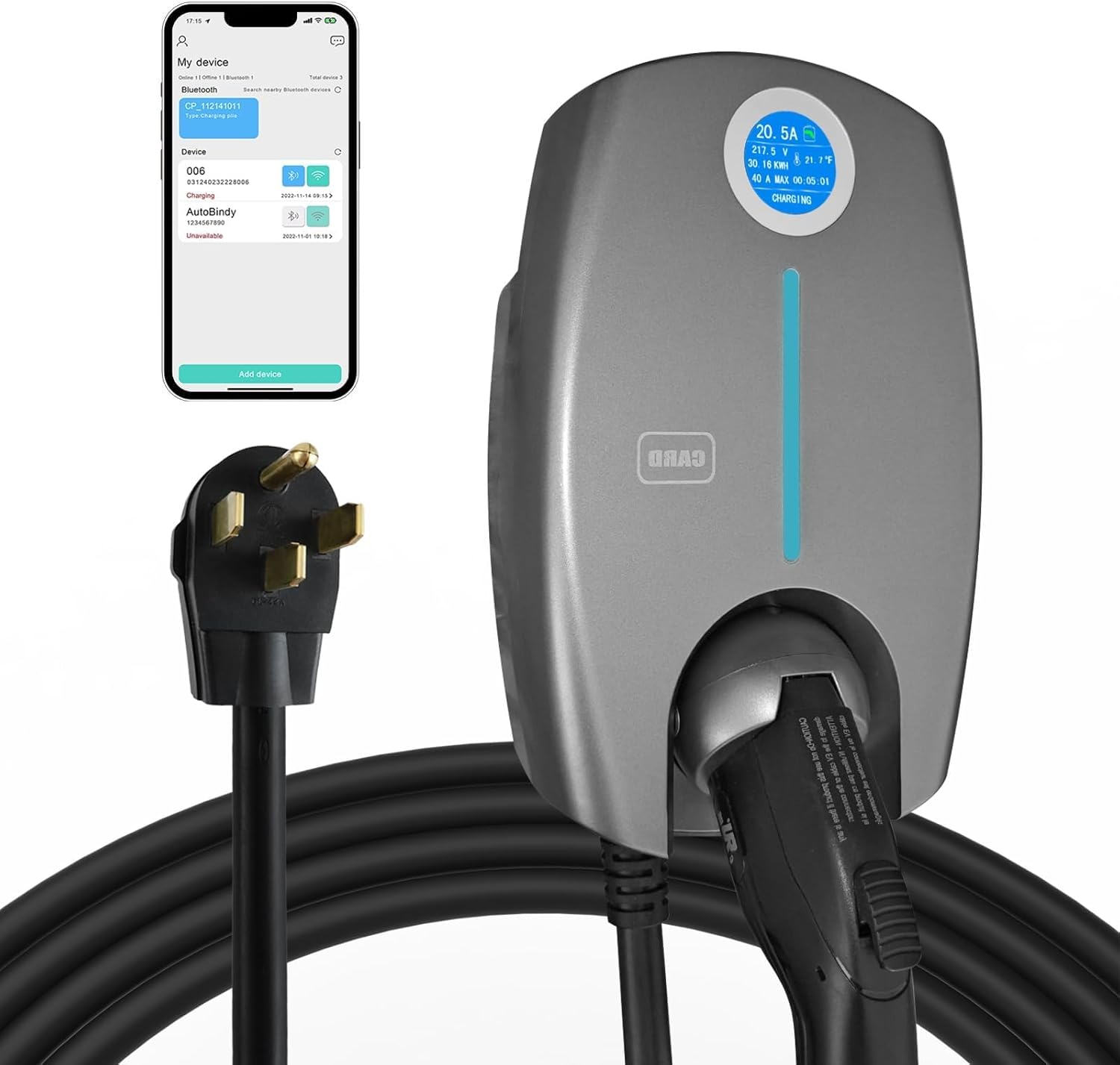
Image 1.1: EP Home Smart Level 2 EV Charger with its NEMA 14-50 plug and a smartphone displaying the control app.
2. Safety Information
Read all safety instructions carefully before installation and use. Failure to follow these instructions may result in electric shock, fire, or serious injury.
- Professional Installation: For hardwired installations, always consult a qualified electrician to ensure compliance with local electrical codes and safety standards.
- Grounding: Ensure the charging station is properly grounded to prevent electrical hazards.
- Environmental Conditions: The charger is designed for indoor and outdoor use with an IP65 rating for the box and IP54 for the plug, offering protection against dust and water splashes. However, avoid submerging the unit in water.
- Cable Management: Do not drive over the charging cable or subject it to sharp bends or excessive force. Inspect the cable regularly for damage.
- Emergency Stop: In case of an emergency, immediately disconnect the power supply to the charging station.
- ETL Certified: This product is ETL certified, indicating compliance with North American safety standards.
The charger incorporates an 8-layer protection system, including safeguards against over-voltage, under-voltage, leakage, overheating, over-current, grounding faults, overcharging, and lightning strikes, ensuring a secure charging experience.

Image 2.1: Visual representation of the charger's comprehensive safety protection features.
3. Package Contents
Verify that all items are present in the package:
- EP Home Smart Level 2 EV Charger Unit (with integrated NEMA 14-50 plug and 25 ft cable)
- Wall Mounting Bracket
- Mounting Screws (4x)
- RFID Cards (2x)
- Warranty Card
- User Manual (this document)

Image 3.1: Contents of the EP Home Smart Level 2 EV Charger package.
4. Specifications
| Feature | Specification |
|---|---|
| Model | B0CXP3RQ88 |
| Charging Level | Level 2 |
| Input Voltage | 240 Volts AC |
| Amperage | Adjustable 6-40 Amps |
| Maximum Power Output | 9.68 kW |
| Connector Type | SAE J1772 (Type 1) |
| Plug Type | NEMA 14-50 |
| Cable Length | 25 Feet |
| Enclosure IP Rating | IP65 |
| Plug IP Rating | IP54 |
| Operating Temperature | -22°F to 122°F (-30°C to 50°C) |
| Certifications | ETL Listed |
| Dimensions (Package) | 17.75 x 16.25 x 9 inches |
| Item Weight | 15.87 pounds |

Image 4.1: Detail of the 25-foot premium charging cable.

Image 4.2: SAE J1772 connector, compatible with most electric and hybrid plug-in vehicles.
5. Setup and Installation
The EP Home Smart Level 2 EV Charger is designed for wall-mounted installation and can be used both indoors and outdoors. It comes with a NEMA 14-50 plug for easy connection to a compatible 240V outlet. For hardwired installations, professional assistance is recommended.
5.1 Site Selection
- Choose a location near your parking spot that has access to a NEMA 14-50 outlet or where a 240V circuit can be installed.
- Ensure the mounting surface is sturdy enough to support the charger's weight.
- Consider cable reach to your vehicle's charging port.
5.2 Mounting the Charger
- Position the mounting bracket on the wall at the desired height.
- Mark the drill holes through the bracket.
- Drill pilot holes and secure the mounting bracket to the wall using the provided screws.
- Carefully hang the EV charger unit onto the secured mounting bracket.
5.3 Electrical Connection
- For plug-in installation, simply insert the NEMA 14-50 plug into a dedicated 240V NEMA 14-50 receptacle.
- Ensure the circuit breaker for the outlet is rated appropriately (e.g., 50 Amp breaker for a 40 Amp charger).
- Important: If you are unsure about electrical connections, consult a licensed electrician.

Image 5.1: The EV charger station mounted on a wall, highlighting its features.
6. Operating Instructions
The EP Home Smart Level 2 EV Charger offers multiple operating modes for convenience.
6.1 Basic Charging (Plug-and-Play)
- Ensure the charger is properly connected to power.
- Open your vehicle's charging port.
- Insert the SAE J1772 connector firmly into your vehicle's charging port.
- The charger will automatically initiate charging. The display on the charger will show real-time charging data.
- To stop charging, disconnect the connector from your vehicle.
6.2 Fast Charging Capabilities
This Level 2 charger provides up to 9.68 kW of power, delivering approximately 29-36 miles of range per hour, significantly faster than standard Level 1 chargers.

Image 6.1: Comparison of charging speed, highlighting the 9x faster charging capability.
7. Smart App Control
The EP Home Smart Level 2 EV Charger can be controlled and monitored via a dedicated mobile application, compatible with iPhone, Android, and web browsers. This app allows for advanced control and real-time data monitoring.
7.1 App Features
- Real-Time Monitoring: View current, voltage, charging time, and power consumption.
- Adjustable Power Output: Set the charging amperage (6-40 Amps) to suit your needs.
- Delayed Charging: Schedule charging sessions to take advantage of off-peak electricity rates.
- Remote Control: Start or stop charging remotely.
- Connectivity: Connect via Wi-Fi or Bluetooth. If the app connection is lost, the charger will automatically switch to Plug-and-Play mode.
7.2 Connecting to the App
- Download the "X-Smart" or specified app from your device's app store.
- Follow the in-app instructions to register an account and add your device.
- Ensure your charger is powered on and your smartphone's Bluetooth or Wi-Fi is enabled for pairing.
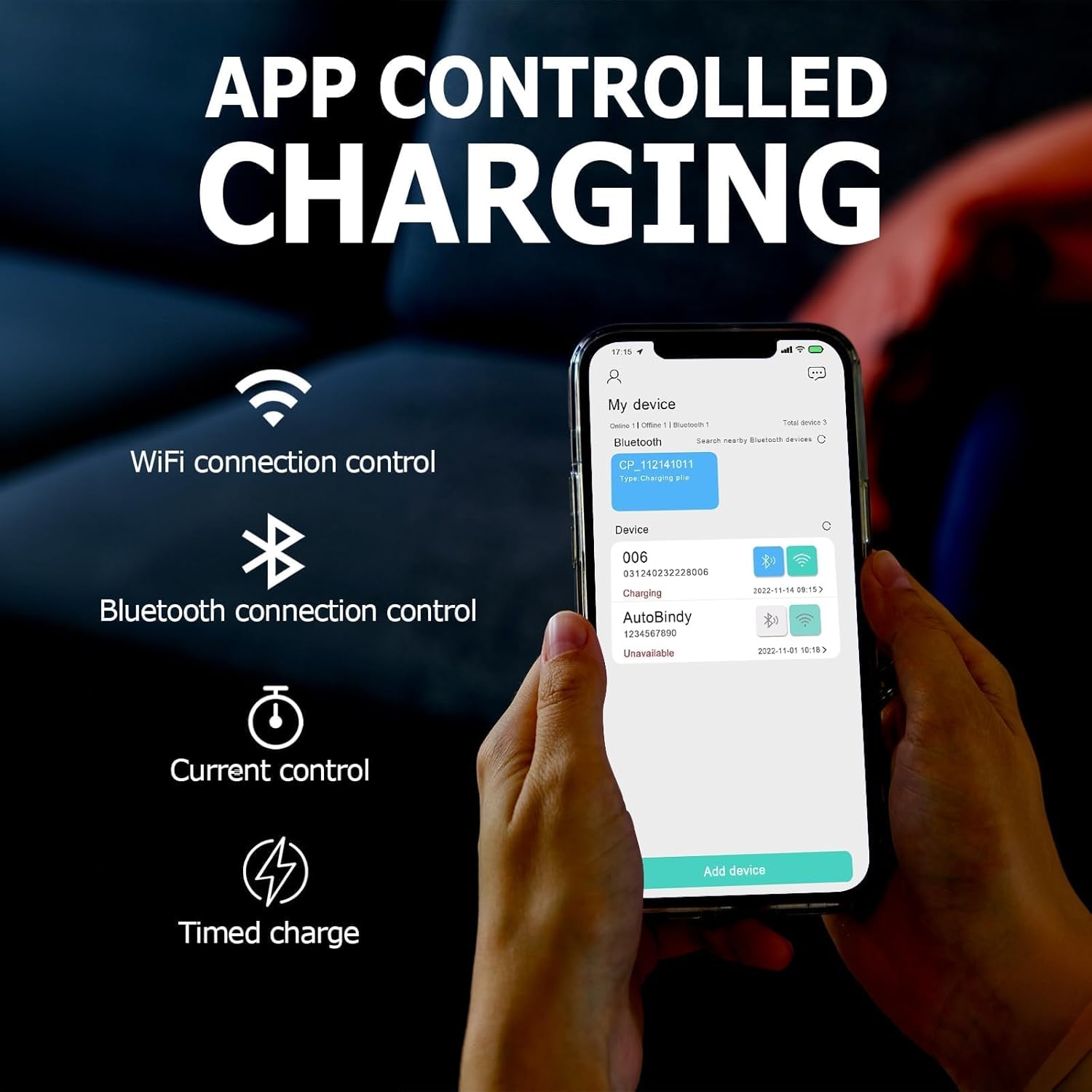
Image 7.1: App-controlled charging interface on a smartphone.
8. Charging Modes
The charger supports three distinct charging modes:
- Plug & Charge: The default mode where charging begins automatically upon connecting the charger to the vehicle.
- RFID Card: Use the provided RFID cards to initiate and stop charging. This is useful for controlling access to the charger.
- Mobile App Remote Control: Utilize the smartphone app for advanced scheduling, monitoring, and remote control via Wi-Fi or Bluetooth.

Image 8.1: Overview of the three available charging modes.
9. Maintenance
Regular maintenance ensures the longevity and safe operation of your EV charger.
- Cleaning: Wipe the charger unit and cable with a soft, damp cloth. Do not use harsh chemicals or abrasive cleaners. Ensure the unit is powered off before cleaning.
- Cable Inspection: Periodically inspect the charging cable and connector for any signs of wear, cuts, or damage. If damage is found, discontinue use and contact support.
- Storage: When not in use, store the charging cable neatly to prevent kinks or damage.
- Environmental Protection: The charger is rated IP65 (box) and IP54 (plug) for dust and water resistance, making it suitable for various weather conditions.

Image 9.1: The charger's IP65 rating ensures reliable operation in various weather conditions.

Image 9.2: The charger is designed for safety and durability in extreme weather conditions.
10. Troubleshooting
If you encounter issues with your EP Home Smart Level 2 EV Charger, refer to the following common problems and solutions:
| Problem | Possible Cause | Solution |
|---|---|---|
| Charger not powering on. | No power from outlet; circuit breaker tripped. | Check the NEMA 14-50 outlet for power. Reset the circuit breaker if tripped. Ensure the plug is fully inserted. |
| Charging not starting. | Connector not fully inserted; vehicle not ready to charge; app/RFID mode not activated. | Ensure the SAE J1772 connector is securely plugged into the vehicle. Check vehicle settings. If using app or RFID, ensure the correct mode is selected and activated. |
| App connection issues. | Weak Wi-Fi/Bluetooth signal; app not paired correctly. | Move closer to the charger for better signal. Re-pair the device in the app. If connection is lost, the charger will automatically switch to Plug-and-Play mode. |
| Slow charging speed. | Amperage setting too low in app; vehicle limitation. | Check the amperage setting in the mobile app and adjust if necessary. Confirm your vehicle's maximum charging rate. |
| Error message on display. | Internal fault; external electrical issue. | Note the error code and refer to the full user manual (if available) or contact customer support for assistance. |
For issues not covered here, please contact EP customer support.
11. Warranty and Support
EP provides a 1-year warranty for the Smart Level 2 EV Charger, covering defects in materials and workmanship under normal use.
Additionally, lifetime technical support is available to assist you with any questions or operational concerns.
Contact Information:
Please refer to the warranty card included in your package or visit the official EP website for the most current contact details for customer service and technical support.
Related documentsB0CXP3RQ88


Ask a question about this manual
Ask about setup, troubleshooting, compatibility, parts, safety, or missing instructions. Manuals+ will review the question and use this page’s manual context to help answer it.