
Introduction
This manual provides essential information for the safe and efficient use of your Baseus Qpow2 10000mAh Power Bank. Please read these instructions carefully before using the product to ensure optimal performance and longevity. The Baseus Qpow2 is a portable charging device designed to power your electronic devices on the go, featuring built-in Type-C and Lightning cables, a digital display, and 22.5W fast charging capabilities.
Product Overview
Key Features
- Dual-Cable Design: Integrated Type-C and Lightning cables for direct charging of various devices.
- Fast Charging: 22.5W high-speed charging with intelligent power management.
- 10000mAh Capacity: Provides multiple charges for most smartphones.
- Digital Display: LED screen indicates remaining battery percentage.
- Compact and Portable: Designed for easy carrying.
What's in the Box
- 1x Baseus Qpow2 Power Bank
Product Visuals
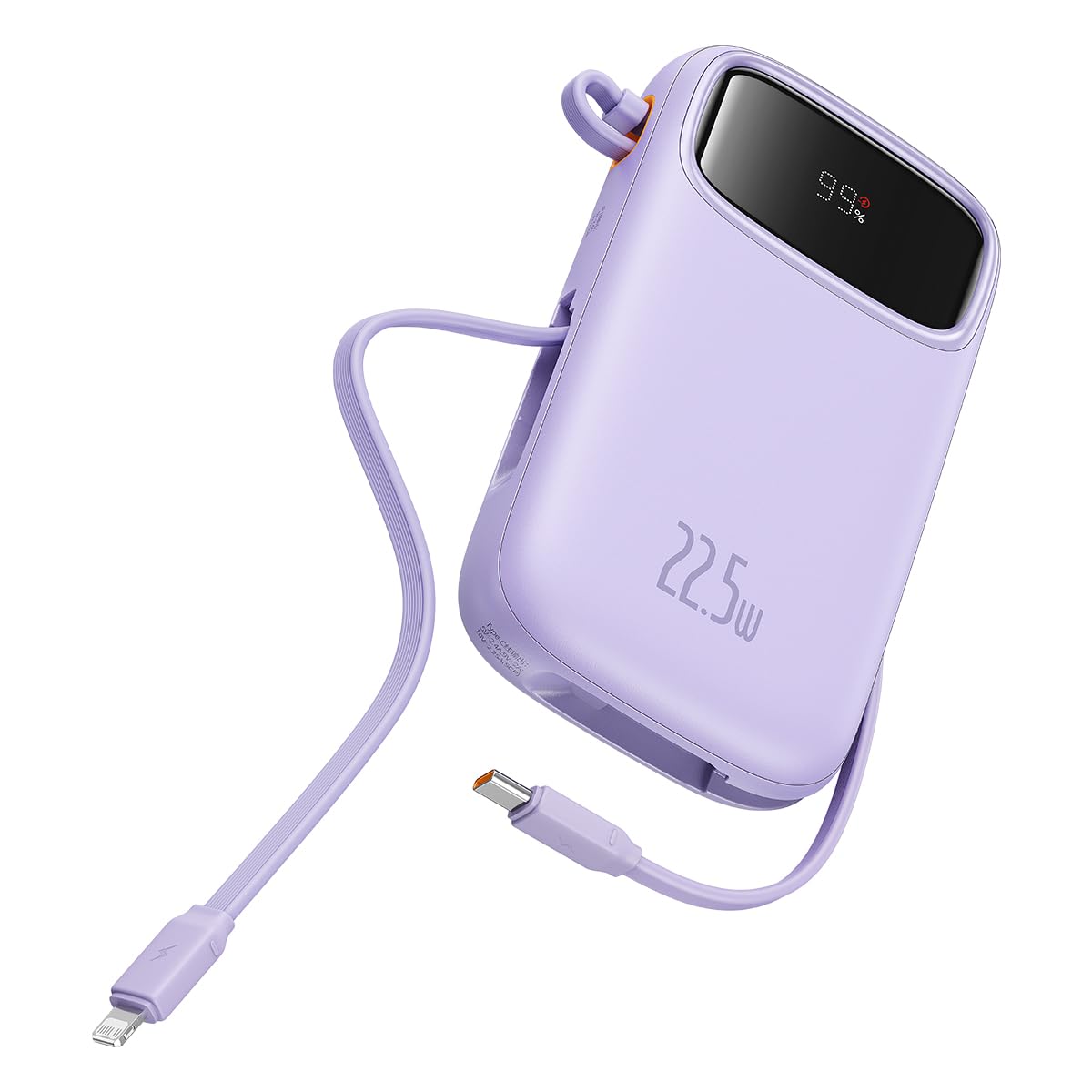
Front view of the Baseus Qpow2 Power Bank, showing its compact design and digital display.

The Baseus Qpow2 Power Bank featuring its built-in Type-C and Lightning fast charging cables, simultaneously charging two smartphones.

Illustration of the Baseus Qpow2 Power Bank's 10000mAh capacity, showing estimated charges for various devices like iPhone, Samsung, iPad Pro, and AirPods Pro.

The Baseus Qpow2 Power Bank demonstrating its ability to charge up to four devices simultaneously using its built-in cables, USB-C port, and USB-A port.

Close-up of the Baseus Qpow2 Power Bank highlighting its two-way USB-C port, supporting both 20W output and 18W input for charging the power bank itself.

The Baseus Qpow2 Power Bank showcasing its portable lanyard-cable design, allowing users to pull out the cable for charging and pull it back for easy carrying.

Visual representation of the Baseus Qpow2 Power Bank's slim and pocket-sized dimensions, comparing it to a standard soda can for scale.
Setup
Initial Charging of the Power Bank
- Upon first use, it is recommended to fully charge the Baseus Qpow2 Power Bank.
- Connect the included USB-C cable to the power bank's USB-C port (labeled for input/output) and connect the other end to a compatible USB wall charger (not included).
- The digital display will show the charging progress. The power bank is fully charged when the display shows 100%.
- A full charge typically takes approximately 3 hours with a suitable charger.
Operating Instructions
Charging Your Devices
The Baseus Qpow2 Power Bank offers multiple ways to charge your devices:
- Using Built-in Cables:
- Gently pull out the integrated Type-C cable or Lightning cable from its storage slot.
- Connect the appropriate cable directly to your device's charging port.
- The power bank will automatically begin charging your device. The digital display will show the power bank's remaining battery level.
- Using USB-C Port:
- Connect your device's USB-C charging cable (not included) to the power bank's USB-C port (labeled for input/output).
- Connect the other end of the cable to your device.
- Charging will commence automatically.
- Using USB-A Port:
- Connect your device's USB-A charging cable (not included) to the power bank's USB-A output port.
- Connect the other end of the cable to your device.
- Charging will commence automatically.
The power bank supports 22.5W fast charging for compatible devices. The intelligent power management system will optimize the charging speed based on your device's requirements.
Checking Battery Level
The digital LED display on the power bank shows the remaining battery percentage. This allows you to monitor the power bank's charge status accurately.
Maintenance
- Cleaning: Use a soft, dry cloth to clean the surface of the power bank. Avoid using harsh chemicals or abrasive materials.
- Storage: Store the power bank in a cool, dry place away from direct sunlight and extreme temperatures.
- Battery Care: To prolong battery life, avoid fully discharging the power bank frequently. Recharge it when the battery level is low. Do not expose the power bank to water or moisture.
- Handling: Do not drop, disassemble, or attempt to repair the power bank yourself. This may void the warranty and cause damage.
Troubleshooting
| Problem | Possible Cause | Solution |
|---|---|---|
| Power bank not charging devices. | Low battery on power bank, incorrect cable connection, device incompatibility. | Ensure power bank is charged. Check cable connections. Try a different cable or port. Verify device compatibility. |
| Power bank not recharging. | Faulty charging cable, incompatible wall adapter, power bank malfunction. | Use the included USB-C cable and a compatible wall adapter. Try a different wall adapter. If issue persists, contact support. |
| Slow charging. | Device not supporting fast charging, cable limitation, multiple devices charging simultaneously. | Ensure your device supports 22.5W fast charging. Use high-quality cables. Charging multiple devices may reduce individual charging speeds. |
| Digital display not working. | Power bank is off, internal fault. | Ensure the power bank is active (e.g., by connecting a device). If it remains unresponsive, contact support. |
Specifications
| Brand | Baseus |
| Model Name | Qpow2 |
| Model Number | LFZ107 |
| Battery Capacity | 10000 Milliamp Hours |
| Battery Cell Type | Lithium Polymer |
| Output Power | 22.5W (Max) |
| Output Current | 3 Amps |
| Input Power (USB-C) | 18W |
| Battery Charge Time | Approximately 3 Hours |
| Connector Type | USB Type C (built-in & port), Lightning (built-in), USB-A (port) |
| Dimensions (L x W x Thickness) | 13.8 x 9 x 2 Centimeters |
| Item Weight | 450 Grams |
| Country of Origin | China |
Warranty Information
The Baseus Qpow2 Power Bank comes with a 1-year manufacturer's warranty. This warranty covers defects in materials and workmanship under normal use. Please retain your proof of purchase for warranty claims. The warranty does not cover damage caused by misuse, accidents, unauthorized modifications, or normal wear and tear.
For detailed warranty terms and conditions, please refer to the official Baseus website or contact customer support.
Customer Support
Should you encounter any issues or have questions regarding your Baseus Qpow2 Power Bank, please contact the manufacturer or authorized service center.
- Manufacturer: BASEUS TECHNOLOGY (HK) CO., LIMITED, Shenzhen Baseus Technology Co., Limited
- Importer (India): KGR Enterprises Pvt Limited, 402 Nirmal Lifestyles, Lal Bahadur Shastri Marg, Moti Nagar, Mulund Colony, Mulund West, Mumbai, Maharashtra 400080
- For further assistance, please visit the official Baseus website or contact their customer service.