
1. Introduction
Welcome to the Fastrack Fpods FZ100 TWS In-Ear Earbuds user manual. This guide provides detailed instructions on how to set up, operate, maintain, and troubleshoot your new earbuds. Please read this manual carefully before using the product to ensure optimal performance and longevity.
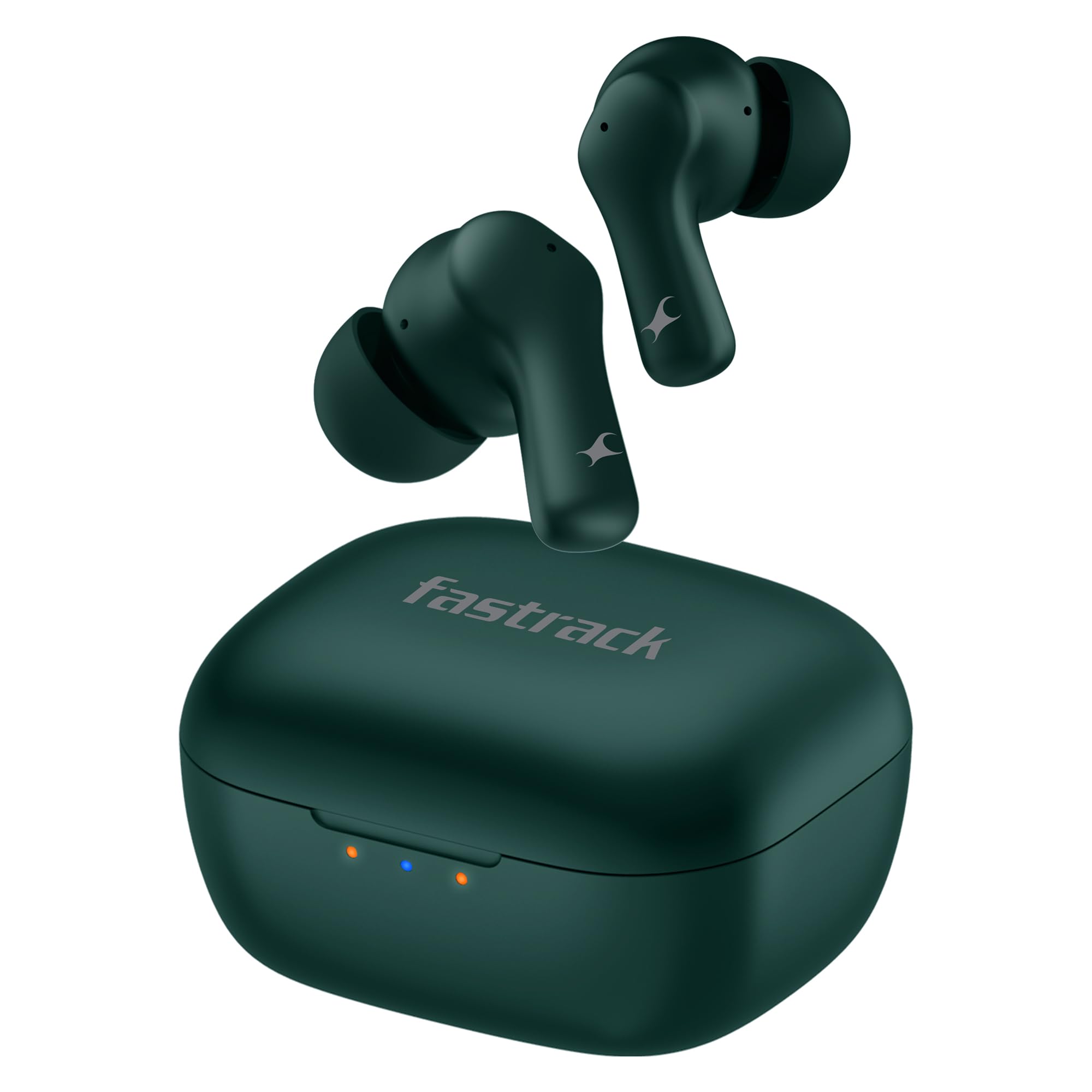
Image: Fastrack Fpods FZ100 TWS In-Ear Earbuds in Green, resting in their open charging case.
2. What's in the Box
Your Fastrack Fpods FZ100 package includes the following items:
- 2 x Earpods (Left and Right)
- 1 x Type C Portable Charging Case
- 1 x Quick Start Guide
- Eargels (Sizes: Small, Medium, Large)
- 2 x Ear Tips
- 1 x USB Type-C Charging Cable
Video: Unboxing the Fastrack Fpods FZ100 TWS Earbuds. This video demonstrates the contents of the product packaging, including the earbuds, charging case, quick start guide, eargels, ear tips, and charging cable.
3. Setup
3.1. Charging the Earbuds and Case
Before first use, fully charge the earbuds and the charging case. Connect the provided USB Type-C cable to the charging port on the case and a compatible power source. The LED indicators on the case will show the charging status.
- NitroFast Charge: Charge your earbuds for 10 minutes to get up to 200 minutes of playback.
- Full Charge Time: Approximately 120 minutes for the case.

Image: Visual representation of the Fastrack Fpods FZ100's battery life and NitroFast Charge capability.
3.2. Pairing with Your Device
- Ensure the earbuds are charged and placed inside the charging case.
- Open the charging case lid. The earbuds will automatically enter pairing mode.
- On your device (smartphone, tablet, laptop), go to Bluetooth settings.
- Search for available devices and select "Fastrack Fpods FZ100".
- Once connected, you will hear an audio prompt, and the earbuds will be ready for use.
3.3. Wearing the Earbuds
Choose the correct size of eargels and ear tips for a comfortable and secure fit. Insert the earbuds into your ears and gently twist them until they feel snug. A proper fit ensures optimal sound quality and noise isolation.

Image: Close-up of an earbud highlighting comfort fit plugs and IPX4 water resistance.
4. Operating Instructions
The Fastrack Fpods FZ100 feature intuitive touch controls for easy management of your audio and calls.
4.1. Touch Controls
| Action | Left Earbud | Right Earbud |
|---|---|---|
| Play/Pause | Single tap | |
| Next Track | Double tap | Double tap |
| Previous Track | Triple tap | Triple tap |
| Answer/End Call | Single tap | |
| Reject Call | Long press (2 seconds) | |
| Activate Voice Assistant | Long press (2 seconds) | |
| Gaming Mode On/Off | Quad tap | |
4.2. Key Features
- Mega 50 Hours Playtime: Enjoy extended listening sessions on a single charge.
- 10mm Dynamic Bass Drivers: Experience rich audio with extra deep bass.
- Quad Mic ENC for Clear Calls: Environmental Noise Cancellation ensures crystal clear, interference-free calls.
- Ultra-Low 40ms Latency Gaming Mode: Synchronized audio and visuals for an immersive gaming experience.
- Bluetooth v5.3: Provides stable and seamless wireless connectivity.
- IPX4 Sweat and Water Resistant: Designed to withstand sweat and light splashes, suitable for workouts and outdoor activities.

Image: Overview of key features including playtime, bass, call quality, latency, and durability.
Video: A detailed overview of the Fastrack Fpods FZ100 TWS Earbuds, showcasing their features and design.
5. Maintenance
Proper maintenance ensures the longevity and optimal performance of your Fastrack Fpods FZ100 earbuds.
5.1. Cleaning
- Regularly clean the earbuds and charging case with a soft, dry, lint-free cloth.
- Remove ear tips and clean them with mild soap and water, then dry thoroughly before reattaching.
- Use a cotton swab to gently clean the charging contacts on both the earbuds and the case.
- Avoid using abrasive materials, alcohol, or chemical cleaners.
5.2. Storage
- Always store the earbuds in their charging case when not in use to protect them and keep them charged.
- Store the device in a cool, dry place, away from extreme temperatures and direct sunlight.
5.3. Battery Care
- Do not expose the battery to high temperatures or direct sunlight.
- Avoid fully discharging the battery frequently. Charge it regularly to maintain battery health.
6. Troubleshooting
If you encounter any issues with your Fastrack Fpods FZ100, refer to the following common problems and solutions:
6.1. Earbuds Not Pairing
- Ensure both earbuds are charged.
- Turn off Bluetooth on your device and turn it back on.
- Forget the device from your Bluetooth list and try pairing again.
- Place earbuds back in the case, close the lid, wait a few seconds, then open to re-enter pairing mode.
6.2. No Sound or Low Volume
- Check the volume level on both your device and the earbuds.
- Ensure the earbuds are properly connected to your device.
- Clean any debris from the earbud speakers.
6.3. Charging Issues
- Ensure the charging cable is securely connected to both the case and the power source.
- Try using a different charging cable or power adapter.
- Clean the charging contacts on the earbuds and inside the case.
6.4. Intermittent Connectivity
- Ensure your device is within the Bluetooth range (up to 10 meters).
- Avoid physical obstructions between your device and the earbuds.
- Minimize interference from other wireless devices.
7. Specifications
| Feature | Specification |
|---|---|
| Brand | Fastrack |
| Model Name | FZ100 |
| Color | Green |
| Ear Placement | In Ear |
| Form Factor | In Ear |
| Bluetooth Version | 5.3 |
| Bluetooth Range | 10 Metres |
| Audio Driver Size | 10 Millimetres |
| Audio Driver Type | Dynamic Driver |
| Battery Average Life | 50 Hours |
| Battery Charge Time | 120 Minutes |
| Control Method | Touch |
| Noise Control | Environmental Noise Cancellation (ENC) |
| Water Resistance Level | IPX4 (Sweat and Water Resistant) |
| Latency | Ultra-Low 40ms (Gaming Mode) |
| Item Weight | 50 Grams |
| Material | Polycarbonate (PC) |
8. Warranty and Support
8.1. Warranty Information
The Fastrack Fpods FZ100 comes with a 1 Year Manufacturer Warranty from the date of purchase. This warranty covers manufacturing defects. Please retain your purchase receipt for warranty claims.
8.2. Customer Support
For any queries, assistance, or warranty claims, please contact Fastrack customer support:
- Customer Care: 1800-266-0123
- Email: customercare@titan.co.in
- Manufacturer Address: Titan Company Ltd, Titan Company Limited no- 03 Sipcot Industries complex Hosur - 635126
