
1. Important Safety Information
Please read this manual carefully before assembly and operation to ensure safe and correct use of your FLEXISPOT Electric Standing Desk. Keep this manual for future reference.
- Ensure all components are present and undamaged before assembly. Do not use if any parts are missing or damaged.
- Keep children and pets away from the desk during operation, especially during height adjustments.
- Do not place hands or other objects near moving parts during operation to prevent injury.
- Ensure the power cord is not pinched or damaged.
- Do not overload the desk. The maximum load capacity is 100 kg.
- Only use the desk indoors in a dry environment.
2. Product Overview and Dimensions
The FLEXISPOT Electric Standing Desk provides an adjustable workspace for both sitting and standing positions. It features a maple wood desktop and an electric height adjustment system.
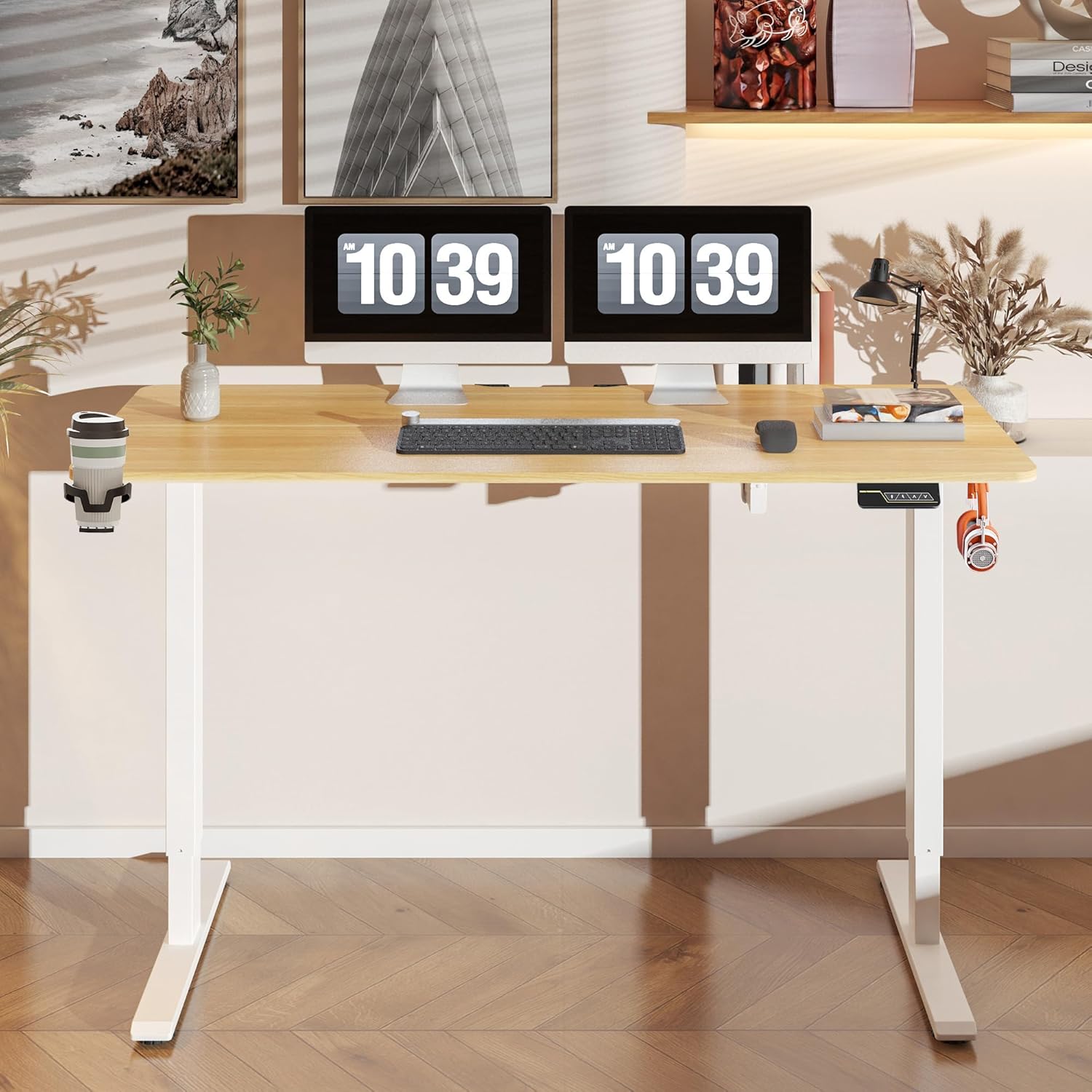
Figure 2.1: Overview of the FLEXISPOT Electric Standing Desk.

Figure 2.2: Desk dimensions and key specifications. The desk has a width of 140 cm, a depth of 60 cm, and an adjustable height range of 73.5 cm to 118 cm.
3. Setup and Assembly
Assembly of the FLEXISPOT Electric Standing Desk is required. Please refer to the separate assembly guide included in your product packaging for detailed step-by-step instructions. Ensure you have adequate space and the necessary tools before beginning assembly.
3.1 Cable Management
The desk includes a cable management tray to help organize power cords and other cables, contributing to a tidy workspace.

Figure 3.1: Integrated cable management tray for organizing wires.
3.2 Accessories
The desk comes with additional accessories to enhance functionality.

Figure 3.2: Included hooks and cup holder for convenience.
4. Operating Instructions
The desk is operated via a smart control panel located on the underside of the desktop.

Figure 4.1: Smart Control Panel layout.
4.1 Height Adjustment
- Use the Up and Down arrow buttons to manually adjust the desk height. The current height will be displayed on the LED screen.
- The desk operates quietly, with noise levels below 50 decibels during adjustment.
- The adjustable height range is between 73 cm and 118 cm.
4.2 Memory Function
The desk features a two-position memory function, allowing you to save and recall your preferred sitting and standing heights.
- To save a height: Adjust the desk to your desired height using the Up/Down buttons. Press the M button, then press one of the numbered preset buttons (1 or 2) within 3 seconds. The LED display will show 'S-' followed by the number, indicating the height is saved.
- To recall a saved height: Press the corresponding numbered preset button (1 or 2). The desk will automatically move to the saved height.
4.3 Child Safety Lock
The control panel includes a child safety lock function to prevent accidental adjustments.
- To activate the child safety lock: Press and hold the M button for approximately 5 seconds until 'LOC' appears on the LED display. All buttons will be disabled.
- To deactivate the child safety lock: Press and hold the M button again for approximately 5 seconds until 'LOC' disappears from the LED display. The control panel will resume normal operation.
5. Maintenance
Regular maintenance ensures the longevity and optimal performance of your desk.
- Cleaning: Wipe the desk surface and frame with a soft, damp cloth. Avoid abrasive cleaners or harsh chemicals that may damage the finish.
- Inspection: Periodically check all screws and bolts to ensure they are tight. Retighten if necessary.
- Cable Management: Ensure cables are neatly organized and not interfering with the desk's movement.
6. Troubleshooting
If you encounter issues with your FLEXISPOT Electric Standing Desk, refer to the following common troubleshooting steps:
- Desk not moving: Check if the power cord is securely plugged into both the desk and the wall outlet. Ensure the child safety lock is not activated.
- Uneven movement: Ensure the desk is not overloaded beyond its maximum capacity of 100 kg. Check that all feet are level on the floor.
- Error codes on display: If an error code appears, unplug the desk from the power outlet for 10 minutes, then plug it back in. If the error persists, contact customer support.
- Noise during operation: A slight motor sound is normal during height adjustment. If the noise is excessive or unusual, ensure no objects are obstructing the lifting columns.
7. Specifications
| Feature | Specification |
|---|---|
| Brand | FLEXISPOT |
| Model Number | FQ1M-1460-IE05-FS-EF |
| Desktop Dimensions | 140 cm (Width) x 60 cm (Depth) |
| Height Adjustment Range | 73 cm - 118 cm |
| Maximum Load Capacity | 100 kg |
| Noise Level | < 50 dB |
| Top Material Type | Maple Wood |
| Assembly Required | Yes |
| Special Features | Adjustable Height, Memory Function, Child Safety Lock, Cable Management Tray, Hooks, Cup Holder |
8. Warranty and Support
For warranty information, please refer to the documentation included with your purchase or visit the official FLEXISPOT website. If you require technical assistance, have questions about assembly, or need to report a defect, please contact FLEXISPOT customer support directly.
You can typically find contact information on the FLEXISPOT official website or through your purchase platform.


