
Introduction
Thank you for choosing the Music Hero TWS Rash Wireless Earbuds. These earbuds are designed for ultimate convenience and freedom, offering a completely wireless audio experience. Featuring True Wireless Stereo (TWS) technology, they provide a stable connection up to 10 meters from your device. The integrated touch controls allow for easy management of music, calls, and voice assistant functions without needing to access your connected smartphone, tablet, or laptop. The compact charging case ensures your earbuds are always ready for use.
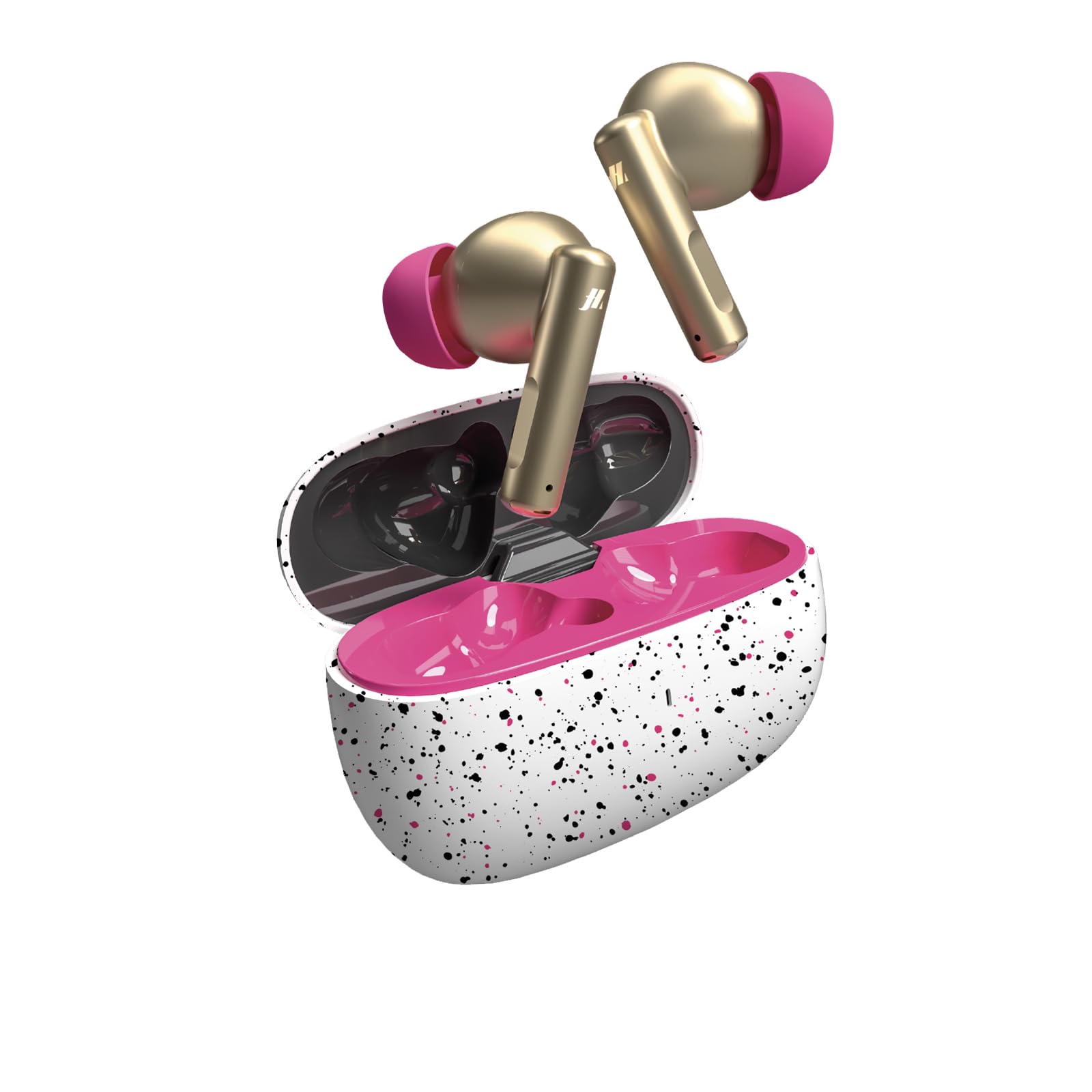
Image: Music Hero TWS Rash Wireless Earbuds in their charging case.
What's in the Box
Please check the contents of your package. If any items are missing or damaged, contact your retailer.
- Music Hero TWS Rash Wireless Earbuds
- Charging Case (200 mAh)
- USB-A to USB-C Charging Cable
- User Manual
Setup
1. Initial Charging
Before first use, fully charge the earbuds and the charging case.
- Place both earbuds into the charging case.
- Connect the USB-A to USB-C cable to the charging port on the case and to a compatible USB power source (e.g., computer, wall adapter).
- The charging indicator on the case will show the charging status. A full charge for the earbuds takes approximately 1 hour.
- Once fully charged, disconnect the charging cable.
2. Pairing with Your Device
The earbuds use Bluetooth technology to connect wirelessly to your smartphone, tablet, or laptop.
- Ensure the earbuds are charged and inside the charging case.
- Open the charging case. The earbuds will automatically enter pairing mode (indicated by flashing lights on the earbuds).
- On your device (smartphone, tablet, etc.), go to the Bluetooth settings.
- Turn on Bluetooth and search for available devices.
- Select "TWS RASH" from the list of available devices.
- Once connected, you will hear a confirmation tone, and the earbud lights will stop flashing.
- The earbuds will automatically reconnect to the last paired device when taken out of the case, if Bluetooth is enabled on the device.
Operating Instructions
The Music Hero TWS Rash earbuds feature intuitive touch controls on each earbud.
Music Playback
- Play/Pause: Single tap on either earbud.
- Next Track: Double tap on the right earbud.
- Previous Track: Double tap on the left earbud.
- Volume Up: Triple tap on the right earbud.
- Volume Down: Triple tap on the left earbud.
Call Management
- Answer/End Call: Single tap on either earbud.
- Reject Call: Press and hold either earbud for 2 seconds.
Voice Assistant
- Activate Voice Assistant: Press and hold either earbud for 3 seconds.
Power On/Off
- Power On: Take earbuds out of the charging case.
- Power Off: Place earbuds back into the charging case and close the lid.
Maintenance
Proper care will extend the life of your Music Hero TWS Rash earbuds.
- Cleaning: Gently wipe the earbuds and charging case with a soft, dry, lint-free cloth. Do not use harsh chemicals or abrasive materials.
- Storage: When not in use, always store the earbuds in their charging case to protect them and keep them charged.
- Charging: Charge the case regularly, even if not using the earbuds frequently, to maintain battery health.
- Water Resistance: The earbuds are described as "Impermeabile" (Waterproof). However, avoid submerging them in water or exposing them to heavy rain for extended periods. Dry them thoroughly if they get wet.
Troubleshooting
| Problem | Solution |
|---|---|
| Earbuds not pairing with device. |
|
| Only one earbud is working. |
|
| Earbuds not charging. |
|
| Poor sound quality or disconnections. |
|
Specifications
| Brand | MUSIC HERO |
| Model Name | TWS RASH |
| Model Number | 8018417464225 |
| Connectivity Technology | Wireless |
| Wireless Communication Technology | Bluetooth |
| Bluetooth Version | 5.0 |
| Bluetooth Range | 10 Meters |
| Earbud Placement | In-ear |
| Form Factor | True Wireless |
| Control Type | Touch Controls |
| Microphone | Integrated |
| Charging Case Capacity | 200 mAh |
| Earbud Average Battery Life | 3 Hours |
| Battery Charging Time | 1 Hour |
| Frequency Range | 20 Hz - 20,000 Hz |
| Water Resistance Level | Waterproof |
| Item Weight | 95 Grams |
| Compatible Devices | All devices with wireless connection |
Warranty and Support
Warranty Information
The Music Hero TWS Rash Wireless Earbuds come with a 2-year manufacturer's warranty from the date of purchase. This warranty covers defects in materials and workmanship under normal use. It does not cover damage caused by misuse, accidents, unauthorized modifications, or normal wear and tear. Please retain your proof of purchase for warranty claims.
Customer Support
For technical assistance, troubleshooting, or warranty claims, please contact your retailer or the manufacturer directly. Refer to the packaging or the official Music Hero website for contact details.